






SleekPixel for incident report cards
Customer-facing incident reports need a share asset that reads like a status update, not a marketing tile. SleekPixel renders one card per incident post in WordPress, generated from the report fields on save.
♾️ Lifetime License available
Incident reports are read first in the share preview
A published incident report has two audiences. The first is the customer trying to confirm whether the spike they noticed earlier was real. The second is the broader market, prospects, journalists, and competitors, reading whether the team handled the event well. Both audiences hit the share preview before they hit the page, which means the card has to communicate the incident ID, the severity, and the duration in a way that signals competence at a glance.
Most companies publish incident reports as plain blog posts under the default site og:image. The result is an inbox where the incident is indistinguishable from a product announcement, and the trust signal that comes with public, professional incident reporting is muted. The bigger the incident, the more the share preview matters, because that is where the screenshots get taken when the post starts moving on social.
SleekPixel binds the incident card to the report post. Incident ID, severity, duration, affected service, and root-cause summary bind to fields. The render fires on publish, writes the PNG to uploads, and the post is ready for the customer email, the status page link, and the Hacker News thread without anyone touching a design file.
Workflow
From incident closure to a published report card
Design the report template
Configure the incident post type
Publish the report
Update with postmortem revisions
Output
What a generated incident card looks like
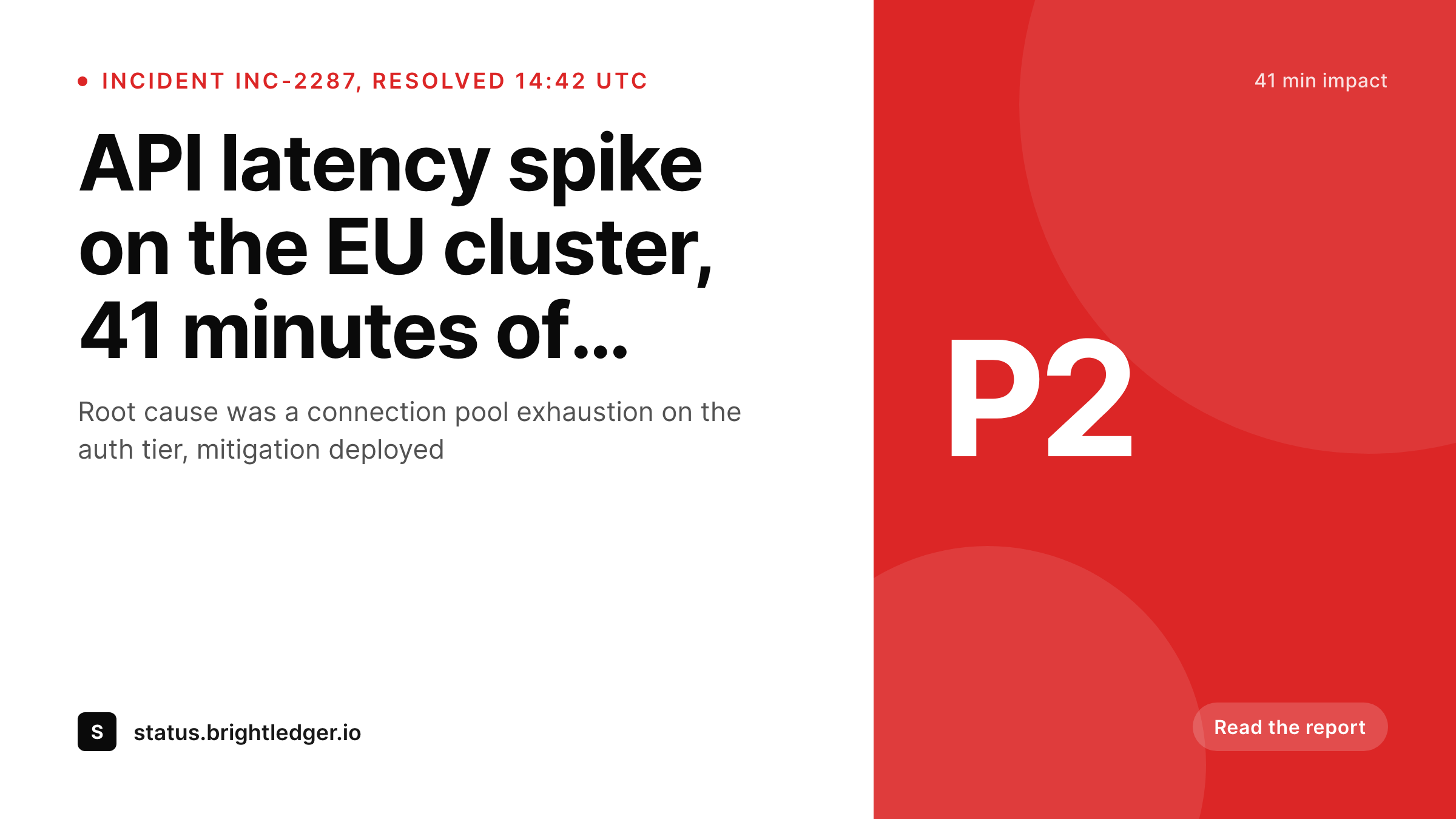
A 1200x675 Twitter card with the incident ID, severity, duration, and affected service pulled from the report fields.
Comparison
Default incident report image vs SleekPixel
Default incident image
- Same site logo on every incident report regardless of severity
- Duration and root cause never visible until someone clicks through
- Severity color cues missing in the share, P1 looks like a status update
- Manual hero images drift in style across incident waves
- No regeneration path when the postmortem adds a corrected duration
SleekPixel
- Render fires on publish for every incident report
- Incident ID, severity, duration, and service from post fields
- Severity accent color binds to a severity field
- Affected service or component visible in the share
- Postmortem edits regenerate the card before the next scrape
Features
What SleekPixel gives you for incident report cards
Severity baked into the share
Accent color and the severity badge bind to the severity field. P1, P2, and P3 reports read as visually distinct, which calibrates expectations before the click.
Impact duration in the card
Bind the duration line to the start and end timestamps on the report. The card shows how long the impact lasted, which is the number most readers are looking for first.
Affected service in the share
Show the impacted service, region, or component. Customers scanning a Slack unfurl can tell whether the incident affected their environment without opening the link.
Use cases
Where incident report cards earn their keep
SaaS engineering teams
Teams that publish customer-facing incident reports for every SEV2 and above. The card communicates the severity and duration at a glance to enterprise customers.
Infrastructure and platform vendors
Vendors whose customers are themselves engineering teams. The card carries the affected service and region so downstream incident bridges can triage faster.
Trust and security pages
Companies running a dedicated trust hub. Incident reports sit alongside SOC reports and policy updates, with a consistent visual language across every post.
The bigger picture
Why incident reports need a real share card, not a marketing tile
Published incident reports are a trust multiplier or a trust dilutor, depending on how seriously the share surface treats them. The companies that handle availability communication well, Fastly, Cloudflare, Stripe, GitHub, all publish reports that read like operational documents in every surface they touch, including the social card. The share preview signals whether the team thinks of the report as a real artifact or as a blog post that happens to be about an outage.
That signal lands before any reader engages with the content, and it shapes how the report gets quoted on Twitter and Hacker News. SleekPixel makes the report card a side effect of publishing, which keeps the operational shape of the post intact and removes the design dependency from the engineering workflow.
Questions
Common questions about SleekPixel for incident report cards
Yes. Bind the accent color to a severity field. The template renders P1 incidents with one accent, P2 with another, and informational notices with a neutral color band.
SleekPixel renders inside WordPress. If incidents live in Statuspage or BetterStack, mirror the post in WordPress for the share asset, or import the post via the status tool's webhook.
Yes. Edit the start or end timestamp on the post and save. The card re-renders with the revised duration and the og:image overwrites in uploads.
Templates can write a JSON-LD block alongside the og:image. That is on the WordPress side. SleekPixel handles the image generation and the meta tags.
Yes. Use a region taxonomy or field, and either bind it as a tag in a single template or configure region-specific templates that render in parallel.
Some teams publish a preliminary report and a final one. Bind a status field, and the card label can swap between Preliminary and Final automatically when the status changes.
The render runs in under a second for most templates. The post save returns normally, the PNG is written in the background, and the og:image and twitter:image meta tags are in place before the first scrape.
Yes. The admin includes a bulk regenerate action. After a trust-page redesign, re-render every incident report under the new template in one pass.
Pricing
More than 1000+
happy customers
Explore our flexible licensing options tailored to your needs. Upgrade your license anytime to access more features, or opt for a lifetime license for ongoing value, including lifetime updates and lifetime support. Our hassle-free upgrade process ensures that our platform can grow with you, starting from whichever plan you choose.
Lifetime ♾️
Most popular
EUR
once
- Unlimited websites
- Lifetime updates
- Lifetime support
...or get the Bundle Deal
and save €250 🎁
💎 Want everything forever? The All Access Pass is going away on 01.08.2026.
The Bundle (unlimited sites)
Pay once, own it forever
Elevate your WordPress site with our exclusive plugin bundle that includes all of our premium plugins in one package. Enjoy lifetime updates and lifetime support. Save significantly compared to buying plugins individually.
What’s included
-
SleekAI
-
SleekByte
-
SleekMotion
-
SleekPixel
-
SleekRank
-
SleekView
€749
Continue to checkoutBrowse more
- Etsy listing images
- YouTube Shorts cover
- WeChat Moments images
- LinkedIn carousel slides
- kbin post images
- Instagram collab post images
- Kindle book cover
- KakaoTalk channel banners
- Amazon Storefront banners
- Lemon Squeezy product covers
- SoundCloud banner
- TikTok ad images
- Threads social images
- TikTok shop images
- LinkedIn showcase page banners