






SleekPixel for dog walkers
Each route page, service tier, and pack-walk update on your site already has a name, schedule, and capacity. SleekPixel renders feed-ready squares and OG images on save so every neighborhood share looks like the same business.
♾️ Lifetime License available
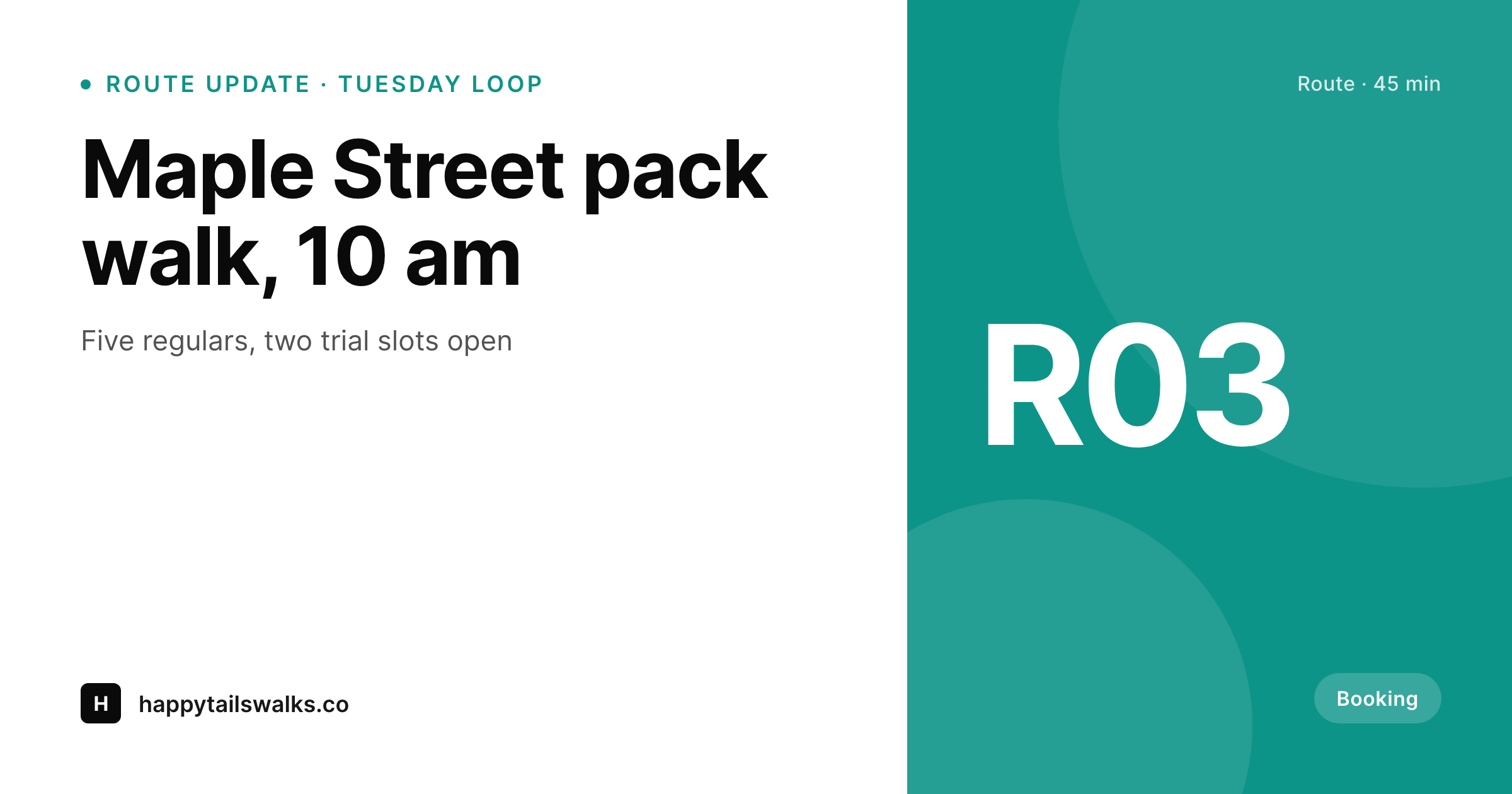
Dog walking is a Stories-first business
A working dog-walking service publishes more than people realize: route pages for the morning loop, the afternoon park run, and the weekend hike pack; service-tier pages for solo walks, pack walks, and overnight visits; trial-slot announcements when a regular drops; and the occasional case-study post when a reactive dog finally settles into the pack. Each one ends up shared in neighborhood Facebook groups, in DMs from referrals, and on the company Instagram. The pre-publish ritual is always the same: someone in the company crops a phone snap, sets type over it, exports a square, and uploads it.
The frustrating part is that the route page already holds the name, the meeting point, the schedule, and the current capacity. The trial-slot announcement already has the day, the time window, and the route. SleekPixel reads those fields on save and renders the Instagram square, the OG image, and the Story vertical in one pass. The walker writes the update, hits publish, and the share art exists. Neighbors forwarding the link in a building chat see a clean card with the route name and meeting time, not a bare URL with a stretched homepage logo.
The photos from each walk still drive the route page itself, so the dogs do the visual heavy lifting. The share card is the wrapper that makes every link feel like one consistent business. The walker stops opening Canva at the kitchen counter after a long day on leash and goes back to running the routes.
Workflow
From route update to share-ready in one save
Set the route template
Map the post types
Update and save
Share to the neighborhood
Output
What ships with every route post
A 1200 by 630 OG image: route name, meeting point, schedule, and current capacity, ready for Facebook neighborhood groups and Instagram link previews.
Comparison
Phone-and-Canva updates vs auto-rendered route art
Canva / Manual export
- Every trial-slot post means redoing the same template by hand
- Stories, route pages, and service tiers all need separate exports
- Brand drift between months as templates get re-saved on a phone
- Trial slots fill slowly when the share card is wrong or missing
- Old route links share with stretched logos when neighbors forward them
SleekPixel
- Route page becomes the source: name, schedule, capacity pull from fields
- Square, Story, and OG image render in one save
- Trial-slot announcements get the next-available time onto the card
- Re-render the catalog when the brand evolves (no per-page work)
- OG and Twitter cards write to the head so links share with real previews
Features
What SleekPixel gives you for dog walkers
Route art ready
Every route page saves with a feed-ready square and a Story vertical. The walker updates capacity; the art reflects it.
Trial-slot cards
Drop announcements render the day, time, and route on a branded card. Neighbors see the slot, not a bare URL.
Service-tier previews
Solo walks, pack walks, and overnights each share with a clean card showing duration and price. No more stretched homepage banners.
Use cases
What dog walkers generate with SleekPixel
Route and pack-walk pages
Each route saves with a square, a Story vertical, and an OG image. The walker shares the link, the preview is ready.
Trial-slot announcements
When a regular drops, the slot announcement renders the day, time, and route. Neighborhood groups see the opening, not a generic logo.
Service-tier pages
Solo, pack, and overnight tiers each get their own share card so an inquiry click sees something tailored to the service.
The bigger picture
Why share consistency drives walking-route signups
Dog walking is a referral business that lives inside neighborhood chats and building group threads. A regular client forwards the route page to a neighbor whose new puppy needs midday breaks. The neighbor opens the link in a Facebook group preview, sees a clean card with the route name and the meeting time, and books a trial.
Generic phone-snap cards with stretched homepage logos waste that moment. Hand-typeset cards drift over a season because the walker is making them on the way to the next pickup. The middle path, a template that adapts to each route automatically, keeps the wordmark and type identity holding the brand together while letting the photos on the route pages themselves carry the personality.
The second reason is reach. A walker working five hours of leash time per day does not have a third hour to spend on Canva. SleekPixel removes that hour by binding the share art to the route page.
The walker updates the capacity field, the share previews update with it. Neighbors forwarding old route links pick up the new look automatically because the OG image is rendered from the live data, not from a screenshot from three months ago.
Questions
Common questions about SleekPixel for dog walkers
If the booking plugin stores route, schedule, and capacity in custom fields, SleekPixel can read them. Most popular pet-care booking plugins store these as standard postmeta, which is exactly what SleekPixel binds to.
It can show capacity at the moment of the last save. If a regular drops at 6 am and the walker updates the post, SleekPixel re-renders the share card with the new capacity. The card is then current the next time someone forwards the link.
Stories work especially well for trial slots because they have a 24-hour window. SleekPixel renders a 9:16 Story alongside the square, with the slot day and time large enough to read at a glance. The walker grabs it from the Gutenberg sidebar and posts.
Yes. The Gutenberg sidebar has a download button for each rendered format. The square version exports at full resolution, ready for paste into a chat or upload to a Facebook group post.
Indirectly. Local search ranking depends on Google Business Profile and local citations more than OG images. But click-through rates from neighborhood Facebook groups and building chats affect how many new clients find the site, which in turn affects reviews and citations over time.
If review counts and average rating live on the route page (via a reviews plugin or custom field), the template can read them. A small five-star line on the share card with the count is a nice trust signal for neighborhood-group shares.
Run a bulk re-render and every existing route page updates to the new visual. File names stay the same, so cached OG previews refresh on the next platform scrape. The catalog stays unified instead of looking like 'before and after' the rebrand.
Solo walkers often see the largest gains because they have the least time. An hour saved per route update times fifty updates per year is fifty hours back. The bottleneck for a solo walker is one person doing everything, so any automation that turns a graphic-design task into a save action pays off fast.
Pricing
More than 1000+
happy customers
Explore our flexible licensing options tailored to your needs. Upgrade your license anytime to access more features, or opt for a lifetime license for ongoing value, including lifetime updates and lifetime support. Our hassle-free upgrade process ensures that our platform can grow with you, starting from whichever plan you choose.
Lifetime ♾️
Most popular
EUR
once
- Unlimited websites
- Lifetime updates
- Lifetime support
...or get the Bundle Deal
and save €250 🎁
💎 Want everything forever? The All Access Pass is going away on 01.08.2026.
The Bundle (unlimited sites)
Pay once, own it forever
Elevate your WordPress site with our exclusive plugin bundle that includes all of our premium plugins in one package. Enjoy lifetime updates and lifetime support. Save significantly compared to buying plugins individually.
What’s included
-
SleekAI
-
SleekByte
-
SleekMotion
-
SleekPixel
-
SleekRank
-
SleekView
€749
Continue to checkoutBrowse more
- Tidal cover art
- LinkedIn article covers
- Ghost feature images
- YouTube Music cover art
- Etsy shop banners
- Reddit subreddit banners
- Xiaohongshu cover images
- Signal sticker pack
- Linktree banner image
- podcast cover art
- Threads story-style images
- Etsy cover photos
- KDP paperback cover
- Tumblr header
- Telegram channel images