






SleekPixel for meditation teachers
SleekPixel reads each post's title, the teacher, the course, and the lesson number, then renders a 1200x630 OG image on save. Quiet, consistent cards across every share.
♾️ Lifetime License available
Stop sharing meditation lessons with a generic teacher photo
Meditation teachers tend to publish around a small set of long-running courses. A 28-day foundations course, a separate short course on working with difficult emotions, an ongoing weekly drop-in talk, and a handful of retreat pages. Each post lives inside a course or talk series, with a lesson number, a teacher, and a duration. Each is also meant to read as one piece of an arc, not a stand-alone article.
The current default shares break that arc. A lesson link previews with a generic teacher headshot, the same one used on every other lesson and the talks page and the retreats page. The arc is invisible from the preview, which is unfortunate because the arc is exactly the thing that makes a course worth committing to.
SleekPixel restores the arc. Build one card template in the admin with the teacher's mark, a lesson-number slot, a course slot, and a quiet color system. Save a lesson, and the card carries the course name and the lesson number so a share clearly reads as Day 7 of Foundations, not just another generic preview. Edit the template once and the whole 28-day course refreshes in a single pass.
Workflow
From lesson draft to course-ready share in one save
Design the template
Connect to post type
Save the lesson
Share anywhere
Output
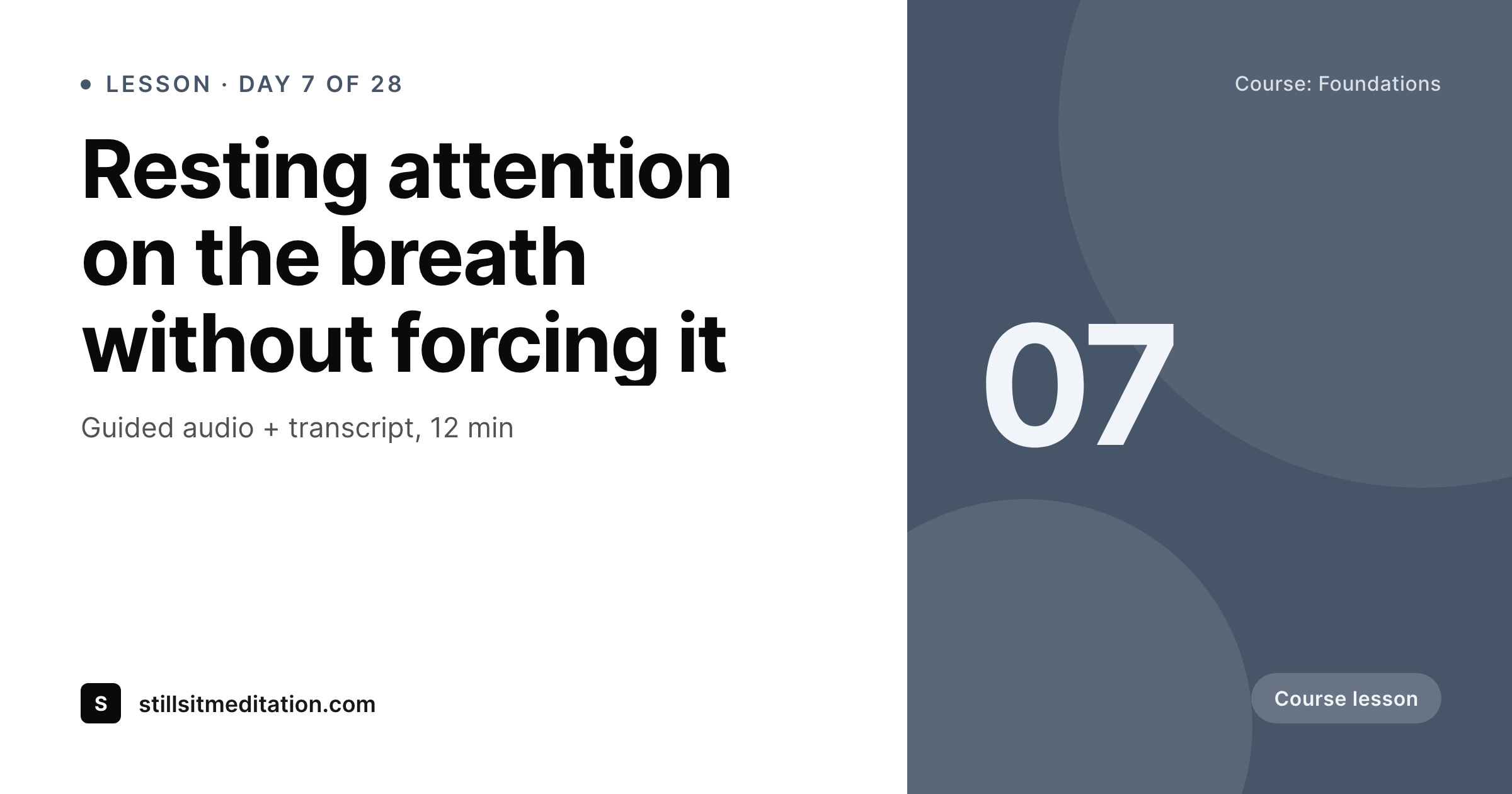
Sample social card from a course lesson
This card was rendered from a lesson post's title, the course, the lesson number, and a calm accent color. Same template, every lesson.
Comparison
Default meditation teachers image vs SleekPixel
Default meditation teachers image
- Every lesson shares with the same generic teacher headshot
- Course context and lesson number disappear from the preview
- Stock photos of sunsets and lotus blooms slip in and feel impersonal
- A rebrand means re-exporting every lesson's image by hand
- Talks, retreats, and lessons all look the same in social previews
SleekPixel
- Auto-generated OG image per lesson on save, every time
- Course name and lesson number pulled from the post fields
- One template equals one consistent course identity across every lesson
- Edit the template once and the entire course refreshes
- Falls back gracefully if a course or lesson-number field is missing
Features
What SleekPixel gives you for meditation teachers
Template-driven
Design the card layout once with the teacher's mark, a course slot, and a lesson-number slot. Every lesson inherits it on the next save.
OG + Twitter meta
SleekPixel writes og:image, twitter:image, and twitter:image:alt directly on each lesson, no theme code required.
Regenerate on demand
Refreshed the course branding? Bulk-regenerate every lesson's image from the admin in a single click.
Use cases
Where this fits best for meditation teachers
Multi-week courses
Each lesson in a foundations course or a difficult-emotions course gets a card tied to the course and the lesson number.
Weekly drop-in talks
Public talks and weekly drop-in posts each get a card with the date and the topic so a re-shared talk lands on a specific page.
Retreats and intensives
Retreat pages get a card with the dates, location, and seat count instead of the same generic teacher headshot.
The bigger picture
Why a consistent social card matters for meditation teachers
A meditation course is sold on a sense of arc more than on any single lesson. The first lesson of Foundations and the twenty-eighth lesson of Foundations are doing different work, and a prospective student deciding whether to commit reads each preview to find out whether the work feels coherent. When every lesson previews with the same generic teacher headshot, the arc is invisible and the commitment feels harder.
When each preview clearly reads as Day 7 of 28 or Day 21 of 28, the arc becomes part of the share itself, and the decision to enroll gets easier. A template that pulls the course name and the lesson number automatically holds the arc together while the teaching stays in the teacher's voice. SleekPixel does that inside WordPress without sending any post data to an external service.
Questions
Common questions about SleekPixel for meditation teachers
Yes. SleekPixel reads lesson meta from common LMS plugins the same way it reads from native WordPress fields. The course title and lesson number flow into the card.
Yes. SleekPixel supports per-category and per-CPT templates, so Foundations and the difficult-emotions course can have distinct color systems while sharing the same base layout.
No. The image is rendered on your own WordPress server and stored locally in the uploads folder. No lesson content passes through an external service.
Yes. SleekPixel writes og:image with high priority, so it overrides Yoast, Rank Math, and AIOSEO fallbacks cleanly without disabling the rest of the plugin's work.
Yes. The admin has a one-click bulk regeneration that re-renders every lesson's image. One pass brings the entire course in line.
No. The image is rendered once at save time and stored as a static PNG. Visitors load a regular image URL with no live rendering.
Yes. Substack and most email clients read og:image when generating link previews, so a Substack newsletter linking a lesson picks up the rendered card automatically.
Stores. Each generated image is a real PNG saved to the uploads folder, so it survives plugin deactivation and pages stay fast under any share spike.
Pricing
More than 1000+
happy customers
Explore our flexible licensing options tailored to your needs. Upgrade your license anytime to access more features, or opt for a lifetime license for ongoing value, including lifetime updates and lifetime support. Our hassle-free upgrade process ensures that our platform can grow with you, starting from whichever plan you choose.
Lifetime ♾️
Most popular
EUR
once
- Unlimited websites
- Lifetime updates
- Lifetime support
...or get the Bundle Deal
and save €250 🎁
💎 Want everything forever? The All Access Pass is going away on 01.08.2026.
The Bundle (unlimited sites)
Pay once, own it forever
Elevate your WordPress site with our exclusive plugin bundle that includes all of our premium plugins in one package. Enjoy lifetime updates and lifetime support. Save significantly compared to buying plugins individually.
What’s included
-
SleekAI
-
SleekByte
-
SleekMotion
-
SleekPixel
-
SleekRank
-
SleekView
€749
Continue to checkoutBrowse more
- Twitch starting soon screen
- Lemon Squeezy product covers
- Dribbble shot covers
- VK community cover photos
- YouTube end screens
- Discord event cover
- Shopify collection banners
- YouTube Shorts thumbnails
- LinkedIn article covers
- Twitch schedule banners
- Bandcamp release cover
- WeChat Moments images
- LinkedIn showcase page banners
- Bluesky profile banners
- Flickr cover photo