






SleekPixel for moving company
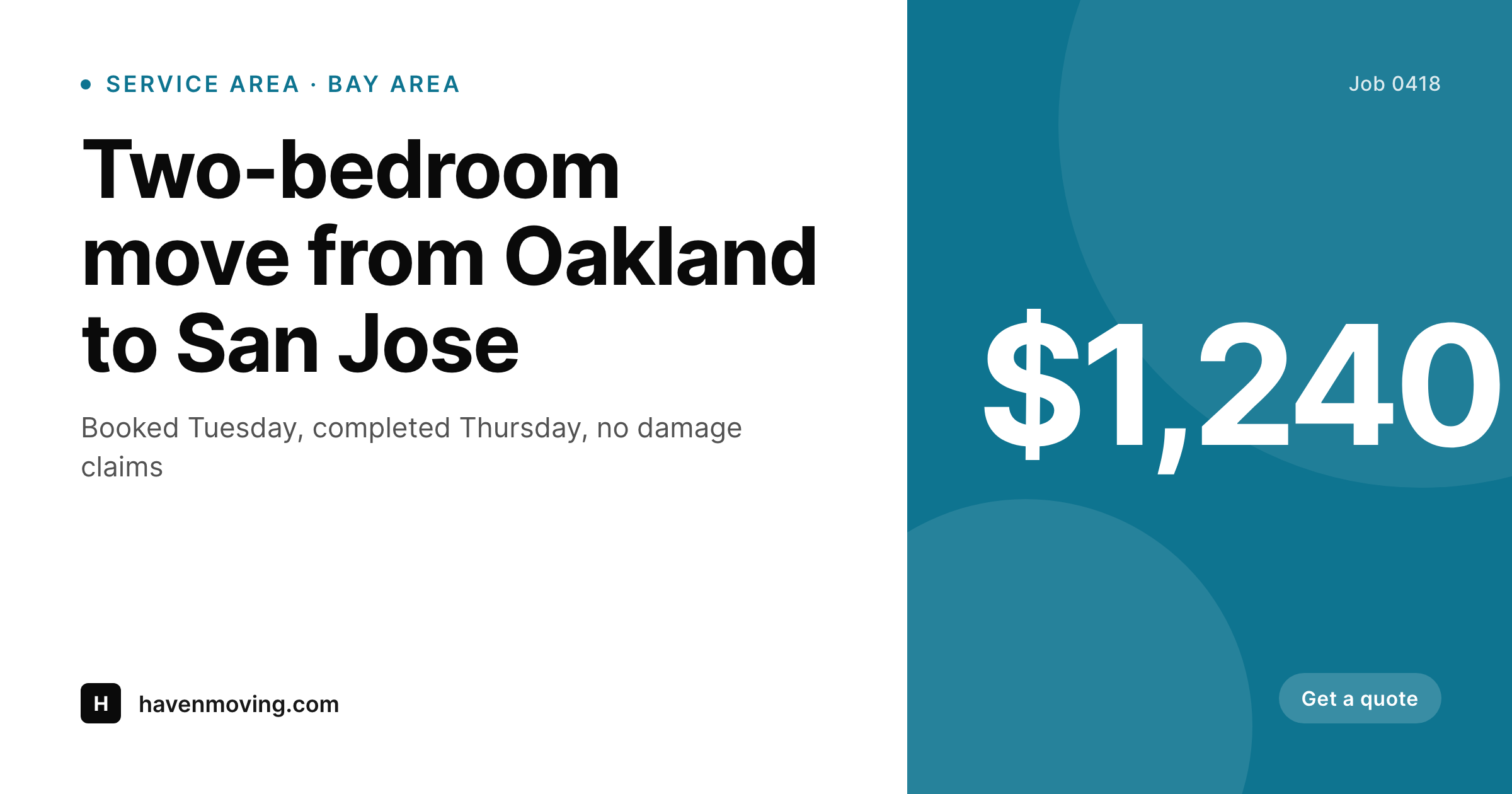
Service-area pages, completed-job recaps, and packing-tip posts already carry city, route, crew size, and date as fields. SleekPixel renders a 1200x630 share image on save so Facebook and Google Business posts look like the company, not the stock library.
♾️ Lifetime License available
Moving company marketing runs on stock photos that lie
The average moving company website ships with a hero image of a smiling family next to identical brown boxes. Three competitors in the same metro use the same photo. Service-area pages reuse a single warehouse shot that has nothing to do with the actual neighborhoods being served. When somebody shares a link in a Bay Area moving Facebook group, the preview that pops up is the same generic cardboard pile every other mover is running. Nothing in the share signals that this company actually does the work, charges what it charges, or knows the specific street the prospect is moving from.
Operations already track real data per job. The CRM stores origin, destination, crew size, hours, weight, and price. The dispatcher's phone has photos of the truck arriving, the team wrapping a piano, the empty apartment at the end of the day. None of that signal makes it into the website. The marketing intern, when there is one, copies job notes into a Google Doc and a designer turns it into a Canva carousel a week later. By then the customer has already booked someone else.
The fix is to let the website become the source of truth. A completed-job recap is a custom post with origin, destination, crew, hours, and a hero photo. SleekPixel reads those fields on save and renders a 1200x630 share image with the actual route, the actual price band, and the actual crew. Service-area pages get the same treatment per city. Facebook, Google Business Profile, and Nextdoor all stop showing the generic cardboard pile and start showing the company's real work.
Workflow
From completed job to shareable recap
Map the job-recap CPT
Build one branded template
Save the recap
Post and share
Output
What ships per completed job
A 1200x630 OG image with origin city, destination, crew size, job duration, and price band rendered over the dispatcher's actual photo of the day.
Comparison
Stock cardboard photos vs auto-rendered job recaps
Stock photos / Canva
- Service-area pages share with the same generic warehouse photo every competitor uses
- Completed-job recaps sit in the CRM and never reach the website or Facebook
- Marketing relies on a designer to turn dispatcher photos into shareable cards
- Google Business posts use stock images that look identical to three other movers in town
- Brand drift across cities because each location's intern eyeballs Canva colors differently
SleekPixel
- Origin, destination, crew size, hours, and price pull from job-recap post fields
- Service-area pages render a city-specific OG image per neighborhood served
- Real dispatcher photos slot into the template, not stock cardboard
- 1200x630 baked in for Facebook, LinkedIn, Nextdoor, and Google Business Profile
- Bulk re-render the back catalog when the truck wrap changes color
Features
What SleekPixel gives you for moving company
Job recap cards
Each completed-move post saves with a branded share image. Route, crew, and price render straight from the recap fields.
Service-area pages
Every neighborhood landing page gets a unique OG image with the city name and local imagery, instead of the same warehouse shot.
Real photos in
The dispatcher's photo of the actual truck on the actual street slots into the template. Stock cardboard piles stay where they belong.
Use cases
Where moving company share images get used
Facebook job recaps
Posting a finished move into a local Facebook group shows the actual route, the actual crew, and the company's brand instead of a stock preview.
Google Business posts
Weekly GBP posts about service areas, packing tips, and seasonal availability share with images that match the rest of the site.
Nextdoor referrals
When a happy customer drops a link to the company's site in a Nextdoor neighborhood thread, the preview shows the brand, not a generic mover homepage.
The bigger picture
Why moving brands fail at the share step
Moving is one of the most competitive local-service categories on the internet. Three trucks compete for every household move in a metro, the margins are thin, and most of the marketing budget goes to Google Local Service Ads or PPC. The organic surface, the part that runs on Facebook, Nextdoor, Google Business, and word-of-mouth links, is where small movers can actually beat the national chains, but only if their content looks like a real local business.
Stock cardboard photos and copy-paste service-area pages do the opposite: they signal that the company is a thin landing page rather than a real operation with trucks, crews, and a yard. Customers can tell, even if they cannot articulate why one company feels more legitimate than another. The companies that win the organic surface treat completed-job recaps and city-specific service pages as content, not afterthoughts.
They post real routes, real prices, real photos. SleekPixel turns the website into the engine that produces those visuals automatically. The dispatcher logs the job, the recap publishes, the share image is already there.
Marketing stops being a Canva queue and starts running at the speed of operations, which is where moving companies actually have an edge.
Questions
Common questions about SleekPixel for moving company
SleekPixel reads WordPress post fields. If dispatch software pushes completed jobs into a CPT (via Zapier, Make, or a custom API), the share image renders the moment the recap saves. SmartMoving, MoveitPro, Elromco, and similar platforms all expose webhooks that can post into WordPress.
Yes. Service-area pages are usually a CPT or a regular page tagged with a city. SleekPixel reads the city field, the crew assigned, and the local hero photo, then renders a unique OG per page. Forty service-area pages get forty distinct branded share images, not one repeated image.
Long-haul recaps work the same way. The template has slots for origin and destination cities, total miles, and crew makeup. The card renders with both city names and the route distance, useful when posting case studies in interstate Facebook groups or industry forums.
Yes. The price slot is conditional on a custom field. Recaps marked as commercial or relocation packages can hide the price entirely, while residential recaps show the price band. The same template handles both with no separate design work.
If a tool like Surfer Local or LocalFalcon posts to GBP from RSS or webhook, SleekPixel just needs to render the image to uploads, which it does on save. The GBP tool reads the OG image and posts the branded card. No extra integration.
The template is built once in the SleekPixel editor, drag-and-drop, with photo slots, text slots, and brand colors. Most moving companies have a marketing person or owner who can do this in a couple of hours. Designer optional, not required.
Job-recap posts can have multiple photo fields. The template can render a split layout with empty-apartment-before and loaded-truck-after, or just the hero shot. Variants per recap type (residential, commercial, piano) make this flexible.
Yes. Bulk regenerate runs the current template against every existing recap post. If the truck wrap changes color or the company rebrands, the entire archive of share images updates in one pass without editing each post.
Pricing
More than 1000+
happy customers
Explore our flexible licensing options tailored to your needs. Upgrade your license anytime to access more features, or opt for a lifetime license for ongoing value, including lifetime updates and lifetime support. Our hassle-free upgrade process ensures that our platform can grow with you, starting from whichever plan you choose.
Lifetime ♾️
Most popular
EUR
once
- Unlimited websites
- Lifetime updates
- Lifetime support
...or get the Bundle Deal
and save €250 🎁
💎 Want everything forever? The All Access Pass is going away on 01.08.2026.
The Bundle (unlimited sites)
Pay once, own it forever
Elevate your WordPress site with our exclusive plugin bundle that includes all of our premium plugins in one package. Enjoy lifetime updates and lifetime support. Save significantly compared to buying plugins individually.
What’s included
-
SleekAI
-
SleekByte
-
SleekMotion
-
SleekPixel
-
SleekRank
-
SleekView
€749
Continue to checkoutBrowse more
- Kindle book cover
- Mastodon link previews
- Telegram bot avatar
- Instagram bio link banners
- Apple Podcasts covers
- Audible audiobook cover
- Facebook event covers
- Spotify playlist cover
- Discord stage banner
- Lens Protocol posts
- Etsy listing images
- Linktree banner image
- Tidal cover art
- Pinterest Idea Pins
- Douyin cover