






SleekPixel for sushi restaurant
SleekPixel renders OG cards for omakase menus, a la carte specials, and seasonal fish features from each menu post. Course count, price, sourcing, and reservation cue compose into a card that shares as cleanly as the meal plates.
♾️ Lifetime License available
Omakase is a presentation, the share card should be too
Sushi restaurants, especially omakase rooms, depend on small numbers of reservations sold for high amounts each. A 14 seat counter with two seatings is 28 reservations a night, and missing seats on a Thursday rarely come back the same week. Reservation traffic flows through Instagram, Resy, and word-of-mouth in private chats. The share card on each menu page is the signal that says this place is worth the spend, and a default theme banner forfeits the signal entirely.
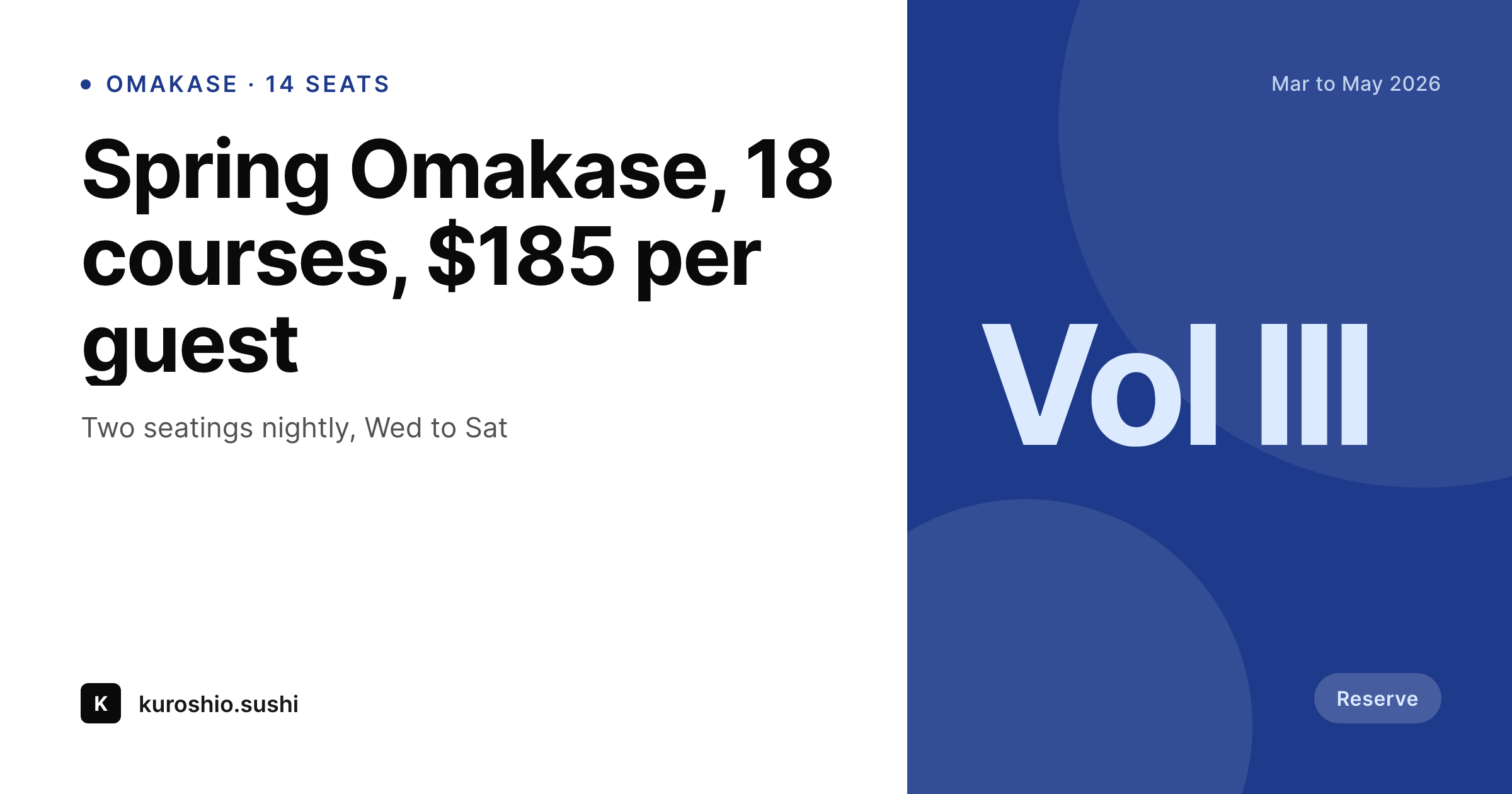
SleekPixel reads the omakase post. Menu name, season, course count, price per guest, headline ingredients, and sourcing notes (specific fisheries, sake pairings). The template composes a 1200 by 630 card that gives the menu name a calm typographic weight, places the price as a clear value, and tucks the season as a small contextual line. Each season's menu gets its own card the moment the post is published.
For a la carte specials and seasonal fish features, the same engine renders specials cards that pull the fish name, the catch region, and a short tasting note. A new bluefin coming in for the week or a kohada feature on Friday gets a real card without anyone touching a design tool.
Workflow
From menu post to share-ready card
Model the menu
Build the card template
Bind the fields
Update menu, share the link
Output
Sample omakase card
1200 by 630 OG card composed from one omakase menu post: menu name, season, course count, price per guest, sourcing sub-line.
Comparison
Default sushi OG vs SleekPixel for sushi restaurants
Default WordPress OG
- Menu pages preview as the building exterior
- Seasonal menus don't propagate to share cards
- Sourcing detail lost when links travel to social
- A la carte specials launch without a card
- Reservation page shares with a generic logo
SleekPixel
- Per-menu and per-special OG cards rendered on save
- Season, course count, and price visible on every card
- Sourcing sub-line carries through to the share surface
- Seasonal regenerate refreshes the menu set in one pass
- Reservation cue text composed into a designated slot
Features
What SleekPixel gives you for sushi restaurant
Menu-aware
Reads menu name, season, course count, price per guest, and sourcing from the menu post. Each season's omakase gets its own card the moment it publishes.
Catch-aware
A la carte specials pull fish name, region, and tasting note. Friday's kohada feature renders a card with the source and the note without anyone retyping.
Seasonal cycles
Spring, summer, autumn, winter menus each render with their own subtle accent variation. A new season triggers a regenerate for that season's posts.
Use cases
Where sushi restaurants use it
Omakase reservation pushes
Reservation pages share with cards that show the actual omakase menu, course count, and price, which converts at higher rates than a generic exterior.
Press features and reviews
A critic linking to a seasonal menu gets a card that respects the meal's presentation, with course count, season, and sourcing legible at a glance.
Special fish features
A weeknight feature on a specific fish gets a card with the fish name, region, and tasting note, which lands on the feed before service starts.
The bigger picture
Why share cards decide sushi reservation conversion
Sushi reservations, especially omakase, are high-consideration purchases. A diner deciding between two omakase rooms in a city compares menus, prices, and presentation before committing to a Thursday seat. The share card on the menu page is part of that comparison, because it travels into Instagram saves, Resy bookmarks, and word-of-mouth screenshots.
A card that shows the actual menu, the season, and the price carries the signal forward. A default theme card forfeits it entirely. Templated menu cards keep the brand visual identity intact across every share surface, which is the difference between a reservation that converts and a seat that goes empty on a Thursday.
Questions
Common questions about SleekPixel for sushi restaurant
Yes. SleekPixel handles the og:image on the WordPress menu pages that link to Resy or Tock. The reservation flow happens on the booking platform; the share preview happens on the WordPress URL.
Add a pairings field on the menu post. The template can show a short pairing line, useful for omakase menus that include pairings as part of the experience.
Map dietary flags on the menu post. The card can show a small dietary row, useful for shellfish or rice substitutions.
Yes. The same template family handles a la carte specials and fish features. The omakase variant is optional.
Output is PNG for OG and social. Printed menus run through InDesign, though some teams use the rendered card as the starting design.
Yes, with WPML or Polylang. Each menu has translations; SleekPixel renders one card per locale and writes the right og:image per language URL.
A bulk regenerate scoped to the season runs through every menu in that season and refreshes each card without anyone touching the posts.
No. SleekPixel writes the og:image; SEO plugins read from the same field. The two run alongside each other without conflict.
Pricing
More than 1000+
happy customers
Explore our flexible licensing options tailored to your needs. Upgrade your license anytime to access more features, or opt for a lifetime license for ongoing value, including lifetime updates and lifetime support. Our hassle-free upgrade process ensures that our platform can grow with you, starting from whichever plan you choose.
Lifetime ♾️
Most popular
EUR
once
- Unlimited websites
- Lifetime updates
- Lifetime support
...or get the Bundle Deal
and save €250 🎁
💎 Want everything forever? The All Access Pass is going away on 01.08.2026.
The Bundle (unlimited sites)
Pay once, own it forever
Elevate your WordPress site with our exclusive plugin bundle that includes all of our premium plugins in one package. Enjoy lifetime updates and lifetime support. Save significantly compared to buying plugins individually.
What’s included
-
SleekAI
-
SleekByte
-
SleekMotion
-
SleekPixel
-
SleekRank
-
SleekView
€749
Continue to checkoutBrowse more
- Facebook cover photos
- X community banners
- YouTube Shorts thumbnails
- Open Graph images
- Amazon Storefront banners
- LINE official account banners
- KakaoTalk channel banners
- Telegram channel banner
- Facebook Shop product images
- Lens Protocol posts
- Bandcamp release cover
- Passes page banner
- Fansly banner
- Klaviyo email banner
- LinkedIn company banners