






SleekPixel for vegan bakery
Vegan customers read ingredient lists like recipes. SleekPixel pulls the ingredient and certification fields from the product post onto a 1080x1080 tile, so plant-based shows up on every image, not just the caption.
♾️ Lifetime License available
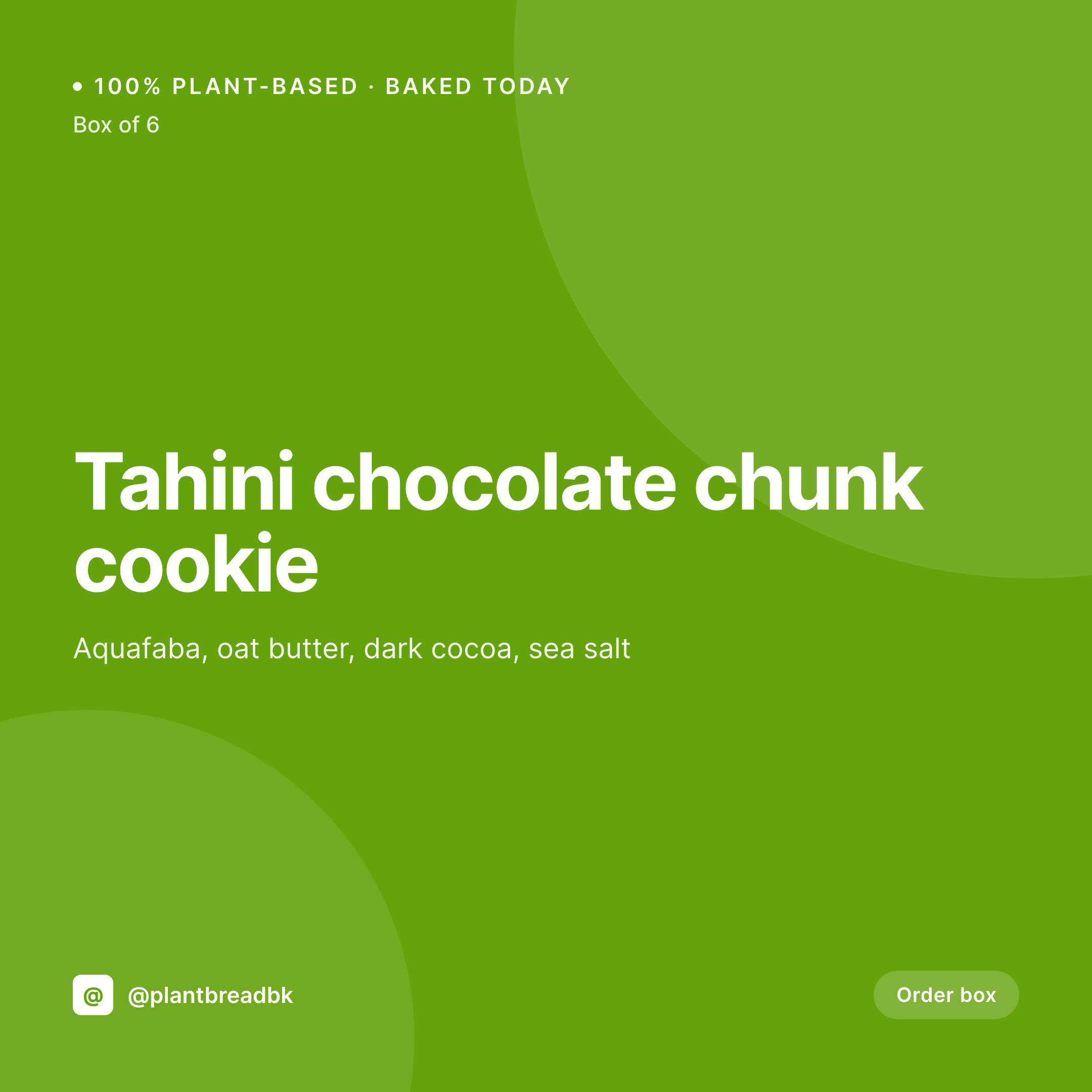
Plant-based marketing breaks the same way every season
Vegan bakeries publish more product copy than most other bakeries. Every cookie, cake, and muffin needs the substitute story spelled out: aquafaba for eggs, oat butter for dairy, flax for binding. That copy lives on the product page where it converts. On Instagram, the substitution story disappears the moment the post is built, because the tile is just a photo and a caption that nobody reads past the first line.
The data is already typed. WordPress vegan bakeries run product CPTs or WooCommerce stores with ingredient fields, allergen flags, and certification badges (Certified Vegan, BeVeg, palm-oil free). The same fields that drive the product page can drive a 1080x1080 tile. The substitution story shows on the image, the certification badge sits in the corner, and the buyer scrolling the feed sees the recipe credibility immediately.
SleekPixel renders the tile from the product fields. A coconut-cream cheesecake saves with a tile showing the cream substitute, the sugar source, and the vegan certification. The feed reads as a bakery that takes plant-based seriously, not a regular bakery that happens to skip the eggs.
Workflow
From recipe to plant-based tile
Map the substitution fields
Design the vegan template
Publish the bake
Post and re-engage
Output
What gets generated per bake
A 1080x1080 Instagram tile with the vegan bake name, key ingredient substitutions, vegan certification badge, and price from the product post.

Comparison
Manual Canva tile vs ingredient-aware tile
Manual / Canva / caption-only
- Substitution story buried in the third line of an Instagram caption
- Certified Vegan logo lives in a Drive folder, not the design template
- Recipe gets tweaked but the tile keeps the old ingredient list
- Caption-only buyers scroll past, the tile reads like a regular cookie
- Cross-platform posts lose the plant-based story between formats
SleekPixel
- Ingredient swaps rendered on the tile, not buried in captions
- Certified Vegan, BeVeg, palm-oil-free badges from product fields
- Stories carry the same plant-based story, generated in one save
- Same template engine handles cookies, cakes, breads, and bars
- Bulk regenerate when the recipe or certification changes
Features
What SleekPixel gives you for vegan bakery
Substitutions on tile
Aquafaba, oat butter, cashew cream, flax egg. Each substitution typed once on the product becomes a line on the Instagram tile.
Vegan certification
Certified Vegan, BeVeg, palm-oil-free badges render automatically when the certification field is checked. No more dragging logos into Canva.
Cross-format story
The same plant-based story renders on Instagram tile, Facebook OG, and Pinterest pin. The substitution credit survives every channel.
Use cases
Where vegan bakery tiles get used
Daily Instagram tiles
Every plant-based bake gets a tile with substitution highlights, so vegan buyers recognize the bakery at a glance in the feed.
Wedding cake inquiries
Custom vegan wedding cakes get tiles per order, showing flavor combos and vegan certifications, ready to share with the engaged couple.
Wholesale order forms
Wholesale buyers get tile thumbnails per SKU with allergen and vegan flags, so they reorder without re-asking which cookies are nut free.
The bigger picture
Why plant-based buyers need the substitution story up front
Vegan buyers shop with intent. They know which bakeries in their city are committed and which ones added a vegan SKU to chase a trend. The fastest way to read that intent is to look at how the substitution story is told.
Bakeries that put aquafaba, oat butter, and Certified Vegan front and center signal commitment. Bakeries that bury the same story in caption text signal afterthought. The Instagram tile is the first contact, and it has seconds to communicate which kind of bakery this is.
The economics make the manual version hard. Most vegan bakeries are founder-led, often started by someone who couldn't find an honest plant-based croissant in their neighborhood. They develop recipes, run wholesale, and handle social, and there is no design team.
Treating the substitution highlights as derived from product fields means the plant-based story carries onto every tile automatically. The recipe credibility that lives in the product page also lives on Instagram, on Pinterest, and on Facebook. And a single recipe tweak (oat butter swapped for coconut butter, refined sugar swapped for date sugar) updates every tile in the library on the next save.
Questions
Common questions about SleekPixel for vegan bakery
Yes. Vegan, gluten free, dairy free, nut free, soy free, and palm-oil free can all live as separate fields. The template renders only the badges that apply to a given product, so each tile carries an accurate flag set.
Yes. Cookies can use one layout, celebration cakes another, sandwich breads a third. All pull from the same plant-based field set, just styled differently for the product category.
Edit the product, save, the tile re-renders with the new substitution. If many products share a swap (oat butter across the cookie line), updating once and bulk regenerating refreshes every tile.
Yes. Subscription boxes are products with variants. SleekPixel renders a tile per box per cadence, so weekly, monthly, and quarterly boxes each get a current image.
Wedding cakes can be a separate post type or product. Each inquiry can generate a custom tile showing the proposed flavors, allergen flags, and pricing, perfect for emailing to the couple.
Yes. Any field can drive a badge. Palm-oil free, fair trade cocoa, organic certified, locally sourced, all show up the same way as the standard vegan and allergen icons.
Yes. A 1080x1920 story renders alongside the tile in the same save. Pre-order drops, limited-edition collabs, and seasonal launches each get a story matching the tile.
Update the template once, run a bulk regenerate, and every product in the catalog refreshes against the new design. The plant-based field structure stays the same, only the visuals change.
Pricing
More than 1000+
happy customers
Explore our flexible licensing options tailored to your needs. Upgrade your license anytime to access more features, or opt for a lifetime license for ongoing value, including lifetime updates and lifetime support. Our hassle-free upgrade process ensures that our platform can grow with you, starting from whichever plan you choose.
Lifetime ♾️
Most popular
EUR
once
- Unlimited websites
- Lifetime updates
- Lifetime support
...or get the Bundle Deal
and save €250 🎁
💎 Want everything forever? The All Access Pass is going away on 01.08.2026.
The Bundle (unlimited sites)
Pay once, own it forever
Elevate your WordPress site with our exclusive plugin bundle that includes all of our premium plugins in one package. Enjoy lifetime updates and lifetime support. Save significantly compared to buying plugins individually.
What’s included
-
SleekAI
-
SleekByte
-
SleekMotion
-
SleekPixel
-
SleekRank
-
SleekView
€749
Continue to checkoutBrowse more
- Instagram collab post images
- Lemon8 post
- YouTube thumbnails
- Tidal cover art
- YouTube playlist covers
- Threads post images
- TikTok cover images
- Spotify podcast covers
- Discord stage banner
- Bluesky link cards
- Fansly banner
- Substack post headers
- Medium article headers
- Telegram channel banner
- Twitch panel images