






SleekPixel for ABA therapist
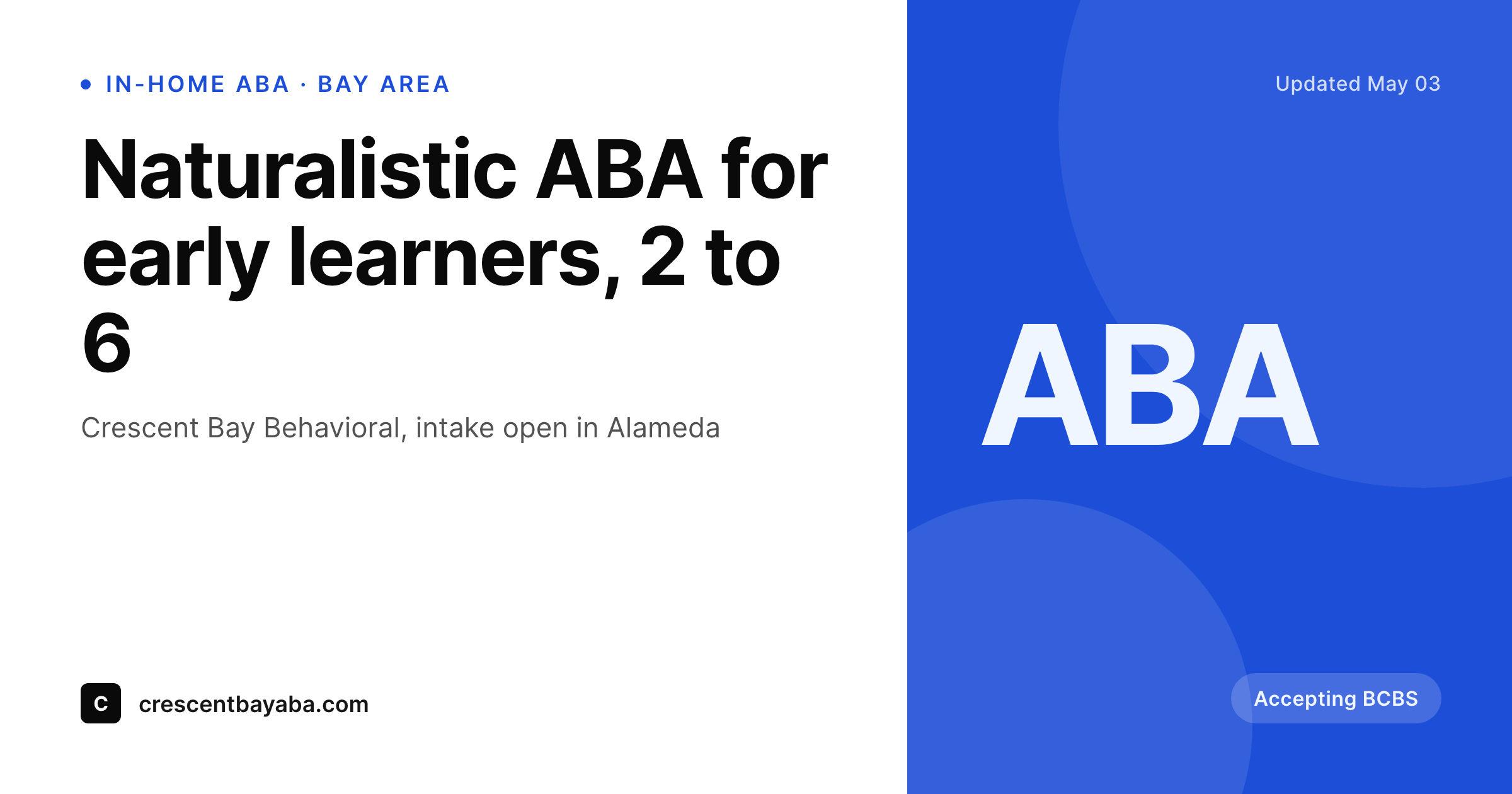
Early-learner ABA, school-age programs, and parent training pages each render a card with the age range, the city, and the accepted plans set. Saving the page in WordPress saves the preview a referring pediatrician or RBT recruiter will see.
♾️ Lifetime License available
Parents and pediatricians share links, not brochures
An ABA practice runs on referrals from pediatricians, neurodevelopmental clinics, and the families themselves. The site has an intake page, a few service pages by age band and modality, an insurance page, and usually a careers page for RBTs and BCBAs. Every one of those pages gets shared as a link, often into a group chat between parents who are weighing two clinics in the same week.
The default WordPress preview tends to break the moment that link gets shared. A stock photo of building blocks, no age band, no city, no mention of which insurance the clinic actually accepts. The parent looking at the preview can't tell whether this practice is for their five-year-old or for an adolescent program two cities over. The pediatrician forwarding the link sees the same nothing.
SleekPixel anchors each page to a card built from the page itself. The age band, the modality, the location, and the accepted insurance render onto a clean OG image. Saving the page saves the preview. The link a parent or a referring clinic shares always carries the right specifics for the page it's pointing at.
Workflow
From intake page to chat preview
Map page fields
Design one clinical template
Save the page
Referral or parent shares the link
Output
What gets generated per service page
A 1200x630 OG image with the service, the age band, the city, and the insurance status. Pulled from the page fields so each share reflects the actual program.
Comparison
Default ABA therapist image vs SleekPixel
Default ABA therapist image
- Default preview is a stock photo with no age band or location
- Early learner, school age, and adolescent pages share one banner
- Insurance acceptance only shows up in the URL or page body, not the card
- Parents in a chat thread can't tell which program the link points to
- Pediatrician forwarding the link sees marketing imagery, not the clinic specifics
SleekPixel
- Save the service page, the OG card lands in uploads
- Age band, modality, city, and insurance pulled live from page fields
- Calm clinical palette so the card reads as a practice, not a campaign
- Same render powers OG, Twitter, and chat previews
- One template across early learner, school age, and parent training pages
Features
What SleekPixel gives you for ABA therapist
Card per program
Early learner, school age, adolescent, and parent training programs each render with the age band and modality from the page.
Insurance and plan on the card
Accepted plans and waitlist status pulled from a small field block on the intake page render onto the preview so a parent sees them immediately.
Clinic and city pinned
The city or service area renders small on every card so a referring pediatrician forwarding the link sees which office is the right match.
Use cases
Who uses SleekPixel for ABA therapists
In-home ABA providers
Service area, age band, and insurance acceptance pulled live so a parent sharing the link in a support group sees the right match for their child.
Center-based ABA clinics
Center program pages render with hours, location, and age band so families touring two clinics can compare from the preview alone.
BCBA-led group practices
Parent training, social skills groups, and assessment pages each get a distinct card while sharing the same clinical template.
The bigger picture
Why ABA referrals get lost in generic previews
Families looking for ABA are typically comparing two or three practices at once, often in a parent support group or a neurodevelopmental clinic's referral list. The preview card under each link is doing more work than most clinic owners realize. It's answering whether the program is for the right age, whether the clinic is in the right city, and whether the family's insurance is on the list.
When that card is a generic stock image, the work doesn't get done, and families default to whichever practice their pediatrician's office named first. When the card carries the age band, the city, and the insurance status, the family can self-route. The clinic gets a more qualified call, the BCBA spends less time on intake calls that won't lead anywhere, and the referrals from pediatricians close at a higher rate because the preview is already filtering on the basics.
Questions
Common questions about SleekPixel for ABA therapist
Yes. The age range is a field on the service page and renders directly onto the card. Early learner, school age, and adolescent programs each get a distinct card while sharing one template.
Yes. A small field block listing accepted plans can be set on the intake page, and the render pulls a short version onto the card. Many practices show only the top three to keep the preview clean.
The card is built from public service-page content. Age band, modality, city, accepted plans. No client information, names, or photos render on the card unless the page itself shows them.
Yes. The location field is per page, so an Alameda location page and a Walnut Creek location page each render with the right city on the card.
Yes. Careers and hiring pages can render their own card with the role title, the location, and a small mark. Useful for sharing into RBT communities and BCBA networks.
Yes. A new service or location page added in WordPress renders its own card on save without a separate design step.
No. SleekPixel renders text-driven cards from page fields and the practice mark. Photos of clients and therapists stay in the page body, not on the preview.
Yes. An unlisted landing page for a partner clinic still renders its OG card. Pediatricians sharing the link in chart software see the preview even when the page isn't indexed by search.
Pricing
More than 1000+
happy customers
Explore our flexible licensing options tailored to your needs. Upgrade your license anytime to access more features, or opt for a lifetime license for ongoing value, including lifetime updates and lifetime support. Our hassle-free upgrade process ensures that our platform can grow with you, starting from whichever plan you choose.
Lifetime ♾️
Most popular
EUR
once
- Unlimited websites
- Lifetime updates
- Lifetime support
...or get the Bundle Deal
and save €250 🎁
💎 Want everything forever? The All Access Pass is going away on 01.08.2026.
The Bundle (unlimited sites)
Pay once, own it forever
Elevate your WordPress site with our exclusive plugin bundle that includes all of our premium plugins in one package. Enjoy lifetime updates and lifetime support. Save significantly compared to buying plugins individually.
What’s included
-
SleekAI
-
SleekByte
-
SleekMotion
-
SleekPixel
-
SleekRank
-
SleekView
€749
Continue to checkoutBrowse more
- Telegram bot avatar
- Discord server banners
- Passes page banner
- Audible audiobook cover
- Notion page covers
- VK community cover photos
- Pinterest board covers
- Stan Store cover
- Odnoklassniki banners
- Lemon8 post
- LinkedIn post images
- YouTube banner art
- Shopify product images
- Apple Music cover art
- Dribbble shot covers