






SleekPixel for family therapist
Blended family, sibling conflict, parent-teen, and post-divorce coparenting pages each render an OG image with the modality, the focus, and the clinician's location set. Saving the page in WordPress saves the link preview a referrer will see.
♾️ Lifetime License available
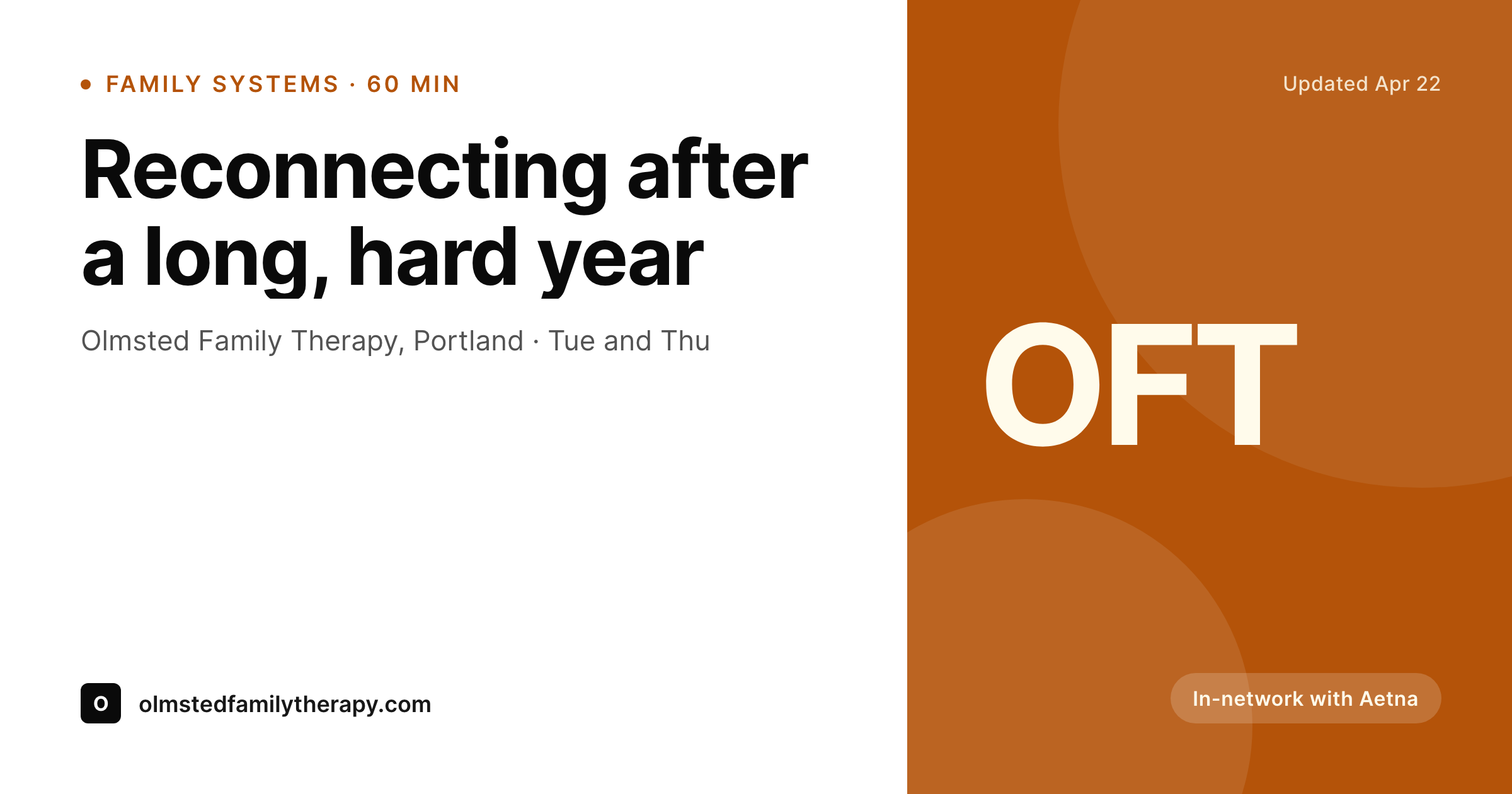
Family work is specific, the preview should be too
A family therapy practice runs on specific service pages, not on a single landing page. Parent-teen work, sibling conflict, blended family integration, coparenting after divorce, family reunification, grief in the family system. Each of those is its own page on the site, and each gets shared by a different kind of referrer: a school social worker, a primary care doctor, a divorce attorney, a parent in a friend group.
Default WordPress previews flatten that specificity. A stock photo of a family on a couch, the same banner across every page, no modality, no focus, no clinician. The preview leaves the referrer guessing whether this is the right page for a coparenting case or a parent-teen case. The link gets shared with a caveat: I'm not totally sure this is the right one.
SleekPixel attaches a real card to each service page. The modality, the focus, the clinician, and the location render onto a calm OG image. Saving the page saves the preview. The card a school social worker sees in a chart note matches the page a parent will eventually book on.
Workflow
From service page to referral share
Map page fields
Design one warm template
Save the page
Referral shares the link
Output
What gets generated per service page
A 1200x630 OG image with the modality, the focus, the clinician, and the location. Pulled from page fields so each card matches its specific service.
Comparison
Default family therapist image vs SleekPixel
Default family therapist image
- Stock family photo across every service page
- Parent-teen and coparenting pages share the same preview banner
- Modality and focus only show up in the page body, not the share
- Referring social worker can't tell which page the link points to
- Family sees a generic clinic preview instead of a specific service
SleekPixel
- Save the service page, the OG card lands in uploads
- Modality, focus, clinician, and location pulled live
- Warm but neutral palette so the card reads as a clinical practice
- Same render powers OG, Twitter, and chat previews
- One template across parent-teen, coparenting, blended family, and grief pages
Features
What SleekPixel gives you for family therapist
Focus per page
Parent-teen, sibling conflict, coparenting, and blended family pages each render with their focus and modality locked to the page.
Clinician on the card
Solo practices and group practices render with the right clinician name and credential per page, anchored to the bio block.
Insurance and rate line
Accepted plans or session rate can render in a small line under the title so referrers and families see the basics before clicking.
Use cases
Who uses SleekPixel for family therapists
Solo family therapy practices
A single clinician with several service pages gets a consistent card per service, anchored by their name and credential.
Group family therapy practices
Each clinician's bio and service combination renders its own card so a referral lands on the right page from the share.
School-affiliated family programs
Parent-teen and family reunification pages partnered with school districts render with the partner on the card for outreach.
The bigger picture
Why specificity on the card decides whether the link gets shared
Family therapy referrers are picky for a good reason. A school social worker is sending a parent to the right page only if they're confident the page matches the case. A divorce attorney won't paste a link into a settlement chat unless the page reads as a coparenting practice.
When the preview is a generic family photo and a clinic name, the referrer hesitates, sometimes drops the share entirely, sometimes adds a paragraph of context that the card should have carried. When the card pins the focus, the modality, the clinician, and the location, the share goes out without the disclaimer. The right family books the right page.
The therapist spends fewer first sessions correcting a mismatched expectation that started in the preview.
Questions
Common questions about SleekPixel for family therapist
Yes. Parent-teen, coparenting, blended family, and grief pages each carry their focus as a field, and the card renders that text directly. One template, distinct cards per page.
Yes. The clinician name and credential block on each page renders onto the card so a referral to a specific clinician shares accurately.
The card is built from public service-page content. No client information renders unless the page itself shows it. Modality, focus, clinician, and location only.
Yes. Accepted plans or self-pay rate can be set on the page and a short version renders onto the card. Many practices keep the card to the top one or two plans to avoid clutter.
Yes. The location field can read as state list, telehealth, or a region. PSYPACT-eligible and across-state practices commonly render that on the card.
Yes. Hours or availability can be a short field, and the card re-renders on save. The preview reflects the current state, not last quarter's.
No. SleekPixel renders text-driven cards from page fields and the practice mark. Stock family imagery is exactly what the system is designed to replace.
Yes. An unlisted partner page for a school, attorney, or medical group renders its OG card so the partner sharing the link sees the preview.
Pricing
More than 1000+
happy customers
Explore our flexible licensing options tailored to your needs. Upgrade your license anytime to access more features, or opt for a lifetime license for ongoing value, including lifetime updates and lifetime support. Our hassle-free upgrade process ensures that our platform can grow with you, starting from whichever plan you choose.
Lifetime ♾️
Most popular
EUR
once
- Unlimited websites
- Lifetime updates
- Lifetime support
...or get the Bundle Deal
and save €250 🎁
💎 Want everything forever? The All Access Pass is going away on 01.08.2026.
The Bundle (unlimited sites)
Pay once, own it forever
Elevate your WordPress site with our exclusive plugin bundle that includes all of our premium plugins in one package. Enjoy lifetime updates and lifetime support. Save significantly compared to buying plugins individually.
What’s included
-
SleekAI
-
SleekByte
-
SleekMotion
-
SleekPixel
-
SleekRank
-
SleekView
€749
Continue to checkoutBrowse more
- workshop cards
- office hours card
- trick of the day cards
- music recommendation cards
- founding customer card
- fundraising announcement cards
- feature launch images
- ISO certification card
- industry report cards
- keynote cards
- lifetime deal card
- weekly recap cards
- team hire card
- doors closing card
- headcount card
- Slack channel headers
- Snapchat Spotlight covers
- Bluesky link cards
- Instagram feed posts
- Discord event cover
- X ad images
- Facebook ad images
- Pinterest pins
- Bluesky feed banner
- Pinterest shop banners
- Stan Store cover
- LinkedIn document post covers
- Twitter header banners
- Pinterest product pin covers
- Ko-fi banners