






SleekPixel for Ko-fi banners
A 1200x630 banner that matches the rest of your brand, generated from a WordPress page and downloadable from the editor sidebar. Swap the campaign, the banner re-renders.
♾️ Lifetime License available
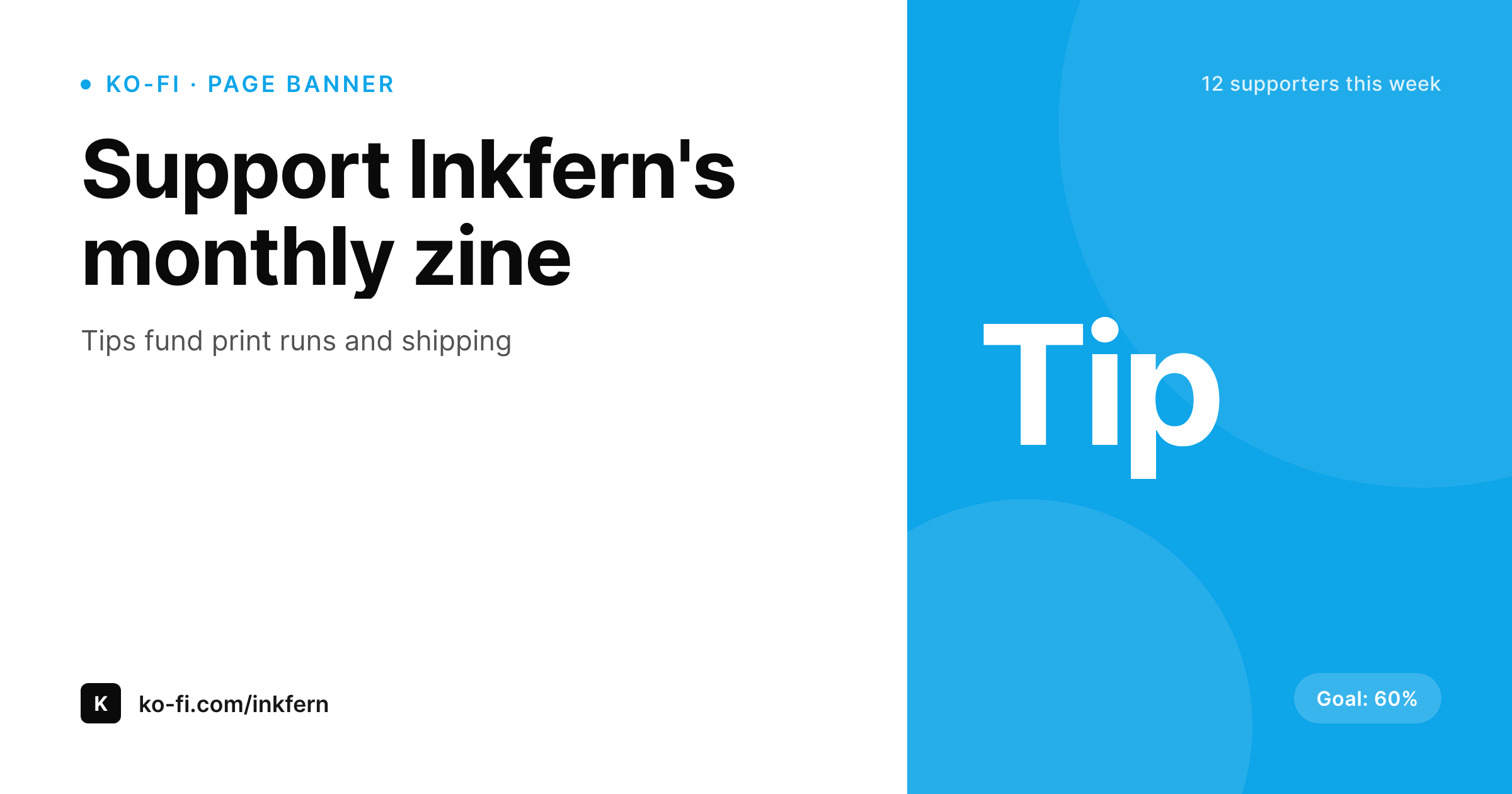
A Ko-fi banner that looks like the rest of your site, not a stranger
The Ko-fi page is often the first place a new supporter lands after a Twitter link or a YouTube card. The banner is the only piece of brand context above the fold. If it is a generic stock image, the supporter does not recognize the creator they followed and the trust gradient takes a hit. The standard practice is a Canva file that ages out the moment a new campaign starts.
SleekPixel renders the Ko-fi banner from a WordPress page that owns the current campaign. The banner pulls the goal, the current pitch, and the brand mark. When the campaign shifts from a print run to a tour fund, the page is updated and the banner re-renders. The PNG downloads from the Gutenberg sidebar and uploads to Ko-fi as the cover image.
Because the WordPress page is the source, the same data drives the matching email banner and the social cards that announce the campaign on Twitter and Instagram. Supporters see the same campaign branding in every channel.
Workflow
From WordPress campaign to Ko-fi banner
Build a Ko-fi banner template
Bind WordPress fields
Save the campaign page
Upload to Ko-fi
Output
Sample Ko-fi page banner
A 1200x630 PNG sized for the Ko-fi page cover, with the current campaign and goal rendered from WordPress.
Comparison
Canva banner vs SleekPixel for Ko-fi banners
Canva / static image
- Banner falls out of date the moment a new campaign starts
- Brand drift between the Ko-fi page and the rest of the creator's site
- No path from the campaign page on WordPress to the Ko-fi banner
- Each campaign requires a fresh Canva file with manual exports
- Different banners across Ko-fi, email, and Twitter for the same campaign
SleekPixel
- 1200x630 banner generated from a WordPress campaign page
- Campaign goal, pitch, and brand mark all dynamic from WordPress
- Sidebar download in Gutenberg, ready to upload to Ko-fi
- Same source emits a matching email header and Twitter card
- Re-render when the campaign or brand changes
Features
What SleekPixel gives you for Ko-fi banners
Campaign-aware
The banner reads from a WordPress page that holds the current campaign. Change the page, the banner re-renders for the next supporter.
Brand consistency
Real brand fonts and colors render into the banner. The Ko-fi page stops looking like a stranger to the creator's other channels.
Multi-channel variants
The same WordPress page emits the Ko-fi cover, an email header, and a Twitter announcement card. One source, three formats.
Use cases
Where Ko-fi banners pull weight
Zine creators
Monthly zines funded through Ko-fi. The banner reflects the current issue and the print-run goal.
Musicians on tour
Tour fundraisers where the banner shifts city by city without redesign.
Open source maintainers
Maintainers running monthly support drives that surface the current release and outstanding goal on the Ko-fi page.
The bigger picture
Why the Ko-fi banner is the trust gradient above the fold
Ko-fi pages are reached cold. A supporter clicks a link from a tweet, a YouTube description, or a newsletter footer and lands on the Ko-fi page knowing only the creator's name. The first signal that the page is legitimate is the visual continuity with the brand the supporter just left.
A banner that matches the YouTube channel or the WordPress site closes the trust gap in a glance, and the supporter goes through with the tip. A generic banner forces the supporter to read more before they trust the page, and most stop before that point. Anchoring the banner to a WordPress page that already owns the campaign means the brand stays consistent across channels and tips arrive without a second-guess.
Questions
Common questions about SleekPixel for Ko-fi banners
No. SleekPixel renders the PNG and provides a download. The creator uploads to Ko-fi as the page cover. Automatic posting requires Ko-fi's API and is out of scope.
Ko-fi recommends 1200x630 for page covers. SleekPixel renders the PNG at that size by default, with adjustable presets if Ko-fi changes the spec.
The banner can show the goal as text and a percentage rendered from a WordPress field. Live progress is not pulled from Ko-fi's API; it is updated when the WordPress page is updated.
Yes. The same WordPress campaign page emits the Ko-fi cover, a Twitter announcement card, and an email header. The campaign branding stays consistent everywhere.
Yes. Each campaign lives as its own WordPress page or post. The template renders a per-campaign banner from whichever page is the source of truth.
Run batch regenerate from the SleekPixel admin. The current banner re-renders with the new brand, ready to upload to Ko-fi.
In the WordPress uploads directory as a real PNG. It is in the media library, in backups, and downloadable from the post sidebar at any time.
Yes. The template binds to any post or page fields, including ACF, Meta Box, and custom post types. Ko-fi banners do not require WooCommerce.
Pricing
More than 1000+
happy customers
Explore our flexible licensing options tailored to your needs. Upgrade your license anytime to access more features, or opt for a lifetime license for ongoing value, including lifetime updates and lifetime support. Our hassle-free upgrade process ensures that our platform can grow with you, starting from whichever plan you choose.
Lifetime ♾️
Most popular
EUR
once
- Unlimited websites
- Lifetime updates
- Lifetime support
...or get the Bundle Deal
and save €250 🎁
💎 Want everything forever? The All Access Pass is going away on 01.08.2026.
The Bundle (unlimited sites)
Pay once, own it forever
Elevate your WordPress site with our exclusive plugin bundle that includes all of our premium plugins in one package. Enjoy lifetime updates and lifetime support. Save significantly compared to buying plugins individually.
What’s included
-
SleekAI
-
SleekByte
-
SleekMotion
-
SleekPixel
-
SleekRank
-
SleekView
€749
Continue to checkoutBrowse more
- Dribbble shot covers
- Linktree banner image
- Facebook cover photos
- Shopify product images
- Kindle book cover
- Facebook event covers
- podcast cover art
- Medium article headers
- YouTube Shorts covers
- Instagram bio link banners
- YouTube channel banners
- YouTube podcast thumbnails
- LinkedIn carousel slides
- Snapchat Discover tiles
- Dailymotion thumbnails