






SleekPixel for restaurant
Dish name, price, hours, and event date already live on the post. SleekPixel turns each into a 1080x1920 Instagram story so the front-of-house team isn't designing in Canva at 4pm.
♾️ Lifetime License available
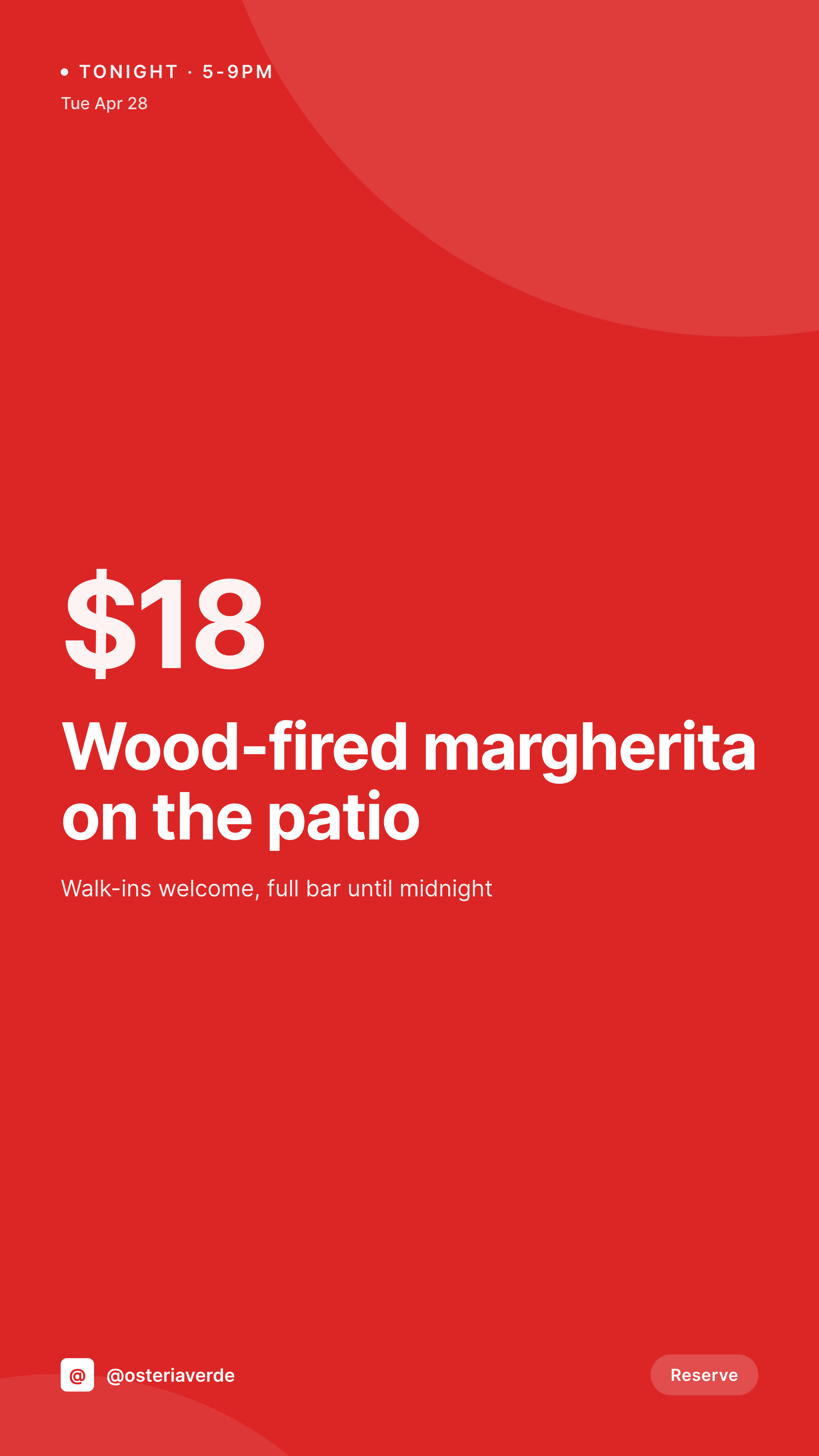
The 4pm Canva scramble before service
Daily specials change at noon. Tonight's wine pairing changes by 3pm. The patio reopens after a thunderstorm warning lifts at 5. By the time the floor manager has these confirmed, there are 90 minutes before doors open and somebody on the team is opening Canva to crank out three story images for Instagram. The font is whatever was used last week, the price is hand-typed (sometimes wrong), and the brand consistency that worked in the summer photoshoot is nowhere to be seen.
The data is already on the WordPress site. Most restaurants run a menu CPT, an events CPT, or use a plugin like Five Star Restaurant Menu that already stores dish name, price, description, and dietary flags as structured fields. The work of getting that information from a Google Doc into a database has already been done. The work of getting it from the database onto a story image is what eats the front-of-house team's afternoon.
The fix is to generate the story image the same moment the special goes into the system. Add a Wednesday wine flight at $24, and the 1080x1920 PNG is sitting in uploads ready to download to Instagram. No Canva file per service, no typo in the price, no font drift between Tuesday and Friday.
Workflow
From menu update to posted story
Map menu and event fields
Design one story template
Publish the special
Post from a phone
Output
What gets generated per special
A 1080x1920 vertical story image with the dish or event name, price, hours, and date pulled live from the menu or event post.
Comparison
Canva files at 4pm vs auto-rendered stories
Manual / Canva / hand-typed
- Front-of-house designs three Canva stories before doors open every shift
- Daily price typos baked into flat PNGs nobody catches until DM complaints
- Brand drift between Tuesday's special and Friday's event flyer
- Wine pairing changes at 3pm and the story doesn't make it out before service
- Multi-location chain has each store designing its own off-brand specials
SleekPixel
- Add a special to the menu CPT, story PNG saves to uploads instantly
- Dish name, price, allergens, hours all pulled from the post fields
- 1080x1920 vertical PNGs sized for Instagram and Facebook stories
- Manual download from Gutenberg sidebar so floor managers can post fast
- Multi-location sites stay on brand with one shared template
Features
What SleekPixel gives you for restaurant
Story per special
Every menu special and event saves with a 1080x1920 story-ready PNG. Dish name and price come from the post, not a Canva file.
Event-driven
Wine flights, live music, brunch specials - any post with a date and price renders into a vertical story image at the moment of save.
Floor manager fast lane
Front-of-house opens the post on a phone, taps download in the Gutenberg sidebar, posts the story. No design tools, no font drift.
Use cases
Where restaurant story images get used
Daily Instagram stories
Tonight's special and tomorrow's wine pairing both have story images sitting in uploads, ready to post during the dinner rush.
Event flyers
Live music nights, prix fixe dinners, and pop-up collabs each get a vertical 1080x1920 PNG generated from the event post.
Multi-location consistency
Chain restaurants use one template across every location. Each store's specials render with the same brand even when staff differ.
The bigger picture
Why restaurant marketing breaks at 4pm without automation
Restaurant marketing operates on a daily cycle nobody else's marketing operates on. The product changes every day - tonight's special, tomorrow's brunch, this weekend's live music - and the window to promote it is the few hours before service. Most restaurants don't have a marketing department.
They have a manager who can use Canva and an owner who knows what looks right. That setup works for the launch photoshoot, but it falls apart on a Tuesday afternoon when the wine list changes and the prep cook calls in sick and three story images still need to go out before doors open. The work that gets cut first is the visual brand: fonts drift, prices get typed wrong, last summer's color palette quietly gets replaced with a Canva default.
Customers don't notice the first time, but they notice across a season - the feed looks scattered instead of curated, and the discovery algorithm rewards consistency. Treating story images as derived from the menu and events posts means the brand survives the 4pm scramble. The data is already typed once, in the system that runs the website.
The image just falls out of it.
Questions
Common questions about SleekPixel for restaurant
Yes. Five Star Restaurant Menu, RestroPress, GloriaFood, or a custom menu CPT all work. SleekPixel reads any post type and any field, so dish name, price, dietary tags, and chef notes can all map onto the template. ACF, Meta Box, and Pods custom field plugins work the same way.
Yes. Templates can be conditional on category or custom field, so wine pairings can use one layout, kids menu items another, and weekend brunch specials a third. All pull from the same menu fields, just rendered into different visuals.
If the site uses WordPress multisite or a location taxonomy, each location can have its own variant of the template - same brand, different address, hours, and phone. Each location's specials render with the right local info automatically.
Yes. The kitchen edits the menu post (price, description, allergens) and saves. SleekPixel re-renders the story PNG with the new price. The floor manager downloads the updated image from the Gutenberg sidebar before service.
No. SleekPixel renders the image and saves it to uploads with og:image meta tags. Posting to Instagram, Facebook, or TikTok is a manual step - download the PNG from the sidebar and post from the platform's app. Auto-posting requires a separate scheduling tool.
No. SleekPixel renders static PNG and JPG only. Animated stories, video clips, and motion graphics are out of scope. The focus is on still images that match the brand and stay current with menu data.
Yes. A single special can render into a 1080x1920 story, a 1080x1080 square post, and a 1200x630 OG image at the same time. Configure the formats once, every save produces all of them, each downloadable from the sidebar.
Reading menu data from Orderable, RestroPress, or WooCommerce-based ordering all works because SleekPixel just reads post fields. The image gets generated alongside the menu item. Whether the customer can order from the post is a separate function handled by the ordering plugin.
Pricing
More than 1000+
happy customers
Explore our flexible licensing options tailored to your needs. Upgrade your license anytime to access more features, or opt for a lifetime license for ongoing value, including lifetime updates and lifetime support. Our hassle-free upgrade process ensures that our platform can grow with you, starting from whichever plan you choose.
Lifetime ♾️
Most popular
EUR
once
- Unlimited websites
- Lifetime updates
- Lifetime support
...or get the Bundle Deal
and save €250 🎁
💎 Want everything forever? The All Access Pass is going away on 01.08.2026.
The Bundle (unlimited sites)
Pay once, own it forever
Elevate your WordPress site with our exclusive plugin bundle that includes all of our premium plugins in one package. Enjoy lifetime updates and lifetime support. Save significantly compared to buying plugins individually.
What’s included
-
SleekAI
-
SleekByte
-
SleekMotion
-
SleekPixel
-
SleekRank
-
SleekView
€749
Continue to checkoutBrowse more
- Patreon post thumbnails
- Ko-fi shop images
- Mastodon link previews
- TikTok ad images
- SoundCloud banner
- Facebook group banners
- Kick channel banners
- Discord event cover
- Instagram feed posts
- Bandcamp banner
- GitHub README banners
- Klaviyo email headers
- Pinterest Idea Pins
- KakaoTalk channel banners
- YouTube end screens