






SleekPixel for Descript videos
Descript handles editing, transcripts, and publishing. SleekPixel renders the share card for the WordPress episode page: episode title, duration, host, guest, and brand mark, so every paste of the URL opens with a real preview.
♾️ Lifetime License available
Descript ships the episode. The web page still needs a card.
Descript is the editor and publisher of choice for a growing share of independent podcasters and video creators. The transcript-based workflow saves hours, the auto-captions are usable as-is, and the publish step exports clean video and audio in the formats every distribution channel wants. The piece that often stays manual is the episode page on WordPress. The host imports the audio, writes show notes, embeds a Descript-hosted player or a direct file, and hits publish. The share preview for that page falls back to whatever og:image the theme provides, which is rarely the episode-specific card the show actually deserves.
Podcasters and video-first creators rely on the share preview more than almost any other content type. The format is heavy: 30 to 90 minutes per episode, no skim option. Listeners decide whether to click based on the title, the guest, and the visual treatment in the feed. A real card with the episode name, guest, and duration is the difference between a casual scroll and a click into a 45-minute commitment.
SleekPixel reads the post fields the show already maintains: episode number, guest name, duration, season, and renders a card that matches the show's brand. Audio-only episodes get podcast cards. Video episodes get video cards. Special trailers and bonus episodes get badges. The whole back catalog renders in bulk when the show rebrands.
Workflow
From Descript publish to share-ready in one save
Publish the episode in Descript
Build the episode template
Save the post
Share anywhere
Output
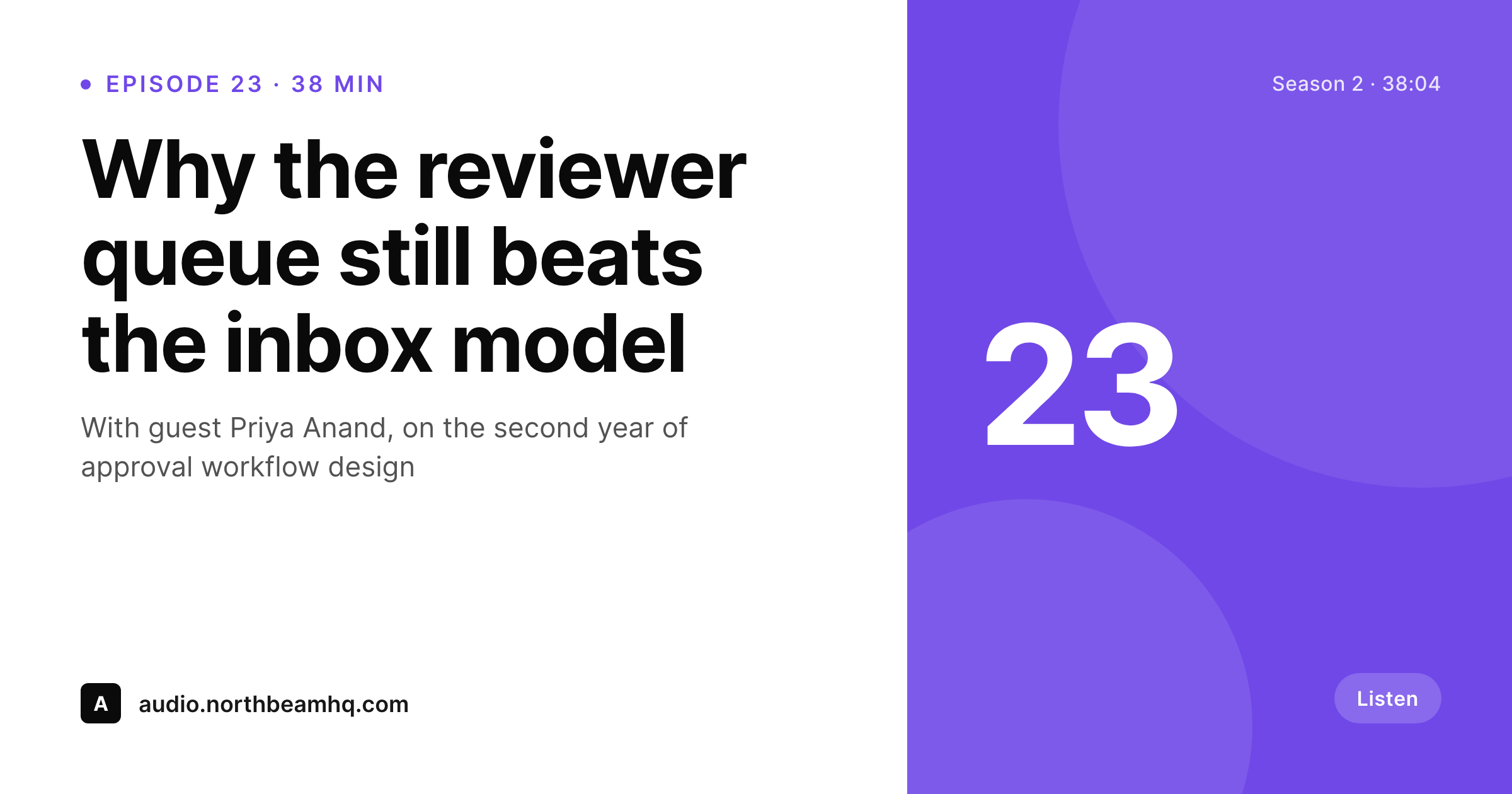
Sample Descript episode card
A 1200 by 630 OG image: episode title, duration, guest, season tag, and brand wordmark, rendered from the post on save.
Comparison
Default theme share vs SleekPixel rendering
Default theme OG image
- Descript's own share image only applies to Descript-hosted pages, not WordPress episode pages
- WordPress episode pages share with the site logo unless someone hand-designs each card
- Episode number, guest, and duration never appear on the share preview
- Manual Figma exports stop happening within ten episodes of launch
- Show rebrands leave the back catalog of episode cards mismatched
SleekPixel
- Reads post fields for episode number, title, guest, and duration
- Renders distinct cards for audio episodes, video episodes, and bonus content
- Works alongside the Descript embed block and direct file embeds
- Bulk re-render the back catalog when the show rebrands or changes hosts
- Suitable for podcasts, video shows, video essays, and serialized interviews
Features
What SleekPixel gives you for Descript videos
Episode-title headlines
The post title or a dedicated episode title field becomes the card headline. Real episode names land on social previews, not site-wide defaults.
Duration on the card
Runtime renders into the meta line from a custom field. Listeners see whether the episode is a 22-minute interview or a 78-minute deep dive before clicking.
Guest credits
Custom field for the guest renders as a byline. Interview shows share with the right guest name on every social preview.
Use cases
What Descript-powered shows generate with SleekPixel
Podcast episode pages
Each episode page shares with title, guest, duration, and season tag. Twitter, LinkedIn, and Substack embeds all open with a real episode card.
Video show episodes
Video-first shows get cards with a still frame slot, host, and episode number. The card reads as a video episode, not as a generic blog post.
Bonus and trailer episodes
Bonus episodes and season trailers carry their own template variant with a badge. Listeners scanning the feed can tell what kind of episode the link is.
The bigger picture
Why episode-level cards win on social for podcasters
Independent podcasts and video shows live or die on three growth motions: cross-promotion with other shows, guest amplification, and listener word of mouth. All three move through links. A guest tweets out the episode after it goes live.
A peer show shouts out the latest interview in a newsletter. A listener pastes the URL into a Slack channel because the episode hit a topic the channel cares about. Each of those is a free impression with intent attached.
The first thing the recipient sees is the share card, not the player. If the card is a generic theme banner, the post reads like a personal blog and the click rate drops. If the card is a real episode card with the guest name, episode number, and duration, the post reads like a publication and the click rate climbs.
SleekPixel keeps that consistency across every new episode and across the entire back catalog without the host spending Sunday nights making thumbnails in Figma.
Questions
Common questions about SleekPixel for Descript videos
Both. The Descript embed block, the iframe embed, and direct audio or video files all work. SleekPixel renders the og:image for the WordPress post, regardless of which embed type the page uses.
Yes. For video shows, supply a still frame URL in a custom field and the template can render it as a half-card inset. Audio shows render the full typographic card with no inset.
From a custom field on the post. Most podcast hosts already maintain an episode number field; if not, add one. The template binds the field and renders it as a corner badge or in the meta line.
Only if you also update the WordPress post or trigger a re-render. The card is bound to the WordPress post fields, not to the Descript project. If the episode title or guest changes in WordPress, the next save re-renders the card.
Yes. A custom field or taxonomy on the post selects the template variant. Audio shows can render a portrait-style typographic card; video shows can render with a still frame inset and a play indicator.
Each can have its own template variant. A category or custom field flag picks the right one at render time. Bonus episodes render with a bonus badge; trailers render with a trailer badge; ad-free episodes can render with a paid-tier indicator.
Yes. The RSS feed is generated separately and carries the episode artwork that podcast apps use. SleekPixel only owns the WordPress page's og:image for web shares. The two are complementary and never conflict.
Update the template once and bulk-render the back catalog. Every episode page gets the new card without anyone touching individual posts. The new brand applies retroactively to all old share links.
Pricing
More than 1000+
happy customers
Explore our flexible licensing options tailored to your needs. Upgrade your license anytime to access more features, or opt for a lifetime license for ongoing value, including lifetime updates and lifetime support. Our hassle-free upgrade process ensures that our platform can grow with you, starting from whichever plan you choose.
Lifetime ♾️
Most popular
EUR
once
- Unlimited websites
- Lifetime updates
- Lifetime support
...or get the Bundle Deal
and save €250 🎁
💎 Want everything forever? The All Access Pass is going away on 01.08.2026.
The Bundle (unlimited sites)
Pay once, own it forever
Elevate your WordPress site with our exclusive plugin bundle that includes all of our premium plugins in one package. Enjoy lifetime updates and lifetime support. Save significantly compared to buying plugins individually.
What’s included
-
SleekAI
-
SleekByte
-
SleekMotion
-
SleekPixel
-
SleekRank
-
SleekView
€749
Continue to checkoutBrowse more
- Facebook post images
- Facebook Marketplace images
- Telegram channel cover images
- Signal sticker pack
- Lemon8 post
- Medium article headers
- Spotify Canvas
- Nostr note images
- Kick stream thumbnails
- Telegram channel images
- Facebook cover photos
- Instagram ad images
- Discord stage banner
- Substack post headers
- Vimeo thumbnails