






SleekPixel for med spa
Neurotoxin units, filler syringes, IPL series, microneedling courses. Each treatment on the med spa site renders into a 1200x630 share card and an Instagram tile while the front desk is still booking the next consult.
♾️ Lifetime License available
A med spa menu is a database, not a Canva file
A med spa carries thirty to sixty distinct services across injectables, lasers, microneedling, peels, body contouring, and skincare. Each service has a provider, a price band, a unit or session count, a supplier, and an FDA-clearance line. The treatment menu page on the site is the longest, most-read page after the homepage. The data behind it is structured, version-controlled, and updated whenever the medical director approves a new protocol.
That data is already on the WordPress site. A treatments CPT with ACF for unit count, supplier, provider, price band, and consultation requirement. A providers CPT for the NP, the RN, the medical director. Pages and posts reference both. The OG image and Instagram tile for each service are supposed to read from the same data, but in most med spas they get rebuilt in Canva every time the medical director changes a protocol or the front desk runs a Mother's Day campaign.
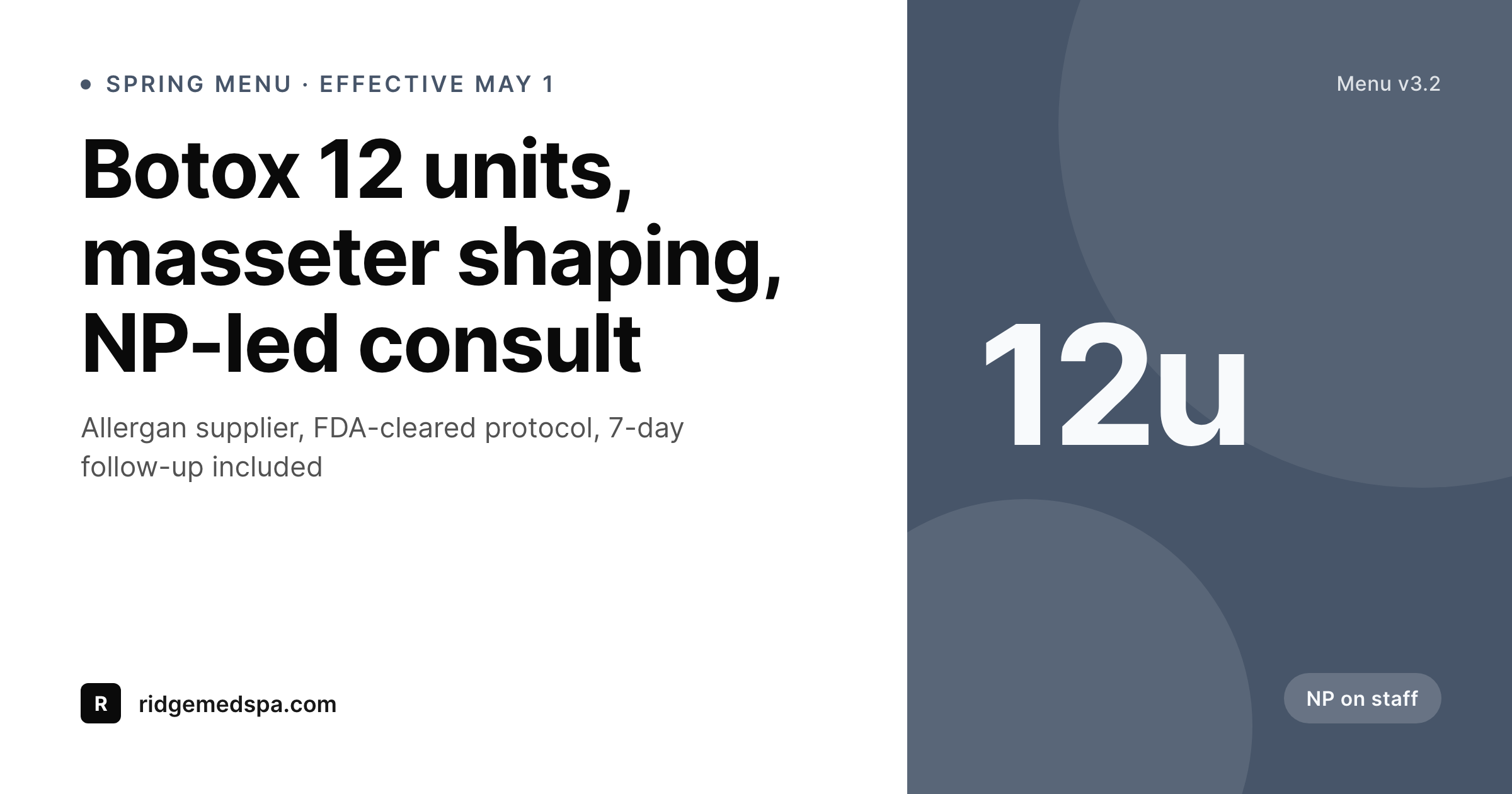
SleekPixel pulls the card from the treatment post. The Botox masseter post saves with a 1200x630 OG card and a 1080x1080 Instagram tile, both carrying the unit count, supplier, and consultation note. The version on Instagram matches the version on the menu page, which matches the version the injector quotes during consultation.
Workflow
From treatment menu to share card
Map the treatment fields
Design one med spa template
Edit the treatment
Share or post
Output
What gets generated per service
A 1200x630 OG share card with the service name, unit or session count, supplier, provider note, and price band, pulled live from the treatment post fields.
Comparison
Default med spa image vs SleekPixel
Default med spa image
- OG image lags pricing by a quarter because nobody updates the Canva file
- Provider cards drift off-brand as the spa adds new NPs and RNs
- Botox and filler campaigns each need a designer for a new share card
- Texted treatment links preview with stock injection photos, not actual menu
- Multi-location spas each post their own off-brand variants from the front desk
SleekPixel
- Save the treatment post, the 1200x630 OG card lands in uploads
- Unit count, supplier, provider, and price pulled live from the post
- Provider cards render from the providers CPT with credentials accurate
- Same template renders Instagram tiles, stories, and email banners
- Bulk regenerate when the medical director rolls a new menu version
Features
What SleekPixel gives you for med spa
Card per treatment
Every Botox, filler, and laser service post saves with an OG card. Unit count and supplier match the page, not a Canva file from last quarter.
Provider cards
Each NP, RN, or medical director renders with their own card showing credentials, specialties, and headshot pulled from the providers CPT.
Seasonal menu rollouts
A new spring menu rolls out by editing the treatment posts. Every share card updates at once, no design queue blocking the launch.
Use cases
Who uses SleekPixel for med spas
Injectables menus
Botox, Dysport, Daxxify, Juvederm, Restylane, Sculptra. Each rendered with unit or syringe count and supplier from the treatment post.
Laser and energy device series
IPL, BBL, Morpheus8, Sofwave, CoolSculpting. Series cards carry session count, device, and treatment area with no manual design work.
Multi-location med spa groups
Locations share one template, each location's card pulls its own provider roster, pricing, and consult URL from the location post.
The bigger picture
Why med spa share cards drive consult volume
A med spa runs on consultations. Every booking starts with a client researching prices, reading provider bios, and texting a treatment link to a partner. The share card on that link is the version of the spa that travels through DMs and group chats.
A card showing a stock injection photo while the page shows specific unit counts and supplier names reads as a spa that is not paying attention to its own brand. The consult call-back rate drops, the no-show rate climbs, and the spa absorbs the slack with discount campaigns that further dilute the brand. Treating the card as a render of the treatment post means the spa's offer stays consistent everywhere.
The medical director approves a new protocol, the page updates, the OG card updates, the Instagram tile updates. The injector who quotes the unit count in consultation is quoting the same number the client already saw three times before walking in.
Questions
Common questions about SleekPixel for med spa
Yes. The providers CPT with credentials, specialties, and headshot maps onto a provider template. Each NP, RN, and medical director renders with their own card.
Yes. Templates can be conditional on category or service type. Botox tiles show unit count, filler tiles show syringe count, both pulling from the same field set.
Yes. Supplier and product brand are fields on the treatment post. Allergan, Galderma, Merz render on the card if the spa wants to surface the supplier.
Yes. SleekPixel reads any post type and any field. A custom treatments CPT with ACF, Meta Box, or Pods fields all map onto the template.
Yes. Editing the treatment posts with new pricing, new units, or new protocol notes triggers re-renders. Bulk regenerate sweeps the whole menu in one pass.
One save can produce a 1200x630 OG card, a 1080x1080 Instagram tile, a 1080x1920 story, and a 1200x675 Twitter card. Configure each format once and every save renders all of them.
It does not run bookings. SleekPixel renders the share card, the booking software handles the consult. The card carries the consult CTA URL.
No. SleekPixel renders the image and saves it to uploads with og:image meta tags. Posting is a manual step from the platform app or a scheduling tool.
Pricing
More than 1000+
happy customers
Explore our flexible licensing options tailored to your needs. Upgrade your license anytime to access more features, or opt for a lifetime license for ongoing value, including lifetime updates and lifetime support. Our hassle-free upgrade process ensures that our platform can grow with you, starting from whichever plan you choose.
Lifetime ♾️
Most popular
EUR
once
- Unlimited websites
- Lifetime updates
- Lifetime support
...or get the Bundle Deal
and save €250 🎁
💎 Want everything forever? The All Access Pass is going away on 01.08.2026.
The Bundle (unlimited sites)
Pay once, own it forever
Elevate your WordPress site with our exclusive plugin bundle that includes all of our premium plugins in one package. Enjoy lifetime updates and lifetime support. Save significantly compared to buying plugins individually.
What’s included
-
SleekAI
-
SleekByte
-
SleekMotion
-
SleekPixel
-
SleekRank
-
SleekView
€749
Continue to checkoutBrowse more
- Medium article headers
- Pinterest video pin covers
- Twitch panel images
- Klaviyo email banner
- Instagram feed posts
- LinkedIn post images
- LinkedIn event banners
- WhatsApp status images
- Fanvue page banner
- Kick stream thumbnails
- TikTok shop images
- LinkedIn showcase page banners
- Snapchat Spotlight covers
- Twitch overlay
- Pinterest shop banners