






SleekPixel for esthetician studio
Service name, duration, provider, and price already sit in the booking system or a service CPT. SleekPixel renders a 1080x1080 card on save so a new offering ships with a graphic, not a Canva rebuild.
♾️ Lifetime License available
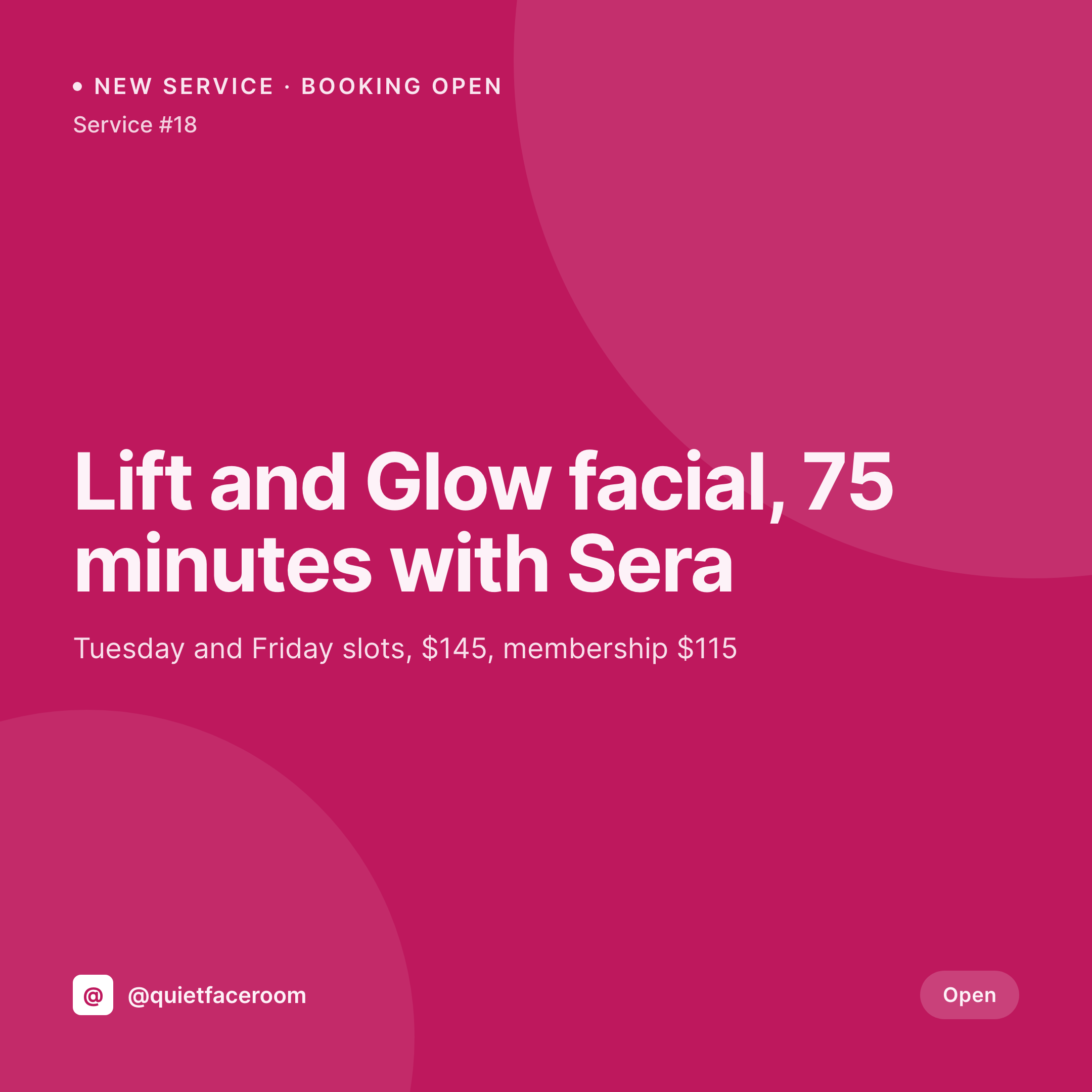
From treatment menu to Instagram card
An esthetician studio runs on a small, considered menu. A handful of facials, a peel or two, a membership tier, the occasional add-on like a high-frequency wand or a lash tint. Each one gets the same Instagram post treatment: service name, duration, who books it with, price, and a clean shot of the room or a hand on a jade roller. The grid has to feel calm because the studio is selling calm.
The data is already on the WordPress site. The studio uses a service CPT, Amelia, Bookly, or a WooCommerce-based booking plugin, with the service name, duration, price, and provider already structured. The treatment photo is in the media library after the first booking. The information work is done. The gap is the 1080x1080 PNG that would otherwise get rebuilt in Canva every time the studio adds a new service or shifts a price.
SleekPixel renders that PNG on save. The service post updates with the photo, the card lands in uploads with the duration, price, and provider locked in. The owner posts the card from the phone between clients. The grid stays in one voice across months, not just for the cards but on the booking page where the same render becomes the service hero image.
Workflow
From treatment menu to grid card
Map service and booking fields
Design one square template
Add or edit a service
Post between clients
Output
What gets generated per service
A 1080x1080 square card with service name, duration, provider, price, and the studio's mark. Pulled from the service or booking post.


Comparison
Default esthetician studio image vs SleekPixel
Default esthetician studio image
- Owner rebuilds a Canva card every time a new facial or peel is added
- Duration and price on the card drift from what the booking system actually charges
- Different providers post their own off-brand cards from their own phones
- Membership perks and add-ons end up with mismatched typography
- Seasonal promos launch without a coordinated visual rollout
SleekPixel
- Save the service post, the 1080x1080 card lands in uploads
- Service name, duration, price, and provider pulled live from the post
- Square format sized for Instagram and Facebook grids
- Booking page hero stays in sync with the social card automatically
- One template across providers and locations keeps every service on-brand
Features
What SleekPixel gives you for esthetician studio
Service fields, mapped
Pull service name, duration, price, and provider from the booking plugin or a custom service CPT. Edit once, the card follows.
Booking-aware
Memberships, add-ons, and limited-time offers route to variant layouts so a peel doesn't share a card style with a tier.
Calm palette, locked
Set the studio's neutral palette once. Every service renders inside the same gentle frame so the grid reads as one room.
Use cases
Who uses SleekPixel for esthetician studios
Solo estheticians
One provider, one room, a tight menu. The card per service keeps the booking page and the grid consistent without a designer.
Multi-provider studios
Each provider's services render with their name and slots from the same template, so the grid looks like a studio, not a stack of accounts.
Membership-driven practices
Member-only facials and add-ons get their own variant card, with the member price rendered alongside the public price.
The bigger picture
Why a quiet grid matters for a treatment room
An esthetician studio sells trust before it sells a service. A new client looking at the grid is reading for whether this is a room that respects skin, schedules carefully, and won't sell them a peel they don't need. A grid where every card uses the same neutral palette, the same typography, the same approach to pricing reads as a practice that pays attention.
Templated cards rendered from the service post make that consistency the default, so when a provider adds a service at 9pm after a long day, the card lands on the grid already in the studio's voice. The booking page hero matches, the social card matches, the price the client sees in DMs matches the one at checkout.
Questions
Common questions about SleekPixel for esthetician studio
Yes. SleekPixel reads service fields from common booking plugins, plus any ACF or Meta Box custom fields, and renders the card from the same source the booking page uses.
Yes. A provider taxonomy term can route to a variant template, or a provider photo and name can render onto the same template for each service.
Yes. A second price field can render alongside the public price, or a member-only variant can render a different card for the members area.
Yes. The service hero image and the social card are both wired to the same render, so editing the service refreshes both.
Yes. Tag a service as a promo and route it to a variant layout with the discount, end date, and any required code rendered.
The price field can be hidden in the template. The card still renders the service name, duration, and provider without leaving an empty block.
It can. Any image field on the service post can render onto the card, though many studios keep before-and-afters off public cards for privacy.
No. SleekPixel renders the image and saves it to uploads. Posting is a manual step from the platform app or a scheduling tool.
Pricing
More than 1000+
happy customers
Explore our flexible licensing options tailored to your needs. Upgrade your license anytime to access more features, or opt for a lifetime license for ongoing value, including lifetime updates and lifetime support. Our hassle-free upgrade process ensures that our platform can grow with you, starting from whichever plan you choose.
Lifetime ♾️
Most popular
EUR
once
- Unlimited websites
- Lifetime updates
- Lifetime support
...or get the Bundle Deal
and save €250 🎁
💎 Want everything forever? The All Access Pass is going away on 01.08.2026.
The Bundle (unlimited sites)
Pay once, own it forever
Elevate your WordPress site with our exclusive plugin bundle that includes all of our premium plugins in one package. Enjoy lifetime updates and lifetime support. Save significantly compared to buying plugins individually.
What’s included
-
SleekAI
-
SleekByte
-
SleekMotion
-
SleekPixel
-
SleekRank
-
SleekView
€749
Continue to checkoutBrowse more
- Discord server banners
- Amazon Storefront banners
- Rednote (Xiaohongshu) post
- Tumblr header
- Apple Music cover art
- Twitter/X header
- Apple Podcasts covers
- Kindle book cover
- Kick stream thumbnails
- Behance banner
- Bluesky profile banners
- Behance project covers
- YouTube community images
- Medium article headers
- Telegram channel images