






SleekPixel for YouTube community images
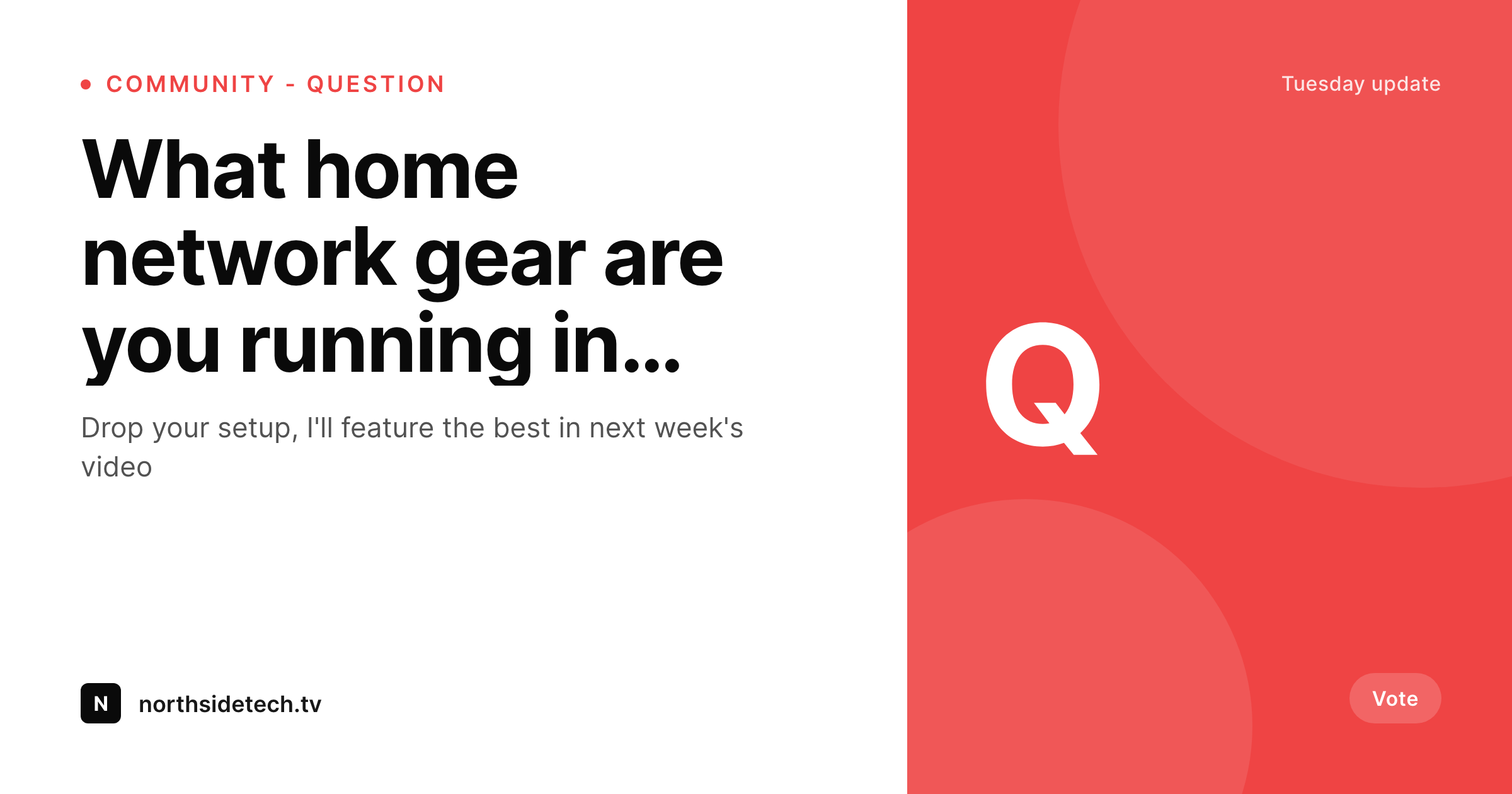
Templated 1080x1080 community post images generated per post on save. Polls, questions, and announcements pulled from real fields and held inside one branded frame.
♾️ Lifetime License available
Community posts move subscribers when they look like the show
YouTube's community tab is one of the cheapest ways for an established channel to keep subscribers active between video drops. Polls, questions, behind-the-scenes notes, and announcements all live there. The community posts that move engagement have a visual identity that matches the channel's videos, while the ones that read as quick phone uploads from the host underperform. The bottleneck is design throughput. Hosts cannot reliably ship a polished image for every community post.
SleekPixel renders the image from a WordPress post that mirrors the community update. Question text, poll context, and category live as fields. The 1080x1080 template uses brand fonts and colors and renders to uploads on save. The host downloads the PNG from the sidebar and posts it through YouTube Studio's community composer.
The community tab starts feeling like part of the show because every image is rendered by the same engine that produces the thumbnails and channel banner. Posting becomes a Gutenberg-and-paste operation instead of a Canva-and-export trip.
Workflow
From community post to YouTube upload
Design the image
Map the post type
Save the post
Upload through YouTube Studio
Output
What gets rendered per community post
A 1080x1080 PNG with the question or poll prompt and brand mark, sized for the YouTube community post format.
Comparison
Phone uploads versus SleekPixel
Phone screenshots / Canva
- Phone uploads feel off-brand against the channel's polished thumbnails
- Canva-per-community-post drains the posting habit within weeks
- Polls and questions get typed into pixels instead of pulled from data
- Community tab visual style drifts away from the rest of the channel
- Brand refreshes never reach the community tab because the cost is too high
SleekPixel
- 1080x1080 PNG rendered per community post on save
- Question, poll text, and category pulled from real post fields
- Sidebar download per post, ready for YouTube community upload
- Brand refresh re-renders the community archive in batch
- Real PNGs in uploads, indexed alongside the rest of the media
Features
What SleekPixel gives you for YouTube community images
Community-ready
1080x1080 fits YouTube's community post canvas at full width on desktop and mobile, with no cropping.
Channel-matching
Self-hosted brand fonts and exact colors render so the community tab feels like a continuation of the channel's video grid.
Sidebar download
Open the community post in Gutenberg, hit download, and upload the PNG through YouTube Studio's community composer.
Use cases
Where community images move engagement
Audience questions
Each question prompt renders an image with the question and category, ready to drop into the community post.
Polls
Polls render with a clear prompt and brand mark, so the community tab still feels intentional.
Announcements
Schedule changes, new merch, and event invites render on save with the right cue.
The bigger picture
Why community-tab consistency keeps subscribers warm
YouTube's recommendation engine reads channel activity, and the community tab is the cheapest way to keep that activity high between video drops. The catch is that community posts only earn engagement if they look like part of the show. A channel with cinematic thumbnails and Canva community posts trains subscribers to ignore the community tab.
A channel with consistent visual identity across video and community trains them to interact. The cost of producing per-post images is exactly what stops most hosts from posting consistently, which is why SleekPixel makes the image a side effect of the post. The host writes the community update in WordPress, saves, and a brand-matched image lands in uploads.
Posting becomes a habit because the friction is gone, and the algorithm rewards the habit with more reach.
Questions
Common questions about SleekPixel for YouTube community images
No. SleekPixel renders the PNG inside WordPress. The host downloads it from the sidebar and posts it through YouTube Studio's community composer.
1080x1080 by default, which fits the YouTube community post canvas at full width on desktop and mobile. Other ratios are configurable if needed.
Yes. Poll options are post fields. The template renders them as a list inside the canvas. The actual poll mechanism still happens inside the YouTube post composer.
Yes. SleekPixel works with any post type, taxonomy, or category. Whichever post structure backs your community workflow can drive the renders.
If the layout works at 16:9, you can render a separate template at 1280x720 from the same post. Most operators run both variants in parallel.
Yes. SleekPixel auto-shrinks text to fit the bounding box, with configurable min and max font sizes. Long prompts stay legible without breaking the layout.
Edit the template and run batch regenerate. Every community post re-renders with the new design. Re-uploading to YouTube is manual since YouTube does not expose a bulk community-image API.
In the WordPress uploads directory as real PNGs, in the media library, and included in normal backups.
Pricing
More than 1000+
happy customers
Explore our flexible licensing options tailored to your needs. Upgrade your license anytime to access more features, or opt for a lifetime license for ongoing value, including lifetime updates and lifetime support. Our hassle-free upgrade process ensures that our platform can grow with you, starting from whichever plan you choose.
Lifetime ♾️
Most popular
EUR
once
- Unlimited websites
- Lifetime updates
- Lifetime support
...or get the Bundle Deal
and save €250 🎁
💎 Want everything forever? The All Access Pass is going away on 01.08.2026.
The Bundle (unlimited sites)
Pay once, own it forever
Elevate your WordPress site with our exclusive plugin bundle that includes all of our premium plugins in one package. Enjoy lifetime updates and lifetime support. Save significantly compared to buying plugins individually.
What’s included
-
SleekAI
-
SleekByte
-
SleekMotion
-
SleekPixel
-
SleekRank
-
SleekView
€749
Continue to checkoutBrowse more
- waitlist cards
- certification announcement cards
- Yelp review cards
- explainer essay card
- buy one get one cards
- quarterly update cards
- product update images
- employee spotlight card
- podcast guest cards
- workshop replay card
- office hours card
- white paper cover
- G2 badge cards
- doors open card
- workshop cards
- Bluesky link cards
- LinkedIn document post covers
- X community banners
- Telegram channel images
- Klaviyo email headers
- Twitter card images
- Instagram grid tiles
- Instagram bio link banners
- Audible audiobook cover
- Substack post thumbnail
- YouTube end screens
- Facebook event covers
- Twitch offline banners
- X ad images
- Spotify Canvas