






SleekPixel for YouTube end screens
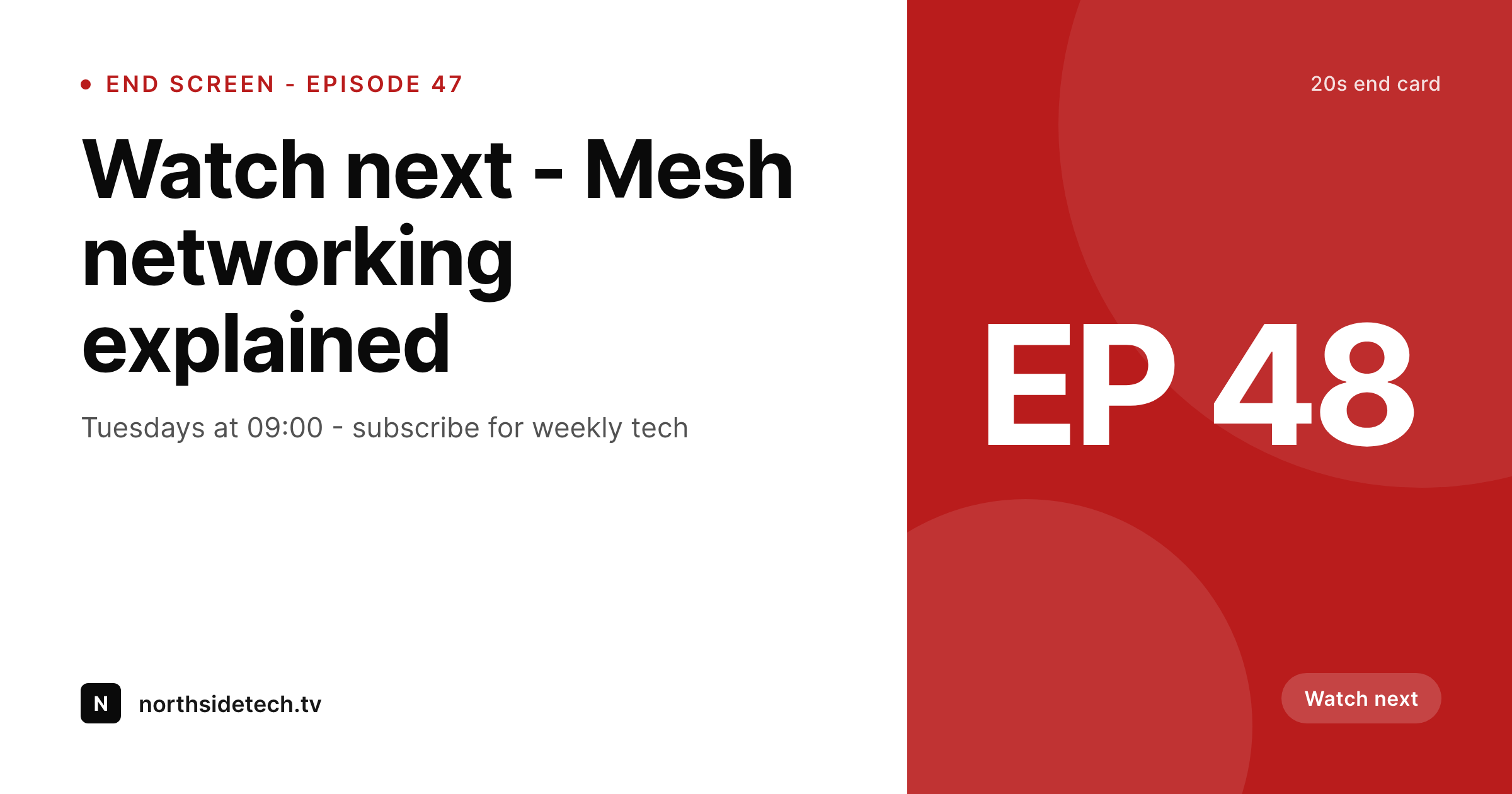
Templated 1280x720 end screen art generated per episode on save. Watch-next title, schedule, and subscribe cues pulled from real post fields and ready for the video editor.
♾️ Lifetime License available
End screens decide whether the next click stays on your channel
The last 20 seconds of a YouTube video are where the channel either earns the next watch or loses it to the algorithm. End screens with clear watch-next prompts and a clean subscribe cue keep viewers on the channel. End screens with a generic stinger and no on-frame copy lose them. The reason most channels never optimize end screens is that each episode needs its own end screen art and the workflow involves the editor opening Photoshop, finding the right episode title, and exporting a frame.
SleekPixel renders the end screen art from the WordPress episode post that backs the show notes. Watch-next title, schedule, and channel mark live as fields on the post. The 1280x720 template uses brand fonts and colors and renders to uploads on save. The editor downloads the PNG and drops it into the timeline as the end-card overlay.
The end screen becomes a structured part of every episode. Watch-next prompts stay current because they are pulled from data. Schedule cues stay current because they are pulled from data. The end screen stops being the editor's least favorite manual step and starts being the cleanest part of the workflow.
Workflow
From episode post to end-screen overlay
Design the end screen
Map episode fields
Save the episode post
Drop into the editor
Output
What gets rendered per episode
A 1280x720 PNG with the watch-next prompt, schedule, and channel mark, sized for the YouTube end-screen overlay.
Comparison
Manual end screens versus SleekPixel
Photoshop / Canva per episode
- Editor opens Photoshop or Canva for every episode's end screen
- Watch-next titles get typed by hand and break with edits
- Schedule cues drift between the end screen and the channel banner
- Brand refreshes skip the end screen because re-exporting is too costly
- Multi-host shows pick the wrong host on the end screen because the file is static
SleekPixel
- 1280x720 PNG rendered per episode on save
- Watch-next title and schedule pulled from real post fields
- Sidebar download per post, ready for the video editor's timeline
- Brand refresh re-renders every episode's end screen in batch
- Real PNGs in uploads, addressable by URL for editing tools
Features
What SleekPixel gives you for YouTube end screens
Editor-ready
1280x720 fits the YouTube canvas. The end-screen overlay positions itself cleanly in any timeline editor.
Channel-matching
Self-hosted brand fonts and exact brand colors render across every episode so end screens line up with the rest of the channel.
Sidebar download
The editor opens the episode post, hits download, and drops the PNG into the end-card overlay in the timeline.
Use cases
Where end screens move retention
Watch-next pushes
Each episode's end screen pulls the next episode title, so the watch-next prompt is always current.
Schedule reminders
Schedule shifts update the end screen automatically because the schedule is a post field, not a static asset.
Multi-host shows
Host swaps render the right host name and image on the end screen via the host custom field.
The bigger picture
Why end-screen consistency moves session length
YouTube's recommendation engine rewards session length, and end screens are the most direct lever a channel has on session length. A clean watch-next prompt with a relevant next episode keeps the viewer inside the channel for the next watch instead of bouncing to the algorithm's recommendations. The reason most channels lose this lever is operational.
The editor cannot reliably build a custom end screen for every episode, so the channel ships a generic stinger and accepts the lower retention. SleekPixel makes the end-screen overlay a side effect of saving the episode post. Watch-next title, schedule, and channel mark all render automatically.
The editor's job becomes drag-and-drop instead of design. Session length improves because end screens improve, and end screens improve because the cost of producing them per episode goes from minutes to zero.
Questions
Common questions about SleekPixel for YouTube end screens
No. SleekPixel renders the background art and on-frame copy as a 1280x720 PNG. The clickable end-screen elements are added in YouTube Studio's end-screen editor on top of the rendered background.
1280x720 by default, matching the YouTube video canvas. The PNG drops into any 16:9 timeline as the last 20-second overlay.
Yes. The watch-next title is a post field. Most workflows set it on the episode post when the next episode is scheduled, so the end screen always points to the right next watch.
Yes. SleekPixel auto-shrinks text to fit the bounding box, with configurable min and max font sizes. Long titles stay legible without breaking the layout.
Yes. Templates are scoped per post type or category. Each show on a network can run its own end-screen template variant with shared base styling.
Yes. SleekPixel outputs a flat PNG. Any timeline editor that can import an image as an overlay handles the file.
Edit the template and run batch regenerate. Every episode re-renders with the new end-screen design. Replacing inside published videos still requires editing each video, but the source PNGs are ready instantly.
In the WordPress uploads directory as real PNGs, in the media library, and included in normal backups. The editor re-downloads any time.
Pricing
More than 1000+
happy customers
Explore our flexible licensing options tailored to your needs. Upgrade your license anytime to access more features, or opt for a lifetime license for ongoing value, including lifetime updates and lifetime support. Our hassle-free upgrade process ensures that our platform can grow with you, starting from whichever plan you choose.
Lifetime ♾️
Most popular
EUR
once
- Unlimited websites
- Lifetime updates
- Lifetime support
...or get the Bundle Deal
and save €250 🎁
💎 Want everything forever? The All Access Pass is going away on 01.08.2026.
The Bundle (unlimited sites)
Pay once, own it forever
Elevate your WordPress site with our exclusive plugin bundle that includes all of our premium plugins in one package. Enjoy lifetime updates and lifetime support. Save significantly compared to buying plugins individually.
What’s included
-
SleekAI
-
SleekByte
-
SleekMotion
-
SleekPixel
-
SleekRank
-
SleekView
€749
Continue to checkoutBrowse more
- Kick channel banners
- Twitch starting soon screen
- Apple Music cover art
- Passes page banner
- LinkedIn company banners
- TikTok Now image
- Snapchat Discover tiles
- Bandcamp banner
- Patreon post thumbnails
- X community banners
- YouTube Shorts thumbnails
- GitHub social preview images
- Buy Me a Coffee banners
- YouTube Shorts cover
- Dailymotion thumbnails