






SleekPixel for Facebook event covers
Templated 1920x1005 Facebook event covers rendered from your event post data, downloadable from the editor sidebar. Date, venue, and series branding stay consistent without redrawing each cover in Canva.
♾️ Lifetime License available
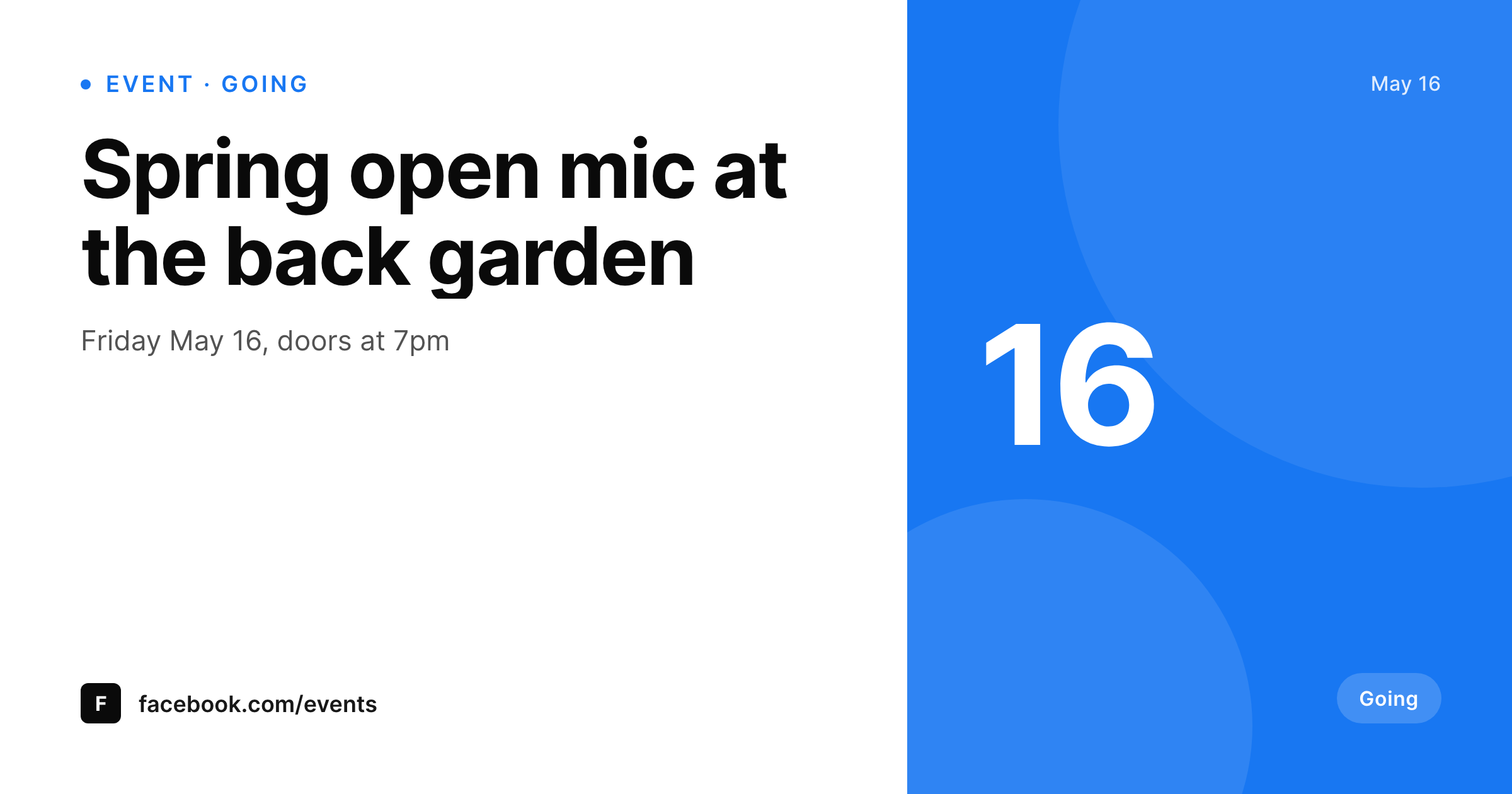
Facebook events still drive RSVPs for local venues
Local venues, community organizations, and small touring acts still rely on Facebook events for RSVP volume. The cover image is the first thing a Facebook user sees in the event card, in the share, and in the feed reminder, and the image carries most of the click-through weight because the title gets truncated on mobile. Done manually, the cover is a Canva file the social manager updates whenever a date or lineup changes, which means most events go live with a cover that has the wrong date.
SleekPixel renders the cover from the event post. The template is 1920 by 1005, the Facebook-recommended event cover size, designed in HTML and CSS with slots for the event title, date, venue, and any custom field like ticket tier or genre. A date change updates the cover on save. A lineup addition surfaces the new act without a Canva round trip. A series of weekly events shares the template, so every event in the run reads as one venue identity.
Facebook does not accept third-party uploads to event covers, so SleekPixel exposes a download button in the WordPress editor sidebar. The PNG is named after the event, sits in uploads, and is ready to drop into the Facebook event cover dialog.
Workflow
From event post to Facebook-ready cover
Design the template
Bind the event fields
Save the event
Download and upload
Output
What gets generated per event
A 1920x1005 PNG sized for the Facebook event cover dialog, with the title, date, venue, and any field mapped from the event post.
Comparison
Manual event covers versus SleekPixel
Manual / Canva
- Cover goes live with last week's date because the Canva file was not reopened
- A weekly event series ends up with three different cover styles in a month
- Lineup additions in the event post never propagate to the cover
- Venue changes leave the cover pointing at the wrong address
- 1920 by 1005 is awkward enough that stock templates rarely match cleanly
SleekPixel
- 1920x1005 PNG rendered per event post on save
- Title, date, venue, and lineup fields bind into the template
- Downloadable from the editor sidebar for the Facebook event dialog
- Series identity shared across every event in the calendar
- Real PNGs in uploads, available for re-download anytime
Features
What SleekPixel gives you for Facebook event covers
Per-event render
Each event post produces its own 1920 by 1005 cover with the right date, venue, and lineup.
Series identity
A weekly open mic or a monthly festival shares the template, so every event in the calendar reads as one venue.
Sidebar download
The PNG is one click from the WordPress editor sidebar, ready for the Facebook event cover dialog.
Use cases
Where event covers earn RSVPs
Recurring shows
Render a cover per recurring show with the date and lineup pulled from the event post, keeping the venue identity consistent.
Community gatherings
Local groups push events to Facebook with covers that match the group's brand without buying design hours.
Pop-up venues
Pop-up dinners, market days, and one-off events ship a cover the moment the event post saves.
The bigger picture
Why Facebook event covers still decide local RSVPs
Local audiences live on Facebook events. A neighborhood pub night, a community board meeting, a school fundraiser, all of these get most of their RSVPs through the Facebook event share, and the cover is the visual that decides whether the share converts. A cover with the wrong date kills RSVPs because the prospect cannot tell if the event is still on.
A cover that looks nothing like the venue's other events trains regulars to skim past. Doing this manually is fragile because every venue change, lineup addition, or date shift needs a Canva round trip, and most don't make it. SleekPixel makes the cover a function of the event post.
Date and lineup updates flow through automatically. The venue identity stays consistent across every event because every cover renders from the same template. Local venues stop leaking RSVPs to stale visuals.
Questions
Common questions about SleekPixel for Facebook event covers
No. Facebook does not allow third-party uploads to event covers via API. SleekPixel renders the PNG and exposes a download button in the editor sidebar for the Facebook event cover dialog.
1920 by 1005, the Facebook-recommended event cover size. The dimension is configurable in the template.
Yes. Bind a lineup field, an act list, or a speaker row on the event post and the template renders the correct list.
Yes. Each event in the recurring series renders its own cover, and the template is shared so the venue identity stays consistent.
Yes. Run batch regenerate from the SleekPixel admin and every event in the archive renders a new cover on the current template.
Yes, including self-hosted custom fonts. The template is HTML and CSS, so any font you can serve works.
In the WordPress uploads directory as real PNGs, available in the media library and included in normal backups.
No. Rendering happens on save. There is no per-view API call and no usage cap.
Pricing
More than 1000+
happy customers
Explore our flexible licensing options tailored to your needs. Upgrade your license anytime to access more features, or opt for a lifetime license for ongoing value, including lifetime updates and lifetime support. Our hassle-free upgrade process ensures that our platform can grow with you, starting from whichever plan you choose.
Lifetime ♾️
Most popular
EUR
once
- Unlimited websites
- Lifetime updates
- Lifetime support
...or get the Bundle Deal
and save €250 🎁
💎 Want everything forever? The All Access Pass is going away on 01.08.2026.
The Bundle (unlimited sites)
Pay once, own it forever
Elevate your WordPress site with our exclusive plugin bundle that includes all of our premium plugins in one package. Enjoy lifetime updates and lifetime support. Save significantly compared to buying plugins individually.
What’s included
-
SleekAI
-
SleekByte
-
SleekMotion
-
SleekPixel
-
SleekRank
-
SleekView
€749
Continue to checkoutBrowse more
- mental model cards
- shell tip card
- award announcement images
- hiring announcement images
- lesson thumbnail cards
- did-you-know card
- incorporation card
- limited edition cards
- return to office card
- comparison chart cards
- listicle thumbnail
- team offsite card
- KPI cards
- experiment recap card
- beta launch cards
- Signal sticker pack
- Snapchat Discover tiles
- LINE official account banners
- SoundCloud track art
- Douyin cover
- Audible audiobook cover
- Instagram grid tiles
- Instagram carousel slides
- YouTube Shorts cover
- Twitch profile banner
- Twitter/X header
- Instagram highlight covers
- LinkedIn carousel slides
- Rumble thumbnails
- Pinterest shop banners