






SleekPixel for Discord server banners
Templated 960x540 banners generated from WordPress posts. The Discord server header stays on brand without rebuilding the banner in Photoshop every time the community refreshes its theme.
♾️ Lifetime License available
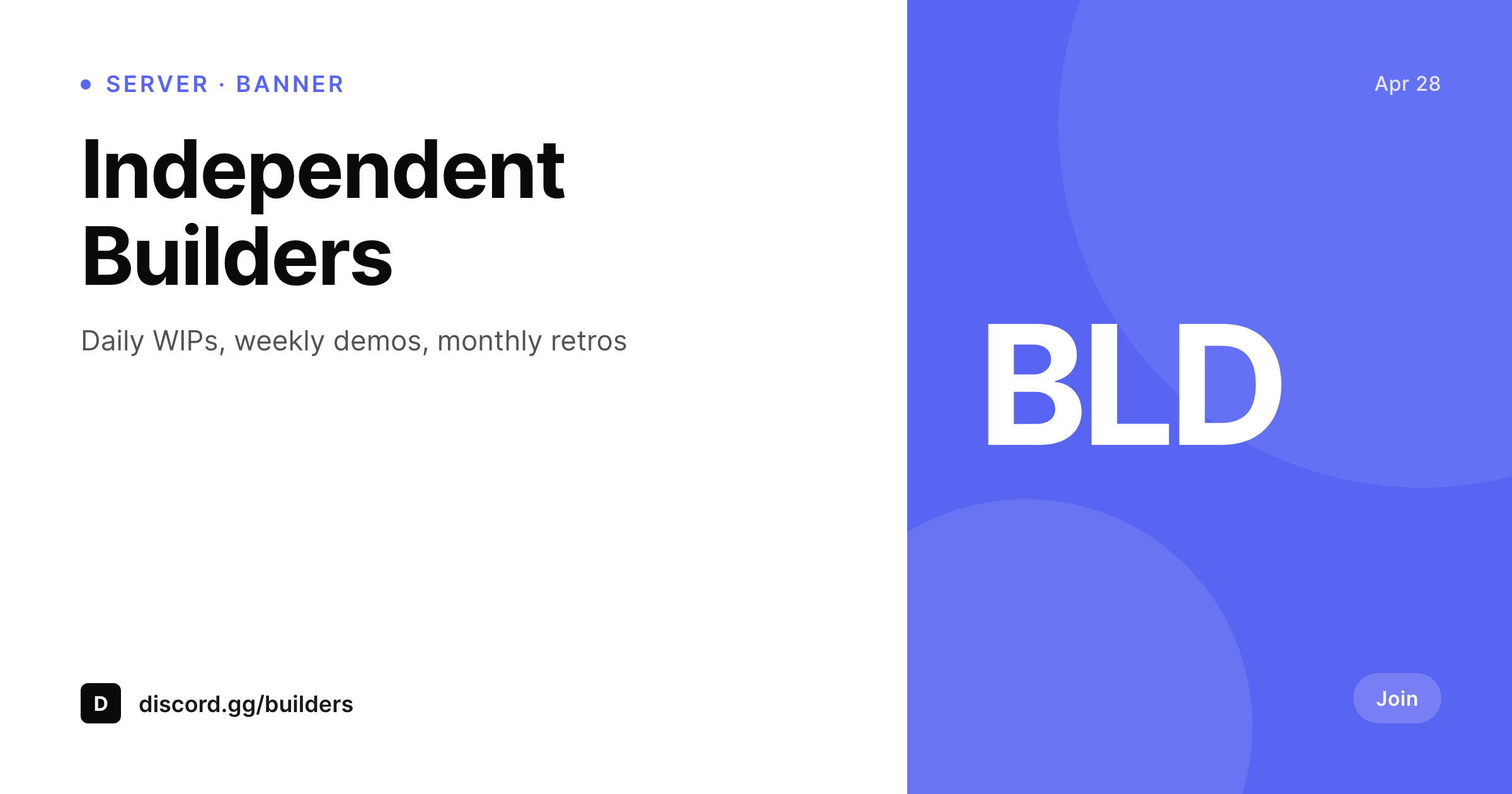
Discord server banners drift the same way subreddit banners do
The Discord server banner sits at the top of the channel list and is the first surface a new member sees when they land in the server. The recommended dimension is 960x540 (16:9), and the format favors clear typography and a strong brand mark. Most communities design the banner once when the server is created and never touch it again, because Photoshop is friction and admin attention is finite.
SleekPixel renders the banner from a WordPress post on save. A single post can hold the banner copy (server name, tagline, current campaign), and the template binds those fields and renders the 960x540 PNG to the uploads directory. Admins download from the editor sidebar and upload to Discord's server settings under Overview > Server Banner Background.
Banner refreshes for seasonal events, community milestones, or brand updates become a one-save job. The work that used to require a Photoshop session moves into the post save lifecycle. The community looks like it is being maintained because the banner reflects the current state of the server.
Workflow
From post save to Discord banner
Design the banner template
Set up the banner post
Save the post
Upload to Discord
Output
What gets generated per banner
A 960x540 PNG with the server name, tagline, and brand mark, sized for the Discord server banner background.
Comparison
Manual Discord banners versus SleekPixel
Photoshop one-off
- Banner designed once at server creation, never touched again
- Source PSD lives on one admin's machine and disappears when they leave
- Seasonal events require a fresh design pass from scratch
- Brand refreshes never make it to Discord because the workflow is friction
- Active communities look stale because the banner does not reflect reality
SleekPixel
- 960x540 PNG rendered from a WordPress post on save
- Server name, tagline, and campaign field bound to real post fields
- Real brand fonts and colors, locked to a single template
- Re-renders on field changes
- Source of truth lives in the WordPress install, not a Photoshop file
Features
What SleekPixel gives you for Discord server banners
Discord-shaped
Templates default to 960x540 with safe areas for the server name and brand mark. The banner fits Discord's header without cropping.
Easy refresh
Seasonal events or campaigns refresh by editing one field on the banner post. Re-render and upload, no Photoshop required.
Admin-portable
The banner source lives in WordPress, accessible to every admin with edit access. No PSD files lost when a contributor leaves.
Use cases
Where Discord banners pay off
Seasonal events
Holiday or event banners refresh by editing the campaign field on the banner post and uploading the new render.
Milestone moments
Member-count milestones, anniversaries, or feature launches get a banner with the current count baked in.
Brand alignment
The Discord banner stays aligned with the brand on the website because both come out of the same source-of-truth WordPress install.
The bigger picture
Why Discord banners signal community health
The Discord server banner is the first signal a new member sees when they land in a server, and it carries an outsized share of the first-impression weight. A banner that reflects the current event, member count, or campaign signals that the server is being maintained. A banner that has been the same for two years signals the opposite, even if the chat is active.
Most communities lose this signal because Photoshop is friction and admin attention is finite. SleekPixel removes the friction by binding the banner to a WordPress post. A campaign refresh, a milestone, or a brand update becomes a field edit and a save.
The admin team stops being the bottleneck, the source of truth lives in the install, and the banner reflects the current state of the community. The server reads as active because the banner reflects reality, not because someone remembered to open Photoshop on a Sunday afternoon.
Questions
Common questions about SleekPixel for Discord server banners
No. Discord does not expose third-party API access for server banner uploads in the way that would allow automated publishing for community admins. SleekPixel renders the PNG and provides a download button. Admins upload via Discord's server settings.
960x540 is the recommended server banner background size. SleekPixel defaults to that canvas. The dimension is configurable if Discord updates the recommendation.
Discord shows link embeds in channels and DMs, but the embed format and behavior differ from the OG card layout used on Twitter or LinkedIn. The Discord embed reads og:image, but the rendered card looks different. SleekPixel writes a standard og:image, and the embed shows the rendered file.
Channels, categories, and emojis use different sizes and have their own constraints. SleekPixel can render those with separate templates bound to dedicated posts.
Yes. If the server icon is uploaded as a featured image or custom field on the banner post, the template can use it as a corner mark or central element.
In the WordPress uploads directory, served from your own domain. It is a real PNG, in your media library, and included in normal backups.
No. The render runs once on save and the result is a static file. There is no per-render API cost or rate limit.
Animated banners require GIF or MP4 input and Discord Nitro Boost level 3 on the server. SleekPixel renders static PNG. For animation, the static template can serve as the first frame and the motion gets added in a separate tool.
Pricing
More than 1000+
happy customers
Explore our flexible licensing options tailored to your needs. Upgrade your license anytime to access more features, or opt for a lifetime license for ongoing value, including lifetime updates and lifetime support. Our hassle-free upgrade process ensures that our platform can grow with you, starting from whichever plan you choose.
Lifetime ♾️
Most popular
EUR
once
- Unlimited websites
- Lifetime updates
- Lifetime support
...or get the Bundle Deal
and save €250 🎁
💎 Want everything forever? The All Access Pass is going away on 01.08.2026.
The Bundle (unlimited sites)
Pay once, own it forever
Elevate your WordPress site with our exclusive plugin bundle that includes all of our premium plugins in one package. Enjoy lifetime updates and lifetime support. Save significantly compared to buying plugins individually.
What’s included
-
SleekAI
-
SleekByte
-
SleekMotion
-
SleekPixel
-
SleekRank
-
SleekView
€749
Continue to checkoutBrowse more
- YouTube community images
- Facebook group banners
- Facebook ad images
- Twitch profile banner
- Discord event cover
- Bandcamp banner
- YouTube end screens
- Threads profile banner
- Mastodon link previews
- Rednote (Xiaohongshu) post
- Instagram collab post images
- Threads post cover
- Patreon tier images
- Bluesky profile banner
- Lemmy post images