






SleekPixel for Telegram channel images
Templated 1280x720 images generated from WordPress posts. Drop them into Telegram channel posts so subscribers get a branded visual instead of plain text or a stretched featured image.
♾️ Lifetime License available
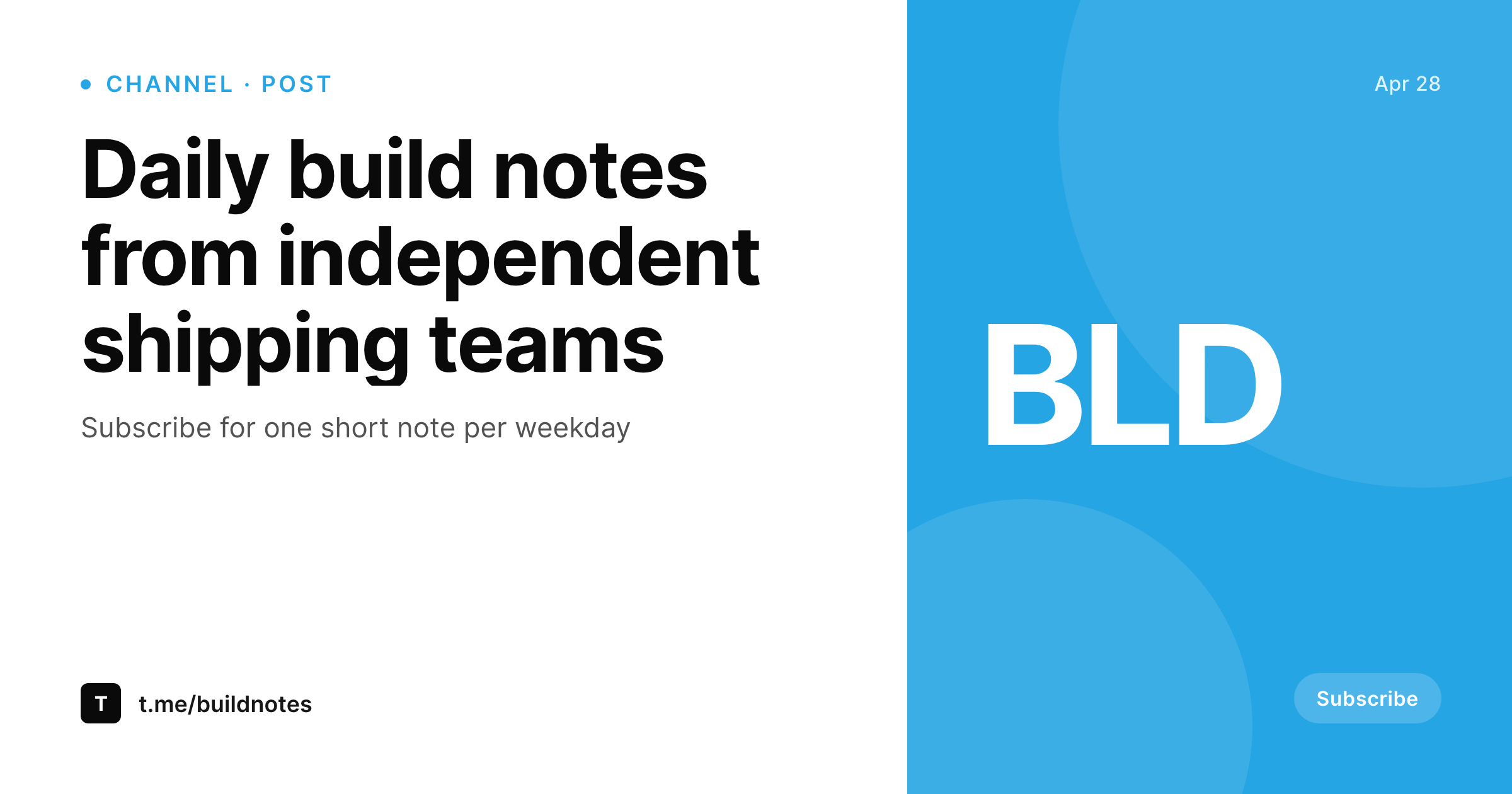
Telegram channels run on consistent visual cadence
Telegram channels can attach images to posts, and channels with a recognizable visual identity outperform channels that post pure text. The format that works is around 1280x720 (16:9) for in-feed images, with the headline near the top and the channel mark in a corner. Channels that try to maintain this end up designing every image in Canva, which means consistency drifts over time as different contributors edit the source files.
SleekPixel renders the channel image from a WordPress post on save. If the brand publishes daily notes, weekly digests, or curated links, the post on the website carries the same content and metadata. Binding the post title, the issue number, and the channel mark to a 1280x720 template means the Telegram image ships at the same time the website post does. The PNG downloads from the editor sidebar and attaches to the Telegram channel post via the Telegram desktop app or the Bot API.
Branding refreshes propagate by re-rendering the archive. The channel reads as a coherent series because every image came out of the same template.
Workflow
From post save to Telegram-ready image
Design the channel template
Bind the fields
Save the post
Attach to Telegram
Output
What gets generated per post
A 1280x720 PNG with the post title, issue or post number, and channel mark, sized for Telegram channel post attachments.
Comparison
Manual Telegram images versus SleekPixel
Canva per post
- Canva per-post design drifts visibly across the channel feed
- Different contributors produce slightly different versions of the same template
- Title rewrites mean re-exporting and re-uploading every time
- Brand refresh leaves the channel archive with stale visuals
- Daily channels cannot sustain manual design work for every post
SleekPixel
- 1280x720 PNG rendered from a WordPress post on save
- Title, post number, and channel mark bound to real post fields
- Real brand fonts and colors, locked to a single template
- Re-renders on title or field changes
- Sidebar download per post, ready for the Telegram attach dialog
Features
What SleekPixel gives you for Telegram channel images
Channel-coherent
Every post comes out of the same template. The channel feed reads as a series instead of unrelated visuals.
Brand-locked
Real brand fonts and colors, not Canva approximations. The Telegram visuals match the brand on the website without manual reconciliation.
Sidebar download
Open the post, click download, attach the PNG to a Telegram channel post via desktop, mobile, or Bot API.
Use cases
Where Telegram images earn the read
Daily notes
Daily channels render a visual per post with the date and title baked in, so the feed reads as a coherent stream.
Weekly digests
Weekly digest channels render a visual per issue with the issue number, so the archive reads as a numbered series.
Curated link feeds
Curated link channels render a visual per share with the source domain and category, giving subscribers a branded preview.
The bigger picture
Why visual cadence carries Telegram channels
Telegram channels grow on cadence and recognizability. Subscribers scroll the chat list and decide which channels to open based on the visual cue at the top of the latest message. A channel where every post carries a coherent image gets opened more often than a channel where some posts are plain text and others are off-brand Canva exports.
Channels that hit this rhythm pay for it in design overhead, because daily or weekly channels accumulate dozens of images per month that all need to match. SleekPixel removes the overhead by rendering the image from a WordPress post on save. The post is already where most channels organize their content.
Binding fields to a 1280x720 template means the visual ships when the post does. Branding refreshes propagate by batch regenerate. The channel reads as a coherent series, the open rate reflects that, and the contributor stops being the bottleneck for visual consistency.
Questions
Common questions about SleekPixel for Telegram channel images
Not directly. Telegram exposes a Bot API that can post to a channel a bot is added to, but that integration sits outside SleekPixel's scope. SleekPixel renders the PNG and provides a download button. A bot or a manual upload via the desktop app handles the actual posting.
Around 1280x720 (16:9) is a safe choice for in-feed channel posts. Telegram supports a wide range of image sizes and re-encodes uploads, but 1280x720 displays cleanly across desktop, web, and mobile.
Yes. If a featured image is uploaded, the template can use it as a background or thumbnail. The image does not require a photo, since title and channel mark often carry the design on their own.
Telegram fetches og:image and og:title when a link is posted in a chat. SleekPixel writes a separate 1200x630 OG image in the post head, so a link to the post unfurls with a real preview alongside the optional 1280x720 attachment.
Yes. The SleekPixel admin batch regenerate rebuilds images for every matching post. The PNGs land in uploads ready for download or for a bot to attach.
Channel attachment images are not OG images, so the SEO plugin does not touch them. The OG image used for link unfurls is a separate render, and SleekPixel hands that URL to Yoast or Rank Math when they are active.
In the WordPress uploads directory, served from your own domain. It is a real PNG, in your media library, and included in normal backups.
No. The render runs once on save and the result is a static file. There is no per-render API cost or rate limit.
Pricing
More than 1000+
happy customers
Explore our flexible licensing options tailored to your needs. Upgrade your license anytime to access more features, or opt for a lifetime license for ongoing value, including lifetime updates and lifetime support. Our hassle-free upgrade process ensures that our platform can grow with you, starting from whichever plan you choose.
Lifetime ♾️
Most popular
EUR
once
- Unlimited websites
- Lifetime updates
- Lifetime support
...or get the Bundle Deal
and save €250 🎁
💎 Want everything forever? The All Access Pass is going away on 01.08.2026.
The Bundle (unlimited sites)
Pay once, own it forever
Elevate your WordPress site with our exclusive plugin bundle that includes all of our premium plugins in one package. Enjoy lifetime updates and lifetime support. Save significantly compared to buying plugins individually.
What’s included
-
SleekAI
-
SleekByte
-
SleekMotion
-
SleekPixel
-
SleekRank
-
SleekView
€749
Continue to checkout