






SleekPixel for Dribbble shot covers
Templated 1600x1200 cover frames generated from a portfolio post type. The Dribbble shot stays on brand without rebuilding the cover frame in Figma each time a new shot ships.
♾️ Lifetime License available
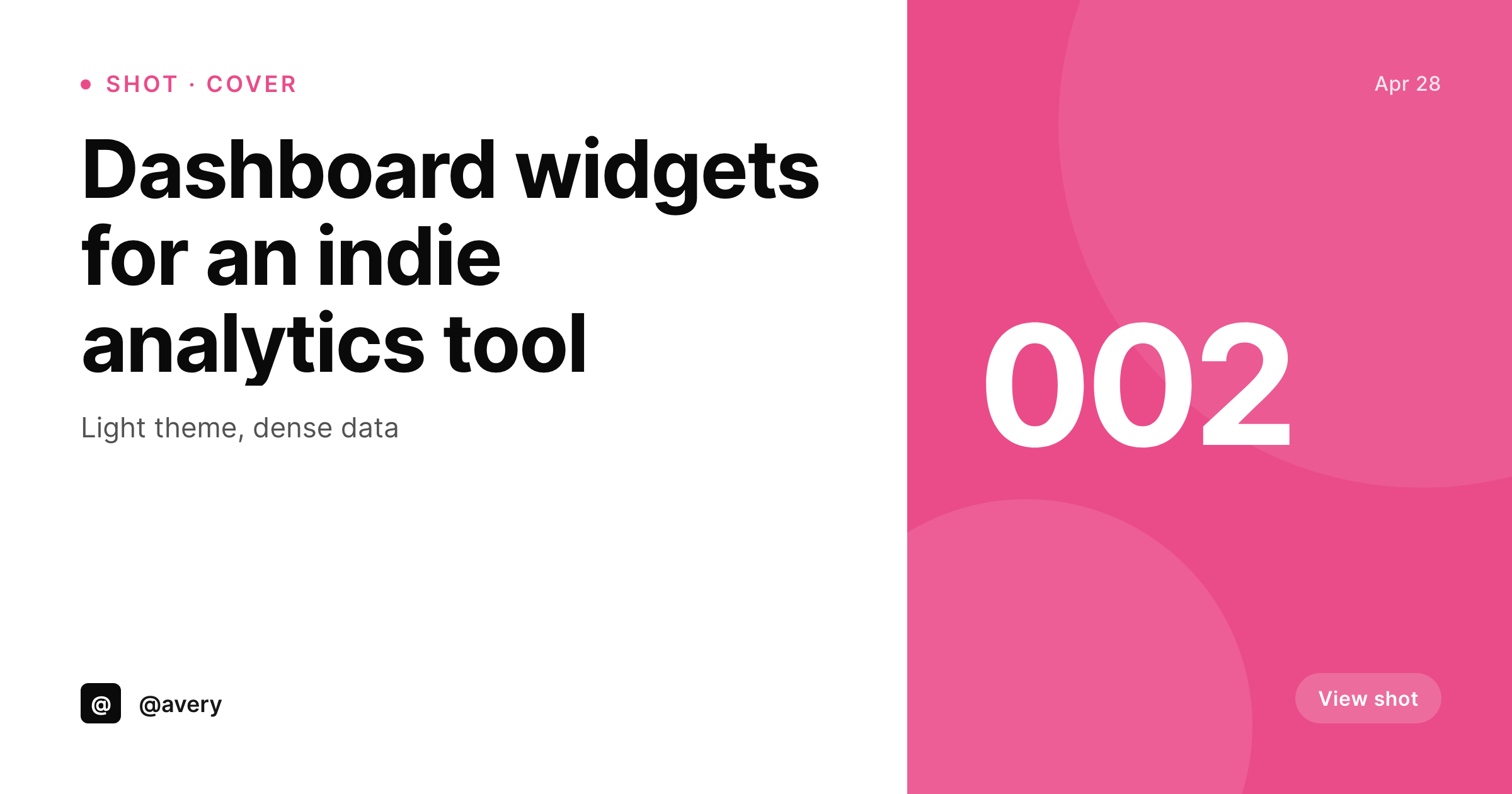
Dribbble shots compete on the cover frame
Dribbble's grid is a wall of cover frames. The shot itself can be detailed and complex, but the cover is what gets the click on the homepage and on the designer's profile. The format Dribbble recommends is 4:3 at 1600x1200 (or 800x600 at minimum), and shots that perform have a recognizable visual system across the designer's portfolio: same fonts, same brand mark, same crop. Designers who manage a portfolio site in WordPress already have the shots organized in a custom post type, but the cover frame ends up reworked manually for each Dribbble upload.
SleekPixel renders the cover from the portfolio post on save. The fields are real: shot title, shot number, project category, brand mark. The template is HTML and CSS, locked to the designer's brand, and the result is a 1600x1200 PNG in the uploads directory. The designer downloads from the editor sidebar and uploads it to Dribbble as the shot cover, with the rest of the shot detail handled inside Dribbble's normal upload flow.
Branding refreshes propagate by batch regenerate. The Dribbble portfolio reads as a coherent body of work because the cover frame is enforced by the renderer, not by manual discipline.
Workflow
From portfolio post to Dribbble shot cover
Design the cover template
Set up the portfolio post type
Save the post
Upload to Dribbble
Output
What gets generated per shot
A 1600x1200 PNG with the shot title, shot number, project category, and brand mark, sized for the Dribbble cover frame.
Comparison
Manual Dribbble covers versus SleekPixel
Figma per shot
- Figma per-shot design drifts as the designer iterates over months
- Cover frames lose visual coherence across a year of uploads
- Title rewrites force a fresh export from Figma every time
- Brand refresh leaves the Dribbble grid with stale covers across the archive
- Designers spend cover-frame time that could go into the actual shot work
SleekPixel
- 1600x1200 PNG rendered from a portfolio post on save
- Shot title, number, and category bound to real post fields
- Real brand fonts and colors, locked to a single template
- Re-renders on field changes
- Sidebar download per shot, ready for the Dribbble upload dialog
Features
What SleekPixel gives you for Dribbble shot covers
4:3 native
Templates default to 1600x1200 with safe areas for the title and brand mark. The cover fits the Dribbble grid without cropping.
Portfolio-coherent
Every cover comes out of the same template, so the Dribbble grid reads as a coherent body of work instead of unrelated shots.
Shot-numbered
Templates can read the shot number and category, so covers surface 'Shot 12' or 'Dashboard' without manual layout work.
Use cases
Where Dribbble covers earn the click
Active portfolios
Designers shipping shots weekly maintain visual coherence across the Dribbble grid without redesigning the cover every time.
Studio portfolios
Multi-designer studios keep covers consistent across designers because the renderer enforces the visual system.
Brand refresh
Studio rebrand re-renders every cover in the archive at once, so the Dribbble portfolio updates without per-shot manual work.
The bigger picture
Why a coherent Dribbble grid wins more callbacks
Dribbble's grid is what hiring designers and studio leads scan when they evaluate a designer. A grid that reads as one coherent body of work signals that the designer has a point of view, a visual system, and the discipline to maintain both across a year of shots. A grid that reads as forty unrelated cover frames signals the opposite, even if every individual shot is strong.
Most designers know this and most designers still drift, because designing the cover frame for every shot is exactly the kind of repetitive work that gets cut when client deadlines pile up. SleekPixel makes the cover frame a property of the portfolio post, not a property of the designer's discipline. The shot title, the shot number, the category come from the post fields.
The cover renders from a template that locks the visual system. Branding refreshes propagate by re-rendering. The Dribbble grid stays coherent because the renderer is enforcing it, and the designer spends time on the actual shot work instead of redesigning the same cover frame for the hundredth time.
Questions
Common questions about SleekPixel for Dribbble shot covers
No. Dribbble's API does not allow third-party shot uploads in a way that fits most designers' workflows. SleekPixel renders the cover and provides a download button. The designer uploads via Dribbble's web interface.
1600x1200 at 4:3 is the recommended cover size, with 800x600 as the minimum. SleekPixel defaults to 1600x1200. The dimension is configurable if Dribbble updates its recommendation.
Yes. If the shot artwork is uploaded as a featured image or custom field on the portfolio post, the template can use it as a background. The cover does not require artwork in the template, since title and brand mark often carry the design on their own.
Yes. Templates are per post type or category. Web shots, mobile shots, branding shots, and illustration shots can each use a dedicated template that fits the medium.
Yes. The SleekPixel admin batch regenerate rebuilds covers for every matching post. The PNGs land in uploads ready for re-upload to Dribbble.
No. SleekPixel hands the rendered URL to Yoast or Rank Math when they are active for the OG image, and the Dribbble cover is a separate file. There is no conflict.
In the WordPress uploads directory, served from your own domain. It is a real PNG, in your media library, and included in normal backups.
No. The render runs once on save and the result is a static file. There is no per-render API cost or rate limit.
Pricing
More than 1000+
happy customers
Explore our flexible licensing options tailored to your needs. Upgrade your license anytime to access more features, or opt for a lifetime license for ongoing value, including lifetime updates and lifetime support. Our hassle-free upgrade process ensures that our platform can grow with you, starting from whichever plan you choose.
Lifetime ♾️
Most popular
EUR
once
- Unlimited websites
- Lifetime updates
- Lifetime support
...or get the Bundle Deal
and save €250 🎁
💎 Want everything forever? The All Access Pass is going away on 01.08.2026.
The Bundle (unlimited sites)
Pay once, own it forever
Elevate your WordPress site with our exclusive plugin bundle that includes all of our premium plugins in one package. Enjoy lifetime updates and lifetime support. Save significantly compared to buying plugins individually.
What’s included
-
SleekAI
-
SleekByte
-
SleekMotion
-
SleekPixel
-
SleekRank
-
SleekView
€749
Continue to checkoutBrowse more
- chart of the week cards
- template download card
- hackathon cards
- case study quote cards
- monthly roundup cards
- terms update cards
- behind the scenes cards
- product launch cards
- manifesto card
- headcount card
- trend report cards
- open role card
- valuation card
- listicle thumbnail
- fundraising announcement cards
- Weibo post images
- Klaviyo email banner
- X ad images
- kbin post images
- Twitch overlay
- Substack podcast cover
- Threads profile banner
- YouTube end cards
- Etsy listing images
- LinkedIn ad images
- Kick channel banners
- Telegram channel cover images
- GitHub social preview images
- Behance project covers
- YouTube playlist covers