






SleekPixel for Instagram grid tiles
Templated 1080x1080 tiles generated from WordPress posts. Series numbering, color blocks, and brand typography stay locked across nine, twelve, or eighteen tiles in a planned grid drop.
♾️ Lifetime License available
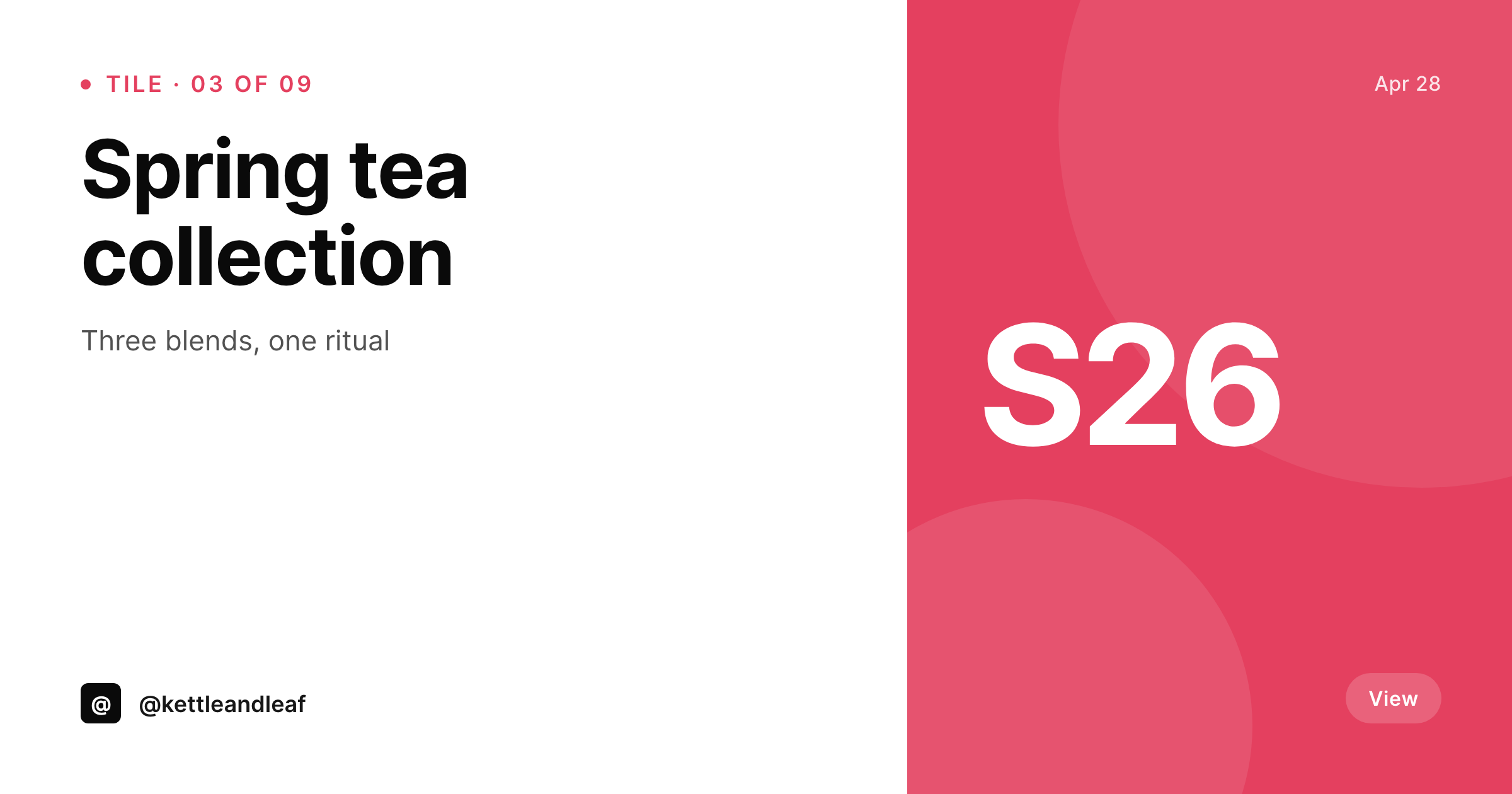
Grid drops only work when the tiles agree
A nine-tile grid drop on Instagram is one of the highest-effort, highest-reward formats independent brands run. The grid sequences, the color blocks chain across rows, the typography reads the same on tile one and tile nine. The execution is brutal because nine tiles in Canva drift visibly: the kerning shifts, the tints walk by a few percent, and tile six shows up in a slightly different font weight because someone hit save in the wrong file. The grid stops being a grid and becomes nine vaguely related squares.
SleekPixel makes the grid drop a templated job. A custom post type holds the tiles, each tile is a post with its number, its caption, its color block, and its image. The 1080x1080 template renders all nine in one batch with the same fonts, colors, and grid lines. Tile three is tile three. Tile seven is tile seven. The grid lands the way it was designed because the renderer is the source of consistency, not human discipline.
The tiles download from the editor sidebar in series order, ready to upload to Instagram in the right sequence. Branding refreshes re-render the whole drop without opening the design files.
Workflow
From series posts to a clean grid drop
Design the tile template
Set up the series post type
Render the batch
Download and upload in order
Output
What gets generated per tile
A 1080x1080 PNG sized for the Instagram grid, with the tile number, color block, caption, and brand mark locked to the series template.
Comparison
Manual grid drops versus SleekPixel
Canva nine-page file
- Canva nine-page file drifts visibly between tile one and tile nine
- Color blocks shift a few percent when re-saved on different machines
- Tile order gets confused, and the grid uploads out of sequence
- A late copy edit means re-exporting the affected tile and the two next to it
- Brand refresh halfway through the drop forces a redesign of every tile
SleekPixel
- 1080x1080 PNGs rendered for every tile in the series in one batch
- Tile number, caption, and color block bound to real post fields
- Same fonts and colors across every tile because one template owns them all
- Re-render the drop after a copy edit without opening design files
- Sidebar download per tile in series order
Features
What SleekPixel gives you for Instagram grid tiles
Series-aware
Templates can pull the tile number and total count, so the layout knows it is rendering tile three of nine. Color blocks can switch on tile number for chained palettes.
Brand-locked color
Real brand colors, not Canva approximations. Hex values stay exact across the whole grid because the template holds them once.
Batch render
Run the whole drop in one pass from the SleekPixel admin. Nine tiles, twelve tiles, or a refresh of the entire archive land in uploads ready to download.
Use cases
Where grid tiles need real templating
Product collections
A new collection drops as a nine-tile grid where each tile is a product post. Title, price, and color block come straight from the product fields.
Editorial series
A weekly editorial series renders one tile per issue. The issue number stays consistent, and the grid reads like a publication, not a feed.
Campaign drops
A seasonal campaign uses one template across nine or twelve tiles, each bound to a campaign milestone post.
The bigger picture
Why grid drops are worth doing well
A planned grid drop is the rare Instagram format where independent brands can punch above their weight. Algorithms reward attention, and a nine-tile drop in a row pulls profile views the way nothing else does on the platform. The catch is that the format is unforgiving: drift visible to the human eye on tile six breaks the spell, and the audience stops reading the grid as a series.
Brands that pull this off have either a designer with a fanatical eye or a templating system. SleekPixel is the templating system. The grid is the same fonts, the same colors, the same alignment because the renderer is enforcing it.
Late copy edits do not break the streak because re-rendering the affected tiles is one save. Branding refreshes propagate by batch regenerate, not by opening Canva files. The grid stays clean because the source of truth is the post type, not the design file.
Independent brands that want to run grid drops without a full-time designer get an automation path that the format actually rewards.
Questions
Common questions about SleekPixel for Instagram grid tiles
No. Instagram does not allow third-party publishing to personal accounts and the API for business accounts is restrictive. SleekPixel renders the tiles and provides downloads. The editor uploads in series order via Instagram desktop or Meta Business Suite.
1080x1080, the native Instagram feed square. The dimension is configurable in the template, so 1080x1350 portrait grids and 1080x1920 stories grids are also supported by separate templates.
Yes. The template can read the tile number and total count, then pick a color from a series palette. Tiles in the same row share a color, tiles down a column shift, or whatever pattern the template defines.
Edit the affected tile post and the tile re-renders on save. If the brand changes mid-series, run batch regenerate and the entire grid rebuilds with the current template.
The plugin shows each tile in the editor sidebar. For a full grid preview, line up the downloaded PNGs in any image viewer or use Instagram's grid planner. The renders are real PNGs and behave the same way as a Canva export.
Yes. WooCommerce products are post types like any other. Bind product title, price, and image into the tile template, and a collection launch becomes a grid drop without opening a design tool.
A carousel is a sequence of images posted at once. SleekPixel can render carousel slides with a separate template that targets 1080x1350 portrait or 1080x1080 square. The slides download from the sidebar and upload as a single Instagram carousel.
In the WordPress uploads directory. They are real PNGs, in your media library, and included in normal backups. Re-downloading later does not require a re-render.
Pricing
More than 1000+
happy customers
Explore our flexible licensing options tailored to your needs. Upgrade your license anytime to access more features, or opt for a lifetime license for ongoing value, including lifetime updates and lifetime support. Our hassle-free upgrade process ensures that our platform can grow with you, starting from whichever plan you choose.
Lifetime ♾️
Most popular
EUR
once
- Unlimited websites
- Lifetime updates
- Lifetime support
...or get the Bundle Deal
and save €250 🎁
💎 Want everything forever? The All Access Pass is going away on 01.08.2026.
The Bundle (unlimited sites)
Pay once, own it forever
Elevate your WordPress site with our exclusive plugin bundle that includes all of our premium plugins in one package. Enjoy lifetime updates and lifetime support. Save significantly compared to buying plugins individually.
What’s included
-
SleekAI
-
SleekByte
-
SleekMotion
-
SleekPixel
-
SleekRank
-
SleekView
€749
Continue to checkoutBrowse more
- Bluesky link cards
- LinkedIn carousel slides
- Lemon Squeezy product covers
- Slack channel headers
- Buy Me a Coffee banners
- Facebook Marketplace images
- Snapchat ad images
- Telegram bot avatar
- Facebook ad images
- Twitch overlay
- YouTube channel banners
- Telegram channel images
- X community banners
- Substack post thumbnail
- KDP paperback cover