






SleekPixel for X community banners
Render a 1200x630 banner per X community from a WordPress community post. Theme, rules pitch, member count, and moderator brand baked in.
♾️ Lifetime License available
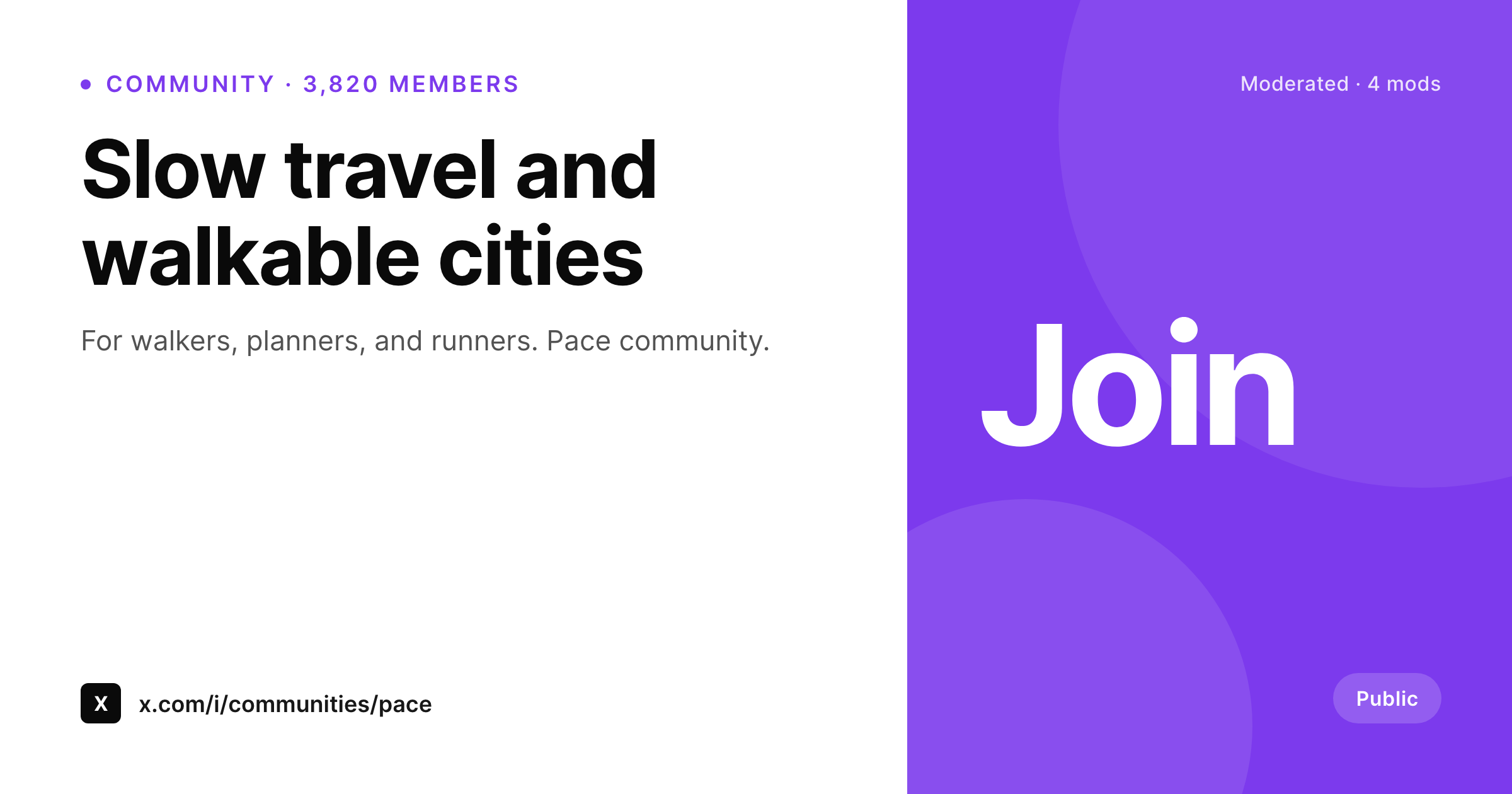
Communities on X grow when their banner answers the door
X communities are an opt-in space that succeeds when newcomers understand the rules and the theme within seconds of landing on the community page. The banner is the first surface and it usually carries either a flat color or a generic image that does not help that decision.
SleekPixel renders the community banner from a WordPress community post. The community name, the rules pitch in one sentence, the member count, and the moderator brand mark all live as fields. The 1200x630 PNG is sized for the community cover and reads cleanly at desktop and mobile widths.
When a community changes its rules or hits a member milestone, the field updates and the banner re-renders. The cost of keeping the cover current is one save.
Workflow
From community post to live banner
Build the banner template
Create a community post
Save the post
Upload to X
Output
Sample X community banner
1200x630 PNG with community name, one-line rules pitch, member count, and moderator brand mark.
Comparison
Default community cover vs SleekPixel
Default community cover or one-off image
- Default cover is generic and does not signal the community theme
- Rules and theme live only in the about tab, not on the cover
- Member count and moderator brand are not reinforced visually
- No straight path from a community description post to its banner
- Updating the cover after a rule change is a one-off Canva session
SleekPixel
- 1200x630 banner per community rendered from a WordPress source
- Community name, rules pitch, member count, and moderator mark in fields
- Brand accent applied across the community's templates
- Save the post, banner re-renders
- Batch regenerate refreshes every community banner after a brand update
Features
What SleekPixel gives you for X community banners
Theme in one line
The rules pitch renders as a sub-line so newcomers see what the community is for before they tap join.
Member milestones
Member count and milestone flags render in a small meta row, which helps the community feel active and worth joining.
Moderator brand
The moderator mark sits in a fixed slot, signalling who runs the community and reinforcing brand recognition with members.
Use cases
Where X community banners help growth
Topic-led communities
Topical communities where the banner is the strongest signal of focus. Walkable cities, slow travel, indie SaaS, niche tech.
Brand-led communities
Brands running customer or contributor communities. The banner ties to the brand without making the community feel like a marketing channel.
Cohort and class communities
Course operators running per-cohort communities. The cohort name and current dates appear on the banner during the cohort window.
The bigger picture
Why a clear community banner makes communities actually grow
Communities on X have a short window to convince a visitor to join. The banner does the heavy lifting in that window because nobody reads the about tab before the cover image has earned attention. A banner that names the theme, sketches the rules, and shows the moderator brand answers the three questions a visitor is silently asking.
Doing that in Canva for one community is easy, doing it for ten is enough work to skip. Templating the banner from a community source post is what makes it feasible to run multiple communities, each with a current banner, without a design backlog.
Questions
Common questions about SleekPixel for X community banners
Yes. The community settings include a cover image upload. SleekPixel renders the PNG sized for that slot.
1200x630 reads cleanly on community pages. The template keeps key content inside a safe zone so X's UI does not crop the banner content.
The rules pitch is a WordPress field. Update it, save, re-upload the new banner.
No. The upload is a manual step inside the X community settings. SleekPixel handles the rendering and the consistency.
The cover image setting is available on both public and restricted communities. Restricted communities show the banner to members and to invitees.
Yes. Add a seasonal flag field to the source post. When it is filled, the banner shows a small event tag. When empty, the tag collapses.
In the WordPress uploads directory, one PNG per community. Each render replaces the previous file or saves as a versioned filename.
Yes. One template family applied to every community source. Each community picks its own accent and content while the layout stays shared.
Pricing
More than 1000+
happy customers
Explore our flexible licensing options tailored to your needs. Upgrade your license anytime to access more features, or opt for a lifetime license for ongoing value, including lifetime updates and lifetime support. Our hassle-free upgrade process ensures that our platform can grow with you, starting from whichever plan you choose.
Lifetime ♾️
Most popular
EUR
once
- Unlimited websites
- Lifetime updates
- Lifetime support
...or get the Bundle Deal
and save €250 🎁
💎 Want everything forever? The All Access Pass is going away on 01.08.2026.
The Bundle (unlimited sites)
Pay once, own it forever
Elevate your WordPress site with our exclusive plugin bundle that includes all of our premium plugins in one package. Enjoy lifetime updates and lifetime support. Save significantly compared to buying plugins individually.
What’s included
-
SleekAI
-
SleekByte
-
SleekMotion
-
SleekPixel
-
SleekRank
-
SleekView
€749
Continue to checkoutBrowse more
- TikTok Now image
- Nostr note images
- WhatsApp status images
- Medium article headers
- Spotify Canvas
- LinkedIn banner images
- Shopify collection banners
- Rumble thumbnails
- Beacons.ai banner
- Substack post headers
- LinkedIn ad images
- Threads social images
- Facebook ad images
- Vimeo thumbnails
- GitHub social preview images