






SleekPixel for Twitch stream overlay images
Render per-stream overlay images from a WordPress stream post. Title, game, and goal swap per session; channel mark stays locked.
♾️ Lifetime License available
Static overlays go stale; per-stream overlays stay current
Stream overlays live on screen for the entire broadcast. The information they carry sets the frame for everyone who lands mid-stream: what is being played, what the goal is, and where to follow. The default workflow is a static overlay built once in OBS or Photoshop and reused across every stream, which forces viewers to read the channel bio or scrubbed-back chat to figure out what is happening.
SleekPixel renders an overlay image per session from a WordPress stream post. The title, game, current goal, and brand mark live as fields. The streamer drops a fresh overlay PNG into OBS at the start of the session, or uses it as a starting-soon screen, or as an ending screen, or as a topic card during a switch.
The same source can produce a 1920x1080 in-stream overlay, a 1200x630 share card for the schedule post, and a vertical Reels variant for clips. One stream, three formats, one save.
Workflow
From the stream schedule to per-session overlays
Design the overlay template
Create a stream post per session
Save before the stream
Re-render on changes
Output
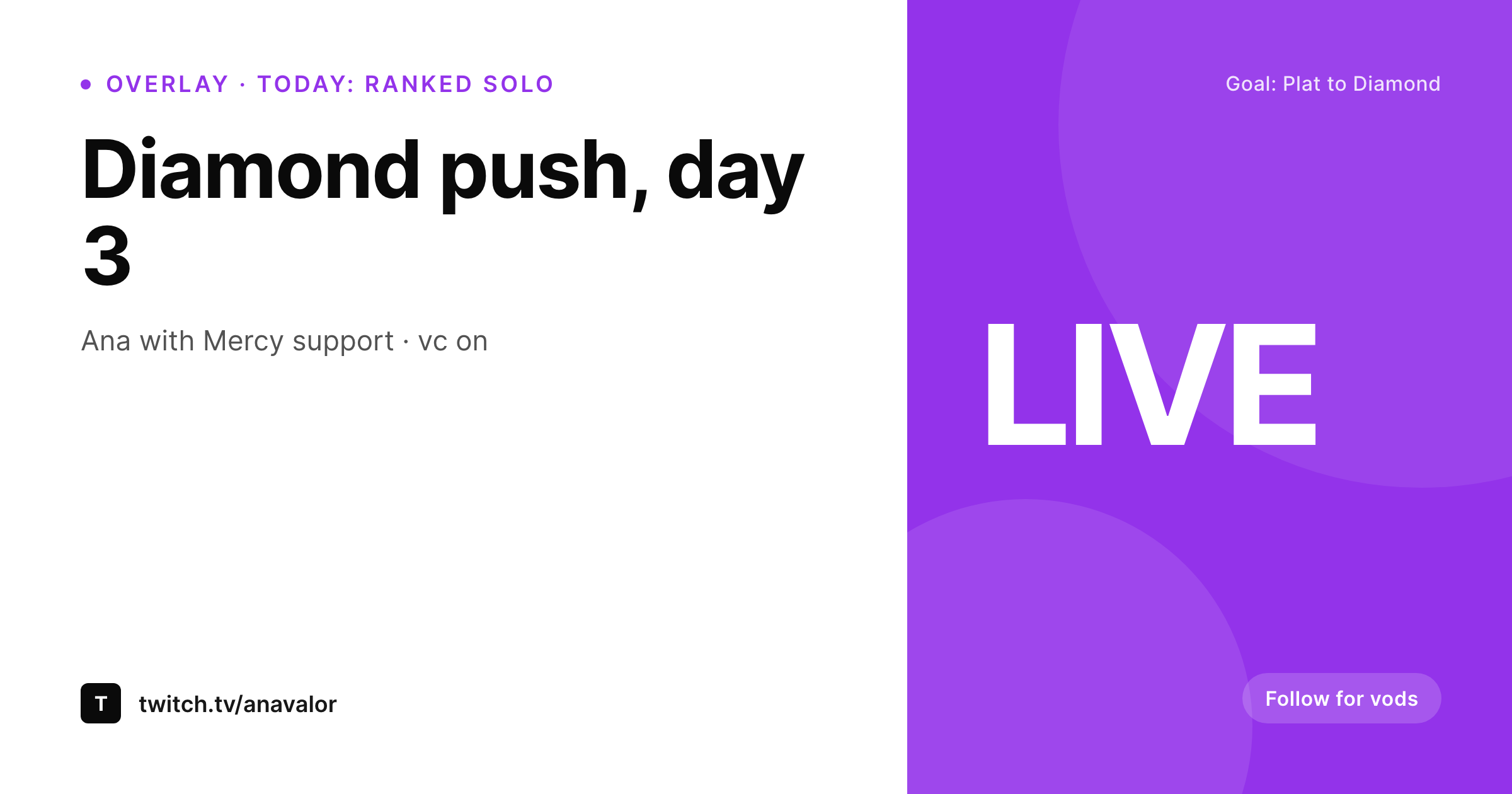
Sample Twitch stream overlay
1200x630 PNG used as a starting-soon screen, topic card, or ending screen. The same template renders the full 1920x1080 in-stream layout.
Comparison
Static overlay vs SleekPixel per stream
Static overlay reused across streams
- Static overlay carries no per-stream context
- Goal and topic live only in chat commands, not on screen
- Manual Photoshop swaps for special streams get skipped on busy weeks
- No straight path from a stream schedule post to its overlay
- Channel rebrand means redoing every overlay file by hand
SleekPixel
- Per-stream overlay rendered from a WordPress stream post
- Title, game, and goal as fields the streamer edits in seconds
- Channel mark, accent, and font locked across streams
- Multiple variants per stream: starting soon, topic card, ending
- Batch regenerate after a brand refresh
Features
What SleekPixel gives you for Twitch stream overlay images
Game and goal
Game and current goal render in dedicated slots. Viewers who land mid-stream see the context without needing a chat command.
Variants per scene
Starting-soon, topic card, ending screen, and BRB variants share the template family. Same brand mark, different content per scene.
Channel-locked
Accent, font, and brand mark stay identical across overlays. A rebrand re-renders the whole set in one pass.
Use cases
Where per-stream overlays earn followers
Competitive gaming streams
Rank-push streams where the goal and the current rank are the headline. Overlay reinforces the goal across the multi-day arc.
IRL and creative streams
Coding, crafting, and IRL streams where the topic shifts within a session. Topic-card overlays signal the transition cleanly.
Workshop streams
Educational streams where the current segment, time remaining, and resource link live on the overlay rather than scattered in chat.
The bigger picture
Why per-stream overlays beat one-size-fits-all designs
Twitch overlays are doing brand work and context work at the same time. Static overlays are great at the brand part and weak at the context part, which is the more important one for retention. A viewer who lands mid-stream needs to figure out what is happening within seconds.
If the overlay does not tell them, they bounce. Per-stream overlays close that gap because they carry the title, the game, and the current goal as text that reads at a glance. Templating from WordPress is what makes this feasible.
The streamer is not redoing Photoshop before every session. They edit a field, save, and the new overlay lands in OBS for the night.
Questions
Common questions about SleekPixel for Twitch stream overlay images
Yes. SleekPixel renders PNGs into the WordPress uploads directory. Point OBS at the file path or the WordPress URL as an image source.
The PNG itself is static. For animated overlays, the SleekPixel PNG sits as a backplate and OBS handles the live elements like alerts and chat overlays.
1920x1080 for the in-stream overlay, 1200x630 for a share card matching the OG slot. The template renders both from the same source.
Yes. Edit the goal field in WordPress on a second monitor, save, and refresh the OBS browser source. The overlay PNG updates without restarting the stream.
No. SleekPixel renders branded backplates and topic cards. Live alerts, chat overlays, and event widgets stay in your dedicated overlay tool.
Yes. The source post can hold both streamer handles, and the template can render side-by-side brand marks for collab streams.
In the WordPress uploads directory. Each session gets its own file or set of variant files, easy to find from the Gutenberg sidebar.
Yes. Map a stream series to its own template. The shared brand template handles regular streams, a special-series template handles events.
Pricing
More than 1000+
happy customers
Explore our flexible licensing options tailored to your needs. Upgrade your license anytime to access more features, or opt for a lifetime license for ongoing value, including lifetime updates and lifetime support. Our hassle-free upgrade process ensures that our platform can grow with you, starting from whichever plan you choose.
Lifetime ♾️
Most popular
EUR
once
- Unlimited websites
- Lifetime updates
- Lifetime support
...or get the Bundle Deal
and save €250 🎁
💎 Want everything forever? The All Access Pass is going away on 01.08.2026.
The Bundle (unlimited sites)
Pay once, own it forever
Elevate your WordPress site with our exclusive plugin bundle that includes all of our premium plugins in one package. Enjoy lifetime updates and lifetime support. Save significantly compared to buying plugins individually.
What’s included
-
SleekAI
-
SleekByte
-
SleekMotion
-
SleekPixel
-
SleekRank
-
SleekView
€749
Continue to checkoutBrowse more
- X ad images
- Vimeo channel banners
- Instagram Shop product images
- Behance banner
- Reddit subreddit banners
- Snapchat snap images
- YouTube channel banners
- Threads profile banner
- Shopify product images
- Passes page banner
- LinkedIn carousel slides
- Lens Protocol posts
- YouTube end cards
- Tidal cover art
- Instagram feed posts