






SleekPixel for newsletter
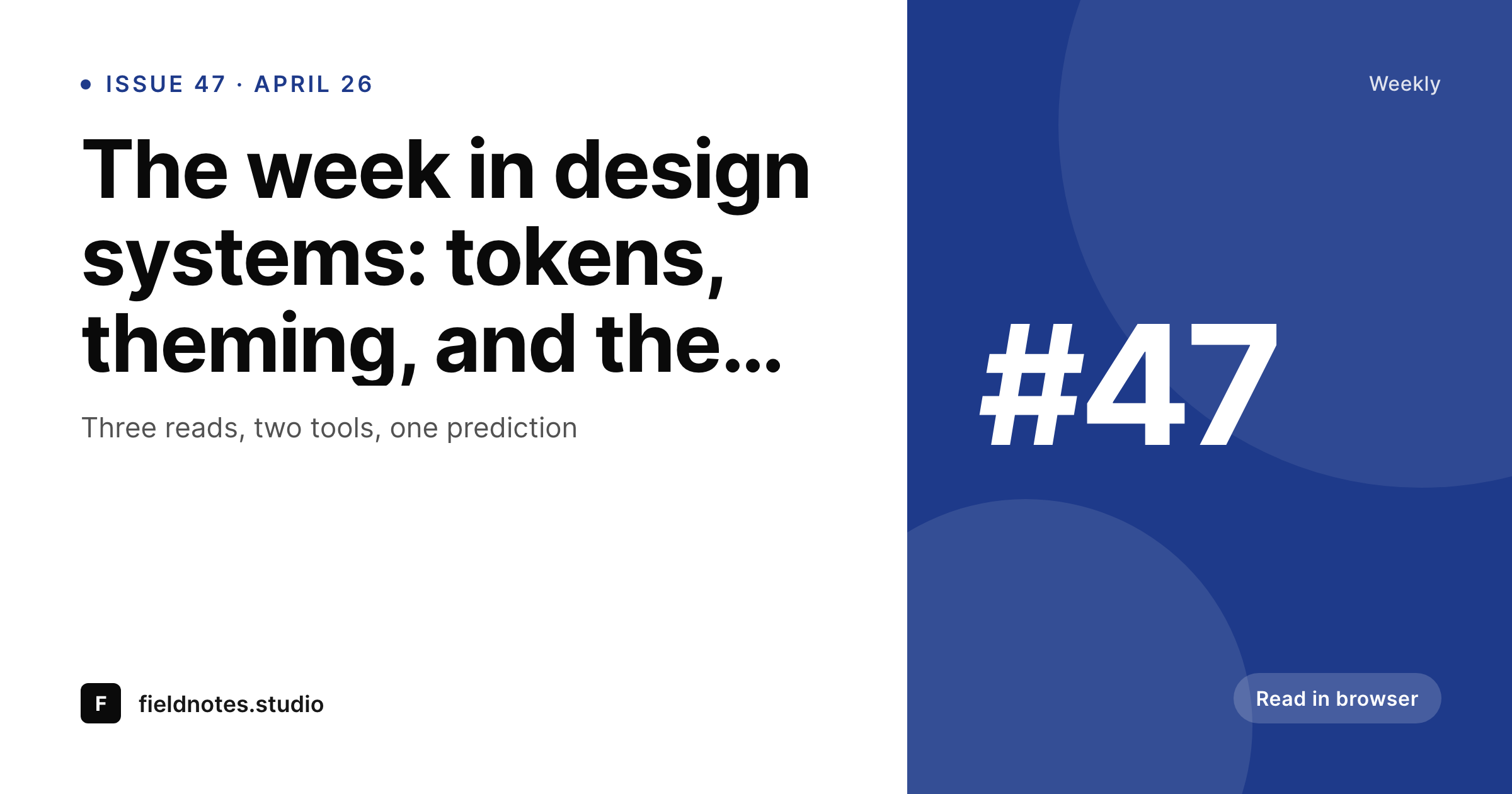
SleekPixel renders an issue header from your post fields the moment you save: issue number, headline, date, and brand. Drop the same image into your email tool and the OG card on the web archive — no Figma round-trip.
♾️ Lifetime License available
Newsletter graphics shouldn't block sending
A newsletter has a brutal cadence. The deadline is fixed, the headline changes weekly, and the issue number ticks up every send. The header graphic is structured data wearing a costume: an issue number, a date, a headline, a brand mark. There is no creative variability here, only logistical work, and yet most newsletter teams have a designer or a writer manually duplicating a Figma file every Monday morning, exporting a PNG, and dragging it into ConvertKit, Beehiiv, or Substack.
SleekPixel makes the post the source of truth. Write the issue, set the issue number, save the post, and the header renders to /uploads with the title, the issue number, and the publish date already laid out. The same PNG drops into your email tool as the hero image and into the web archive as the og:image. If you republish the issue with a corrected typo, the image regenerates with the new title automatically.
Newsletter teams that publish on a content type already have everything mapped: title field, issue meta key, scheduled date, author byline. Hooking those into a template takes one afternoon. After that, the next fifty issues ship without anyone touching Figma. The marginal cost of a header drops to zero, which is the only sustainable price for something you produce every week.
Workflow
From draft to send-ready header
Build the issue template
Write the issue post
Pull into your email tool
Send and archive
Output
How an issue header gets rendered
An OG-sized header showing issue number, the week's headline, the date, and the publication's domain — generated from the post on save.
Comparison
Manual newsletter headers vs rendered ones
Figma + manual export
- Designer or editor re-exports the header every Monday
- Issue number is typed manually and gets out of sync
- Email tool and web archive drift to different versions
- Republishing with a fix means another export pass
- Long titles overflow because text isn't auto-fitting
SleekPixel
- Header renders from post fields the moment you save
- Issue number, title, and date stay in lockstep with the post
- Same PNG used in email and as the og:image
- Long headlines auto-fit with template-driven type rules
- Republishing regenerates the image without manual work
Features
What SleekPixel gives you for newsletter
Issue-aware
Reads the issue number, title, and publish date from the post. The image always matches the version of the issue currently on the site.
Email + web
One PNG file lives in /uploads, used as the email hero and the og:image. Both surfaces stay in sync without two export pipelines.
Edit-safe
Republishing a corrected issue regenerates the image. The same file path is reused, so cached email versions and old social shares update on next fetch.
Use cases
Where newsletter publishers use it
Weekly digest
Issue number and headline change weekly. The header renders from the same template for every send.
Author-led letters
Author headshot and byline pulled from the user profile or post field. One template covers a multi-author publication.
Themed series
A category field swaps the accent color so a deep-dive issue looks distinct from a links roundup, without a separate template.
The bigger picture
Why newsletters need rendered headers
Newsletter publishing is a deadline business. The send window is narrow, the audience is unforgiving about typos, and the team is usually small. Anything that adds a manual step between writing and sending is friction the operation cannot afford.
Header graphics are the worst kind of friction: they are visual, so a designer feels accountable, but the content is essentially a database record — issue number, date, headline, byline. Having a human rebuild that record in Figma every Monday is a category error. SleekPixel collapses the design step.
The template captures the brand once. The post captures the data weekly. The renderer produces the artifact in the seconds after save.
Email and web stay in sync because they share a single file, not two parallel exports that drift apart over weeks. The team can ship the issue, fix a typo, ship again, and the header tracks every state without anyone reopening a design file. That is the right cost structure for something published fifty-two times a year.
Questions
Common questions about SleekPixel for newsletter
Yes. The template is HTML and CSS that you control. Drop in your wordmark, your typeface, your color palette, and your grid. SleekPixel only handles the rendering — the design stays exactly the way you build it.
Any tool that accepts an external image URL as the hero will work. SleekPixel writes a real PNG file to /uploads, so you reference it like any other media URL. The issue post on the web also carries the same image as the og:image automatically.
The template can include CSS rules that scale type or wrap onto more lines for long titles. The renderer respects them, so a 14-word headline still fits the frame instead of overflowing or getting clipped.
Yes. Each issue post produces its own file in /uploads, named per the issue. The archive of headers is just the media library, browsable by date and post like any WordPress upload.
SleekPixel does not run A/B tests, but you can register two templates and choose which one a post uses via a field. Two issues can render with different layouts from the same data, which covers a manual A/B.
Yes. Map the author placeholder to the WordPress author profile photo, an ACF user field, or a per-post override. Different authors get different headshots without needing different templates.
Save the post as a draft and the header still renders. Reference the file URL in your email tool, then publish the web archive when you are ready. The same image powers both.
Yes, but a different content shape usually warrants its own template. The two share a system — same brand mark, same color tokens — without sharing the same layout. SleekPixel allows multiple templates per site, scoped by post type.
Pricing
More than 1000+
happy customers
Explore our flexible licensing options tailored to your needs. Upgrade your license anytime to access more features, or opt for a lifetime license for ongoing value, including lifetime updates and lifetime support. Our hassle-free upgrade process ensures that our platform can grow with you, starting from whichever plan you choose.
Lifetime ♾️
Most popular
EUR
once
- Unlimited websites
- Lifetime updates
- Lifetime support
...or get the Bundle Deal
and save €250 🎁
💎 Want everything forever? The All Access Pass is going away on 01.08.2026.
The Bundle (unlimited sites)
Pay once, own it forever
Elevate your WordPress site with our exclusive plugin bundle that includes all of our premium plugins in one package. Enjoy lifetime updates and lifetime support. Save significantly compared to buying plugins individually.
What’s included
-
SleekAI
-
SleekByte
-
SleekMotion
-
SleekPixel
-
SleekRank
-
SleekView
€749
Continue to checkoutBrowse more
- Twitch camera frame
- Fanvue page banner
- Facebook event covers
- Instagram carousel slides
- YouTube end cards
- Instagram highlight covers
- Lens Protocol posts
- Shopify product images
- SoundCloud banner
- TikTok Now image
- Apple Music cover art
- Dribbble shot covers
- Twitch stream overlay images
- KDP hardcover cover
- Behance banner