






SleekPixel for announcement cards
SleekPixel reads each announcement post's headline, date, and summary and renders a square Instagram card on save. The post becomes the source - no design queue between writing and sharing.
♾️ Lifetime License available
Stop redrawing the same announcement card for every update
Companies make a steady drip of announcements - new hires, product changes, office openings, partner news. Each one earns a social post. Each one also earns a stop-and-design step that runs through whoever has Canva access at the moment, and that step is where consistency falls apart.
SleekPixel collapses writing the announcement and shipping its graphic into a single save. You design one layout in the WordPress admin with fields like {headline}, {announcement_date}, {summary}, and {category}. Whenever you publish an announcement post, SleekPixel renders the template with that data and writes the image URL into og:image. The marketing channel grabs the URL and queues it - no design tab, no aspect-ratio fix, no font drift.
Edit the template once and every announcement card updates. Move the date strip to the bottom and every past update inherits the change. The announcement copy lives where it belongs, in the CMS; the social card is just a reflection of it.
Workflow
From draft to social-ready in one save
Design the template
Connect to the announcements post type
Save the announcement
Share anywhere
Output
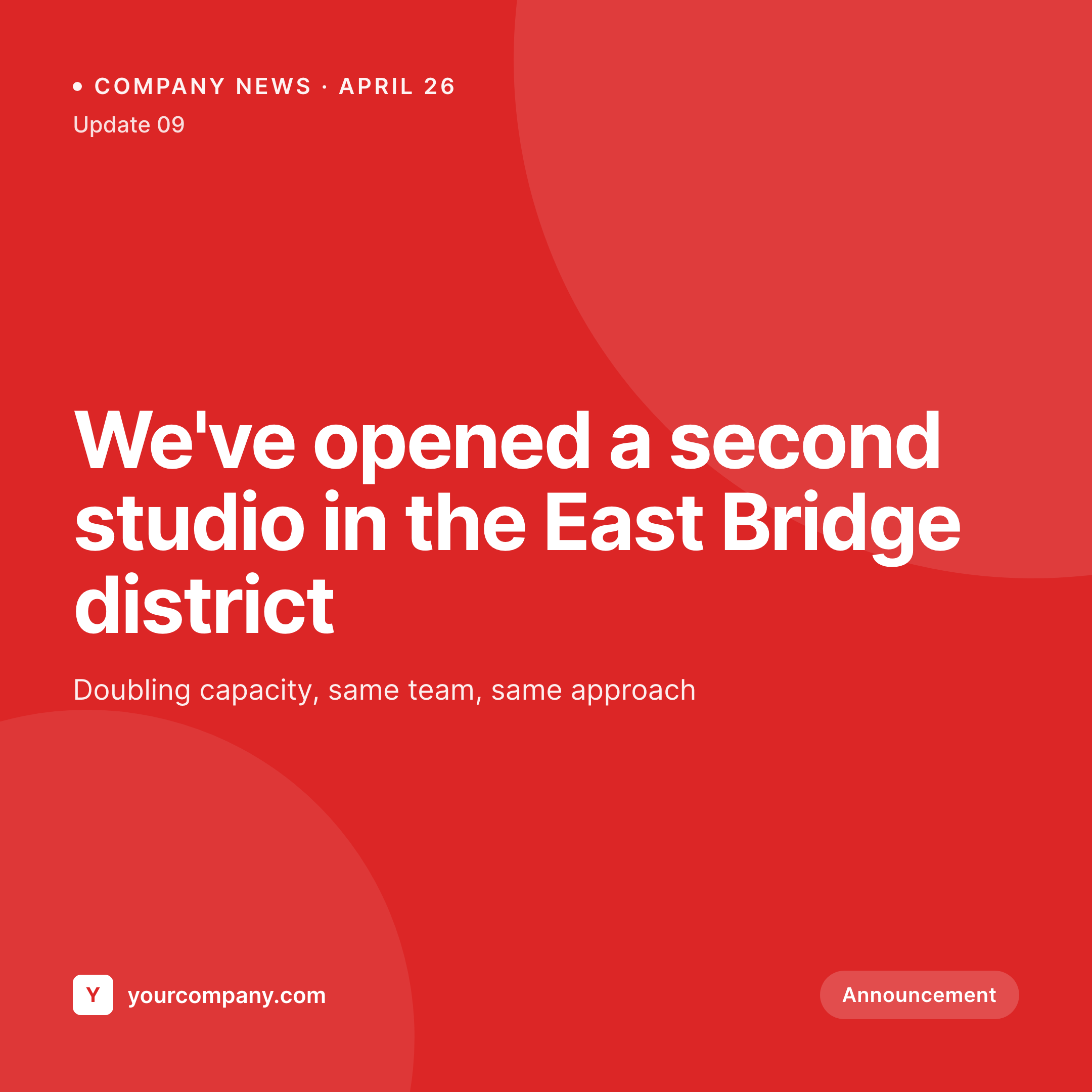
Sample announcement card from a news post
This card was rendered from an announcement's headline, date, and category. Same template, every update.

Comparison
Hand-made announcement graphics vs SleekPixel
Designed in Canva per announcement
- Each announcement waits for whoever has Canva open this week
- Fonts and brand colors drift as different team members make graphics
- Time-sensitive news ships hours late while the graphic is finalized
- No visual consistency across announcements - every card looks different
- Brand refresh means redrawing every past announcement card
SleekPixel
- Auto-generated card per announcement on save
- Per-update variables: headline, date, summary, category, author
- One template = one consistent visual identity across every update
- Edit the template once and every announcement card refreshes
- Falls back gracefully if summary or category is missing
Features
What SleekPixel gives you for announcement cards
Template-driven
Design the announcement card once with text, shapes, accent strips, and dynamic fields. Every update inherits it on save.
OG + Instagram-ready
SleekPixel writes a square 1080 × 1080 image and the og:image meta tag - share to LinkedIn, Twitter, or push to Instagram via a scheduler.
Regenerate on demand
Brand evolved? Bulk-regenerate every past announcement card so the news feed on the website looks current end to end.
Use cases
Where this fits best
Companies with regular updates
New hires, office moves, partnership news - every update gets an on-brand card the same hour the post goes live.
Internal comms teams
Town-hall announcements, policy updates, milestone celebrations - all rendered to a single internal-comms template.
Startups in growth mode
Product news, hiring sprees, fundraising milestones - the news section of the site doubles as the social asset library.
The bigger picture
Why a consistent announcement card matters
Announcements are the rhythm of a brand's public presence. A single one looks fine without a graphic; ten in a row without consistent visual treatment look amateurish. The companies whose news feels solid to outside observers aren't necessarily making bigger announcements - they're making them with more visual continuity.
A buyer or candidate landing on a news section where every card uses the same layout, same color, same typography reads the company as organized. The same news rendered as a wall of mismatched Canva exports reads as scrappy. Building that continuity by hand demands attention at exactly the wrong moment, when the team is heads-down on whatever the news is actually about.
A template that pulls headline and date from the post removes the design step. SleekPixel makes the announcement card the natural byproduct of writing the announcement.
Questions
Common questions about SleekPixel for announcement cards
Yes. SleekPixel writes the og:image meta tag directly into the document head - it doesn't depend on theme support. If your theme already outputs og:image, SleekPixel takes precedence and overrides it cleanly.
The template renders without it. You can set defaults per field or design the layout so missing fields collapse gracefully. Nothing breaks if data is incomplete.
Yes. The admin has a one-click bulk regeneration that re-renders all announcement cards using the template. Useful after brand updates or template tweaks.
No. The image is rendered once at save time and stored as a static PNG/JPG. Visitors load a regular image URL - no rendering happens at view time.
Yes - they read the og:image meta tag on first share. Both have card debuggers (LinkedIn Post Inspector, Twitter Validator) you can use to clear caches if you're testing.
Yes. SleekPixel supports per-category, per-tag, and per-CPT templates. Hiring announcements can use one template, product news another - routing rules pick the right one automatically.
When you set a future publish date, SleekPixel renders the card on save and the image is ready immediately. The post itself goes live on the scheduled date with the card already attached.
Stores. Each generated card is a real PNG/JPG saved to the uploads folder. This keeps page loads fast and means images survive even if the plugin is later disabled.
Pricing
More than 1000+
happy customers
Explore our flexible licensing options tailored to your needs. Upgrade your license anytime to access more features, or opt for a lifetime license for ongoing value, including lifetime updates and lifetime support. Our hassle-free upgrade process ensures that our platform can grow with you, starting from whichever plan you choose.
Lifetime ♾️
Most popular
EUR
once
- Unlimited websites
- Lifetime updates
- Lifetime support
...or get the Bundle Deal
and save €250 🎁
💎 Want everything forever? The All Access Pass is going away on 01.08.2026.
The Bundle (unlimited sites)
Pay once, own it forever
Elevate your WordPress site with our exclusive plugin bundle that includes all of our premium plugins in one package. Enjoy lifetime updates and lifetime support. Save significantly compared to buying plugins individually.
What’s included
-
SleekAI
-
SleekByte
-
SleekMotion
-
SleekPixel
-
SleekRank
-
SleekView
€749
Continue to checkoutBrowse more
- YouTube thumbnails
- Threads profile banner
- Instagram stories
- X community banners
- Depop listing images
- YouTube Music cover art
- VK community cover photos
- Instagram collab post images
- LinkedIn event banners
- Medium article headers
- Dailymotion thumbnails
- Discord server banners
- Threads post images
- Pinterest shop banners
- Douyin thumbnails