






SleekPixel for stat callout cards
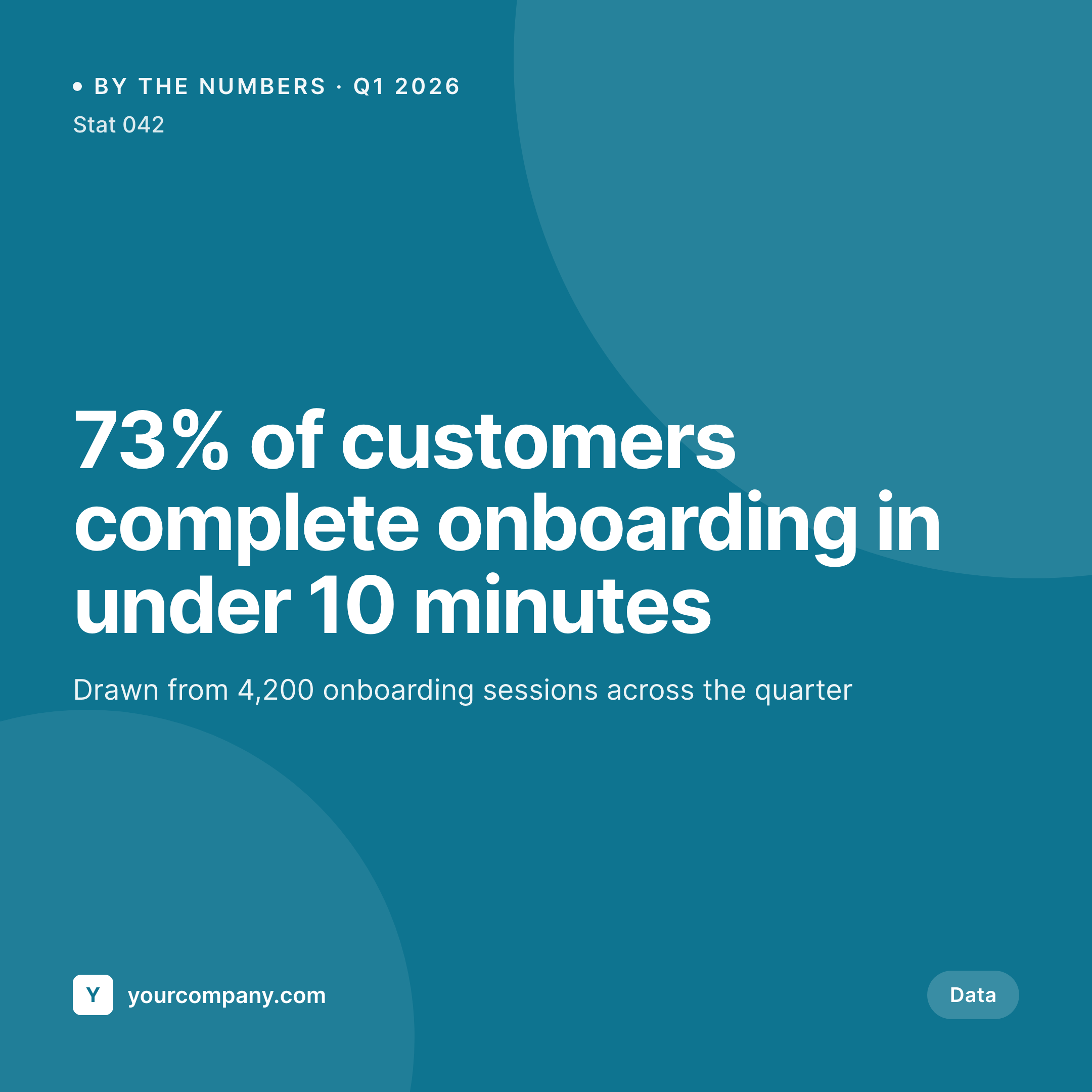
SleekPixel reads each stat post's number, label, source, and date and renders a square Instagram card on save. Reports, blog posts, and social all share the same data callout layout - no design tab open.
♾️ Lifetime License available
Stop redrawing the same stat callout in every report
Data is one of the most-shared types of content on social, and stat callouts - one number, one label, one source - are the highest-leverage way to ship it. The catch is that any team running serious content research produces dozens of these a quarter, and each one used to require a designer to lay out the number large enough to read on a phone with the source attribution still legible.
SleekPixel turns the callout into a save action. You design one square layout in the WordPress admin with fields like {stat_number}, {stat_label}, {source}, and {as_of_date}. Each callout lives as its own post (or row in a CPT). On save, SleekPixel renders the template with that stat's data and writes the image URL into og:image. The number is rendered large, the label below it, the source as a strip - same proportions, every callout.
Edit the template once and every past callout updates. Add a small data icon, every stat inherits it. The original research lives in the post; the card is just a programmatic snapshot of it.
Workflow
From research to social-ready in one save
Design the template
Connect to the stats post type
Save the stat
Share anywhere
Output
Sample stat card from a callout post
This card was rendered from a stat post's number, label, and source. Same template, every data point.
Comparison
Hand-made stat graphics vs SleekPixel
Designed per stat in Figma
- Each stat waits for a design step before it can ship to social
- Number sizing drifts across cards - some huge, some illegible
- Source attribution gets dropped or trimmed inconsistently
- Brand refresh leaves old data callouts feeling dated
- No bulk update - every stat is a one-off PNG
SleekPixel
- Auto-generated callout card per stat on save
- Per-stat variables: number, label, source, as-of date, category
- One template = one consistent visual identity across every callout
- Edit the template once and every stat card refreshes
- Falls back gracefully if source or category is missing
Features
What SleekPixel gives you for stat callout cards
Template-driven
Design the callout card layout once with large numerals, label text, source strip, and dynamic fields. Every stat inherits it on save.
OG + Instagram-ready
SleekPixel writes a square 1080 × 1080 image and the og:image meta tag - share to LinkedIn, Twitter, or push to Instagram via a scheduler.
Regenerate on demand
Updated the source data? Edit the post, save, and the card re-renders. Bulk-regenerate after a brand update.
Use cases
Where this fits best
Research-driven brands
Every quarterly report becomes a series of share-ready callouts - one number per card, sourced and dated, ready for social.
Editorial and media teams
Investigative numbers, survey results, market data - rendered to a consistent callout style that matches the publication's brand.
Marketing and content teams
Customer success stats, product usage numbers, growth marks - the data lake feeds the social feed via the post type.
The bigger picture
Why a consistent stat card matters
A clean stat callout is one of the most efficient pieces of content a brand can publish - one number, one source, instant credibility. It also gets reshared more than almost any other format because it answers a specific question quickly. The catch is that the credibility comes from the layout doing its job.
The number has to read at glance distance, the source has to be legible without zooming, the brand has to feel solid. Brands that publish stat callouts inconsistently - different sizes, missing sources, drifting fonts - lose the credibility lift the format usually delivers. Doing this consistently by hand requires a designer touching every stat, which queues research behind design.
A template that pulls the number, label, and source from the post turns every data point into a share-ready asset by default. SleekPixel makes the callout a function of writing the post, not a separate workstream.
Questions
Common questions about SleekPixel for stat callout cards
Yes. SleekPixel writes the og:image meta tag directly into the document head - it doesn't depend on theme support. If your theme already outputs og:image, SleekPixel takes precedence and overrides it cleanly.
The template renders without it. You can set defaults per field or design the layout so missing fields collapse gracefully. Nothing breaks if data is incomplete.
Yes. The admin has a one-click bulk regeneration that re-renders all stat cards using the template. Useful after brand updates or template tweaks.
No. The image is rendered once at save time and stored as a static PNG/JPG. Visitors load a regular image URL - no rendering happens at view time.
Instagram doesn't read og:image directly, but a feed-to-Instagram plugin or scheduler (Buffer, Later, Publer) can read the URL SleekPixel writes and queue the post.
Yes. SleekPixel supports per-category, per-tag, and per-CPT templates. Survey data can use one template, product-usage stats another - routing rules pick automatically.
Set the number formatting in the template - percentage signs, multipliers, abbreviations, suffixes. SleekPixel applies the formatting at render time so the post can store a raw number or pre-formatted string.
Stores. Each generated card is a real PNG/JPG saved to the uploads folder. This keeps page loads fast and means images survive even if the plugin is later disabled.
Pricing
More than 1000+
happy customers
Explore our flexible licensing options tailored to your needs. Upgrade your license anytime to access more features, or opt for a lifetime license for ongoing value, including lifetime updates and lifetime support. Our hassle-free upgrade process ensures that our platform can grow with you, starting from whichever plan you choose.
Lifetime ♾️
Most popular
EUR
once
- Unlimited websites
- Lifetime updates
- Lifetime support
...or get the Bundle Deal
and save €250 🎁
💎 Want everything forever? The All Access Pass is going away on 01.08.2026.
The Bundle (unlimited sites)
Pay once, own it forever
Elevate your WordPress site with our exclusive plugin bundle that includes all of our premium plugins in one package. Enjoy lifetime updates and lifetime support. Save significantly compared to buying plugins individually.
What’s included
-
SleekAI
-
SleekByte
-
SleekMotion
-
SleekPixel
-
SleekRank
-
SleekView
€749
Continue to checkoutBrowse more
- benchmark report cards
- word of the day cards
- AMA card
- research note card
- behind the build card
- pricing comparison cards
- book quote cards
- workshop cards
- music recommendation cards
- partnership card
- free resource card
- support update cards
- chart explainer card
- team spotlight cards
- comparison chart cards