






SleekPixel for Asana tasks
Teams running cross-functional work in Asana often publish project updates on a WordPress hub. SleekPixel reads Asana task data and renders share cards for each update post, so internal newsletters and external team announcements share with real project context.
♾️ Lifetime License available
Cross-functional updates carry the weight of the work, not the theme banner
Cross-functional teams that run on Asana use it for the granular task work: owners, due dates, dependencies, acceptance criteria. When the team writes a project update for the wider company or the customer audience, the post lands on a WordPress hub: the internal company news site, the customer-facing changelog, or the public engineering blog. Each update summarizes the state of a multi-team project in language the audience can read without opening Asana itself.
The share preview on those posts is the first impression for everyone in the audience who scrolls past the link in Slack, in email, or on social. If the preview is a default theme banner, the project looks like generic internal communication. If the preview carries the project name, the current milestone, and the team brand, the project reads as a real cross-functional ship that other teams should pay attention to.
SleekPixel pulls Asana task and project data through the API and renders a Twitter-sized card from those fields. Project name becomes the headline, milestone or section renders as meta, owner renders as a small badge, and the company brand sits at the bottom. Project updates ship with a card that matches the seriousness of the underlying cross-functional work, which lifts engagement on every internal update channel.
Workflow
From Asana task to project-update share card
Connect the Asana API
Build the update template
Save or sync
Share across channels
Output
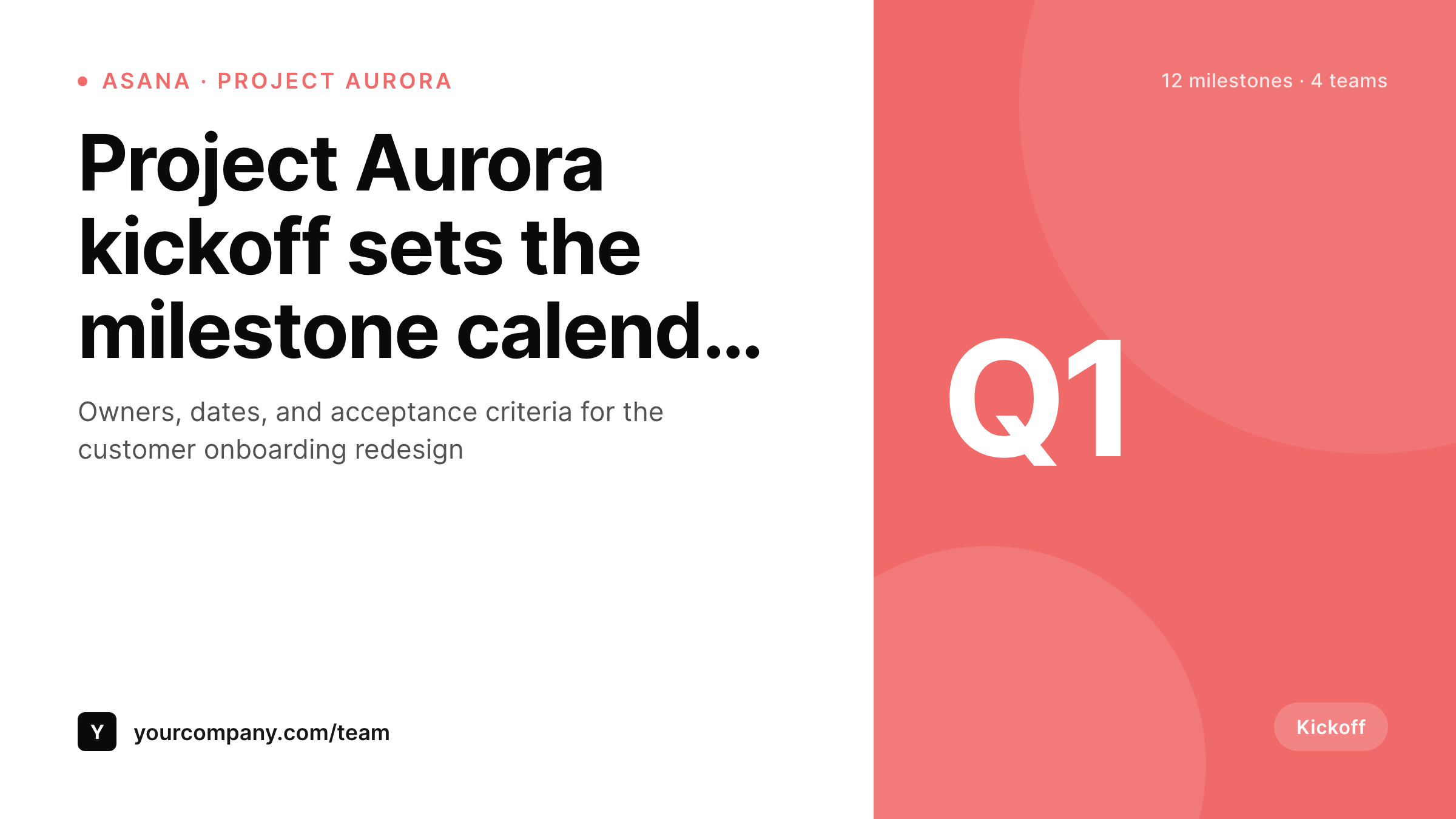
Sample Asana project update card
A 1200x675 Twitter card: project title, milestone, owner, status, and company brand, rendered from Asana API data into the WordPress project-update post on save.
Comparison
Default theme OG vs Asana-aware rendering
Default theme OG image
- Project updates share with the corporate homepage banner
- Milestone names and owners never appear on the share preview
- Twitter previews crop the feature image awkwardly for every update
- Manual project graphics stop after the first cross-functional kickoff
- Brand updates require redoing every past project's card by hand
SleekPixel
- Pulls Asana project and task data via the API on sync or webhook
- Project name, milestone, owner, and status render automatically
- Kickoff posts, weekly updates, and project closeouts share the same family
- Bulk re-render the back catalog after a brand or template refresh
- Leaves Asana itself untouched, only the WordPress hub changes
Features
What SleekPixel gives you for Asana tasks
Project-name headlines
The Asana project name and short description become the WordPress card headline. The identity the team uses internally lands on every public share.
Milestone meta
Current milestone or section renders as meta. The audience sees exactly where the project stands without opening Asana or asking the project lead.
Owner badges
Project owner or DRI renders as a small badge. Cross-functional updates carry the named owner on every share, which improves accountability and routing.
Use cases
What Asana-using teams generate with SleekPixel
Project kickoff posts
Each cross-functional project kickoff gets its own WordPress post and card. Internal Slack and email shares carry the project name and the kickoff date.
Weekly status updates
Weekly status posts render with current milestone and owner. The leadership team scans the share preview without opening the full update.
Project closeouts
End-of-project closeout posts carry the final milestone, the outcome, and the team brand. The shared URL becomes the canonical record of the ship.
The bigger picture
Why cross-functional update shares lift project visibility
Cross-functional projects struggle on visibility. The team running the project knows the state in detail, but the broader company sees only what shows up in Slack channels and email digests. The share preview on a project update post is one of the few visual signals that travels with the URL across every channel.
If that preview is generic, the update reads as internal busywork even when the underlying project is critical. If the preview carries the project name and current milestone, the update reads as a real ship the rest of the company should care about. Across a quarter of project updates, the difference shows up in cross-team awareness, in leadership attention, and in whether the project earns the resources and decisions it needs to land.
Sales and marketing teams in particular benefit when customer-facing project updates share with branded cards, because the same post that informs internal stakeholders also lands as external signal of momentum. SleekPixel binds the card to the post type, so every project update across every team in the company shares with the same polish, regardless of which project lead writes the post.
Questions
Common questions about SleekPixel for Asana tasks
No. SleekPixel reads only fields you choose to sync. Internal-only Asana fields stay in Asana. The WordPress update post holds the version the project lead approved for the audience, whether internal or customer-facing.
An Asana personal access token plus a sync job. The sync writes project name, milestone, owner, and status into custom fields on update posts. SleekPixel reads those fields on save.
Yes. Asana exposes task counts per project and per section. A custom field can hold the current count, and the template can render a small percentage badge or task-count meta on the card.
The card renders the project DRI by default. If the post has a multi-owner field, the template can render up to three owner initials or names in a small badge row. The render adapts to whatever the field structure carries.
Yes. Portfolio data is available through the same API. WordPress posts that summarize a portfolio render with the portfolio name, the count of projects, and the overall status. Useful for executive-level shares of multi-project programs.
Yes. A taxonomy on the update post picks the template variant. Each cross-functional project can carry its own accent and small mark, so kickoff posts and ongoing updates share with a consistent per-project identity.
No. Rendering happens on save or webhook receipt, not on every page view. The site serves a static PNG from uploads on every share. No render cost on visitor traffic.
The next sync updates the project field on the WordPress post and re-renders the card. The historical post URL stays the same; the card and metadata refresh to reflect the new ownership and project mapping.
Pricing
More than 1000+
happy customers
Explore our flexible licensing options tailored to your needs. Upgrade your license anytime to access more features, or opt for a lifetime license for ongoing value, including lifetime updates and lifetime support. Our hassle-free upgrade process ensures that our platform can grow with you, starting from whichever plan you choose.
Lifetime ♾️
Most popular
EUR
once
- Unlimited websites
- Lifetime updates
- Lifetime support
...or get the Bundle Deal
and save €250 🎁
💎 Want everything forever? The All Access Pass is going away on 01.08.2026.
The Bundle (unlimited sites)
Pay once, own it forever
Elevate your WordPress site with our exclusive plugin bundle that includes all of our premium plugins in one package. Enjoy lifetime updates and lifetime support. Save significantly compared to buying plugins individually.
What’s included
-
SleekAI
-
SleekByte
-
SleekMotion
-
SleekPixel
-
SleekRank
-
SleekView
€749
Continue to checkoutBrowse more
- Substack post thumbnail
- LinkedIn banner images
- Pinterest pins
- Warpcast frame images
- LinkedIn post images
- X Space banners
- Etsy shop banners
- Spotify playlist cover
- Instagram highlight covers
- Behance banner
- Lens Protocol posts
- KakaoTalk channel banners
- Farcaster cast images
- kbin post images
- Discord server icon