






SleekPixel for Warpcast frames
Generate the PNG layer of a Warpcast Frame from a regular WordPress post. SleekPixel handles the image; you wire the button endpoints in your Frame server.
♾️ Lifetime License available
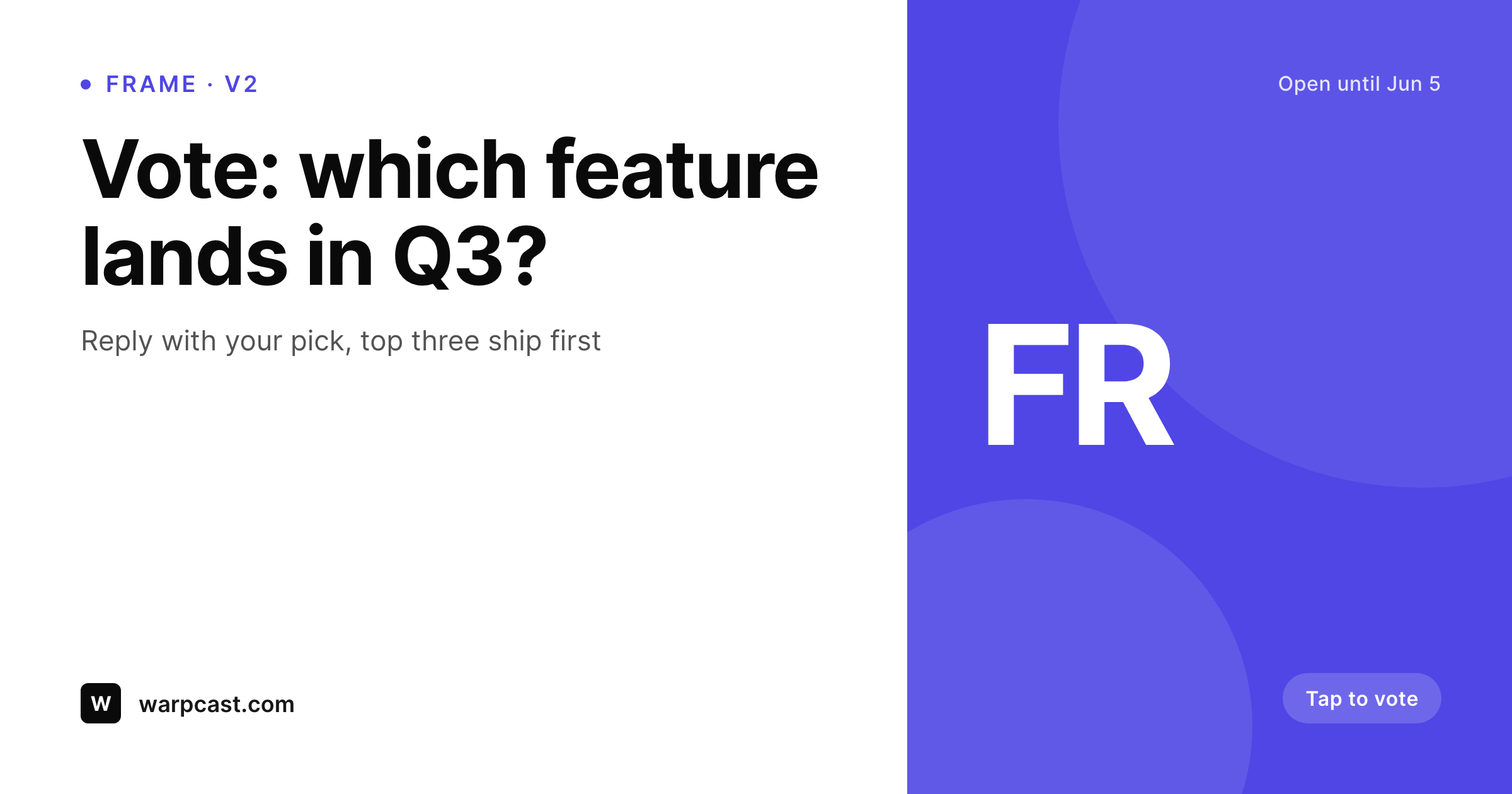
The frame image is what gets seen, not the JSON
Warpcast Frames are interactive cards that show in feed and let casters click buttons that hit your endpoint. The interaction layer is JSON, the visual layer is a PNG, and most teams ship the JSON quickly while the image lags because the design pipeline is wherever the team usually lives, which often means Figma plus an export step plus a CDN upload.
SleekPixel renders the frame image from a WordPress post in the same engine that handles your OG images. The frame title, the call to action, and the campaign mark all pull from the post fields. The PNG sits in WordPress uploads at a stable URL that you point your Frame meta tags at.
You still write the Frame JSON and the button endpoints, but the visual side of the Frame is no longer the bottleneck. New Frame campaigns ship as fast as you can fill out the post fields.
Workflow
Frame images on the same render engine as your OG
Design the frame layout
Pick post fields
Save the campaign post
Wire your Frame meta
Output
What ships in the frame slot
A 1200x628 PNG rendered to the Warpcast frame aspect, with title, CTA, and brand mark baked in from a WordPress post.
Comparison
Figma-per-frame vs SleekPixel for Warpcast frames
Figma + manual export
- Each frame image is a fresh Figma file with manual export and CDN upload
- Title and CTA copy lives in two places: the design file and the post
- Brand refreshes mean reopening every Figma file used across campaigns
- Frame images drift in style across teammates
- Frame copy changes need a designer in the loop
SleekPixel
- 1200x628 frame image rendered per post on save
- Title, CTA, and campaign mark pulled from real post fields
- Stable PNG URL in WordPress uploads to point fc:frame:image at
- Brand refresh re-renders every campaign image in one batch
- Editors update copy in the post, not in a Figma file
Features
What SleekPixel gives you for Warpcast frame images
Frame-aspect ready
Renders at the 1.91:1 aspect Warpcast expects for the image slot in v2 Frames. No cropping, no awkward letterboxing.
Copy-first workflow
Title and CTA text live in the post, not in a Figma file. Editors ship a new frame by editing copy and clicking save.
Stable image URL
The rendered PNG lives at a permalinked URL in uploads. Point your fc:frame:image meta tag at that URL and the frame stays valid.
Use cases
Where Warpcast frames need a fast image pipeline
Launch campaigns
Frames that drive signups, mints, or waitlists need a new image per campaign. SleekPixel renders the image from a campaign post.
Polls and quizzes
Polls live or die on the readability of the prompt. SleekPixel keeps the prompt typography tight across every poll frame.
Editorial frames
Publishers running interactive frames per article get an image per article without designer involvement.
The bigger picture
Why frame images deserve a real pipeline
Warpcast frames live or die on the first impression in feed. A caster swipes past a frame in under a second if the image looks generic or the copy is hard to read. Teams that build Frames quickly often ship the JSON in a morning and then sit on a placeholder PNG for days because the design pipeline is a separate workstream.
SleekPixel collapses that gap by treating the frame image as a normal piece of WordPress content. Each campaign is a post; each post saves a fresh image; each image lives at a stable URL. Editors ship new frame campaigns at editorial speed instead of design speed, and a rebrand re-renders the entire history of frames in one batch so older live frames keep looking current.
Questions
Common questions about SleekPixel for Warpcast frame images
No, SleekPixel renders only the image. The fc:frame JSON and the POST endpoints for button actions are out of scope. Combine SleekPixel with a Frame server library, or build the endpoints in WordPress separately.
SleekPixel writes a PNG at the 1.91:1 ratio expected by current Warpcast Frame versions. The image side of v1 and v2 Frames uses the same aspect, so the rendered file is reusable.
Button labels are part of the JSON, not the image, in current Frame versions. SleekPixel renders title, CTA, and supporting copy that complements the button labels but does not duplicate them.
Yes, Warpcast caches frame images per URL. If you change the design, recast with a fresh URL or use a query string to bust the cache.
No, the image is rendered per post at save time, not per Farcaster ID at request time. Personalised-per-viewer rendering requires a runtime image service, which is a different category of tool.
Subsequent frame states each need their own image. Use a separate post per state, or store state-specific images via ACF fields and have your Frame server return the right URL.
Yes, batch regenerate runs the current frame template over every selected post and writes new PNGs. Useful for branding refreshes across a frame campaign history.
In WordPress uploads as real PNGs at predictable URLs. They are in your media library, included in backups, and downloadable from the post sidebar.
Pricing
More than 1000+
happy customers
Explore our flexible licensing options tailored to your needs. Upgrade your license anytime to access more features, or opt for a lifetime license for ongoing value, including lifetime updates and lifetime support. Our hassle-free upgrade process ensures that our platform can grow with you, starting from whichever plan you choose.
Lifetime ♾️
Most popular
EUR
once
- Unlimited websites
- Lifetime updates
- Lifetime support
...or get the Bundle Deal
and save €250 🎁
💎 Want everything forever? The All Access Pass is going away on 01.08.2026.
The Bundle (unlimited sites)
Pay once, own it forever
Elevate your WordPress site with our exclusive plugin bundle that includes all of our premium plugins in one package. Enjoy lifetime updates and lifetime support. Save significantly compared to buying plugins individually.
What’s included
-
SleekAI
-
SleekByte
-
SleekMotion
-
SleekPixel
-
SleekRank
-
SleekView
€749
Continue to checkoutBrowse more
- Bluesky link cards
- Behance project covers
- WhatsApp status images
- Instagram carousel slides
- LinkedIn post images
- Discord server banners
- Pinterest pins
- Dribbble shot covers
- YouTube podcast thumbnails
- Douyin thumbnails
- Patreon post thumbnails
- Threads post images
- Stan Store cover
- Twitch offline banners
- Notion page covers