






SleekPixel for LinkedIn poll card
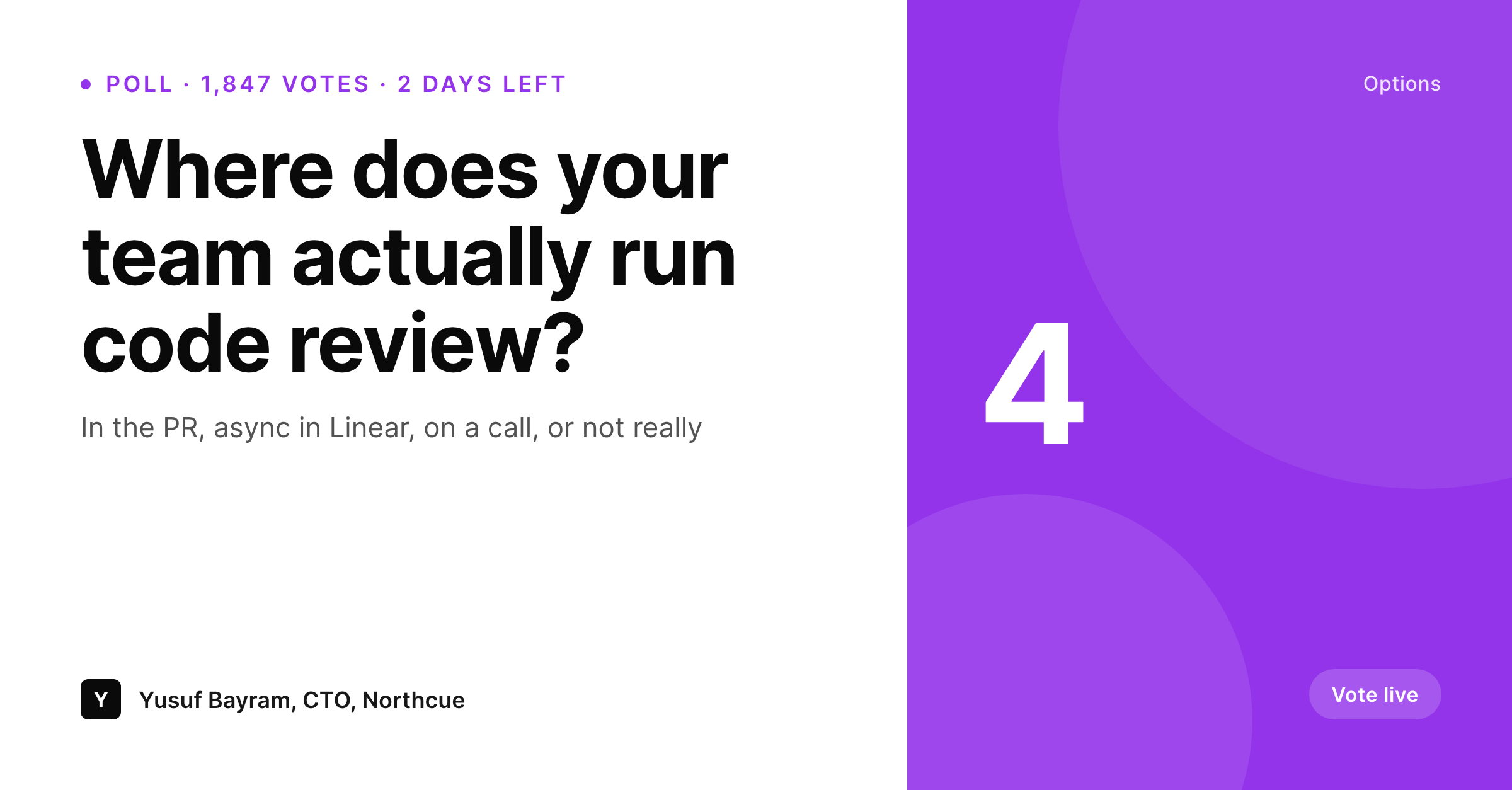
Question, up to four options, vote count, and days remaining live on the poll archive post. SleekPixel renders a 1200x627 share card on save so the archive URL shows what the poll actually looked like.
♾️ Lifetime License available
Why polls need a real archive card
LinkedIn polls do well in their first 48 hours. After that the poll closes, the LinkedIn URL stops surfacing, and the writer often wants to archive the question and the results somewhere their own audience can reference. That archive post becomes the canonical version. It needs to communicate, at a glance, what was asked, what the options were, and how the audience voted, even if the visitor never saw the live poll.
A generic OG image on that archive flattens out all of that. The question disappears, the four options disappear, the vote count disappears. The same archive that could be a useful research artifact reads like every other post on the site. Hand-designing a card per archived poll is a tax that few writers pay.
SleekPixel reads the structured poll fields and renders a card that mirrors the poll structure. Question anchored at the top, four options in clear blocks, total vote count and time-remaining tag at the bottom. The archive URL shares with a preview that does the job of a poll on its own. Researchers, newsletter readers, and casual scrollers all get the gist before they even click.
Workflow
From live poll to archive card
Encode the poll layout
Archive the poll
Share the archive
Update results after close
Output
What a LinkedIn poll card looks like
A 1200x627 share card with the poll question, four option blocks, total vote count, and time-remaining label, composed from the archive post fields.
Comparison
Default archive OG vs rendered poll card
Default site OG
- Archive URL shares with a generic site image
- Question and options invisible until the user clicks through
- Vote count signal lost outside the original LinkedIn URL
- Hand-designing a card per poll is impractical
- Polls that did well do not carry their signal into newsletters or DMs
SleekPixel
- Card renders on save from question, options, and counts
- Up to four option blocks with auto-fit type on each
- Vote count and time-remaining tag anchored separately
- og:image updates so every cross-platform share inherits it
- Bulk regenerate covers all archived polls in one pass
Features
What SleekPixel gives you for LinkedIn poll card
Option-aware
Two, three, or four option blocks render cleanly. The layout adapts so a binary poll and a four-way poll both fill the frame.
Vote count mark
Total votes and time-remaining tag anchor at the bottom. The reader knows whether the poll is live, closing soon, or already settled.
Topic accents
Tag the poll with a topic and bind an accent. Engineering polls, growth polls, hiring polls each get a distinct visual language.
Use cases
LinkedIn poll patterns this template handles
Founder polls
Open polls from founders on pricing, hiring decisions, or product direction. The archive card preserves the question and the audience signal.
Team research polls
Engineering managers polling their network on tooling, language choice, or process. The archive becomes a research artifact others can cite.
Newsletter callbacks
Newsletters that recap LinkedIn poll results link back to the archive. The card carries the question and results into the link preview.
The bigger picture
Why poll archives need a real preview
Polls are research artifacts that age unusually well. A LinkedIn poll question about how teams run code review is still a useful reference six months later because the underlying behavior changes slowly. The vote count signals what a network of professionals actually thinks, not what a single author guesses.
That signal has real value to readers who find the archive through a newsletter, a Slack share, or a search result. A generic preview erases that signal. A rendered card preserves it.
The question, the options, and the vote count all travel with the URL. The poll keeps doing work even after LinkedIn forgets it. For writers who treat their site as a research log, that compounding is the point.
Questions
Common questions about SleekPixel for LinkedIn poll card
Yes. Fill the vote count field with the current tally and the time-remaining tag with "2 days left". Save and the card reflects mid-flight state. Update again when the poll closes.
The layout adapts. Two-option polls render with larger option blocks, three-option polls use a balanced row, four-option polls use a 2x2 grid. The template picks based on field count.
Yes. LinkedIn reads the og:image meta tag when a URL is shared as a post. SleekPixel writes that tag per post. Use the LinkedIn Post Inspector to refresh cache if needed.
Yes. Add a percentage field per option on the post. The template renders each option with its share. Useful when the poll has closed and you want results on the card.
Yes. Bind the accent to a topic taxonomy on the post. Engineering polls, hiring polls, and product polls each get a distinct palette without forking the template.
The auto-fit rule scales type down to a minimum bound. Long questions still fit cleanly, though the option blocks render smaller. Shorter questions use the full type scale.
Yes. Add a name and title field, and a small mark in the template for the author. Useful for team-account polls where the asker matters.
The format is LinkedIn-specific by default (1200x627). Register a 1200x675 Twitter card size against the same template to render both formats per save.
Pricing
More than 1000+
happy customers
Explore our flexible licensing options tailored to your needs. Upgrade your license anytime to access more features, or opt for a lifetime license for ongoing value, including lifetime updates and lifetime support. Our hassle-free upgrade process ensures that our platform can grow with you, starting from whichever plan you choose.
Lifetime ♾️
Most popular
EUR
once
- Unlimited websites
- Lifetime updates
- Lifetime support
...or get the Bundle Deal
and save €250 🎁
💎 Want everything forever? The All Access Pass is going away on 01.08.2026.
The Bundle (unlimited sites)
Pay once, own it forever
Elevate your WordPress site with our exclusive plugin bundle that includes all of our premium plugins in one package. Enjoy lifetime updates and lifetime support. Save significantly compared to buying plugins individually.
What’s included
-
SleekAI
-
SleekByte
-
SleekMotion
-
SleekPixel
-
SleekRank
-
SleekView
€749
Continue to checkoutBrowse more
- award win card
- Hacker News launch card
- integration launch card
- company update card
- growth chart cards
- product tour cards
- HIPAA compliance card
- media pickup card
- incident report cards
- terms update cards
- sustainability report card
- seed round cards
- stat callout cards
- feature flag card
- conference banner cards
- Twitch starting soon screen
- podcast cover art
- Behance project covers
- KDP paperback cover
- Facebook Shop product images
- Substack post headers
- Twitter card images
- Telegram bot avatar
- Threads social images
- Pinterest video pin covers
- Slack channel headers
- Ko-fi banners
- Snapchat Discover tiles
- Twitch offline banners
- Odnoklassniki banners