






SleekPixel for seed round cards
The seed post is shared by every angel, every employee, every friend-of-the-founder. SleekPixel renders the share card from the announcement post fields so the og:image is locked the moment the post is live.
♾️ Lifetime License available
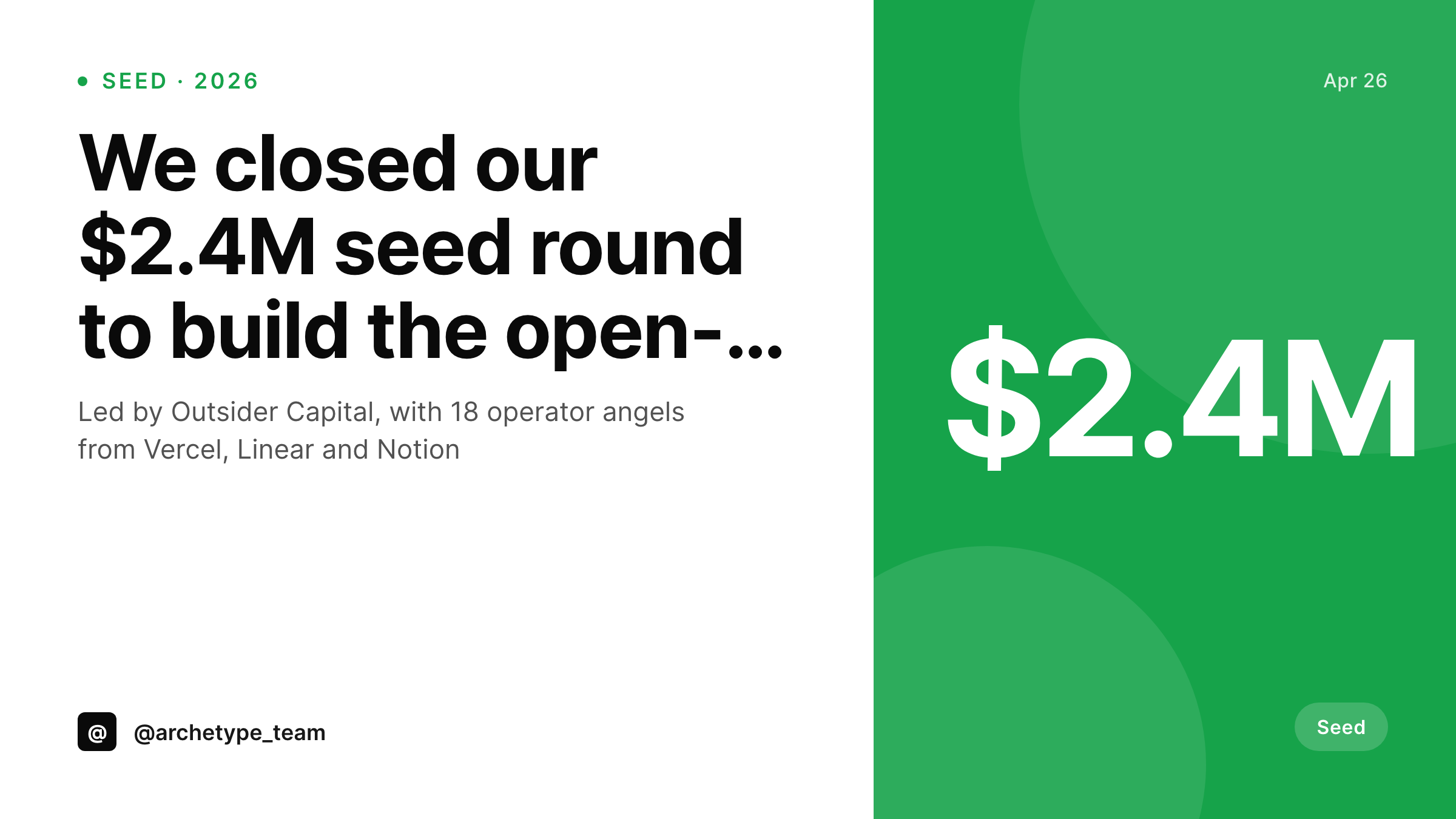
The seed announcement is the most consequential post you'll write
A seed round announcement is the first introduction many people in your network will get to the company. The card is the thumbnail. The thumbnail is the company in the timeline. Customers, future hires, future investors, friends-of-friends all see the card before they read the post, and many will never click through. The card has to carry the company's identity on its own.
The variables that change between seed announcements are small: the round amount, the lead investor, the list of angels, the date. The visual treatment, the brand mark, the typography, the layout should not change. That is the exact shape of a templated render.
SleekPixel lets the founder design the seed-card template inside WordPress before the announcement is written. Fields hold the round size, the lead, the participants. On save, the card renders into a 1200x675 Twitter card and a 1200x627 LinkedIn card, and the og:image meta tag is written into the post.
Workflow
From seed close to public post in one save
Design the seed template
Bind seed fields
Schedule the announcement post
Post goes live, card is set
Output
Sample seed round card
A 1200x675 Twitter card with the seed amount, lead investor, angel mention and the company mark, all from the seed post fields.
Comparison
Last-minute seed graphic vs SleekPixel seed card
Designer 48 hours before launch
- Designer hired in the week before announcement, no time for revisions
- Card uploaded as a standalone image, not tied to the announcement URL
- Press picks up the wrong crop because the og:image was never set
- Founder can't update the card if the round size shifts at final close
- Future rounds have no design lineage to inherit from
SleekPixel
- Template authored in advance, ready when the post is
- Round amount, lead, angels and date all bound to post fields
- og:image and twitter:image written into the announcement head
- Edits to the round details re-render the card automatically
- Template carries forward to extension and Series A rounds
Features
What SleekPixel gives you for seed round cards
Seed-shaped layout
The card emphasizes the round amount, the lead investor and the company narrative line, sized to read well at thumbnail size on every platform that picks up the og:image.
Angel-list handling
Angels render in a smaller text band from a comma-separated or array field. Long lists ellipsize with a 'and 8 others' tail.
Embargo-safe
Scheduled posts render the card at save time, so the og:image is in place hours before the embargo lifts. No live-publish rendering risk.
Use cases
Who needs a seed announcement card
First-time founders
The first big public moment for the company. The card is the visual handshake with everyone who will ever follow the company's trajectory.
Operator-angel-heavy rounds
Rounds with 15-30 angels from named companies. The angel-list layer renders the participants cleanly so each angel sees their network represented.
Founder-led launches
A solo or two-person founder team where the founder's voice carries the post. The card sits next to the founder's handle in the share preview.
The bigger picture
Why the seed card sets the brand line
The seed announcement is the first time a founder gets to put a polished asset in front of the wider community. The card from that announcement gets quoted in pitch decks, embedded in landing pages, included in onboarding emails, and pinned to the founder's profile for months. It also sets the visual line for every future round announcement.
The Series A card a year later either matches the seed card and signals continuity, or it does not and signals reset. Most companies, when they raise the Series A, end up rebuilding the card from scratch because the seed card was a one-off. SleekPixel changes that by making the seed card a template inside the same WordPress install.
The Series A card inherits the template, swaps the round amount, swaps the badge, and renders in the same visual language. Customers, partners, and investors watching the timeline see one company growing through rounds, not a sequence of unrelated press graphics.
Questions
Common questions about SleekPixel for seed round cards
Yes. Change the round_type badge to 'Extension' and update the round_amount. The template handles every round type from seed through later rounds without redesigning.
An image-layer variant can render small angel logos in a row. Bind an array of image URLs to the layer. For most seed posts, names read more clearly at thumbnail size.
Use a public_angels field that excludes the private participants. The card renders only the names you populate, with no leakage.
Yes. The lead_investor field supports comma-separated names or two layers if you want co-leads to render side by side.
Yes. The currency symbol is bound to a field, so EUR, GBP, INR, and other currencies render correctly without template changes.
PNG by default at 1200x675 for Twitter cards. A 1200x627 LinkedIn render can run alongside it from the same fields with a second template.
Yes. Add a tagline text layer bound to either a per-post field or a fixed string from the template. Most seed cards keep the tagline so the company's value prop is on the share preview.
Yes. Add a 1080x1920 instagram-story template using the same fields. Both render on save and download from the Gutenberg sidebar.
Pricing
More than 1000+
happy customers
Explore our flexible licensing options tailored to your needs. Upgrade your license anytime to access more features, or opt for a lifetime license for ongoing value, including lifetime updates and lifetime support. Our hassle-free upgrade process ensures that our platform can grow with you, starting from whichever plan you choose.
Lifetime ♾️
Most popular
EUR
once
- Unlimited websites
- Lifetime updates
- Lifetime support
...or get the Bundle Deal
and save €250 🎁
💎 Want everything forever? The All Access Pass is going away on 01.08.2026.
The Bundle (unlimited sites)
Pay once, own it forever
Elevate your WordPress site with our exclusive plugin bundle that includes all of our premium plugins in one package. Enjoy lifetime updates and lifetime support. Save significantly compared to buying plugins individually.
What’s included
-
SleekAI
-
SleekByte
-
SleekMotion
-
SleekPixel
-
SleekRank
-
SleekView
€749
Continue to checkoutBrowse more
- compensation report cards
- workshop replay card
- podcast mention card
- Hacker News launch card
- word of the day cards
- metric spotlight cards
- FAQ cards
- award announcement images
- doors closing card
- domain launch card
- G2 badge cards
- infographic card snippets
- growth experiment card
- weekly digest cards
- movie review cards
- X ad images
- Snapchat Discover tiles
- LinkedIn post images
- Twitch stream overlay images
- GitHub README banners
- Facebook event covers
- Patreon cover images
- Depop listing images
- Twitch starting soon screen
- Rednote (Xiaohongshu) post
- Etsy shop banners
- TikTok ad images
- YouTube end cards
- TikTok Now image
- X community banners