






SleekPixel for weekly digest cards
SleekPixel reads each digest's week number and date range, then renders a card on save. The OG card, the archive thumbnail, and any in-issue embed share one template, so every week ships with a card that signals the week and earns its share of feed attention.
♾️ Lifetime License available
Weekly digests need a week stamp at the preview layer
A weekly digest ships 52 issues a year. Each issue summarizes the week's news in a specific area: stories, releases, papers, deals. In most teams the digest URL ships with the same default card every week, and the only signal that any given digest is the most recent is the post date in the URL. A reader scrolling Twitter cannot tell whether the link is week 18 or week 14, and the recency cue that drives digest engagement gets lost.
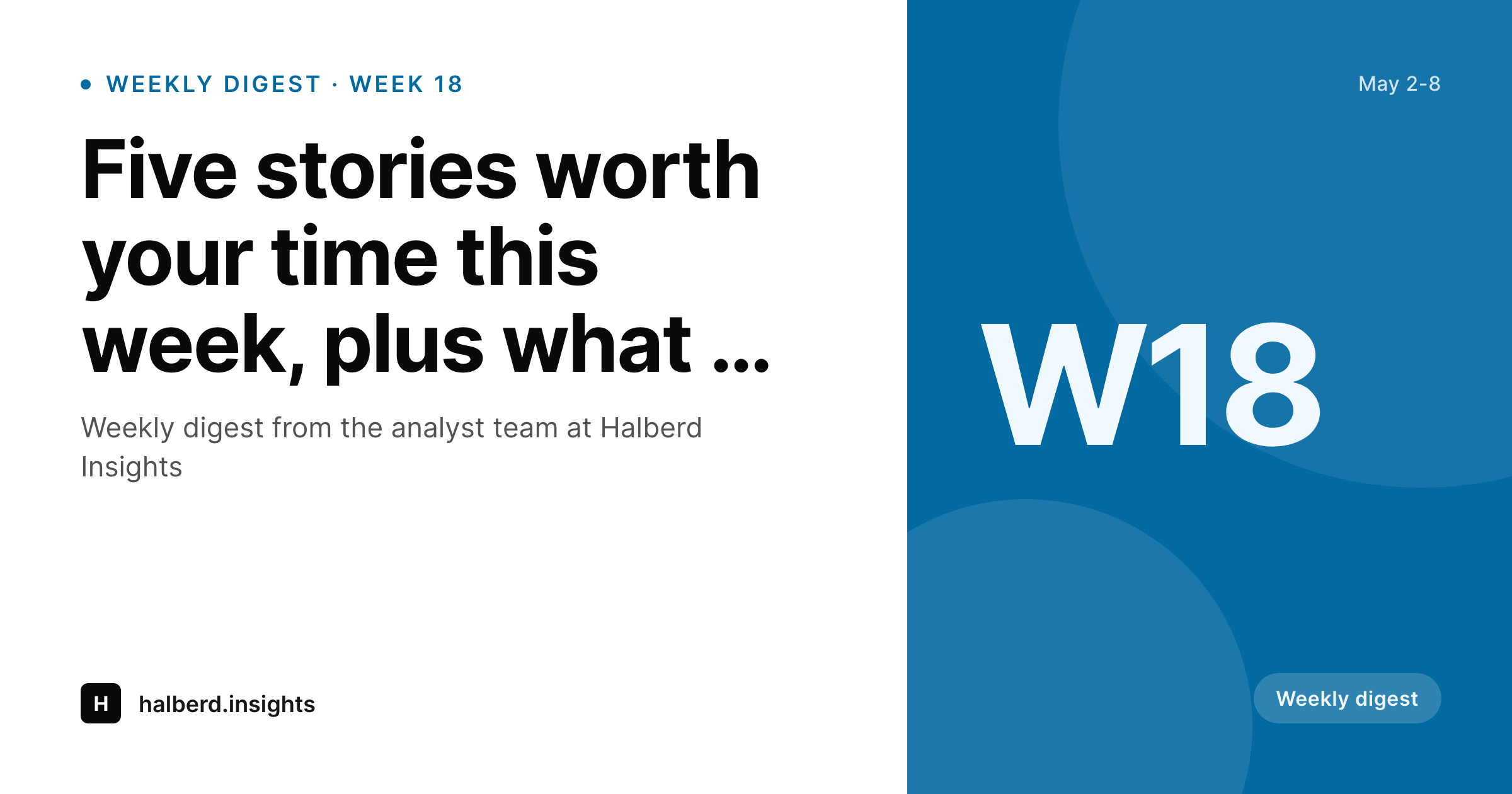
SleekPixel turns the digest card into a derived artifact. The digest post type already holds the week number and the date range. The template encodes the layout once, with a slot for the week, a slot for the date range, and the brand mark. Save the post and the renderer writes the OG card, the archive thumbnail, and any in-issue embed in one pass. Week 18 ships with a W18 card, week 19 with a W19 card, and recency reads from the preview without anyone clicking through.
For weekly digests, this changes the share economy. The reader who saw last week's digest recognizes the new card immediately. The reader who is new to the program sees a coherent series identity. The 52-issue cadence compounds at the visual layer the way it always did at the editorial layer.
Workflow
From a draft week to a ready card
Encode the digest layout
Set up the digest post type
Publish the digest
Refresh the archive
Output
How a weekly digest card composes
An OG card with the week number, date range, and brand mark, all assembled from real digest fields.
Comparison
Default weekly cards vs rendered ones
Same card every week
- Week number is invisible from the preview
- Date range lives only in the post body
- Identical card on every issue, no recency signal
- Long headlines get truncated and the week disappears
- Archive thumbnail offers no period markers
SleekPixel
- Week number and date range drive the digest card
- Recency stays visible across reshares
- OG card, archive thumbnail, and in-issue embed share one template
- Bulk regenerate refreshes the whole weekly archive
- Section accent rotates so different digest streams stay distinct
Features
What SleekPixel gives you for weekly digest cards
Week-stamped
The week number and date range render from real fields. The card carries both prominently so recency reads at a glance.
Lead headline visible
The lead headline renders cleanly across short and long lengths so the digest's pull is visible from the preview.
Archive and OG together
Register OG, the archive thumbnail, and any in-issue embed against the same template. The archive page and social card stay coherent.
Use cases
Weekly digest formats this template covers
Industry analyst digests
Weekly digests for analysts and consultants. The card carries the week and date range so subscribers spot the most recent.
Editorial digests
Weekly editorial digests for a publication. The card stamps the week and lead headline.
Community digests
Weekly community digests for a Discord, Slack, or forum. The card carries the week and the lead community headline.
The bigger picture
Why weekly digests need a week-stamped card
Weekly digests live and die by recency. A subscriber sees the link, recognizes the digest brand, glances at the week, and decides whether the issue is the new one or one they have already read. A card that says W18 with a clear date range earns a click from the recency-aware subscriber every time.
A default card with no week reads identical to last week's, and the subscriber assumes they have already seen it, which is the worst possible outcome for a publication that depends on weekly opens. Most digest teams default to generic cards because 52 issues a year is too tight a cadence for hand-designed cards per week. SleekPixel makes the week-stamped card the default.
The week and date range come from real fields, the archive becomes a navigable record, and the cumulative work compounds at the preview layer. After a year of consistent weekly cards, the digest reads as a serious cadence and the share loop converts at the rate the editorial team's work deserves.
Questions
Common questions about SleekPixel for weekly digest cards
From a field on the digest post (W18, Week 18, or ISO week). The template renders it as a badge in the right slot.
Yes. Either store the range as a field, or store the post date and let the template compute the surrounding week (Mon-Sun) from it.
Yes. Map the accent to a section taxonomy term. Different digest streams (industry, editorial, community) can each resolve to a distinct color while sharing one template.
Yes. Register OG, the archive thumbnail, and any in-issue embed against the same template. SleekPixel renders all of them on save.
Yes. SleekPixel attaches templates to whichever post types you choose. Your existing CPT, with its week and date fields, becomes the data source.
Yes. The admin has a one-click bulk regeneration that re-renders every weekly card. Years of weekly archives refresh in one pass.
Yes. Each digest post has a Gutenberg sidebar with download buttons for every registered size.
No. The image is a static PNG written at render time. Visitors load a regular image URL with no compute at view time.
Pricing
More than 1000+
happy customers
Explore our flexible licensing options tailored to your needs. Upgrade your license anytime to access more features, or opt for a lifetime license for ongoing value, including lifetime updates and lifetime support. Our hassle-free upgrade process ensures that our platform can grow with you, starting from whichever plan you choose.
Lifetime ♾️
Most popular
EUR
once
- Unlimited websites
- Lifetime updates
- Lifetime support
...or get the Bundle Deal
and save €250 🎁
💎 Want everything forever? The All Access Pass is going away on 01.08.2026.
The Bundle (unlimited sites)
Pay once, own it forever
Elevate your WordPress site with our exclusive plugin bundle that includes all of our premium plugins in one package. Enjoy lifetime updates and lifetime support. Save significantly compared to buying plugins individually.
What’s included
-
SleekAI
-
SleekByte
-
SleekMotion
-
SleekPixel
-
SleekRank
-
SleekView
€749
Continue to checkoutBrowse more
- Tidal cover art
- Twitch panel images
- Instagram highlight covers
- Substack podcast cover
- Buy Me a Coffee banners
- Passes page banner
- Ko-fi shop images
- Twitter/X header
- X Space banners
- Facebook event covers
- Odnoklassniki banners
- Klaviyo email banner
- Telegram bot avatar
- Warpcast frame images
- Xiaohongshu cover images