






SleekPixel for by the numbers cards
Publications running by-the-numbers posts need the share image to carry the actual figures, not a logo. SleekPixel renders one square card per post in WordPress, generated from the post fields on save.
♾️ Lifetime License available
Stat posts convert on the figure, not the slug
By the numbers posts are short, scannable, and built around two or three headline figures. The whole point of the format is that a reader sees a number, pauses, and clicks because the number was specific enough to feel real. The share card is where that pause happens, before the click, in the feed or the group chat or the newsletter preview. If the share image is a generic publication logo, the format collapses, because the number that was supposed to do the work never reaches the surface.
Most publications solve this by hand. A designer or editor opens Canva, drops in the three numbers, exports a PNG, uploads it to the WordPress post, ships it, and moves on. That works for the first ten posts. By month six the Canva files are out of sync with the published numbers, three different fonts have crept into the series, and a junior editor is being told to fix the typography in eighty old posts before the year-in-review goes out.
SleekPixel binds the stat card to the post itself. The three headline numbers come from custom fields, the survey size and date come from post meta, and the render fires on save. Edit a figure after a correction, save the post, the og:image rewrites, and the next platform re-scrape pulls the corrected card. The series stays internally consistent without anyone touching design files.
Workflow
From three numbers to a stat card in one save
Design the stat template
Write the post
Save and publish
Send and post
Output
What a generated stat card looks like
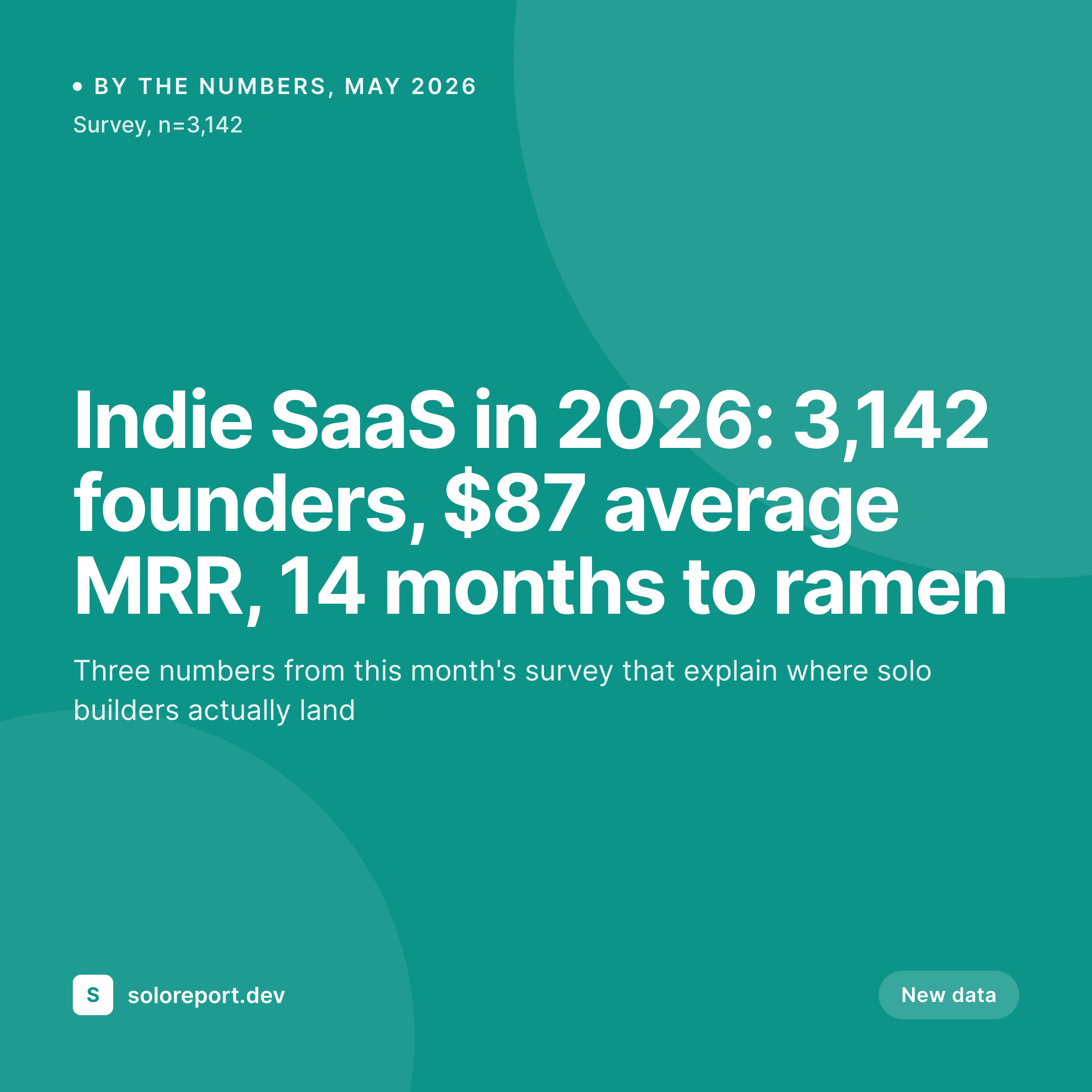
A 1080x1080 PNG with three headline figures, a short label per figure, and a survey size line pulled from the post fields.


Comparison
Default by the numbers image vs SleekPixel
Default by the numbers image
- Generic publication logo on every stat post share
- Numbers in the Canva file drift from the published figures
- Survey size and date are missing or stale on the social image
- Multiple editors produce inconsistent stat treatments
- No regeneration path when a figure is corrected post-publish
SleekPixel
- Render fires on save for every by-the-numbers post
- Headline figures, labels, and survey size pulled from post fields
- og:image and twitter:image meta tags written automatically
- Number formatting (1,200, 1.2k, 87%) handled in the template, not the body
- Corrections regenerate the card before the next share
Features
What SleekPixel gives you for by the numbers cards
Numbers wired to fields
Bind three or four headline figures to ACF, native WordPress meta, or block attributes. The template renders the formatted number plus the short label below it, every time.
Corrections re-render
Edit a figure after a methodology note, save the post, the og:image overwrites in uploads. Newsletter and social re-scrapes pick up the corrected card on the next request.
Source line stays visible
A small line on the card shows the survey size, source, or date. Readers see whether the figures are from a 200-person panel or a 10,000-person dataset before clicking through.
Use cases
Where by the numbers cards earn their keep
Industry newsletters and reports
Weekly or monthly digests built around fresh figures. Each issue gets its own stat card with the issue's headline numbers, ready to send and ready to share.
Research and survey publishers
Teams releasing recurring panel data want each release to feel like part of a series. Same template, fresh numbers, no Canva queue between editor and publish.
Startup and ops blogs
Founders posting benchmark and metric breakdowns can render a stat card per post so the figure travels with the link in DMs, Slacks, and aggregator feeds.
The bigger picture
Why a stat post needs the stat on the share card
By the numbers posts are a format that depends on contrast between expected and actual. A reader expects one figure, sees a different one in the share card, pauses, and clicks. Without the figures on the card, the post is competing on headline alone, which is a much harder fight in a feed full of headlines.
Publications that publish these regularly are not running occasional one-off pieces, they are running a series, and a series only feels coherent when every card looks like it came from the same hand. Manual Canva exports erode that consistency over six to twelve months, even with careful editors. Binding the card to the post fields turns the design problem into a data problem, which is easier to keep clean and easier to correct when a figure changes.
The card stops being a deliverable and starts being a property of the post, which is the right framing for a recurring stat format.
Questions
Common questions about SleekPixel for by the numbers cards
Yes. Templates can show two, three, four, or five figures depending on layout. Five-up grids work for monthly digests, two-up cards work for hero figures, the template picks based on a post field or category.
The template handles formatting. Store the raw integer in the field, the renderer applies thousand separators, abbreviation (1.2k, 3.4M), and percent signs based on the slot configuration.
Yes. SleekPixel supports inline SVG and chart shapes. A sparkline can be rendered from an array field, so the card shows direction in addition to the headline figure.
Edit the field, save the post. The og:image is rewritten in uploads. Newsletter and social re-scrapes pull the corrected card on the next request, no manual export needed.
Yes. Per-category templates let the monthly survey card look different from the weekly benchmark card while still living under one brand system.
All three. SleekPixel reads from post meta keys you configure, including ACF fields and block attributes parsed from post content.
Yes. Date can pull from the published date or a custom date field. Survey size can pull from a meta field or a counted relationship, depending on how the data is stored.
The 1080x1080 square renders cleanly as an Instagram feed post and a WhatsApp share preview at the same time. One asset, multiple destinations.
Pricing
More than 1000+
happy customers
Explore our flexible licensing options tailored to your needs. Upgrade your license anytime to access more features, or opt for a lifetime license for ongoing value, including lifetime updates and lifetime support. Our hassle-free upgrade process ensures that our platform can grow with you, starting from whichever plan you choose.
Lifetime ♾️
Most popular
EUR
once
- Unlimited websites
- Lifetime updates
- Lifetime support
...or get the Bundle Deal
and save €250 🎁
💎 Want everything forever? The All Access Pass is going away on 01.08.2026.
The Bundle (unlimited sites)
Pay once, own it forever
Elevate your WordPress site with our exclusive plugin bundle that includes all of our premium plugins in one package. Enjoy lifetime updates and lifetime support. Save significantly compared to buying plugins individually.
What’s included
-
SleekAI
-
SleekByte
-
SleekMotion
-
SleekPixel
-
SleekRank
-
SleekView
€749
Continue to checkoutBrowse more
- Pinterest board covers
- Facebook post images
- X community banners
- LinkedIn banner images
- Flickr cover photo
- LinkedIn company banners
- GitHub README banners
- Telegram channel cover images
- Stan Store cover
- TikTok Now image
- LinkedIn post images
- YouTube community images
- Ko-fi banners
- Tumblr header
- Bandcamp release cover