






SleekPixel for pilates studios
SleekPixel reads each class's name, instructor, equipment, and time and renders a square Instagram graphic on save. No more remaking the schedule graphic each week.
♾️ Lifetime License available
Stop rebuilding the reformer schedule every Sunday
A pilates studio's week is dense - reformer classes stacked from 6am, mat sessions filling in the gaps, semi-private and tower spots changing day to day. Every block has a graphic that goes out: the time, the teacher, the apparatus, the level. The studio manager spends a chunk of Sunday afternoon assembling those in a design tool, and the result is technically functional but quietly inconsistent - last week's reformer card looks slightly different from this week's because the colors got tweaked or a font was substituted.
SleekPixel handles that loop with one template. You design one square Instagram layout in WordPress with fields like {class_name}, {instructor}, {apparatus}, {start_time}, and {level}. Every time a class is added or updated on the site, SleekPixel renders the template with that data and saves a 1080 x 1080 PNG ready to schedule.
The brand stays exact across every class card - same wordmark position, same color, same way of showing equipment. Edit the template once and every class on the schedule refreshes. The Sunday-design routine becomes a save click.
Workflow
From schedule to grid in one save
Design the template
Connect to the class post type
Save the class
Schedule on Instagram
Output
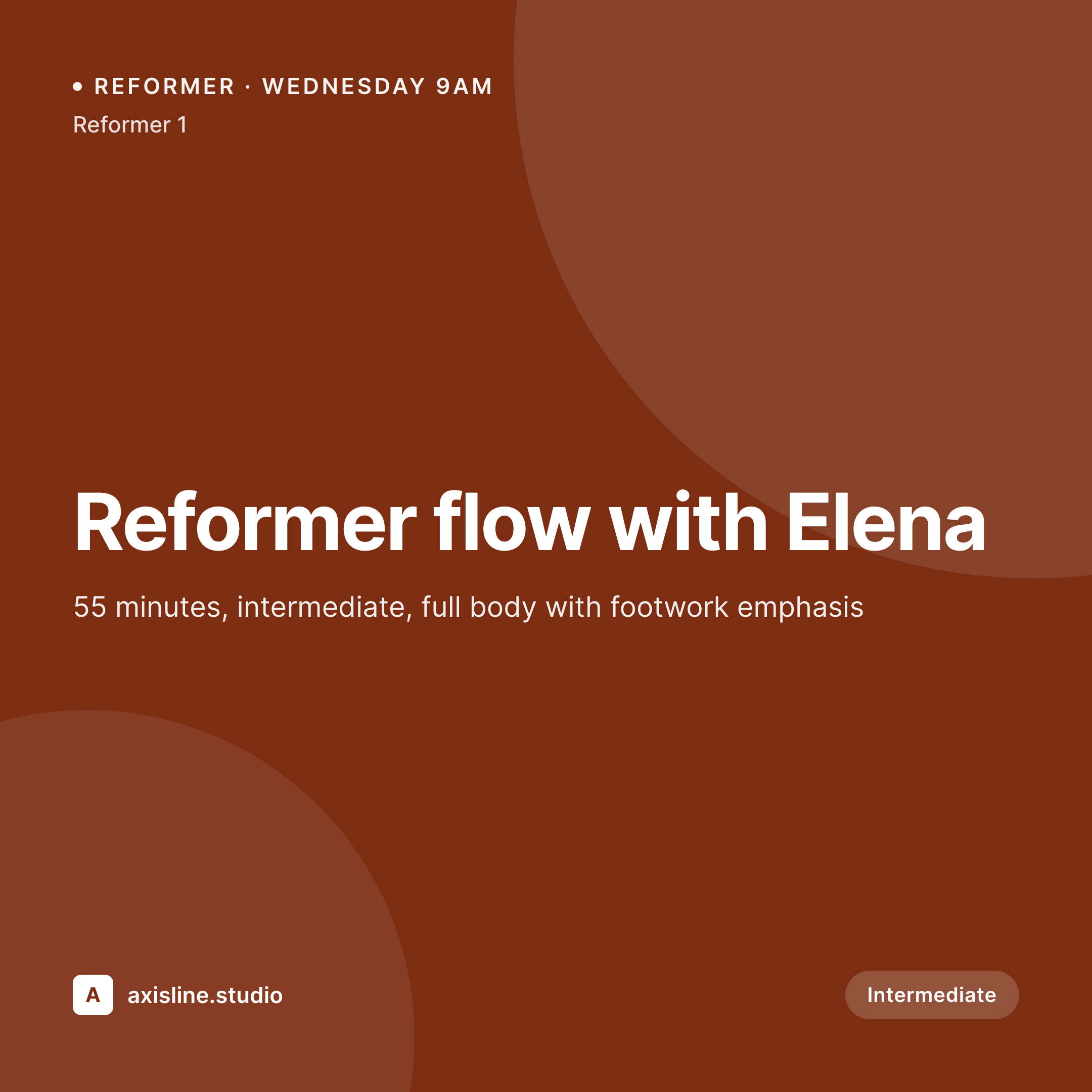
Sample Instagram post from a reformer class
This square card was rendered from a class's name, instructor, apparatus, and start time. Same template, every block.


Comparison
Hand-made class graphics vs SleekPixel
Manual graphic per class
- Every Sunday means rebuilding cards for 30+ classes by hand
- Apparatus and level get retyped from the booking system into the graphic
- Sub teachers and schedule shuffles skip social entirely
- Two staff members produce two visually different schedules
- Workshops, intro packages, and reformer challenges all need bespoke designs
SleekPixel
- Auto-generated Instagram post per class on save
- Per-class variables: name, instructor, apparatus, time, duration, level
- One template = one coordinated grid across reformer, mat, and tower
- Edit the template once and every class's graphic refreshes
- Falls back gracefully when a field like 'props' is empty
Features
What SleekPixel gives you for pilates studios
Template-driven
Design one square layout with the studio's palette and dynamic fields. Every reformer, mat, or tower class inherits it automatically.
Instructors, mapped
Pull instructor name and photo from user profiles or ACF. The teacher on the schedule is the teacher on the post, every time.
Regenerate on demand
New season, new wordmark? Bulk-regenerate every class's image from the admin in a single click.
Use cases
Where this fits best
Reformer-led studios
Reformer schedules turn over fast - SleekPixel keeps the social grid moving at the same pace, automatically.
Multi-instructor studios
Each teacher's classes feel personal but on-brand, because the template carries the studio identity while pulling teacher details.
Workshops and intro packages
Special programming gets a template variant so it stands out from the weekly schedule without breaking the grid.
The bigger picture
Why a consistent class graphic matters
A pilates studio markets to a specific kind of customer - someone who notices small details, who expects the studio's standards to extend from the equipment to the music to the website to the social feed. A scattered Instagram grid undermines that. The grid is, in practice, the studio's most-seen surface; people scroll it dozens of times before they ever set foot inside.
When every class card uses the same logic - same logo placement, same way of showing apparatus and level - the grid says the studio is run with intent. The middle path - a template that adapts to each class automatically - is how busy studios keep that consistency without paying a designer per week. SleekPixel runs that template against the class data the studio already keeps, so the social graphic is built into the schedule itself.
Questions
Common questions about SleekPixel for pilates studios
SleekPixel works with WordPress post types - including the CPTs used by Mindbody, Momence, or studio-built scheduling plugins. If the schedule lives as posts on your site, SleekPixel can apply a template to it.
Yes. Bind {instructor_photo} to a WordPress user meta field, ACF user field, or a Meta Box image, and the rendered card pulls in the right photo per class.
Yes. SleekPixel routes by category, tag, or post type. Tag a class 'reformer' and it gets one template; tag 'mat' and it gets another.
The template renders without it. Set defaults, hide blocks, or design the layout so missing values collapse cleanly.
SleekPixel saves the PNG to the uploads folder. Download from the post screen or pull the URL into Later, Buffer, or Meta's native scheduler.
Yes. One click in the admin re-renders every class's image with the updated template.
No. Images render once at save time and are stored as static PNGs. Visitors load a regular image URL with no rendering at view time.
Yes. SleekPixel can output an Instagram square and an OG card from related templates so the class web page and social grid stay aligned.
Pricing
More than 1000+
happy customers
Explore our flexible licensing options tailored to your needs. Upgrade your license anytime to access more features, or opt for a lifetime license for ongoing value, including lifetime updates and lifetime support. Our hassle-free upgrade process ensures that our platform can grow with you, starting from whichever plan you choose.
Lifetime ♾️
Most popular
EUR
once
- Unlimited websites
- Lifetime updates
- Lifetime support
...or get the Bundle Deal
and save €250 🎁
💎 Want everything forever? The All Access Pass is going away on 01.08.2026.
The Bundle (unlimited sites)
Pay once, own it forever
Elevate your WordPress site with our exclusive plugin bundle that includes all of our premium plugins in one package. Enjoy lifetime updates and lifetime support. Save significantly compared to buying plugins individually.
What’s included
-
SleekAI
-
SleekByte
-
SleekMotion
-
SleekPixel
-
SleekRank
-
SleekView
€749
Continue to checkoutBrowse more
- cheat sheet card
- dashboard screenshot cards
- how-to guide cards
- panel discussion card
- blog posts
- fireside chat card
- developer tool card
- ISO certification card
- north star metric card
- team hire card
- security advisory cards
- song of the day cards
- KPI cards
- acquisition announcement cards
- press release cards
- Passes page banner
- Instagram feed posts
- Weibo post images
- Dribbble shot covers
- Kick channel banners
- Etsy shop banners
- Bluesky profile banners
- WhatsApp status images
- Facebook cover photos
- Douyin thumbnails
- Instagram Reels covers
- SoundCloud track art
- Amazon A+ content images
- Behance banner
- Stan Store cover