






SleekPixel for beta launch cards
SleekPixel reads each beta post's title, beta name, access type, and capacity and renders a custom OG image on save. Beta announcements that share well are the ones that fill their cohort.
♾️ Lifetime License available
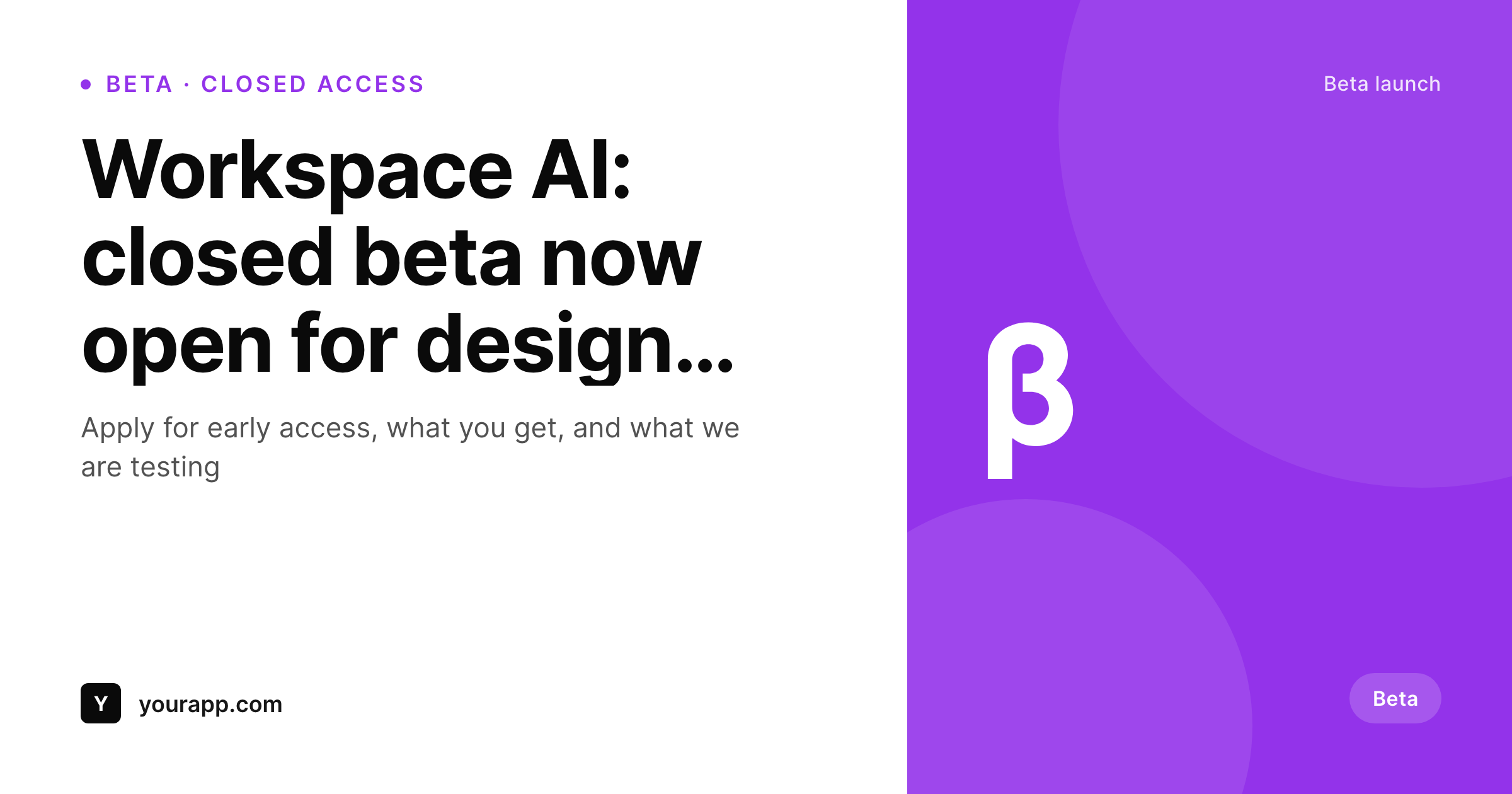
Beta launches need a card that signals beta
Beta launches have a tight conversion funnel: someone sees the link, decides whether they qualify, and applies. The link preview is the first filter in that funnel. A generic site logo card looks the same as a regular blog post and gets the same casual scroll-past. A card that visibly shows 'Beta', the access type (closed, open, waitlist), and the cohort size signals seriousness before anyone reads a word.
SleekPixel makes the beta card structural. You build one template in the WordPress admin using fields like {post_title}, {beta_name}, {access_type}, and {capacity}. Every time a beta post saves, SleekPixel renders that template with the post's actual data and writes the result into the og:image meta tag. The beta badge, the access type, and the capacity all show up on the card, which means every share carries the qualification context with it.
Edit the template once and every past beta launch regenerates. Add a new field, say a closing date or a region, and every post inherits it. The application form and detailed pitch stay in the post body. The card framing them is generated.
Workflow
From beta post to social-ready in one save
Design the template
Connect to post type
Save the post
Share anywhere
Output
Sample social card from a beta launch
This card was rendered from a beta post's title, beta name, and access type. Same template, every beta.
Comparison
Hand-made beta graphics vs SleekPixel
Designer-made graphic per beta
- Beta launches happen on tight timelines: design queues do not match
- Access types and capacities drift between the post body and the graphic
- Updating the brand means re-exporting every past beta card
- Most beta shares end up using the generic site-logo card
- No automation: depends on a designer keeping pace with launches
SleekPixel
- Auto-generated OG image per beta post on save, every time
- Per-post variables: title, beta name, access type, capacity, custom fields
- Beta badge and access-type pill baked into the template
- Edit the template once and bulk-regenerate every past beta launch
- Falls back gracefully if an access type or capacity is missing
Features
What SleekPixel gives you for beta launch cards
Beta-aware framing
Templates render a beta badge and access-type pill from dynamic fields, so every beta launch reads as a beta in the share preview.
OG + Twitter meta
SleekPixel writes the og:image, twitter:image, and twitter:image:alt tags directly on each beta post. No theme code required.
Regenerate on demand
Beta moved from closed to open? Save the post and the card updates with the new access-type pill automatically.
Use cases
Where this fits best
Closed and open betas
Access type pulled per post, so the share preview tells readers whether to apply or sign up before they click through.
Design partner programs
Beta posts that travel through founder networks earn a card that reads as serious product work, not a casual blog post.
Early access lists
Capacity and waitlist size pulled per post, so readers can see urgency at a glance from the share preview.
The bigger picture
Why a beta card fills cohorts faster
Beta launches live on the strength of their early sharing window. The first 48 hours determine whether a cohort fills with the right kind of users or with whoever happens to scroll past. A beta badge on the share card filters in seriousness, and an access type pill filters out the wrong applicants before they reach the form.
Hand-designed cards per beta are realistic when betas are rare. For products in active iteration, betas come monthly, and the design queue cannot keep up. The middle path, a template that pulls access type and capacity from the post itself, keeps the card current without a designer pass per launch.
SleekPixel adds bulk regeneration so brand updates refresh the entire archive at once.
Questions
Common questions about SleekPixel for beta launch cards
Yes. SleekPixel supports any custom post type. Point it at your beta launches CPT and the template applies to every post saved under it.
Yes. Access type is a dynamic field. Templates can branch on the value to render different pill colours or labels per state.
The template renders without it, or you can set a default like 'Limited spots'. Design the layout so missing fields collapse cleanly. Nothing breaks if data is incomplete.
Yes. SleekPixel re-renders on save. Updating the access-type field and saving the post regenerates the card with the new state.
No. The image is rendered once at save time and stored as a static PNG. Visitors load a regular image URL, no rendering happens at view time.
Yes. SleekPixel supports per-category, per-tag, and per-CPT templates. Each program can have its own template.
Forms stay in the post body. The social card is separate metadata SleekPixel manages. They do not conflict.
Yes. Each generated image is a real PNG saved to the uploads folder. Page loads stay fast and images survive even if the plugin is later disabled.
Pricing
More than 1000+
happy customers
Explore our flexible licensing options tailored to your needs. Upgrade your license anytime to access more features, or opt for a lifetime license for ongoing value, including lifetime updates and lifetime support. Our hassle-free upgrade process ensures that our platform can grow with you, starting from whichever plan you choose.
Lifetime ♾️
Most popular
EUR
once
- Unlimited websites
- Lifetime updates
- Lifetime support
...or get the Bundle Deal
and save €250 🎁
💎 Want everything forever? The All Access Pass is going away on 01.08.2026.
The Bundle (unlimited sites)
Pay once, own it forever
Elevate your WordPress site with our exclusive plugin bundle that includes all of our premium plugins in one package. Enjoy lifetime updates and lifetime support. Save significantly compared to buying plugins individually.
What’s included
-
SleekAI
-
SleekByte
-
SleekMotion
-
SleekPixel
-
SleekRank
-
SleekView
€749
Continue to checkoutBrowse more
- trip report card
- contributor spotlight card
- sale banner images
- transparency report card
- album release cards
- incident postmortem card
- founders day card
- speaker cards
- award win card
- benchmark report cards
- fundraising announcement cards
- roadmap update cards
- LinkedIn update cards
- seed round cards
- feature flag card
- Patreon cover images
- Slack channel headers
- Instagram collab post images
- Apple Music cover art
- WeChat Moments images
- TikTok ad images
- Bluesky profile banners
- Tumblr header
- Snapchat snap images
- Ghost feature images
- Discord event cover
- podcast cover art
- SoundCloud track art
- Farcaster cast images
- Bluesky feed banner