






SleekPixel for sale banner images
SleekPixel reads each promotion post's discount amount, code, end date, and category and generates a custom OG image on save. Every campaign URL shares the same on-brand preview - no agency required.
♾️ Lifetime License available
Stop building one-off banners for every promotion
Sales calendars are dense for any e-commerce or service brand. Spring sale, summer clearance, Black Friday, Cyber Monday, end-of-quarter pushes, partnership promos. Each one needs a banner. Most teams either rebuild the same banner with a different number every time or end up sharing the campaign URL with no preview image at all.
SleekPixel removes the repeat work. You design one layout in the WordPress admin with fields like {discount_amount}, {promo_code}, {end_date}, and {category}. Each sale lives as its own post - landing page, terms, fine print. On save, SleekPixel renders the banner template with that sale's data and writes the image URL into og:image. The promo URL shares cleanly on Twitter, LinkedIn, in email, and in any partner who links to your campaign.
Edit the template once and every active and past sale card refreshes. Update the brand color, every banner inherits it. The campaign mechanics live in the post; the banner is just a programmatic mirror of them.
Workflow
From campaign brief to social-ready in one save
Design the template
Connect to the promotions post type
Save the promotion
Share anywhere
Output
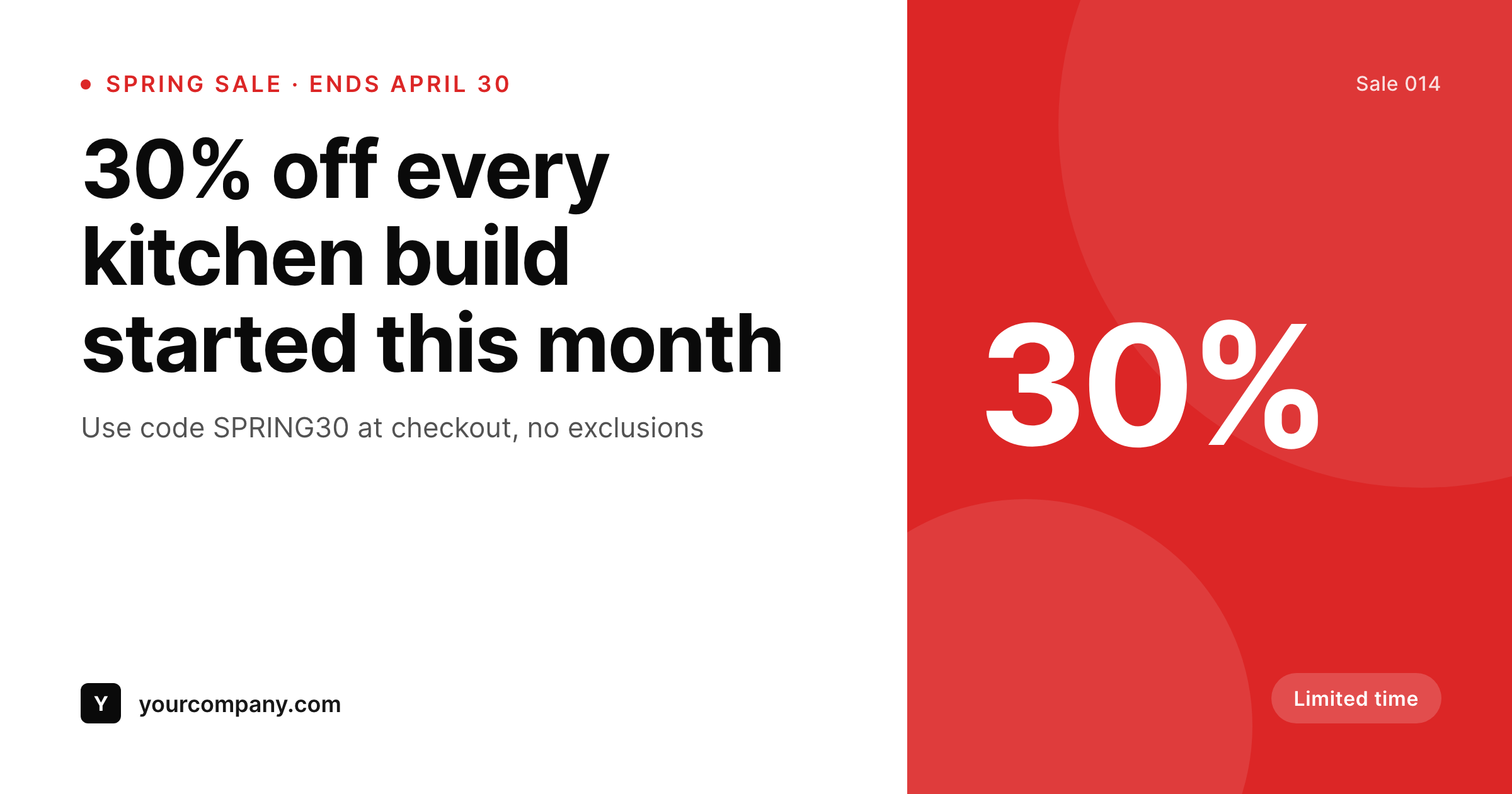
Sample sale card from a promotion post
This banner was rendered from a sale post's discount, code, and end date. Same template, every promotion.
Comparison
Hand-made sale banners vs SleekPixel
Designed per campaign
- Each sale waits in a design queue before its landing page can ship
- Discount numbers and end dates drift between the page and the banner
- Last-minute extensions require redoing the banner manually
- Brand refresh means re-exporting every active campaign banner
- Many sales ship without an OG image at all - just a default site logo
SleekPixel
- Auto-generated banner per sale on save
- Per-promo variables: discount, code, end date, category, terms
- One template = one consistent visual identity across every campaign
- Edit the template once and every sale banner refreshes
- Falls back gracefully if code or terms is missing
Features
What SleekPixel gives you for sale banner images
Template-driven
Design the banner layout once with large discount numerals, code chip, and dynamic fields. Every sale inherits it on save.
OG + Twitter meta
SleekPixel writes the og:image, twitter:image, and twitter:image:alt meta tags directly on each promo post - no theme code to touch.
Regenerate on demand
Sale extended? Update the post, hit save, and the banner re-renders with the new end date. Bulk-regenerate after a brand update.
Use cases
Where this fits best
E-commerce stores
Seasonal sales, flash promos, abandoned-cart recovery campaigns - each landing page ships with a polished banner same hour.
Service businesses
End-of-quarter discount on consulting packages, referral promos, partner deals - all rendered to the same banner template.
Calendared promotions
BFCM, holiday sales, anniversary events - the campaign calendar drives the imagery, not a parallel design queue.
The bigger picture
Why a consistent sale banner matters
Sales live and die by share velocity. The first hour of a promotion sets its trajectory - shares from team, customers, and partners drive the early traffic that informs whether the campaign hits forecast. A campaign URL that shares as a default site logo loses meaningful click-through versus one that shares as a clean banner with the discount visible in the preview.
The brands that consistently outperform on flash sales aren't always running better promotions - they're shipping promotions with social-ready artwork on day one. Building that artwork by hand means the banner is the bottleneck of every campaign, which is exactly the wrong place for a bottleneck. A template that pulls discount, code, and end date from the post puts the artwork on the same timeline as the landing page itself.
SleekPixel makes the banner a programmatic byproduct of the sale, the way Linear and Vercel treat their launch graphics.
Questions
Common questions about SleekPixel for sale banner images
Yes. SleekPixel writes the og:image meta tag directly into the document head - it doesn't depend on theme support. If your theme already outputs og:image, SleekPixel takes precedence and overrides it cleanly.
The template renders without it. You can set defaults per field or design the layout so missing fields collapse gracefully. Nothing breaks if data is incomplete.
Yes. The admin has a one-click bulk regeneration that re-renders all promotion banners using the template. Useful after brand updates or template tweaks.
No. The image is rendered once at save time and stored as a static PNG/JPG. Visitors load a regular image URL - no rendering happens at view time.
Yes - they read the og:image meta tag on first share. Both have card debuggers (Twitter Validator, Facebook Sharing Debugger) you can use to clear caches if you're testing.
Yes. SleekPixel supports per-category, per-tag, and per-CPT templates. Holiday sales can use one template, flash promos another - routing rules pick automatically.
The end date is rendered at save time as static text. For live countdowns, render only the end date in the banner; visitors see a countdown in the page itself, while the banner shows the deadline.
Stores. Each generated banner is a real PNG/JPG saved to the uploads folder. This keeps page loads fast and means images survive even if the plugin is later disabled.
Pricing
More than 1000+
happy customers
Explore our flexible licensing options tailored to your needs. Upgrade your license anytime to access more features, or opt for a lifetime license for ongoing value, including lifetime updates and lifetime support. Our hassle-free upgrade process ensures that our platform can grow with you, starting from whichever plan you choose.
Lifetime ♾️
Most popular
EUR
once
- Unlimited websites
- Lifetime updates
- Lifetime support
...or get the Bundle Deal
and save €250 🎁
💎 Want everything forever? The All Access Pass is going away on 01.08.2026.
The Bundle (unlimited sites)
Pay once, own it forever
Elevate your WordPress site with our exclusive plugin bundle that includes all of our premium plugins in one package. Enjoy lifetime updates and lifetime support. Save significantly compared to buying plugins individually.
What’s included
-
SleekAI
-
SleekByte
-
SleekMotion
-
SleekPixel
-
SleekRank
-
SleekView
€749
Continue to checkoutBrowse more
- Douyin cover
- Threads post images
- Apple Podcasts covers
- Bluesky profile banner
- Telegram bot avatar
- Instagram stories
- Shopify collection banners
- Twitch offline banners
- Spotify podcast covers
- Nostr note images
- kbin post images
- Rumble thumbnails
- Amazon Storefront banners
- Patreon cover images
- KDP paperback cover