






SleekPixel for WP Store Locator
WP Store Locator runs the search, filters and map for stockist directories on thousands of WordPress sites. SleekPixel reads the same stockist records and renders branded LinkedIn-ready cards per store, per region and per locator page, so every share carries the actual stockist context.
♾️ Lifetime License available
WP Store Locator handles the directory, the share card is still missing
WP Store Locator is the locator plugin that ships with the smallest API surface and the cleanest data model. Every stockist is a structured record with name, address, hours, phone, categories and custom fields. The locator UI handles the radius search, the filter chips and the map. Sites that depend on it usually have hundreds of stockists, sometimes thousands, and a marketing surface that has to keep pace with new openings, closings and category changes.
The data is exactly what a great share card needs. The card itself is the part nobody has time to build. A new stockist launch goes to LinkedIn or to a partner newsletter and the preview thumbnail is the brand homepage, not the actual stockist. A regional launch share, the same. A locator page share, the same. The plugin does its job; the share preview never matches the work.
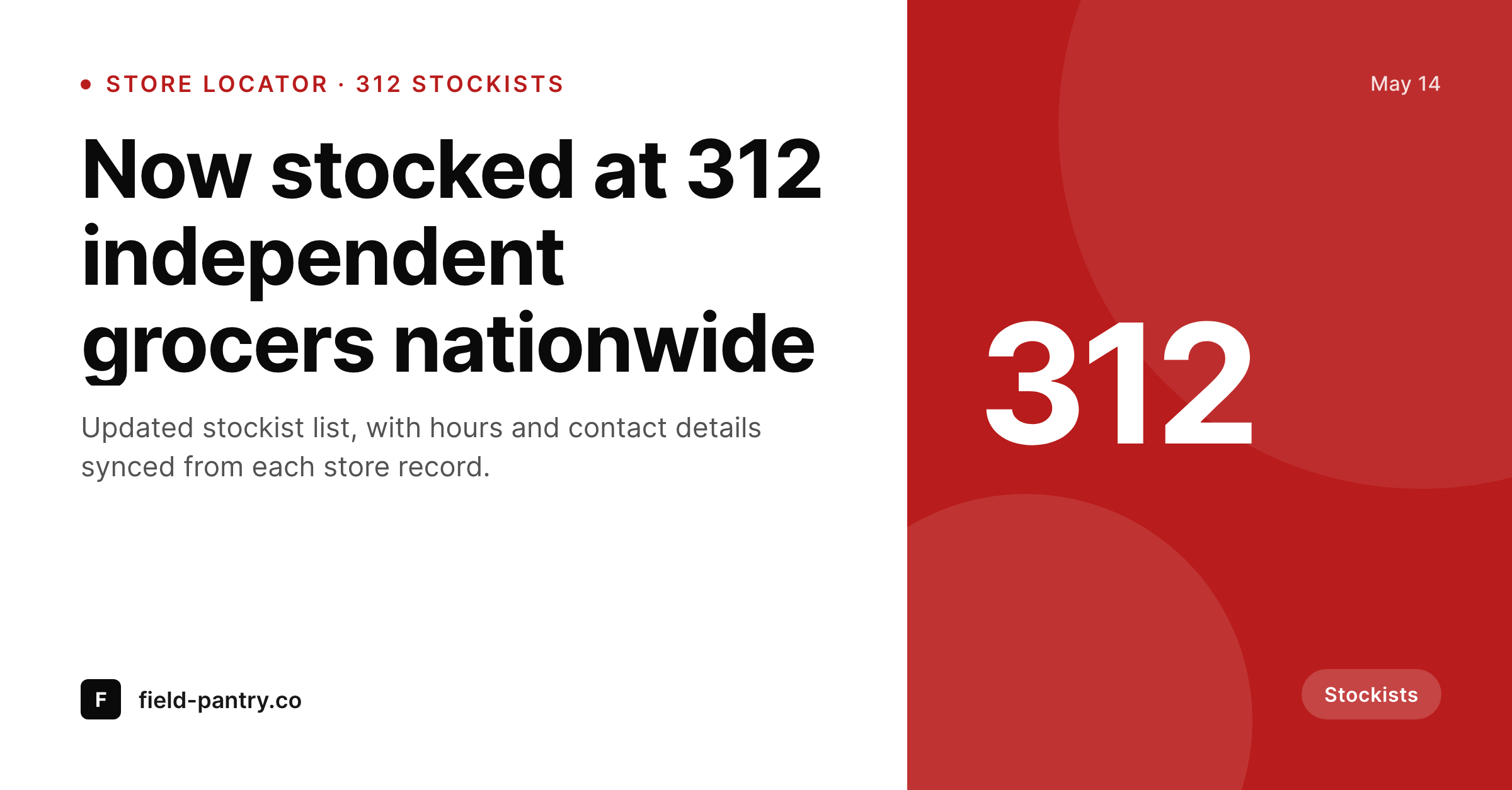
SleekPixel binds to the same stockist records. On save (or in bulk on a brand refresh), it renders a 1200 by 627 PNG per stockist, per region and per locator page. The card carries the stockist name, the city or region, a small count mark when relevant, and the brand wordmark. The locator stays exactly as configured; the share previews start reading like the rest of the brand.
Workflow
From WP Store Locator record to share card
Locator already running
Build the templates
Render on save
Share with real previews
Output
What renders for each stockist or region
A 1200 by 627 LinkedIn-ready card with stockist or region title, city line, a count or category mark, and the brand wordmark. Per-stockist, per-region and per-locator-page templates.
Comparison
Default locator share vs SleekPixel
Default locator OG
- Stockist pages share with the brand homepage banner, not the store
- Region and category filters never reach the share preview
- Hundreds of stockists all read identically on social
- Manual cards per region lag every new market launch
- Brand updates leave most locator cards stale for months
SleekPixel
- Reads stockist title, address, region, category and hours from WP Store Locator records
- Per-stockist, per-region and per-locator-page templates
- Bulk re-render across the full stockist list on brand updates
- Status badges for new, featured and seasonal stockists
- Output stays as self-hosted PNGs in uploads, set as og:image
Features
What SleekPixel gives you for WP Store Locator
Stockist-record aware
Title, region, category, hours and custom fields bind directly to template slots. The card and the locator search read from the same data.
Per-region templates
Regional roll-up pages render their own template with a count mark and region name, distinct from per-stockist cards.
Featured and new badges
Stockists flagged 'new' or 'featured' render a small badge variant, so launches read as launches on social and not as routine listings.
Use cases
Where store locators need branded share cards
Retail stockist directories
Food, beauty and homewares brands share new stockists per region with a branded card per launch, instead of the same generic homepage banner.
Beverage distributors
Wine, spirits and beer distributors share where each label is stocked, with the stockist name, city and a category badge on the card.
DTC brands going wholesale
Direct-to-consumer brands moving into retail share every new partner with a card that matches the rest of the marketing surface, no design lead required.
The bigger picture
Why stockist directories deserve real cards
Stockist content is one of the highest-converting surfaces a brand has, since it answers the most common pre-purchase question (where can I find this near me). The locator does its job on the site itself, but most of the value gets reabsorbed when the share previews on social and in partner emails all look the same. A new stockist post that shares with the stockist name and the city on the card reads as a real local launch, while a homepage banner reads as a generic brand link.
SleekPixel ties the share card to the same record the locator reads from, so the stockist data and the social preview never drift. Hundreds of stockists become hundreds of branded cards without a design queue. Regional roll-ups get their own template with the count mark and the region name.
Brand refreshes propagate through a single bulk pass. The wholesale and retail teams stop building one-off art per launch and start shipping a consistent stockist surface across every channel.
Questions
Common questions about SleekPixel for WP Store Locator
It reads from whatever WordPress exposes (post meta, taxonomies, custom tables if surfaced via a hook). Most WP Store Locator installations expose stockist data through standard hooks, which SleekPixel reads cleanly.
Yes. The locator's main page is just a WordPress page with the locator shortcode. SleekPixel can bind a template specifically to that page, with a count mark of total stockists and a brand wordmark.
Any post meta exposed by the Premium add-on is readable. SKUs, wholesale categories and notes can bind to template slots; most teams keep these to a single small slot to keep the card readable.
Yes, as of the last save. SleekPixel re-renders on locator page save, and a scheduled task can trigger a bulk re-render nightly so the count mark stays current.
Yes. CSV imports produce or update WordPress records, which trigger renders on save. A bulk import of 200 new stockists results in 200 rendered cards.
Yes. Template logic can hide the count slot when the count is below a threshold, or substitute a 'new region' badge instead.
No. The search is unaffected. SleekPixel only attaches at save time and serves cached PNGs from uploads on the front end.
Most teams flip the stockist status to closed and the template renders a muted variant. Old shares already on social keep their old card; new shares pick up the muted version.
Pricing
More than 1000+
happy customers
Explore our flexible licensing options tailored to your needs. Upgrade your license anytime to access more features, or opt for a lifetime license for ongoing value, including lifetime updates and lifetime support. Our hassle-free upgrade process ensures that our platform can grow with you, starting from whichever plan you choose.
Lifetime ♾️
Most popular
EUR
once
- Unlimited websites
- Lifetime updates
- Lifetime support
...or get the Bundle Deal
and save €250 🎁
💎 Want everything forever? The All Access Pass is going away on 01.08.2026.
The Bundle (unlimited sites)
Pay once, own it forever
Elevate your WordPress site with our exclusive plugin bundle that includes all of our premium plugins in one package. Enjoy lifetime updates and lifetime support. Save significantly compared to buying plugins individually.
What’s included
-
SleekAI
-
SleekByte
-
SleekMotion
-
SleekPixel
-
SleekRank
-
SleekView
€749
Continue to checkoutBrowse more
- Fansly banner
- Telegram bot avatar
- Bandcamp banner
- X social cards
- Ko-fi shop images
- YouTube community images
- Amazon A+ content images
- Lemon Squeezy product covers
- GitHub README banners
- Bluesky feed banner
- KakaoTalk channel banners
- Mastodon profile banners
- Open Graph images
- Patreon tier images
- SoundCloud banner