






SleekPixel for Leaflet Maps Marker
Leaflet Maps Marker pins markers, tours and KML layers onto OpenStreetMap inside WordPress. SleekPixel reads the same marker post records and renders branded OG cards per marker and per tour, so walking guides and self-guided routes share with the place, not the homepage.
♾️ Lifetime License available
Maps Marker carries the tour, the share preview is generic
Leaflet Maps Marker is the open-source-leaning mapping plugin for WordPress, built on OpenStreetMap and Leaflet rather than Google. It is the plugin behind hundreds of walking-tour sites, heritage projects, public history maps, hiking guides and small museum sites. Each marker is tied to a WordPress post; tours are collections of markers; KML and GeoJSON layers extend the model further. Communities that pick it choose it for the openness of the data layer and the freedom from Google Maps Platform billing.
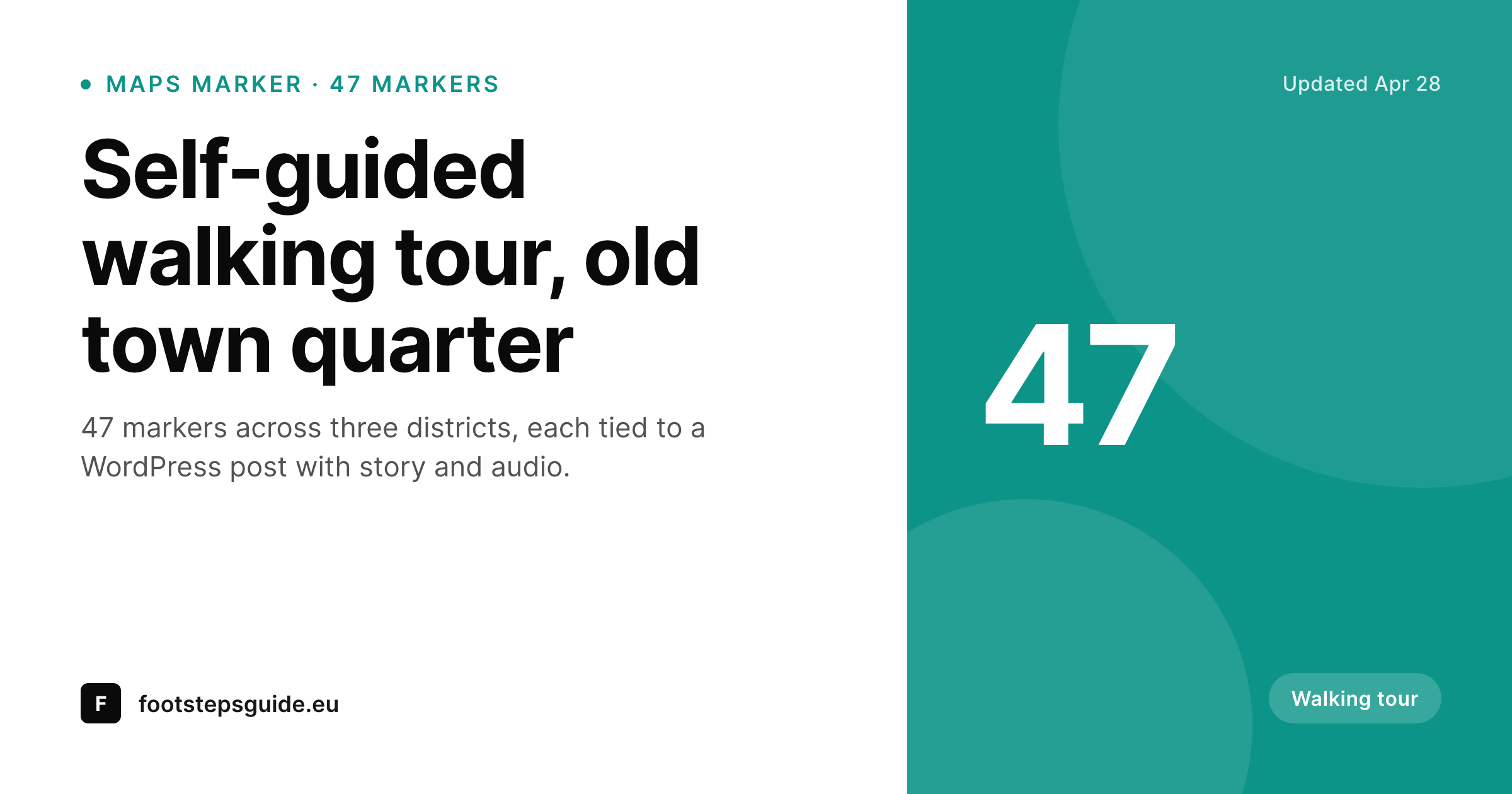
That same audience often runs into the same gap. The marker posts and tour pages get shared (on Mastodon, on Bluesky, in heritage Slack channels, in tourism newsletters) and the preview is whatever the WordPress theme defaults to. A walking tour with 47 carefully curated stops shares with the same banner as the homepage. A marker for a historic well shares with the same image as a marker for a wartime memorial. The map carries the work; the social link does not.
SleekPixel binds to the same marker and tour post records. On save it renders a 1200 by 630 PNG per marker and per tour, with the marker or tour title, the district or region label, the marker count for tours, and the project wordmark. The card matches the project brand and the social link starts reflecting what the map already shows.
Workflow
From Maps Marker post to branded card
Map already running
Build marker and tour templates
Render on save
Share with branded previews
Output
What renders per marker or tour
A 1200 by 630 OG card with marker or tour title, district label, marker count for tour roll-ups, and the project brand. Renders on save and on bulk regeneration.
Comparison
Default marker share vs SleekPixel
Default theme OG
- Marker posts share with the site default, not the marker name
- Tour pages share with the same banner as every other site page
- District and region taxonomies never reach the preview
- Manual social art per marker is impractical at any real scale
- Brand changes never propagate through historical marker shares
SleekPixel
- Reads marker post fields (title, district, category, coordinates)
- Per-marker and per-tour templates with a 1200 by 630 PNG output
- Tour roll-ups show a marker count mark on the card
- Bulk re-render across hundreds of markers when the brand updates
- Stays in the open-source spirit of the plugin, self-hosted output
Features
What SleekPixel gives you for Leaflet Maps Marker
Marker-aware slots
Title, district, category and small count mark bind to fields Maps Marker already writes. No duplicate data entry.
Tour templates
Tour roll-up pages render their own template with the marker count and tour name, distinct from individual marker cards.
Stays self-hosted
Output is a static PNG on your own server. No third-party render service, matching the open-source posture that drew most teams to Maps Marker in the first place.
Use cases
Where Maps Marker projects ship per-marker cards
Walking tour and trail sites
Self-guided tour sites share each tour and stop with the title and district on the card, instead of the homepage banner.
Heritage and history maps
Public history projects share markers with the category (memorial, building, plaque) and area, so partner shares carry context, not a generic site link.
Nature and biodiversity maps
Nature reserves and biodiversity inventories share per-species or per-site markers with a clear card per record.
The bigger picture
Why heritage and tour projects need real cards
Heritage and tour projects often run on tight budgets and tighter brand consistency than the larger commercial sites that get all the attention. Maps Marker fits these projects because it is open, self-hosted and free of Google Maps billing. The same projects benefit the most from a branded share card per marker and per tour, because their growth depends almost entirely on word-of-mouth referrals in communities that share over Mastodon, in newsletters and in small Slack and Discord groups.
A walking tour shared with the tour name and district on the card converts, while a homepage banner does not. SleekPixel keeps everything inside WordPress, reads the same data Maps Marker stores, and renders branded cards in the same save cycle as any other post. The map stays open, the share preview catches up, and the small-team projects that anchor Maps Marker's audience get the same brand presence on social that bigger sites take for granted.
Questions
Common questions about SleekPixel for Leaflet Maps Marker
No. SleekPixel renders a template card from post fields. OpenStreetMap tiles have attribution requirements and reuse rules; rendering a clean branded card avoids that friction entirely.
Yes. Latitude and longitude are post fields the plugin already populates. Most projects use a district name or category instead because it reads faster than coordinates on a small card.
Yes. Layer post fields are standard WordPress meta, so they bind to template slots like any other field.
Each imported marker becomes a WordPress post, and SleekPixel reads that post. The render happens on the post, not on the source KML file.
Yes. SleekPixel supports per-post-type and per-page template rules. Tour pages render one template, individual markers another.
No. The PNG renders on post save, and the front end serves a cached static file from uploads.
If the site uses WPML or Polylang to translate marker posts, each translation is a separate post with its own fields. SleekPixel renders a card per translated post.
The default 1200 by 630 PNG is sized for web sharing. A second template at higher resolution can render alongside for print or in-museum signage if needed.
Pricing
More than 1000+
happy customers
Explore our flexible licensing options tailored to your needs. Upgrade your license anytime to access more features, or opt for a lifetime license for ongoing value, including lifetime updates and lifetime support. Our hassle-free upgrade process ensures that our platform can grow with you, starting from whichever plan you choose.
Lifetime ♾️
Most popular
EUR
once
- Unlimited websites
- Lifetime updates
- Lifetime support
...or get the Bundle Deal
and save €250 🎁
💎 Want everything forever? The All Access Pass is going away on 01.08.2026.
The Bundle (unlimited sites)
Pay once, own it forever
Elevate your WordPress site with our exclusive plugin bundle that includes all of our premium plugins in one package. Enjoy lifetime updates and lifetime support. Save significantly compared to buying plugins individually.
What’s included
-
SleekAI
-
SleekByte
-
SleekMotion
-
SleekPixel
-
SleekRank
-
SleekView
€749
Continue to checkoutBrowse more
- Mailchimp email banner
- Instagram stories
- Threads profile banners
- Tidal cover art
- Rednote (Xiaohongshu) post
- Fanvue page banner
- Bluesky profile banners
- Mastodon post images
- Instagram ad images
- Discord server banners
- YouTube end cards
- Vimeo channel banners
- Pinterest video pin covers
- Audible audiobook cover
- Instagram feed posts