






SleekPixel for Discourse topics
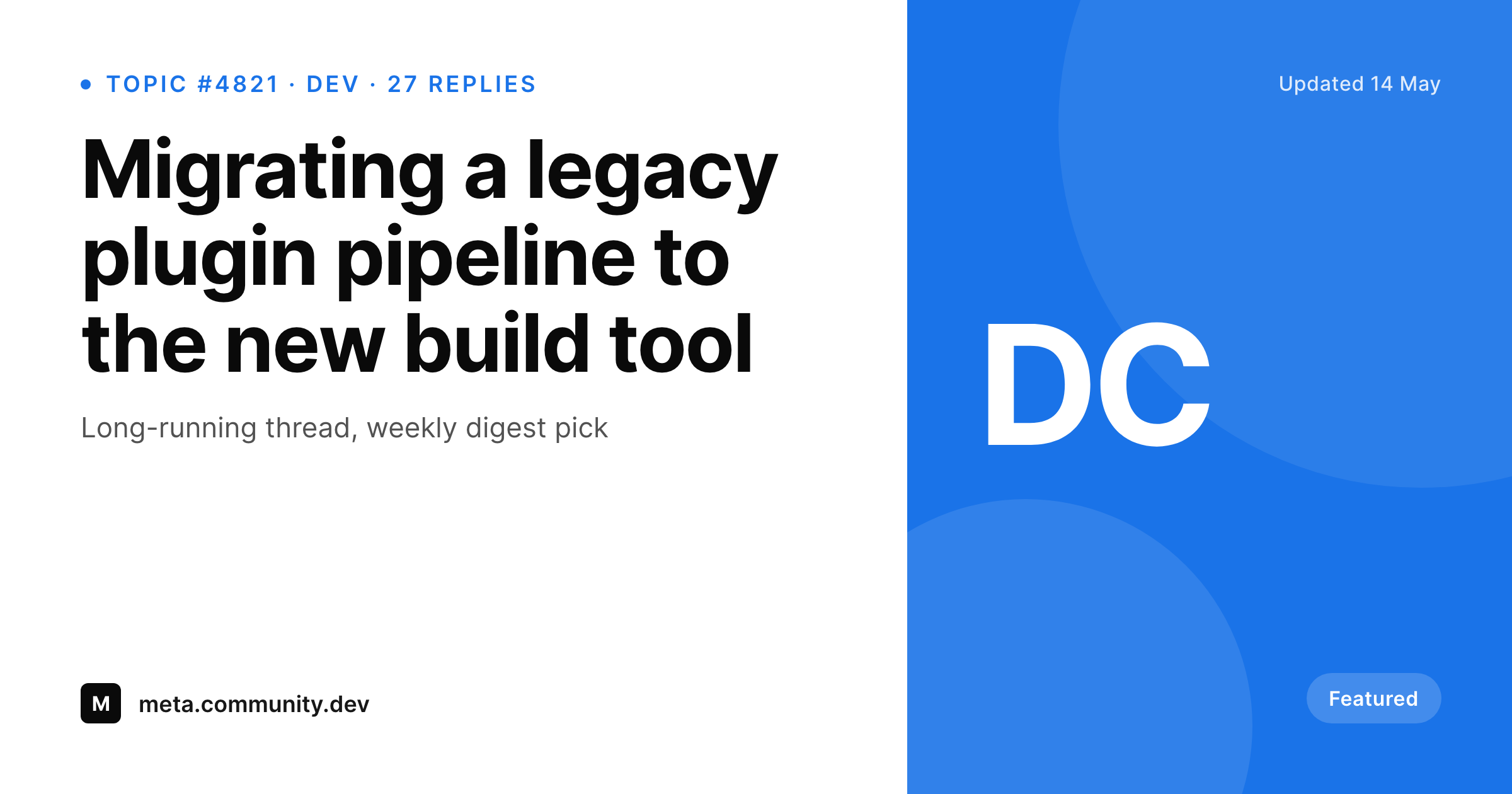
Sharing a forum thread usually leaves the audience with the avatar of the OP and nothing else. SleekPixel renders a branded 1200 by 630 card per Discourse topic surfaced on WordPress, with the title, category and reply count where the eye lands first.
♾️ Lifetime License available
Forum threads carry the conversation, screenshots carry the share
Discourse is where the actual community lives for a lot of product and developer organizations. The best threads, the long-running technical discussions, the announcements with hundreds of replies, all of it sits behind a forum URL. The moment one of those threads needs to leave the forum and land on LinkedIn, Twitter or a customer email, the share looks thin. Default Discourse OG images show the first post's avatar and the topic title in plain typography, with no category cue, no reply count, no brand surface from the parent company.
Teams that want to highlight community activity start screenshotting threads instead. That works once. Across a month of weekly digests, top topic roundups and announcement shares, the captures all look slightly different, the brand never appears, and the social card never tells the reader why the thread mattered.
SleekPixel sits on the WordPress side of a Discourse to WordPress bridge (Discourse SSO, the WP Discourse plugin, a custom REST sync) where topics are mirrored or referenced as posts. Each mirrored topic becomes a post with topic id, title, category, reply count and author fields. SleekPixel reads those fields and renders a branded card per topic, so any link back to the forum thread carries a proper preview wherever it lands.
Workflow
From Discourse topic to branded share card
Bridge Discourse to WordPress
Build the topic template
Render on save
Share the WordPress link
Output
What ships for every Discourse topic
A 1200 by 630 PNG sized for Open Graph and Twitter cards: topic title, category tag, reply count, author handle and the forum's brand wordmark, rendered from the topic fields synced into WordPress.
Comparison
Default Discourse OG image vs SleekPixel card
Default Discourse OG image
- Default OG image leans on the OP avatar plus plain topic title
- No category cue tells the reader where the thread sits
- Reply count and activity signal never reach the social card
- Brand colors of the parent company are absent from the preview
- Locked topics, solved topics and announcements all look identical
SleekPixel
- Reads WordPress fields mirrored from Discourse topics
- Per-topic 1200 by 630 PNG sized for OG and Twitter
- Category, reply count and status bind to dedicated slots
- Different template variants per topic type (announcement, solved, locked)
- Bulk re-render when the brand or template changes
Features
What SleekPixel gives you for Discourse topics
Topic-aware templates
Templates know the difference between a question, an announcement and a long-running discussion. The card layout, status pill and color cue shift accordingly.
Category and status slots
Category, tags and topic status (solved, locked, pinned) bind to dedicated slots, so the card communicates the thread's role before anyone clicks.
Re-renders on sync
When the WP Discourse sync updates the post, the card re-renders. Reply counts and titles stay in step with the live forum without manual intervention.
Use cases
Who shares Discourse topics as branded cards
Community digests
Weekly roundups link out to the top five threads of the week with proper preview cards instead of a list of bare URLs.
Announcements
Product launches and policy updates posted as Discourse topics ship to LinkedIn and Twitter with a branded card that matches the rest of the marketing.
Knowledge highlights
Education and developer relations teams promote solved threads as evergreen answers, with the solution and category visible on the share.
The bigger picture
Why community threads deserve a proper card
Discourse communities produce some of the highest-signal content a brand owns, but the default share treatment makes that content look like a generic forum URL. A weekly digest with five branded preview cards reads as curated work; the same digest with five plain forum links reads as a list. The presentation gap is small per share and large across a year of community marketing.
SleekPixel does not replace Discourse and does not pull people away from it. The forum stays the place where the conversation actually happens. The bridge is the WordPress mirror that already exists for SEO, search and aggregated indexing reasons.
SleekPixel attaches the brand layer to that mirror so any link back to the thread carries the same visual standard the rest of the site does. Reply counts and titles stay in step with the live thread because they re-render on each sync.
Questions
Common questions about SleekPixel for Discourse topics
No. SleekPixel reads WordPress post fields. Getting Discourse topics into WordPress is a separate step, handled by the official WP Discourse plugin, a Discourse SSO bridge, or a custom REST sync. Once topics are posts, SleekPixel binds to the fields.
No. The card only needs the fields it renders: title, category, reply count, author handle, status. Most teams sync just the metadata and let the click resolve back to the live forum for the full thread.
Yes. Templates can branch on a status field. Solved threads can show a green check slot, locked threads can show a muted lock pill, announcements can use a different accent. All three variants live inside one template.
As fresh as the sync schedule. The WP Discourse plugin syncs on a cron and on webhook events. SleekPixel re-renders on every post save, so cards generally stay within the sync window of the live thread.
Category color values can be carried into the synced post as a custom field and bound to the card's accent slot. The template then uses the forum's own category color rather than a hard-coded one, so the preview matches the in-forum cue.
No. The WordPress URL and the Discourse URL are different. SleekPixel sets the og:image on the WordPress post that mirrors the topic. Direct links to the Discourse thread still use Discourse's own OG image.
Most teams only mirror public categories into WordPress. Private categories stay inside Discourse. The plugin only renders cards for what gets synced, so access rules on the forum side are respected by default.
Yes. A digest can be its own WordPress post with a list of topic ids as a custom field. The template loops through the ids, pulls each topic's title and renders a multi-row card. This is how weekly community roundups get their cover image.
Pricing
More than 1000+
happy customers
Explore our flexible licensing options tailored to your needs. Upgrade your license anytime to access more features, or opt for a lifetime license for ongoing value, including lifetime updates and lifetime support. Our hassle-free upgrade process ensures that our platform can grow with you, starting from whichever plan you choose.
Lifetime ♾️
Most popular
EUR
once
- Unlimited websites
- Lifetime updates
- Lifetime support
...or get the Bundle Deal
and save €250 🎁
💎 Want everything forever? The All Access Pass is going away on 01.08.2026.
The Bundle (unlimited sites)
Pay once, own it forever
Elevate your WordPress site with our exclusive plugin bundle that includes all of our premium plugins in one package. Enjoy lifetime updates and lifetime support. Save significantly compared to buying plugins individually.
What’s included
-
SleekAI
-
SleekByte
-
SleekMotion
-
SleekPixel
-
SleekRank
-
SleekView
€749
Continue to checkoutBrowse more
- Series A cards
- merch drop cards
- tool of the day cards
- milestone celebration cards
- customer story card
- summit recap card
- this not that cards
- acquisition announcement cards
- command of the day card
- how-to guide cards
- incident report cards
- GitHub release card
- manifesto card
- valuation card
- music recommendation cards
- Telegram channel banner
- YouTube Music cover art
- YouTube thumbnails
- Snapchat Spotlight covers
- YouTube Shorts thumbnails
- Behance banner
- X ad images
- Linktree banner image
- TikTok cover images
- Facebook ad images
- Etsy cover photos
- Instagram carousel slides
- Facebook Shop product images
- Patreon cover images
- Tumblr header