






SleekPixel for career coach
Resume rebuilds, interview intensives, exec pivots, and salary negotiation pages each render a LinkedIn-shaped card with the program length, the outcome, and the next intake set. Saving the page in WordPress saves the preview a client will reshare.
♾️ Lifetime License available
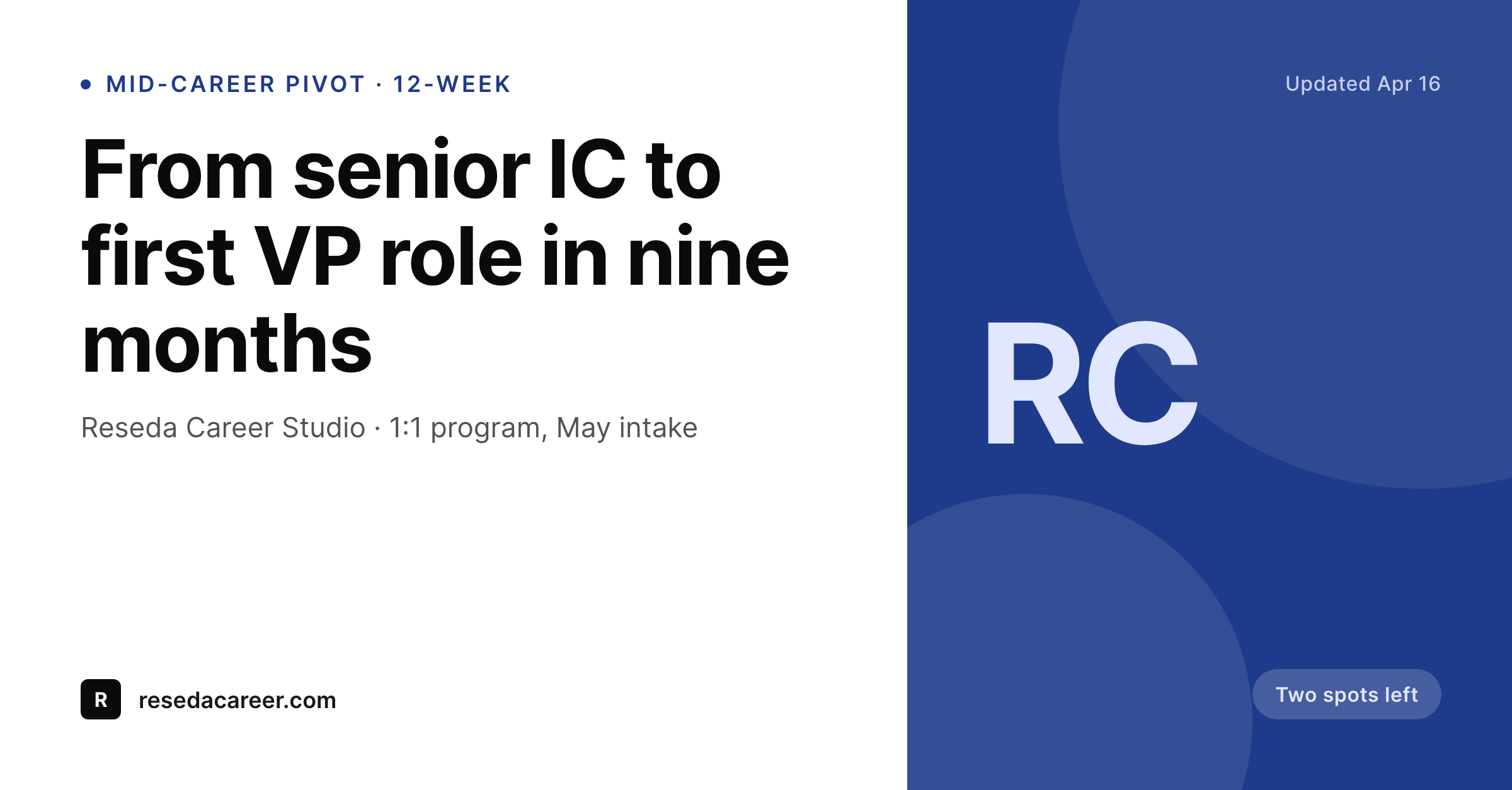
LinkedIn is the storefront, the card has to do the selling
A career coach lives on LinkedIn. Program pages, case studies, and intake forms all get shared into the feed, into DMs, into chat threads where someone is asking who helped a friend land a director role last year. The default WordPress preview is a stock photo of a handshake or a laptop, and that's exactly what a feed reader scrolls past.
The data that actually sells is already on the page. The program length, the outcome the coach is known for, the next intake date, the seats remaining. A resume rebuild page has different specifics from an executive pivot page. A salary negotiation intensive runs on a different cadence from a six-month coaching engagement. The card should reflect that, and the default preview never does.
SleekPixel turns each program and case study page into a card built from the page fields. The program length, the outcome, the next intake, and the seat count render onto a LinkedIn-shaped image. Saving the page saves the preview. The card a former client reshares into their network reads like the program they actually finished.
Workflow
From program page to feed reshare
Map program fields
Design one feed template
Save the page
Client or coach reshares the link
Output
What gets generated per program page
A 1200x627 LinkedIn-post image with the program, the outcome, the next intake, and the seat count. Pulled from page fields.
Comparison
Default career coach image vs SleekPixel
Default career coach image
- Stock handshake or laptop photo on every program page
- Resume rebuild and executive pivot pages share one banner
- Program length, outcome, and intake date don't surface in the preview
- Former client resharing the link to their network gets a generic card
- Seats-remaining state has to be added by hand in every post copy
SleekPixel
- Save the program page, the LinkedIn card lands in uploads
- Program length, outcome, next intake, and seat count pulled live
- Confident, professional palette tuned for the LinkedIn feed
- Same render powers OG and Twitter cards for the same page
- One template across resume, interview, pivot, and negotiation programs
Features
What SleekPixel gives you for career coach
Program length on the card
Six-week resume rebuild, twelve-week pivot, three-day negotiation intensive each render with the duration clearly on the preview.
Outcome anchored
The signature outcome for the program renders as the headline on the card so the reshare carries the story, not a generic title.
Intake and seats
Next intake date and seats-remaining render in a small line so prospects feel the cadence without reading the page first.
Use cases
Who uses SleekPixel for career coaches
Resume and LinkedIn coaches
Resume rebuild and LinkedIn-profile programs render with the before-after framing on the card so the reshare reads as a story.
Executive and pivot coaches
Mid-career pivot and exec-level coaching pages render with role-level outcomes and program length on the preview.
Salary negotiation specialists
Negotiation intensives share with the average lift or median outcome, where the coach has the data and the page lists it.
The bigger picture
Why the LinkedIn card decides whether the reshare lands
Career coaching grows on reshares. A former client lands a role and posts a thank-you note linked to the program page. A peer drops the link in a chat thread when a friend mentions they're stuck.
Those moments are short, and the preview card is the entire pitch the next person sees in their feed. A stock photo with no program length, no outcome, and no intake doesn't convert that moment into a discovery call. A card with the program length, the outcome, the next intake, and the seat count does.
Coaches that pin the page data to every card find that warm leads arrive already knowing what they're booking, and the first call is a fit conversation instead of an explainer.
Questions
Common questions about SleekPixel for career coach
Yes. Six-week, twelve-week, or three-day each carry as a field on the program page and render directly onto the card.
Yes. A short date or month-and-year field renders onto the card so prospects feel the cadence from the share.
Yes. A short seats-remaining field on the page re-renders the card on save. Many coaches update the field weekly during an enrollment window.
Yes. The same render is wired to LinkedIn-post dimensions and the OG image tag. The link previews on LinkedIn and on other surfaces consistently.
Yes. Case studies typically render with the client's role-level outcome and the program completed. Many coaches anonymize the name and keep the outcome and the timeline on the card.
Not directly. SleekPixel renders the preview card. Booking and scheduling stay with the tool the coach already uses, and the card just helps the prospect arrive there with context.
Yes. A short price-from or package-price field can render in a small line. Many coaches choose to leave price off the public card and keep it on the page itself.
Yes. Lead magnet pages render their own card with the guide title and the audience on the preview. Useful when a coach is building a list before a launch.
Pricing
More than 1000+
happy customers
Explore our flexible licensing options tailored to your needs. Upgrade your license anytime to access more features, or opt for a lifetime license for ongoing value, including lifetime updates and lifetime support. Our hassle-free upgrade process ensures that our platform can grow with you, starting from whichever plan you choose.
Lifetime ♾️
Most popular
EUR
once
- Unlimited websites
- Lifetime updates
- Lifetime support
...or get the Bundle Deal
and save €250 🎁
💎 Want everything forever? The All Access Pass is going away on 01.08.2026.
The Bundle (unlimited sites)
Pay once, own it forever
Elevate your WordPress site with our exclusive plugin bundle that includes all of our premium plugins in one package. Enjoy lifetime updates and lifetime support. Save significantly compared to buying plugins individually.
What’s included
-
SleekAI
-
SleekByte
-
SleekMotion
-
SleekPixel
-
SleekRank
-
SleekView
€749
Continue to checkoutBrowse more
- Vimeo channel banners
- Ghost feature images
- Pinterest video pin covers
- YouTube ad thumbnails
- Substack post headers
- Xiaohongshu cover images
- VSCO cover
- Lemon8 post
- Warpcast frame images
- YouTube banner art
- Pinterest board covers
- Facebook post images
- Bluesky profile banners
- Open Graph images
- Reddit subreddit banners