






SleekPixel for pitch deck card
Founders post pitch decks on personal sites, accelerator profiles, and dedicated raise pages. SleekPixel reads the deck's title, round, and slide count from the post and renders a branded link preview that looks like the company shipped the deck, not a third-party viewer.
♾️ Lifetime License available
Pitch decks live on the open web, the link preview rarely shows it
The modern fundraise plays out partly in DMs and partly in public. A founder uploads the deck to a private viewer, gets the link, and posts it on LinkedIn or Twitter with a short intro. The link preview is the first impression an investor sees. If the preview is the viewer's default logo, it reads as a vendor tool rather than the company. If the preview is a screenshot of slide one, it usually crops the headline awkwardly.
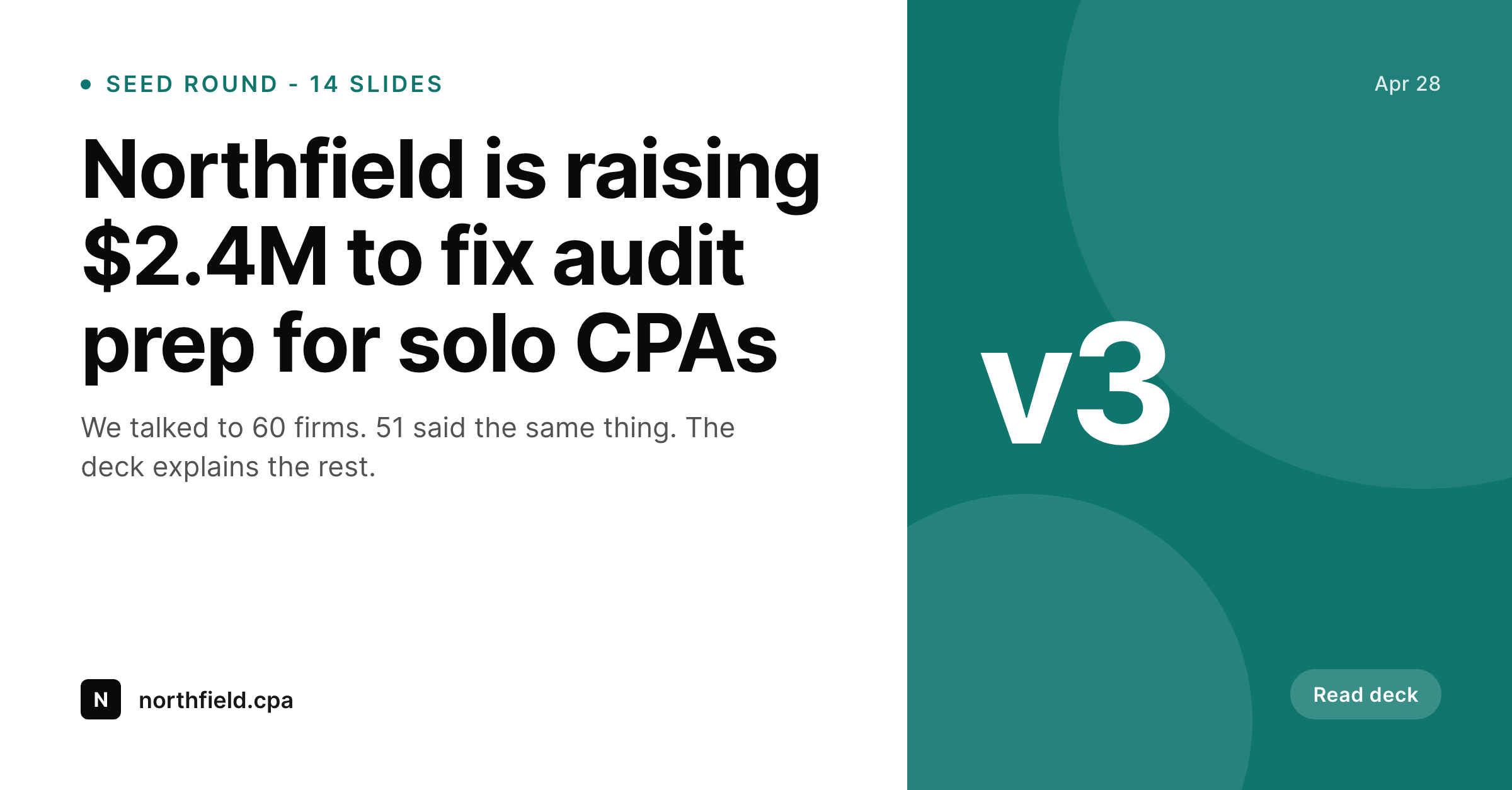
Hosting the deck on the company's own site solves this, and SleekPixel makes the share card a side effect of publishing. The founder creates a post with the deck title, the round size, the slide count, and the deck PDF or embed. On save, SleekPixel renders a 1200x627 card with the company logo, the headline of the deck, and a one-line teaser. The og:image points at that card. The investor sees the company's brand in the link preview, not a third-party viewer.
The deck itself can still embed PandaDoc, DocSend, or a custom viewer. The share card is independent. Update the round size on the post, save, the card refreshes. Move to v3 of the deck, the card reflects it. The fundraise post becomes the single URL that gets shared across every channel with a consistent preview.
Workflow
From deck export to share-ready preview in one save
Design the deck card template
Publish the deck post
Card renders to uploads
Share the URL anywhere
Output
Sample pitch deck card
A 1200x627 share card with the deck title, round size, slide count, and the company logo - rendered from the deck post.
Comparison
Default viewer preview vs SleekPixel
Third-party viewer default
- Link preview shows the deck viewer's brand instead of the company's
- Slide one screenshot gets cropped and the headline becomes unreadable
- Updates to the deck do not refresh the social preview
- Multiple versions of the deck float around with no visual versioning
- Investor DMs paste a link that looks like a vendor tool, not the company
SleekPixel
- Card renders on save from the deck post, no separate design step
- Round size, slide count, version pulled from post fields
- Company logo and brand colors locked in the template
- og:image points at the rendered card across every channel
- Version updates flow into the preview automatically
Features
What SleekPixel gives you for pitch deck card
Deck-aware fields
Round size, deck version, slide count, raise stage. Each binds to a post field so the share card reads like the company shipped the deck, not the viewer.
Works with private viewers
The deck itself can stay in DocSend, PandaDoc or a password-gated viewer. The share card lives on the public post URL. Privacy on the deck, brand on the preview.
Version updates on save
Bump the deck to v3, update the round to $3M, save the post. The card regenerates and every link preview catches up the next time it is scraped.
Use cases
Where pitch deck cards earn their keep
Active fundraises
Founders sharing the deck across LinkedIn DMs, Twitter posts, and intro emails. Every link previews the same on-brand card.
Warm intros from advisors
When an advisor forwards the deck link to an investor, the preview in their email or messaging app shows the company brand, not the viewer's UI.
Multiple deck variants
Customer deck, investor deck, partner deck. Each lives on its own post with its own card, so the preview matches the audience for each version.
The bigger picture
Why the deck preview matters as much as the deck
An investor opens twenty deck links a day. The ones that get read first are usually not the ones with the strongest slide one, because the investor has not opened them yet. The ones that get read first are the ones whose link preview signals seriousness in the messaging app or the email client where the link arrives.
A card that shows the company logo, the round size, and a sharp headline reads as a company running a real raise. A default third-party viewer preview reads as a founder kicking the tires. Both decks may be excellent, but the order in which they get opened is set by the preview, and the preview is often the first piece of the fundraise the founder forgets to control.
SleekPixel makes the preview a structural part of publishing the deck, not a separate design task. The fundraise post is the source. The render runs on save.
Every shared link looks like it belongs to the company. That is the bar for a credible raise, and SleekPixel lowers the cost of meeting it from a designer engagement to a five-minute template setup.
Questions
Common questions about SleekPixel for pitch deck card
No. The deck PDF can stay password-gated, DocSend-protected, or behind a request form. The share card lives on the public post URL, separate from the deck file. The preview shows the brand without exposing the deck.
Yes. A custom field like 'teaser' or 'one_liner' binds to a text layer in the template. Each deck post can have its own teaser, so the card reads like a tailored pitch rather than a generic template.
Update the post, save. SleekPixel re-renders the card. Update the round size from $2M to $3M, save, the new figure appears in the preview the next time a platform scrapes the URL.
Yes. Each version can be its own post with its own card. v1 for the friends and family round, v2 for institutional, v3 for the lead. Each URL previews independently.
Yes. LinkedIn reads og:image when a link is pasted in a DM. The same card that shows up on a public LinkedIn post also shows up in private DMs to investors.
Gmail and other email clients read og:image on supported link previews. The branded card appears in the inbox preview the same way it appears on social platforms.
SleekPixel does not track views on the card itself. Tracking who opened the deck stays with whatever viewer you use - DocSend, PandaDoc, or a custom solution. The card is a link-preview asset, not a tracking layer.
Yes. SleekPixel writes og:image and twitter:image. Yoast or Rank Math handles og:title, og:description, canonical and the rest. No conflict.
Pricing
More than 1000+
happy customers
Explore our flexible licensing options tailored to your needs. Upgrade your license anytime to access more features, or opt for a lifetime license for ongoing value, including lifetime updates and lifetime support. Our hassle-free upgrade process ensures that our platform can grow with you, starting from whichever plan you choose.
Lifetime ♾️
Most popular
EUR
once
- Unlimited websites
- Lifetime updates
- Lifetime support
...or get the Bundle Deal
and save €250 🎁
💎 Want everything forever? The All Access Pass is going away on 01.08.2026.
The Bundle (unlimited sites)
Pay once, own it forever
Elevate your WordPress site with our exclusive plugin bundle that includes all of our premium plugins in one package. Enjoy lifetime updates and lifetime support. Save significantly compared to buying plugins individually.
What’s included
-
SleekAI
-
SleekByte
-
SleekMotion
-
SleekPixel
-
SleekRank
-
SleekView
€749
Continue to checkoutBrowse more
- Twitter header banners
- Bandcamp banner
- Kick stream thumbnails
- YouTube channel banners
- Etsy listing images
- Douyin thumbnails
- Instagram ad images
- Mastodon profile header
- YouTube end screens
- Kick channel banners
- X Space banners
- Facebook group banners
- Bluesky link cards
- Apple Music cover art
- LinkedIn newsletter headers