






SleekPixel for panelist cards
Panel sessions on a conference site need their own share asset, not the host's lone headshot. SleekPixel pulls every linked panelist into the same card, with names, titles, and stage time written from the panel post.
♾️ Lifetime License available
Panels are sold by the lineup, not by the moderator alone
Conference panels live on a session post that links several speakers together. The page lists the moderator, the panelists, the panel title and the time slot. That page is what panelists share when they tell their audience to come watch, and what the conference team boosts in the announce wave.
The default share card collapses that whole lineup into a generic event logo. Even when the panel page itself shows four headshots in a row, the og:image is whatever featured image the editor set, usually one person. A panel sells on the combination of names. A share card that hides three of the four undersells the session every time it gets posted.
SleekPixel reads the linked-panelist field on the panel post and lays out every headshot in the same card. Names and titles come from the speaker posts, panel title and time come from the panel post itself, the render fires on save, and every panelist sharing the URL gets the same complete card.
Workflow
From panel post to social-ready card in one save
Design the panel template
Link panelists on the panel post
Panelists share the URL
Adjust the lineup and re-render
Output
What a generated panel card looks like
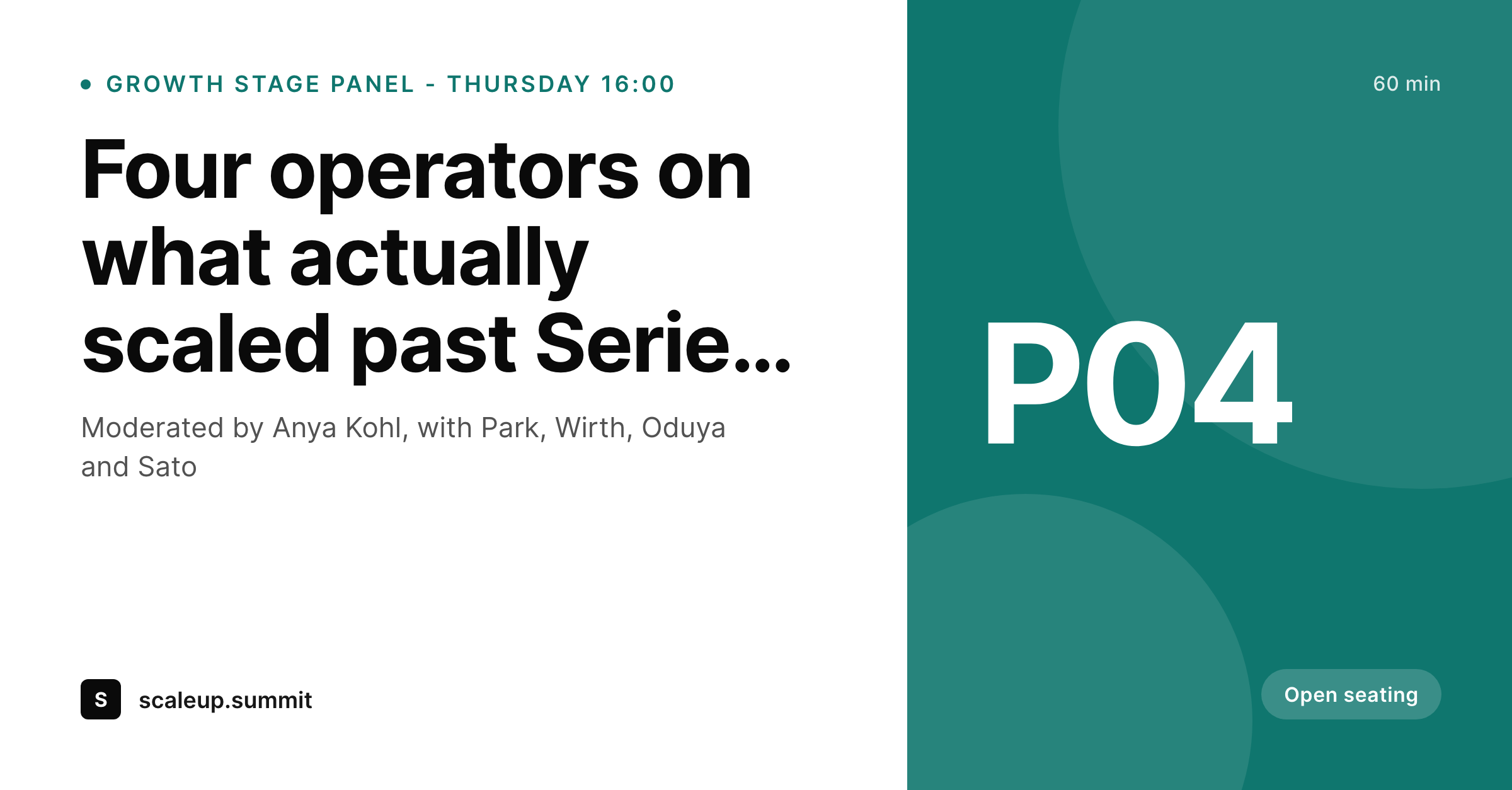
A 1200x627 LinkedIn-tuned PNG built from the panel post, with three to five linked panelist headshots in a row, names underneath, and panel title plus time on the right.
Comparison
Default panel share image vs SleekPixel
Default panelist cards image
- Featured image shows one panelist, hides the others
- Manual Canva edit per panel, breaks when a panelist swaps
- Headshots from different shoots clash in color and crop
- Panel title gets cut off on Twitter card previews
- No clean way to show moderator versus panelist distinction
SleekPixel
- Multi-headshot layout reads every linked speaker post
- Moderator gets a distinct badge or position in the card
- Panel title, room and time pulled from the panel post
- og:image and twitter:image written on save
- Bulk regenerate when a panelist drops or swaps
Features
What SleekPixel gives you for panelist cards
Multi-headshot layout
Three, four, or five panelists land in the same card with consistent crop, spacing, and accent treatment regardless of how their featured images were uploaded.
Moderator highlight
The moderator can sit in a distinct position with a small label so the share card reads correctly even when the lineup is mostly first-time attendees.
Lineup change re-renders
Swap a panelist on the panel post, save, the card rebuilds. No reopening a Canva file or chasing the social manager for an updated export.
Use cases
Who uses SleekPixel for panelist cards
Industry summits
Conferences with heavy panel programming. SleekPixel keeps every panel announce visually equivalent so the schedule reads as one curated event.
Academic and policy convenings
Multi-institution panels where the affiliation badges matter. The card pulls institution from the speaker post and lays it out cleanly.
Virtual and hybrid events
Online panel rooms that depend entirely on link clicks to fill. The complete panel card on every share lifts registration in the days before the room opens.
The bigger picture
Why panel cards undersell when only one face shows
Panels are sold by the combination of people on stage together. The reason an attendee blocks a 4pm session is rarely one panelist alone, it is the contrast between the four perspectives in the same room. When the share card only displays the moderator's headshot or the conference logo, the unique value of that panel disappears in the feed.
Panelists themselves notice, and a panelist who shares a card where their face is missing usually skips the second share. SleekPixel turns the panel post into the complete lineup card, every linked speaker present, every share consistent. The conference brand stays locked, the panel asset reads as a real session worth attending, and the announce wave actually fills the room.
Questions
Common questions about SleekPixel for panelist cards
The default templates handle two to five comfortably. Larger panels can fall back to a names-only layout where headshots get smaller or move to a strip below the title.
The template can fall back to initials in the accent color, or skip the headshot slot and show the name only. The fallback is configurable per template.
Yes. SleekPixel resolves ACF relationship, post object, repeater, and Meta Box relation fields. It also supports native post-to-post plugins.
Yes. Tag the moderator with a separate field or term and bind a distinct badge or position in the template. The layout treats them as a special slot.
Optionally, yes. Speaker-save can be configured to bubble up to every linked panel card so the headshot stays in sync across sessions.
Yes. SleekPixel writes og:image, twitter:image, and the matching width and height meta tags so X, LinkedIn, Bluesky, and Slack all pick the panel card up.
Yes. Use a category or custom field to flag the panel as sponsored and assign a different template with the sponsor's accent or badge.
Those are separate workflows. SleekPixel focuses on the web share card, the asset social platforms read from the panel URL when panelists post their links.
Pricing
More than 1000+
happy customers
Explore our flexible licensing options tailored to your needs. Upgrade your license anytime to access more features, or opt for a lifetime license for ongoing value, including lifetime updates and lifetime support. Our hassle-free upgrade process ensures that our platform can grow with you, starting from whichever plan you choose.
Lifetime ♾️
Most popular
EUR
once
- Unlimited websites
- Lifetime updates
- Lifetime support
...or get the Bundle Deal
and save €250 🎁
💎 Want everything forever? The All Access Pass is going away on 01.08.2026.
The Bundle (unlimited sites)
Pay once, own it forever
Elevate your WordPress site with our exclusive plugin bundle that includes all of our premium plugins in one package. Enjoy lifetime updates and lifetime support. Save significantly compared to buying plugins individually.
What’s included
-
SleekAI
-
SleekByte
-
SleekMotion
-
SleekPixel
-
SleekRank
-
SleekView
€749
Continue to checkoutBrowse more
- TikTok ad images
- Pinterest product pin covers
- LINE official account banners
- Substack podcast cover
- TikTok Now image
- Odnoklassniki banners
- podcast cover art
- Vimeo channel banners
- GitHub README banners
- Slack channel headers
- YouTube thumbnails
- Twitch panel images
- Spotify Canvas
- Dailymotion thumbnails
- Threads social images