






SleekPixel for status update cards
SleekPixel reads each status post's title, status, region, and timestamp and renders a custom OG image on save. The status update itself becomes the source for how the link preview looks.
♾️ Lifetime License available
Status updates have to be readable at a glance
Incident communication has unusual constraints: the post has to ship fast, the wording has to be precise, and the share preview has to be readable in a glance. Customers and on-call teammates open the link from Slack, where the link preview often is the message. A generic site logo card on a status post is actively unhelpful: it tells the reader nothing about whether the incident is open, monitored, or resolved before they click.
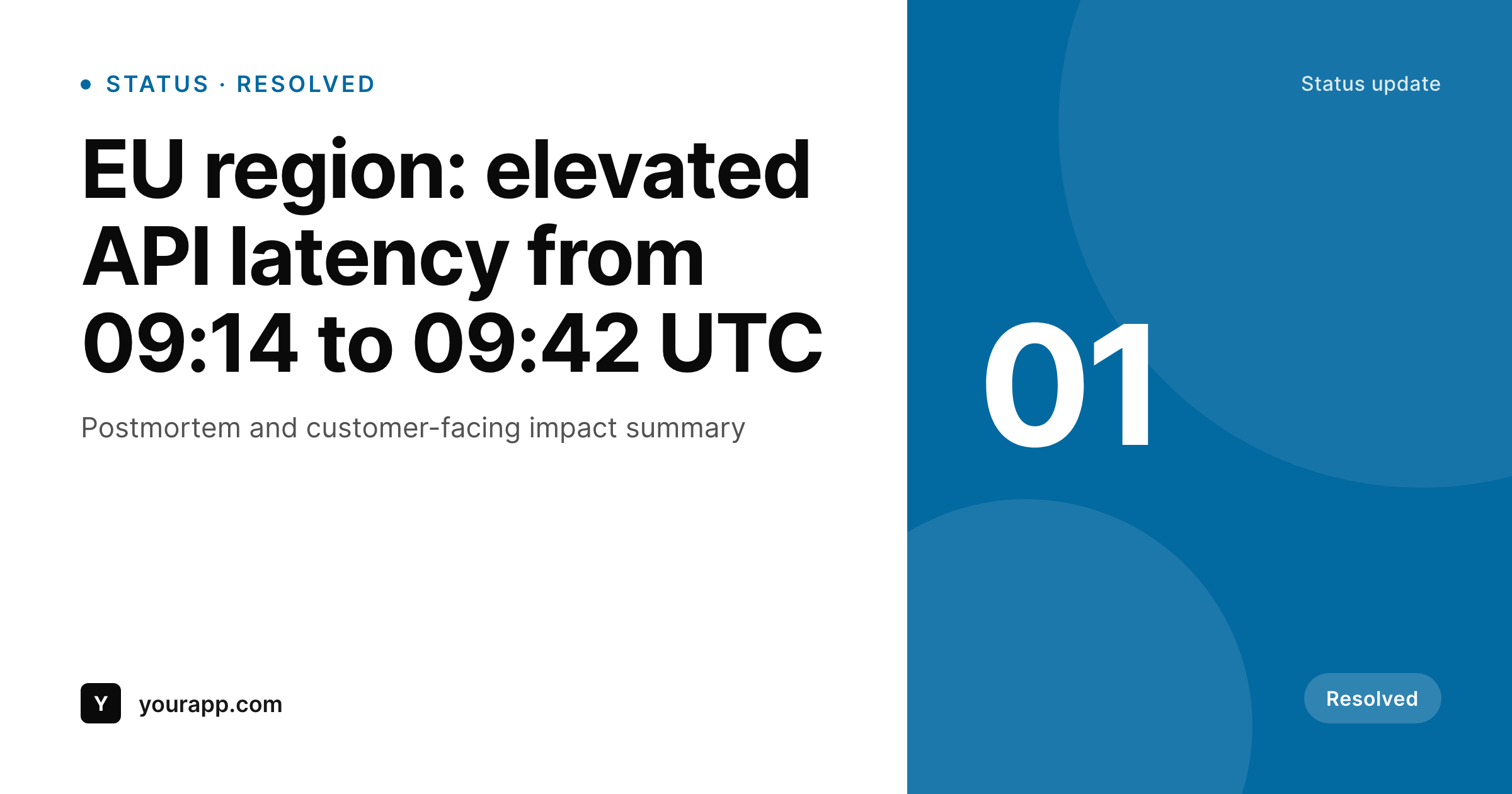
SleekPixel makes the status card structural. You build one template in the WordPress admin using fields like {post_title}, {status}, {region}, and {timestamp}. Every time a status post saves, SleekPixel renders that template with the post's actual data and writes the result into the og:image meta tag. The status pill (Investigating, Monitoring, Resolved) shows up on the card, the affected region shows up on the card, and the link preview becomes a fast read instead of an extra click.
Edit the template once and every past status post regenerates. Add a new field, say a severity level or an affected service, and every post inherits it. The full incident timeline stays in the post body. The card framing the update is generated.
Workflow
From status post to social-ready in one save
Design the template
Connect to post type
Save the post
Share anywhere
Output
Sample social card from a status update
This card was rendered from a status post's title, status, and region. Same template, every update.
Comparison
Hand-made status graphics vs SleekPixel
Manual graphic per status post
- Incident posts ship under time pressure: there is no designer pass available
- Status pills (Investigating, Resolved) drift between the post and the graphic
- Updating the brand means re-exporting every past incident card
- Most status shares end up using the generic site-logo card
- No automation: depends on operations remembering to redo the card
SleekPixel
- Auto-generated OG image per status post on save, every time
- Per-post variables: title, status, region, timestamp, custom fields
- Status pill (coloured by state) baked into the template
- Edit the template once and bulk-regenerate every past incident
- Falls back gracefully if a region or timestamp is missing
Features
What SleekPixel gives you for status update cards
Status-aware colour
Templates render the status pill in different colours per state (Investigating, Monitoring, Resolved) by reading the dynamic field.
OG + Twitter meta
SleekPixel writes the og:image, twitter:image, and twitter:image:alt tags directly on each status post. No theme code required.
Regenerate on update
When an incident moves from Monitoring to Resolved, save the post and the card updates with the new status pill automatically.
Use cases
Where this fits best
Incident communication
Status pill and timestamp pulled per post, so the share preview communicates state before anyone has to click through.
Postmortem archives
Long-running postmortem archives stay visually consistent because every entry shares one template.
Multi-region status pages
Region pulled per post, so readers can see at a glance which region an incident affected.
The bigger picture
Why a status card is part of the comms
Incident communication is one of the few content surfaces where reading speed matters more than design polish. Customers triaging a Slack alert want to know whether the incident is investigating or resolved before they click. A status pill on the share card answers that question in the preview itself, which lowers the operational load on the team writing the post.
Hand-designed cards per incident are unrealistic under pressure. Skipping the card sends every status update with the same generic preview, which makes resolved incidents look identical to active ones. The middle path, a template that pulls status and region from the post itself, keeps the card honest without slowing the team down.
SleekPixel adds bulk regeneration when the brand or template changes.
Questions
Common questions about SleekPixel for status update cards
Yes. SleekPixel supports any custom post type. Point it at your status or incidents CPT and the template applies to every post saved under it.
Yes. Templates can branch on a field value, so 'Investigating' renders red and 'Resolved' renders green. Both come from the same status field.
The template renders without it, or you can set a default like 'All regions'. Design the layout so missing fields collapse cleanly. Nothing breaks if data is incomplete.
Yes. SleekPixel re-renders on save. Updating the status field and saving the post regenerates the card with the new state.
No. The image is rendered once at save time and stored as a static PNG. Visitors load a regular image URL, no rendering happens at view time.
Yes. SleekPixel supports per-category, per-tag, and per-CPT templates. Route major and minor incidents to different templates.
External tools like Statuspage or Better Uptime stay where they are. SleekPixel handles the WordPress-side post and its share card. They do not conflict.
Yes. Each generated image is a real PNG saved to the uploads folder. Page loads stay fast and images survive even if the plugin is later disabled.
Pricing
More than 1000+
happy customers
Explore our flexible licensing options tailored to your needs. Upgrade your license anytime to access more features, or opt for a lifetime license for ongoing value, including lifetime updates and lifetime support. Our hassle-free upgrade process ensures that our platform can grow with you, starting from whichever plan you choose.
Lifetime ♾️
Most popular
EUR
once
- Unlimited websites
- Lifetime updates
- Lifetime support
...or get the Bundle Deal
and save €250 🎁
💎 Want everything forever? The All Access Pass is going away on 01.08.2026.
The Bundle (unlimited sites)
Pay once, own it forever
Elevate your WordPress site with our exclusive plugin bundle that includes all of our premium plugins in one package. Enjoy lifetime updates and lifetime support. Save significantly compared to buying plugins individually.
What’s included
-
SleekAI
-
SleekByte
-
SleekMotion
-
SleekPixel
-
SleekRank
-
SleekView
€749
Continue to checkoutBrowse more
- office hours card
- pricing comparison cards
- workshop cards
- meetup cards
- customer story card
- word of the day cards
- survey result card
- recap card
- north star metric card
- founders day card
- fact-of-the-day card
- Trustpilot review cards
- referral program cards
- acquisition announcement cards
- feature launch images
- Nostr note images
- Etsy cover photos
- Threads post cover
- Fanvue page banner
- Farcaster cast images
- Pinterest product pin covers
- TikTok Now image
- Twitch schedule banners
- Twitter/X header
- LinkedIn newsletter headers
- Instagram carousel slides
- Warpcast frame images
- YouTube Shorts covers
- Instagram ad images
- Bluesky link cards