






SleekPixel for waitlist cards
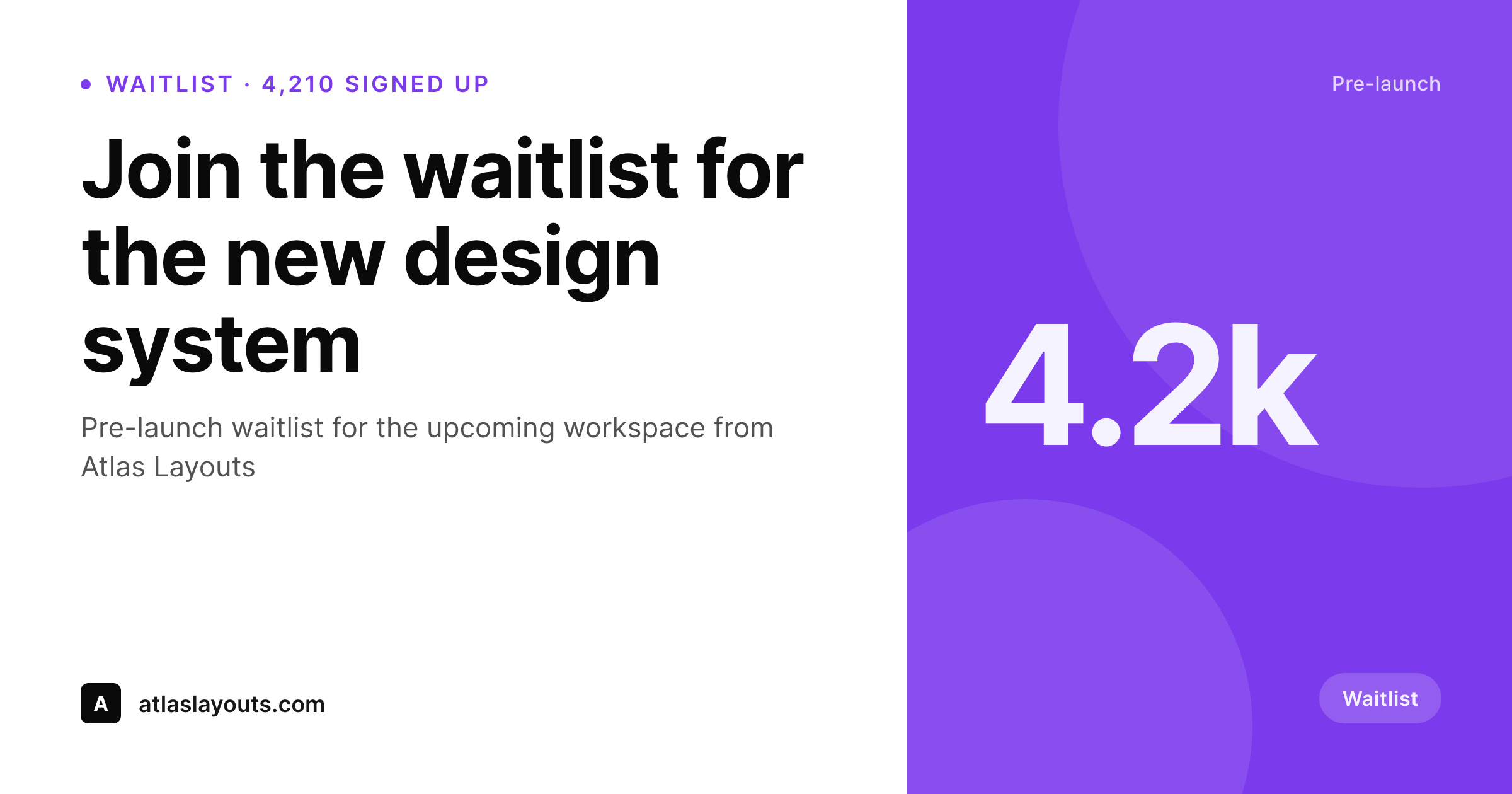
SleekPixel reads the live waitlist count and the product fields, then renders a card on save with the count, the product headline, and the brand mark. The OG card, the in-page hero, and any partner embed share one template, so every share signals real momentum.
♾️ Lifetime License available
Waitlists convert when the preview shows traction
A pre-launch waitlist relies on social proof to keep recruiting itself. The first hundred signups come from the founder's network. The next thousand come from people who saw the link reshared and recognized the count. The rest come from a flywheel that depends on each reshare carrying the count at the moment of the share. In most teams the waitlist card ships with no count, or with a hard-coded count from the announcement day, and the flywheel runs on prose in the post body instead of the preview.
SleekPixel turns the waitlist card into a derived artifact. The waitlist count lives in the database the same way the product fields do. The template encodes the layout once, with a slot for the count and a slot for the product headline. Save the post (or trigger a regenerate from the signup webhook) and the renderer writes the OG card, the in-page hero, and any partner embed in one pass. A reshare a week into the campaign carries a count that reflects the week of growth, not the announcement day.
For pre-launch programs, this changes the share loop. Each new signup is also a reason for the next reshare to land harder. The card stays a real-time signal of momentum, the brand mark anchors the program, and the path from a stranger seeing the link to a stranger joining the waitlist closes more often.
Workflow
From the first signup to a recruiting card
Encode the waitlist layout
Map the count source
Trigger from the signup webhook
Refresh the pre-launch archive
Output
How a waitlist card composes
An OG card with the live signup count, product headline, and brand mark, all assembled from real fields.
Comparison
Static waitlist graphics vs counted ones
Same count on every share
- Waitlist count is a hard-coded number from launch day
- No way to show traction in the preview itself
- Updates require a redraw in a design tool
- Different surfaces drift as the count grows
- Bulk update after a brand refresh is unrealistic
SleekPixel
- Live signup count drives the card
- Count formatting (1.2k, 12k) handled by the renderer
- Webhook-driven regenerate updates on every milestone
- OG card, in-page hero, and partner embed share one template
- Bulk regenerate refreshes the whole pre-launch archive after a brand update
Features
What SleekPixel gives you for waitlist cards
Count-aware
The signup count sits in a field. The template formats it (4,210, 4.2k, 12k) so the card reads cleanly at any scale.
Webhook-driven refresh
Trigger a regenerate from the signup webhook so the card walks up with real signups. Every reshare lands at the current number.
All surfaces together
Register OG, an in-page hero, and a partner embed against the same template. Every surface refreshes together.
Use cases
Waitlist formats this template covers
Product pre-launches
Pre-launch waitlists for new SaaS products. The card carries the live count and the product headline so the link itself recruits.
Beta program access
Closed beta waitlists for upcoming features. The card shows the queue length and the feature headline.
Cohort-based courses
Pre-enrollment waitlists for cohort courses. The card shows the count and the cohort window.
The bigger picture
Why a counted waitlist card outperforms a static one
Pre-launch waitlists are one of the few places where the count itself is the headline. A waitlist with a thousand signups is a different story than a waitlist with ten thousand, and a reshare that conveys the count converts better than a reshare that hides it. Most pre-launch programs ship with a static card because the count moves and a static export cannot keep up.
The flywheel that turns each reshare into the next batch of signups never gets a chance to compound visually. SleekPixel makes the counted card the default. The signup count drives the slot, the webhook keeps the card current, and the brand mark anchors the program.
The reshare loop now compounds at the preview layer the way it always did at the prose layer, and the difference shows up in week-over-week signup curves on the campaigns that actually use real-time numbers.
Questions
Common questions about SleekPixel for waitlist cards
From whichever store holds the waitlist: a custom table, a ConvertKit segment, an Airtable view, or a SaaS API. SleekPixel reads the value at render time and slots it into the card.
Trigger a regenerate from the signup webhook and the card refreshes within seconds. The next reshare carries the new count.
The template formats the number based on bounds. 4,210 renders as 4,210, 42,100 renders as 42.1k, and 420,000 renders as 420k, all in the same slot.
Yes. Register OG, an in-page hero, and a partner embed against the same template. All sizes refresh on every regenerate.
Most platforms cache OG images for hours or days. The card on the URL is always current, and platform debuggers (LinkedIn Post Inspector, the X card validator) refresh the cached copy on demand.
Yes. The template can carry a milestone slot that picks the latest milestone passed. The card reads cleanly even when the live number is between rounds.
Yes. Each waitlist post has a Gutenberg sidebar with download buttons for every registered size, always reflecting the current count.
No. The image is a static PNG written at render time. Visitors load a regular image URL with no compute at view time.
Pricing
More than 1000+
happy customers
Explore our flexible licensing options tailored to your needs. Upgrade your license anytime to access more features, or opt for a lifetime license for ongoing value, including lifetime updates and lifetime support. Our hassle-free upgrade process ensures that our platform can grow with you, starting from whichever plan you choose.
Lifetime ♾️
Most popular
EUR
once
- Unlimited websites
- Lifetime updates
- Lifetime support
...or get the Bundle Deal
and save €250 🎁
💎 Want everything forever? The All Access Pass is going away on 01.08.2026.
The Bundle (unlimited sites)
Pay once, own it forever
Elevate your WordPress site with our exclusive plugin bundle that includes all of our premium plugins in one package. Enjoy lifetime updates and lifetime support. Save significantly compared to buying plugins individually.
What’s included
-
SleekAI
-
SleekByte
-
SleekMotion
-
SleekPixel
-
SleekRank
-
SleekView
€749
Continue to checkoutBrowse more
- Spotify playlist cover
- Bandcamp release cover
- Pinterest board covers
- WeChat Moments images
- Threads story-style images
- Ko-fi banners
- Xiaohongshu cover images
- Pinterest product pin covers
- Medium article headers
- Bluesky feed banner
- Weibo post images
- YouTube end screens
- Instagram ad images
- YouTube Shorts covers
- Threads post images