






SleekPixel for whitepaper covers
SleekPixel turns each whitepaper into a branded cover on save. Title, edition, page count, and topic line all come from real fields, so the OG card, PDF cover, and landing page hero share one consistent treatment across every paper in the series.
♾️ Lifetime License available
A whitepaper cover is the entire impression
Whitepapers ship with three pieces of supporting design: the OG card on the landing page, the PDF cover that prospects open in Adobe Reader, and the hero image on the gated download form. In most teams those three are produced separately, by different people, on different days. The OG card is a screenshot of the PDF cover. The hero image is a stock photo. The PDF cover is a one-off layout from a design template that has drifted across the last four papers in the series.
SleekPixel collapses all three into one render. The whitepaper post type already holds the title, the edition, the page count, the survey size, and the topic. The template encodes the brand cover layout once, with rules for long titles, multi-line subtitles, and edition badges. Save the post and SleekPixel renders the OG card, the PDF cover at print resolution, and the landing page hero in one pass, all using the same primitives.
The result is a research program where every paper looks like it belongs to the same series. New editions inherit the template. Older papers can be brought into line with a single bulk regenerate after a brand update. Prospects encountering a paper for the first time see a cover that signals the credibility the research itself is trying to earn.
Workflow
From draft paper to ready-to-ship cover
Build the cover template
Register cover sizes
Publish the paper
Refresh the series
Output
How a whitepaper cover composes
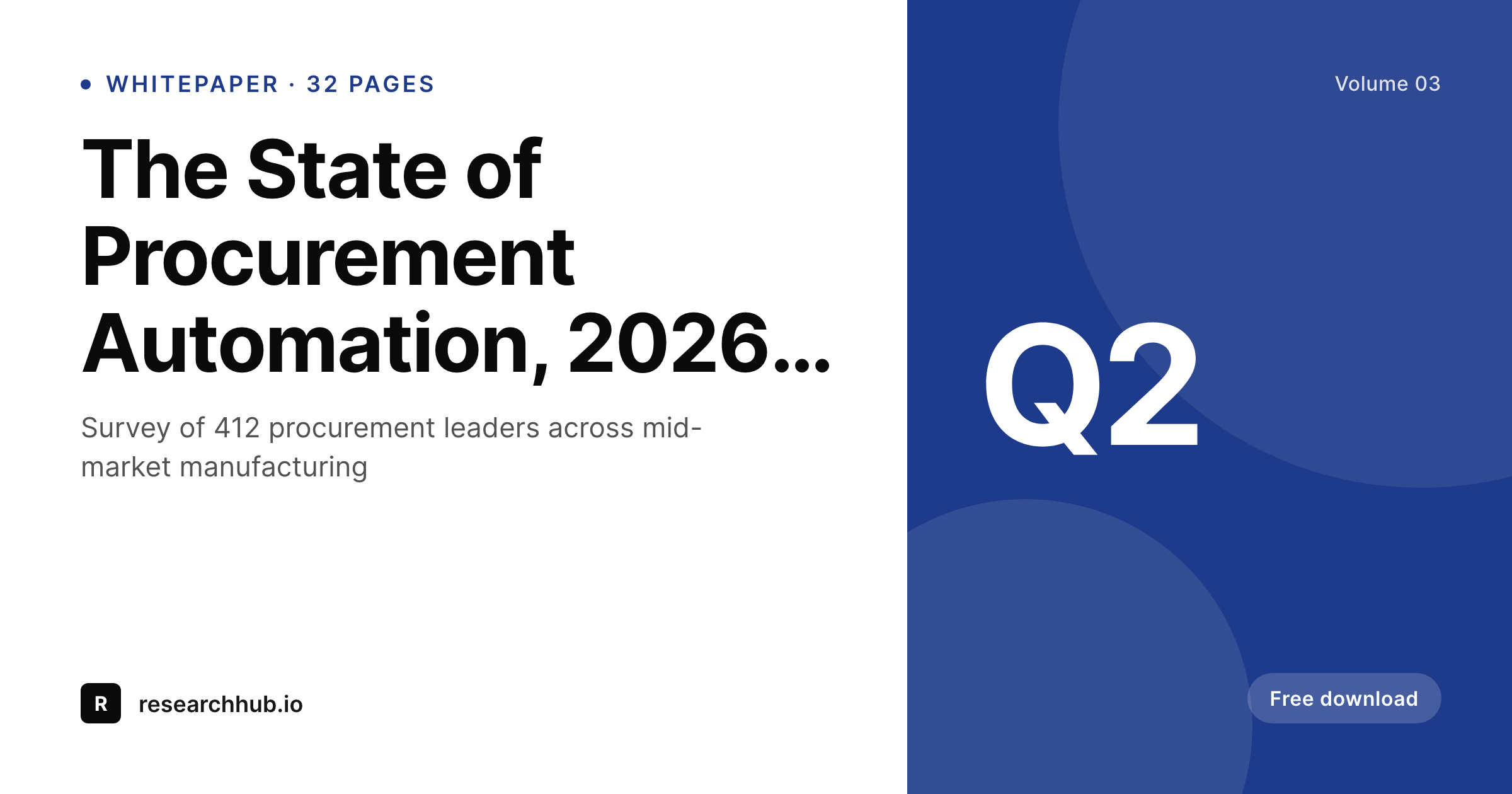
An OG card with title, edition, page count, and topic line, all assembled from real paper fields.
Comparison
Hand-designed covers vs rendered ones
Designer builds each cover
- OG card, PDF cover, and landing hero are produced separately
- Series drifts visually across editions over time
- A long survey title overflows the cover and gets clipped
- Edition badges are hard-typed and forgotten on at least one paper
- A brand refresh means redesigning every cover by hand
SleekPixel
- OG card, PDF cover, and landing hero render from one template
- Title, edition, page count, and topic all come from real post fields
- Long titles auto-fit so the cover never breaks
- Bulk regenerate brings older papers in line after a brand update
- Cover and og:image always agree because they share a source
Features
What SleekPixel gives you for whitepaper covers
Series-aware
Edition number, volume, and quarter render from fields. Every paper in the series carries the right markers without manual layering.
Cover and OG together
Register a 1200 by 630 OG size and a print-resolution PDF cover against the same template. Both render on save and stay visually in lockstep.
Long-title safe
Auto-fit type rules cover one-line, two-line, and three-line titles so a survey-driven research title still lands cleanly inside the safe area.
Use cases
Paper formats this template covers
Survey research
Survey-driven papers with a sample size and a region. The meta line carries respondent count and the cover stays clean across editions.
Industry primers
Long-form industry primers without a single number. Cover focuses on title and topic, with a generous subtitle line for context.
Annual trend reports
Year-stamped flagship reports. Edition badge and quarter render from fields so each year inherits the right markers automatically.
The bigger picture
Why whitepaper covers earn the download
A whitepaper download is a small commitment, but it requires a prospect to part with their email address and trust that the paper itself will be worth twenty minutes of reading. The cover is the only honest signal they have before the form. A serious cover, well-typeset, in-series, with the right edition markers, says the research underneath is serious.
A pixelated PDF cover, a stock photo on the landing hero, and a screenshot of either as the OG card all say the opposite, even when the research is excellent. Producing serious covers by hand for every paper is expensive, and so most research programs end up with one beautifully designed flagship paper and four follow-ups that look like outtakes. SleekPixel removes the choice.
The template is the cover. Every paper in the series gets the same treatment because the same template renders the same primitives from real post fields. Prospects see a coherent research program, not a portfolio of one-offs.
Questions
Common questions about SleekPixel for whitepaper covers
Yes. Register multiple sizes against the same template (an OG card at 1200 by 630, a print-resolution PDF cover, and the landing hero) and SleekPixel renders all of them on save. They share the layout primitives, so brand refreshes update them together.
Auto-fit rules in the template scale type between min and max bounds based on the title length. A short title sits prominent, a long survey title still fits cleanly inside the safe area.
Yes. Edition, volume, and quarter sit on the post as fields. The template references them directly, so a new paper in the series inherits the right markers without anyone touching the design.
Filter rendering by post status, a custom field, or a taxonomy term. Members-only papers can render covers that only resolve once the paper is published, or skip rendering entirely until ready.
Yes. The Gutenberg sidebar exposes download buttons for every registered size. Sales can grab the latest cover for an outbound email or a sales deck without involving design.
Yes. SleekPixel can render at any pixel dimensions you register. A common pattern is to add a 2550 by 3300 cover for letter-sized PDFs at 300 DPI alongside the OG size, both driven by the same template.
Yes. Translate the title and subtitle on the localized post and the template renders the localized cover. Each language inherits the same layout, so the series feels consistent across markets.
Update the template once (colors, typography, primitives) and run a bulk regenerate against the whitepaper post type. Every paper refreshes its covers without re-export, so the back catalogue stops drifting visually.
Pricing
More than 1000+
happy customers
Explore our flexible licensing options tailored to your needs. Upgrade your license anytime to access more features, or opt for a lifetime license for ongoing value, including lifetime updates and lifetime support. Our hassle-free upgrade process ensures that our platform can grow with you, starting from whichever plan you choose.
Lifetime ♾️
Most popular
EUR
once
- Unlimited websites
- Lifetime updates
- Lifetime support
...or get the Bundle Deal
and save €250 🎁
💎 Want everything forever? The All Access Pass is going away on 01.08.2026.
The Bundle (unlimited sites)
Pay once, own it forever
Elevate your WordPress site with our exclusive plugin bundle that includes all of our premium plugins in one package. Enjoy lifetime updates and lifetime support. Save significantly compared to buying plugins individually.
What’s included
-
SleekAI
-
SleekByte
-
SleekMotion
-
SleekPixel
-
SleekRank
-
SleekView
€749
Continue to checkoutBrowse more
- YouTube Shorts cover
- Telegram bot avatar
- Threads post cover
- Bandcamp banner
- Amazon A+ content images
- Bluesky feed banner
- Instagram stories
- Instagram collab post images
- Ko-fi banners
- Open Graph images
- LinkedIn ad images
- YouTube thumbnails
- Etsy shop banners
- Apple Music cover art
- LinkedIn document post covers