






SleekPixel for travel blogs
Destination posts already carry the data Pinterest cares about - location, duration, hero photo. SleekPixel pipes it into a 1000x1500 pin per post.
♾️ Lifetime License available

Travel content lives or dies on Pinterest discovery
Travel blogs run on Pinterest the way recipe blogs run on Pinterest - vertical pins drive the majority of new visitor traffic, and the pins that work are specific in format. Destination at the top, hero photo dominant, trip duration and season called out, brand mark anchored at the bottom. Travel bloggers who hit the Pinterest formula compound; ones who post horizontal Instagram-style images watch their guides sit unread. Designing pins manually for every destination, every season, and every itinerary length is a full-time job that solo travel bloggers don't have time for between actual trips.
The data is structured in the post. Most travel sites use a destination CPT with location taxonomy, trip duration as a custom field, season or month as another field, and a hero photo as the featured image. The same data drives the search filter on the website and could drive the pin if the workflow connected them. Hand-rebuilding a pin in Canva for each destination means duplicating that data entry, and any update (a season tag added, a duration corrected) leaves the pin out of sync.
The fix is automatic generation per destination post. Define one pin template, hook in the destination fields, and every guide saves with a pin ready for Tailwind or manual pinning. The blogger keeps writing trip reports; the pin library grows in lockstep with the archive.
Workflow
From trip report to ready-to-pin image
Map destination fields
Design pin templates
Publish guides as usual
Pin from Gutenberg
Output
What gets generated per destination
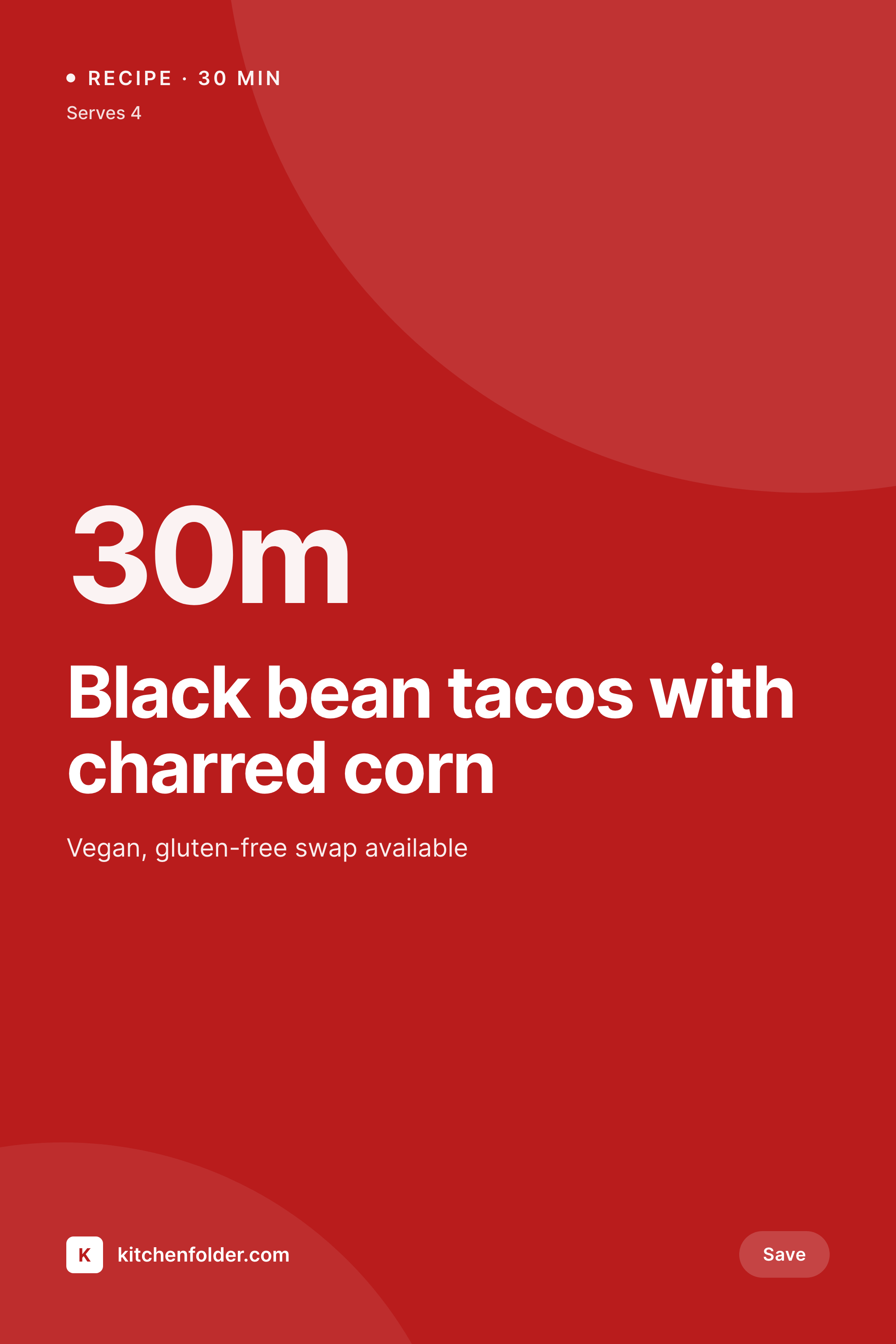
A 1000x1500 vertical Pinterest pin showing the destination, trip duration, season, and hero photo from the travel guide post.

Comparison
Canva pins per destination vs auto-rendered archive
Manual / Canva / Tailwind
- Each destination needs two or three Canva pin variants by hand
- Trip duration and season tags drift between post edits and pins
- Travel bloggers design between actual trips, not in dedicated blocks
- Old destination guides stop working when pin design ages out
- Tailwind queue empties whenever the blogger is on the road
SleekPixel
- Every destination post saves with a 1000x1500 vertical pin
- Location, duration, season pulled from custom fields automatically
- Multiple pin variants per destination for Pinterest A/B testing
- Bulk regenerate the destination archive on a rebrand in one job
- Works with custom destination CPTs or plain category-based blogs
Features
What SleekPixel gives you for travel blogs
Pin per destination
Every guide saves with a 1000x1500 vertical pin. Location, trip length, and season pull from the post's custom fields.
Variants per post
Two or three pin layouts generate at once. Pinterest rewards fresh pins on the same content - that math now happens automatically.
Edit-aware refresh
Update a guide with a new season or revised duration and the pin regenerates. The pinned image stays current with the post.
Use cases
Where travel pins move the needle
Destination guides
Every city, region, or country guide saves with a pin. The Pinterest archive grows alongside the editorial archive without extra work.
Seasonal itineraries
Spring in Lisbon, summer in Iceland, fall in Kyoto - seasonal variants of the same destination get their own pin templates.
Trip-length pivots
A 5-day Lisbon and a 10-day Lisbon are different posts with different pins. The duration field drives the visual variant automatically.
The bigger picture
Why travel blogs need pin scale, not pin craft
Travel blogging has consolidated around Pinterest in a way that makes manual pin design a bottleneck on real growth. The blogs that have crossed the threshold into full-time income have either hired a pin designer or built a system that generates pins automatically - the third option, designing each pin by hand between trips, doesn't scale past a few dozen destinations. Pinterest rewards consistent fresh pins on the same content, which means even archived guides need new pins quarterly to stay alive in the algorithm.
A blogger with 200 destination posts who wants to stay competitive needs to ship roughly 2,400 pins a year. That number isn't realistic for a one-person operation working in Canva. Treating the pin as a derived asset of the destination post collapses that math.
The blogger writes the guide. The pin renders. Multiple variants generate per save.
When the brand evolves, the entire archive refreshes in one bulk regenerate job. The blogger spends time on actual trips, actual photography, and actual writing - the things that compound on the platform - while the design system runs in the background.
Questions
Common questions about SleekPixel for travel blogs
Yes. SleekPixel reads any post type. A destination CPT, a country taxonomy, an ACF location field, or a Meta Box trip duration field all map onto the pin template. Plain category-based travel blogs work too - the category becomes the destination tag.
Yes. Templates can be conditional on the destination taxonomy. Europe destinations use one style, Asia destinations another, road trips a third. All pull from the same field schema, just rendered with regional brand variants.
If the post has a season custom field or taxonomy, the template can render seasonal variants - the same destination with a 'spring 2026' overlay, a 'summer 2026' overlay, etc. Each season is its own pin variant on the same post.
Yes. The featured image is the default, but if the post has an image gallery custom field or ACF gallery, the template can pick the first image, a specific tagged image, or rotate through gallery images for variant pins.
No. SleekPixel renders the pin and saves it to WordPress uploads. Posting to Pinterest, scheduling in Tailwind, or pushing to any social platform is a manual step. Use Tailwind, Buffer, or Pinterest's native scheduler for distribution.
Yes. Travel themes typically just style the post type - the data lives in standard WordPress fields. SleekPixel reads those fields directly. Astra, Kadence, GeneratePress, or a custom travel theme all work the same way.
Yes. Upload custom fonts in the SleekPixel template editor. Self-hosted fonts work directly. Google Fonts work if you license them through Google Fonts. Paid font foundry hosting is not included - you handle the font licensing.
The template can fall back to a category illustration, a brand pattern, or a custom 'pin photo' field separate from the featured image. Some travel bloggers shoot a vertical photo specifically for pinning - that field can drive the pin while the post uses a horizontal hero.
Pricing
More than 1000+
happy customers
Explore our flexible licensing options tailored to your needs. Upgrade your license anytime to access more features, or opt for a lifetime license for ongoing value, including lifetime updates and lifetime support. Our hassle-free upgrade process ensures that our platform can grow with you, starting from whichever plan you choose.
Lifetime ♾️
Most popular
EUR
once
- Unlimited websites
- Lifetime updates
- Lifetime support
...or get the Bundle Deal
and save €250 🎁
💎 Want everything forever? The All Access Pass is going away on 01.08.2026.
The Bundle (unlimited sites)
Pay once, own it forever
Elevate your WordPress site with our exclusive plugin bundle that includes all of our premium plugins in one package. Enjoy lifetime updates and lifetime support. Save significantly compared to buying plugins individually.
What’s included
-
SleekAI
-
SleekByte
-
SleekMotion
-
SleekPixel
-
SleekRank
-
SleekView
€749
Continue to checkoutBrowse more
- Flickr cover photo
- Lens Protocol posts
- Twitch camera frame
- Reddit subreddit banners
- Mailchimp email headers
- Apple Music cover art
- Kick channel banners
- Snapchat snap images
- Twitch alert
- Patreon cover images
- Substack post thumbnail
- Odnoklassniki banners
- X ad images
- Lemon Squeezy product covers
- Snapchat ad images