






SleekPixel for musicians
Track title, release date, cover art, links - all live in your music WordPress site already. SleekPixel pipes them into Instagram-ready visuals on every release.
♾️ Lifetime License available
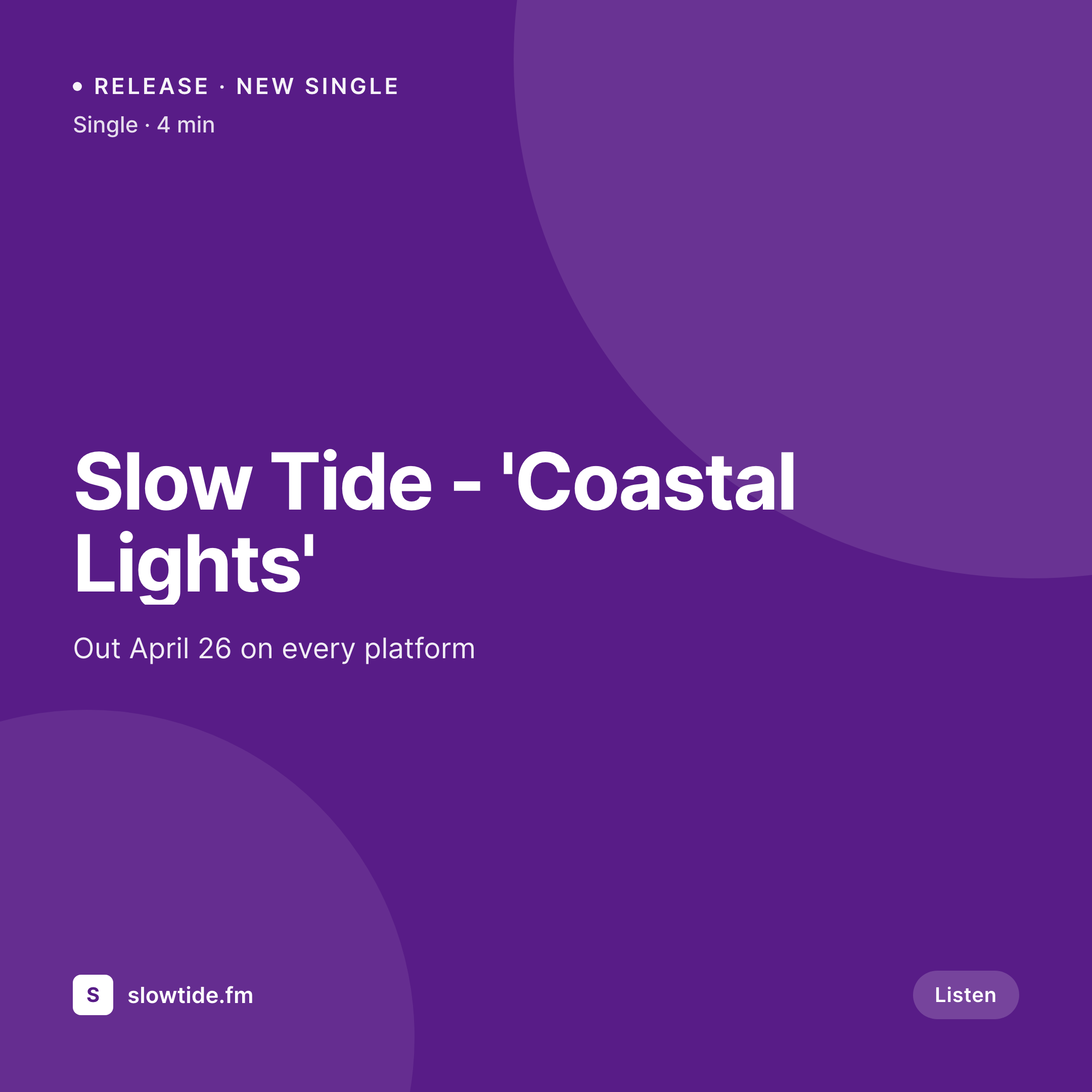
Every release deserves matching art
Independent musicians ship more than albums now. Singles, EPs, remixes, lyric drops, tour dates, merch, livestream announcements - each one needs its own square for Instagram, a 9:16 for stories and Reels, a horizontal for Twitter, and an OG image for the press kit page. The cover artwork already exists, the release date is on the site, the smart link is ready. The bottleneck is everything that has to wrap around it.
Most artists end up with a Photoshop file called release-template-FINAL-v4.psd. Each new song means duplicating layers, swapping the cover image, retyping the title, exporting four sizes, uploading. By the time the post is out the artwork looks slightly off-brand because last week's export used a different kerning. Fans notice when a feed stops looking like a feed and starts looking like a folder of unrelated images.
SleekPixel solves the boring half. The release post type in WordPress already holds title, artist, release date, cover, ISRC, smart link, label. SleekPixel reads those fields on save and renders the announcement images using one template. The cover stays sharp, typography stays consistent, the smart link URL ends up baked into the image so screenshots still route fans to Spotify. The artist gets back the four hours per drop they used to lose to export queues.
Workflow
From release post to feed-ready art
Set the release template
Map the release post type
Schedule the release post
Download or share
Output
What ships with each release
A 1080 square Instagram post built from the release post: cover art, track title, release date, label, and smart link domain.
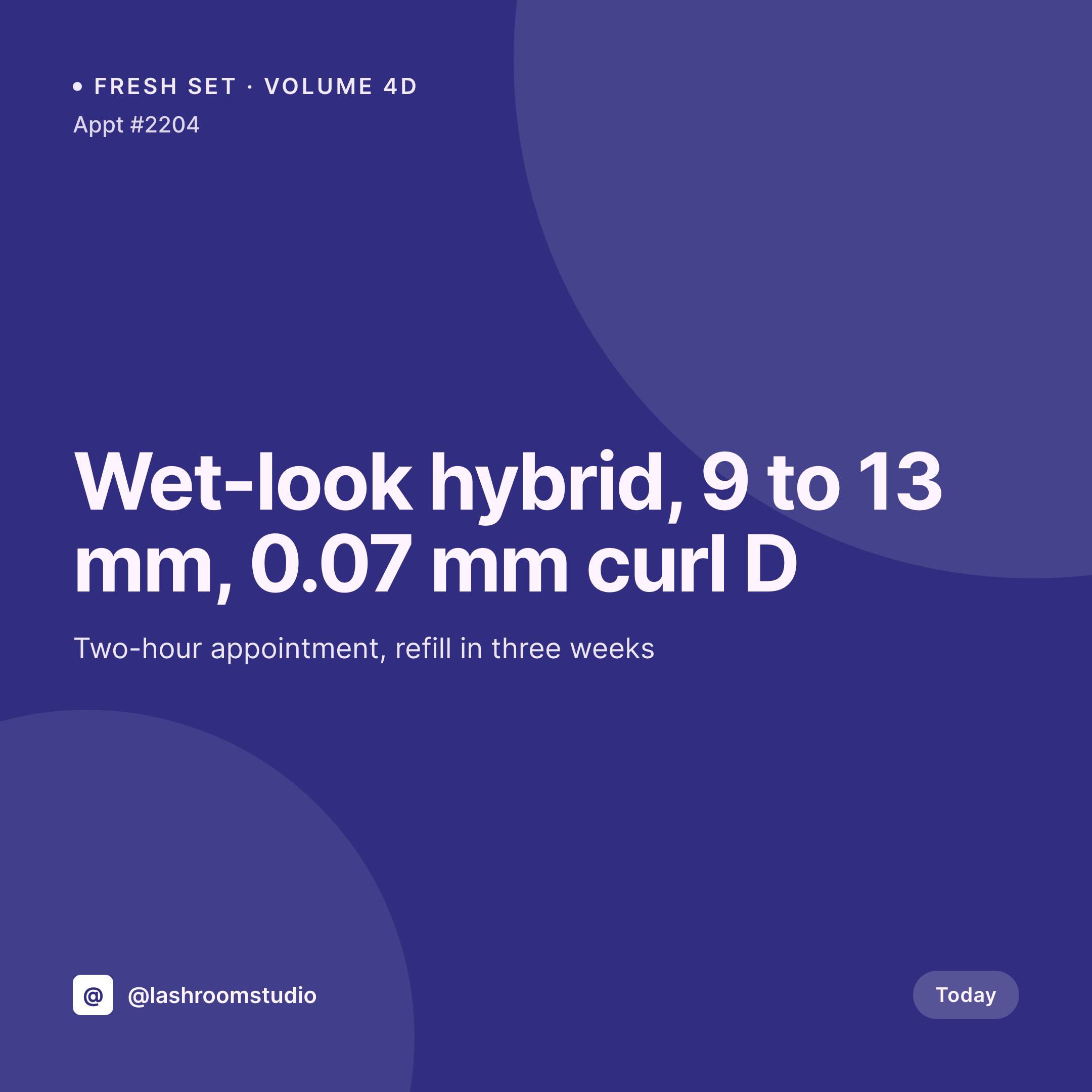
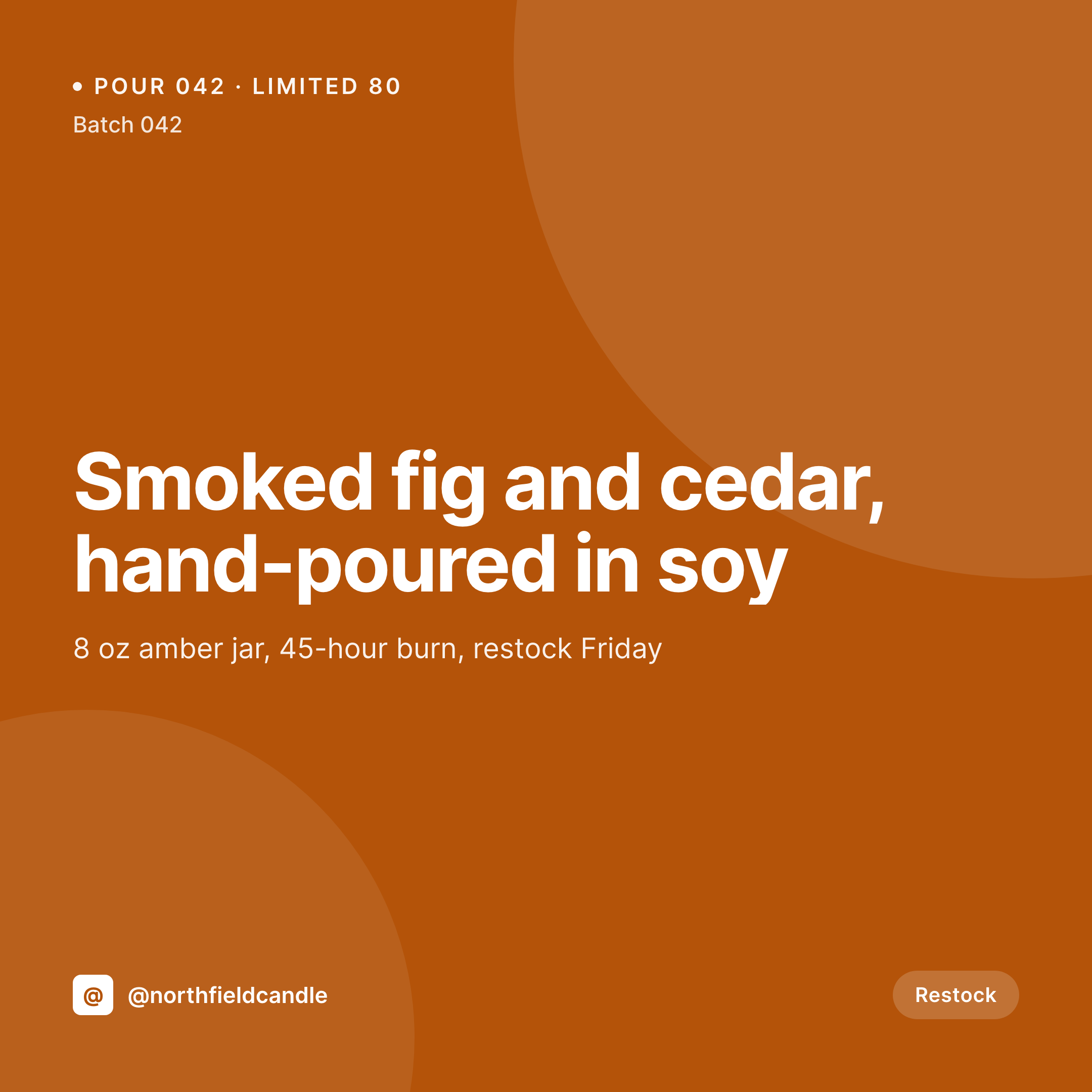
Comparison
Photoshop templates vs auto-generated release art
Photoshop / Canva templates
- Duplicate the PSD, swap cover, retype title, export four sizes - every single time
- Typography drifts as the template gets re-saved by different collaborators
- Smart link URL has to be hand-pasted into every image
- Tour date posts and merch drops need separate templates that go stale
- Press kit OG image gets forgotten, links share with no image at all
SleekPixel
- Cover art, title, date and smart link pulled straight from the release post
- One template renders Instagram, Reels cover, Twitter card and OG image
- Press kit pages and tour pages get matching share images automatically
- Manual download in the sidebar for stories, flyers, and ad-hoc posts
- Re-render the whole catalog when the template changes, no per-track work
Features
What SleekPixel gives you for musicians
Cover art aware
Reads the release artwork from the post, places it inside the template at the right size, no manual cropping.
Release date baked in
Out date and label imprint pull from custom fields, so announcement art always shows the right schedule.
Smart link in the image
The smart link domain renders into the artwork so screenshots still tell fans where to listen.
Use cases
What artists generate with SleekPixel
Single and EP drops
Each release post produces an announcement square, a Reels cover and an OG image without touching a design file.
Tour date art
Show pages render city, venue and date into a vertical for Stories and a horizontal for the website.
Merch and bundles
WooCommerce or Shopify-on-WP product pages share with the merch shot, price and drop date already on the image.
The bigger picture
Why release art consistency matters for indie artists
Streaming numbers reward pattern recognition. A fan scrolling past a feed sees a thumbnail for a quarter of a second before deciding whether to tap. If every release post looks like the same artist, the catalog reads as a body of work.
If each one looks like a different freelancer made it, the feed reads as noise and listeners stop pre-saving. The same pattern applies to press. Music blogs and Spotify editorial pages embed share previews from the artist site, so the OG image is the first impression a journalist or playlist curator gets.
A missing or off-brand share preview means a story runs with a stretched cover or no image at all. The artist loses control of the most-seen visual at exactly the moment it counts. Auto-generated art also makes catalog work realistic.
Re-issuing a back catalog or refreshing the brand is a single template change instead of two hundred re-exports. The art keeps up with the music instead of getting in the way of it.
Questions
Common questions about SleekPixel for musicians
Yes. Most artists set up one custom post type called Release with a release-type field. SleekPixel can read that field and switch the template variant, so a single uses a different layout than an album. Or you can keep one template and let the title text breathe at different lengths. Both approaches work.
Not directly. SleekPixel works from your WordPress post fields. If you already pull metadata from Spotify into custom fields via a sync plugin or a manual paste, those fields are available to the template. The plugin focuses on rendering, not on data ingestion from streaming APIs.
No. The cover image you upload to the release post is the cover image SleekPixel uses. The plugin composes the announcement around your artwork - title, date, label, links - it does not invent visuals or alter the cover. That keeps your art direction yours.
Yes. Set up multiple templates, one per format, and bind them to the same post type. On save, SleekPixel renders all of them. The Story file is downloadable from the Gutenberg sidebar; the square ships as the OG and Twitter image automatically.
Out of scope. SleekPixel produces static PNG and JPG. For visualizers you would still use a video tool. The static images are for feed posts, OG previews, blog headers and printed flyers - the parts of release rollout that do not need motion.
WordPress stores dates in the site timezone. SleekPixel uses whatever PHP date format you specify in the template, so you can render 'Out Apr 26' or 'April 26, 2026' or a localized version. If you release in different regions, custom fields can hold per-territory dates and the template can pick which one to show.
Yes. The template supports a QR field bound to any URL stored on the post. Stick the QR in a corner of a Story image and people can scan it from a phone or a printed poster. Useful for show flyers that still need a path to streaming.
Run a bulk re-render from the SleekPixel admin. It walks every release post, re-renders the image with the new template and replaces the old file. The OG and Twitter URLs stay the same, so cached previews on social platforms refresh on the next scrape. No per-track manual work.
Pricing
More than 1000+
happy customers
Explore our flexible licensing options tailored to your needs. Upgrade your license anytime to access more features, or opt for a lifetime license for ongoing value, including lifetime updates and lifetime support. Our hassle-free upgrade process ensures that our platform can grow with you, starting from whichever plan you choose.
Lifetime ♾️
Most popular
EUR
once
- Unlimited websites
- Lifetime updates
- Lifetime support
...or get the Bundle Deal
and save €250 🎁
💎 Want everything forever? The All Access Pass is going away on 01.08.2026.
The Bundle (unlimited sites)
Pay once, own it forever
Elevate your WordPress site with our exclusive plugin bundle that includes all of our premium plugins in one package. Enjoy lifetime updates and lifetime support. Save significantly compared to buying plugins individually.
What’s included
-
SleekAI
-
SleekByte
-
SleekMotion
-
SleekPixel
-
SleekRank
-
SleekView
€749
Continue to checkoutBrowse more
- Facebook post images
- Threads social images
- Ko-fi shop images
- Instagram Reels covers
- Telegram channel banner
- Mailchimp email headers
- Threads profile banners
- Dribbble shot covers
- Twitter card images
- Tumblr header
- Snapchat Spotlight covers
- Dailymotion thumbnails
- Snapchat Discover tiles
- Pinterest Idea Pins
- Instagram Shop product images