






SleekPixel for WP Hotel Booking
WP Hotel Booking handles room availability and direct booking for boutique hotels, inns and guesthouses on WordPress. SleekPixel renders a 1200 by 630 OG card per room, so a forwarded room URL shares like a proper listing rather than a generic hotel page.
♾️ Lifetime License available
Boutique hotels lose direct bookings to OTA share previews
WP Hotel Booking runs the room availability layer on WordPress for boutique hotels, inns, agriturismi, family pensions and small guesthouses that take direct bookings. The plugin handles room types, rates, multi-night logic and the booking flow, and the operator avoids the 15 to 20 percent commission an OTA would have taken.
The friction in this model is the share moment. A guest who stayed at the inn three years ago wants to recommend it to friends. They paste the inn's room URL into a WhatsApp group, and the preview that loads is the same homepage banner the inn has carried since 2018. The friends do not see a room, they see a generic page. The recommendation lands flat, the friends never click, and a referral booking that should have been easy is lost.
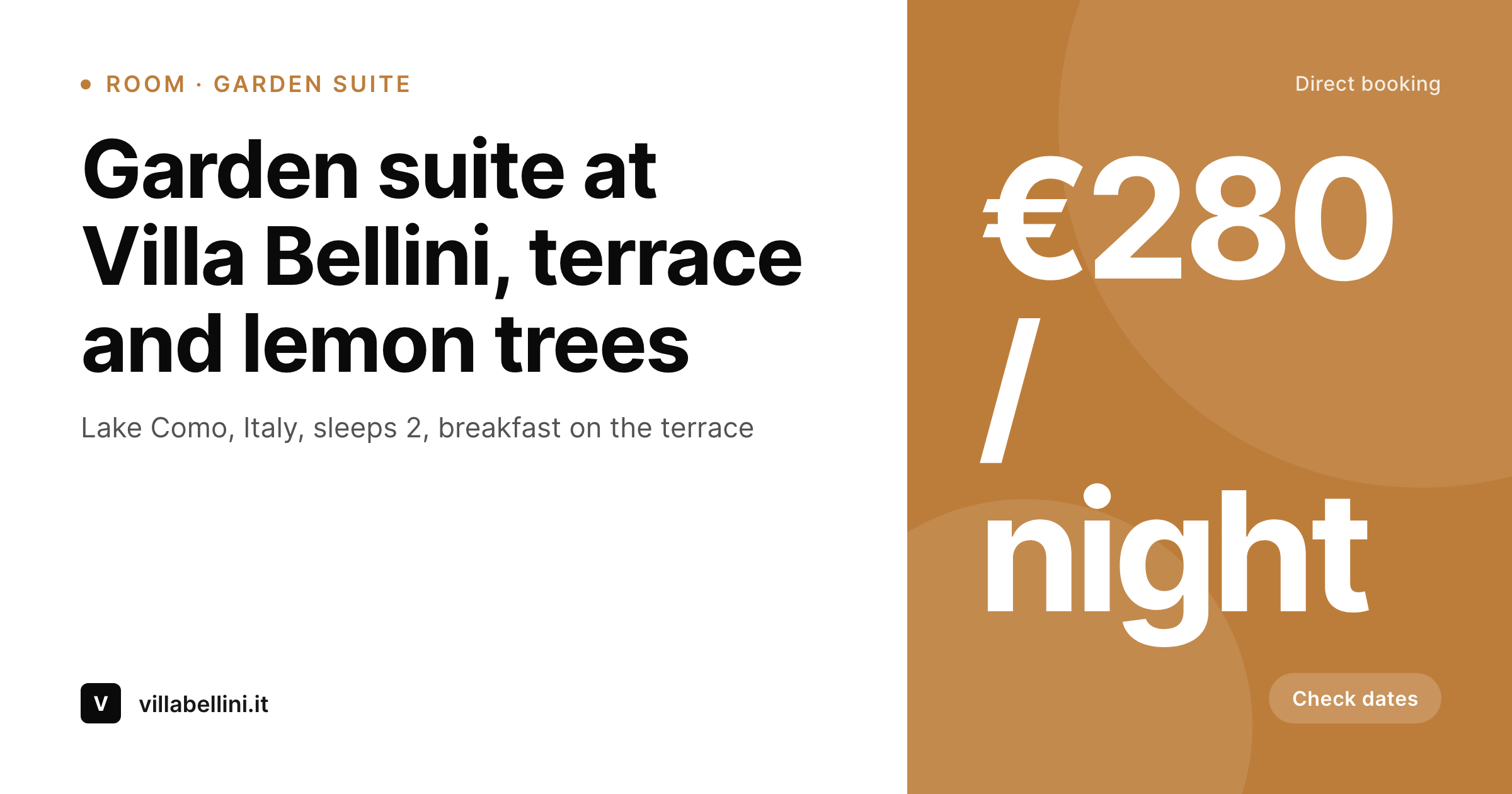
SleekPixel reads the WP Hotel Booking room post and renders a 1200 by 630 OG card with the room name, location, sleeps count, starting rate and brand. The guest's pasted URL now previews as the actual room, with the actual price and the actual setting. Referrals start working, OTA dependency drops, and the inn keeps the commission.
Workflow
From WP Hotel Booking room to shareable card
Set up the room
Build the room template
Render on save
Guests share the link
Output
What ships per room
A 1200 by 630 OG and Twitter card: room name, location line, starting rate and brand mark, rendered from the WP Hotel Booking room post.
Comparison
Default hotel OG vs room-aware card
Default homepage OG
- Boutique hotels lose referral bookings to generic share previews
- Room name, sleeps and rate never reach the OG card
- Theme banners date the hotel's brand publicly with every share
- Designing share art per room is unrealistic at small operator scale
- Rate updates do not refresh the share previews
SleekPixel
- Reads WP Hotel Booking room post and meta directly
- Per-room 1200 by 630 PNG for OG and Twitter previews
- Starting rate and sleeps count render onto dedicated slots
- Bulk re-render when seasons change
- Direct-booking URLs share with hotel-grade previews
Features
What SleekPixel gives you for WP Hotel Booking rooms
Room-aware
Each room type gets its own card. Title, sleeps and feature line bind to slots from the WP Hotel Booking room post.
Starting rate
Starting nightly rate is rendered prominently. The slot reads in the hotel's primary currency, set in the WP Hotel Booking settings.
Feature line
A short feature line ('terrace and lemon trees', 'sea-facing balcony') makes each room recognisable across the property's catalogue.
Use cases
Who runs WP Hotel Booking direct
Boutique hotels and inns
Independent boutique hotels with eight to thirty rooms whose direct site is core to avoiding OTA commission.
Agriturismi and rural stays
Agriturismi, finca, country B&Bs whose guests find them through word-of-mouth and shared links.
Coastal pensions
Family-run coastal pensions whose summer bookings depend on share previews looking like a real stay.
The bigger picture
Why a real share card pays for itself in one referral
Boutique hotels and small inns operate on slim margins, and the difference between a 70 percent direct-booking ratio and a 50 percent one is the difference between a viable business and a stressful one. The largest commission savings come from referrals, because referrals are the bookings most likely to skip the OTA layer entirely. The constraint on referrals has always been the share preview: a guest who pastes a room URL into a chat needs the chat to render a real-looking card, otherwise the recommendation never takes off.
SleekPixel fixes that constraint at the source. Each room post carries its own card, every URL shared anywhere previews accurately, and the recommendation flow that used to leak conversions starts converting at OTA-level rates without the OTA commission attached. The cost of the plugin is recovered in a single direct booking that would otherwise have been routed through Booking.com, and from that point on, the system pays for itself across every season.
Questions
Common questions about SleekPixel for WP Hotel Booking rooms
No. WP Hotel Booking handles the booking flow, the calendar, the rates and the payment. SleekPixel renders the share images that make those rooms presentable when their URLs travel through chat, email and social.
Yes. The starting-rate slot can bind to a seasonal-rate meta field. A summer template and a winter template can render different rate lines, swapped by season.
The card typically shows 'from X / night' to keep it readable. Full tier breakdowns belong on the room page, where guests can compare them inside the booking widget.
Yes. The first image from the WP Hotel Booking gallery can be used as the background or hero in the template. The rendered card carries the actual room photo behind the text overlay.
Yes. The integration sits on the WordPress post level. Whether the booking flow uses WooCommerce or the plugin's native checkout, the room post and meta are the same, and SleekPixel reads them either way.
Yes. A small badge slot can carry an OTA-comparison line. Many boutique hotels use that slot to communicate the direct-booking advantage on every share.
Translation plugins like WPML or Polylang let the room post exist in multiple languages. SleekPixel renders one card per language, so an Italian guest and a German guest each see a localised preview.
Yes. Renaming the room saves the post, which triggers a re-render. Existing shares keep their cached preview until the platform re-scrapes.
Pricing
More than 1000+
happy customers
Explore our flexible licensing options tailored to your needs. Upgrade your license anytime to access more features, or opt for a lifetime license for ongoing value, including lifetime updates and lifetime support. Our hassle-free upgrade process ensures that our platform can grow with you, starting from whichever plan you choose.
Lifetime ♾️
Most popular
EUR
once
- Unlimited websites
- Lifetime updates
- Lifetime support
...or get the Bundle Deal
and save €250 🎁
💎 Want everything forever? The All Access Pass is going away on 01.08.2026.
The Bundle (unlimited sites)
Pay once, own it forever
Elevate your WordPress site with our exclusive plugin bundle that includes all of our premium plugins in one package. Enjoy lifetime updates and lifetime support. Save significantly compared to buying plugins individually.
What’s included
-
SleekAI
-
SleekByte
-
SleekMotion
-
SleekPixel
-
SleekRank
-
SleekView
€749
Continue to checkoutBrowse more
- Kick stream thumbnails
- Snapchat snap images
- TikTok shop images
- Gumroad product covers
- Lemon8 post
- Discord server banners
- Snapchat Spotlight covers
- Twitter/X header
- Bluesky link cards
- Nostr note images
- LinkedIn showcase page banners
- Substack post thumbnail
- X list banners
- Behance banner
- LinkedIn document post covers