






SleekPixel for rock climbing gym
Twelve new boulders in the north cave, a sport reset on the front 45, a forerunning evening before the weekend rush. Each set day or route reveal post renders into a 1080x1080 card members see the moment the holds are washed and bolted.
♾️ Lifetime License available
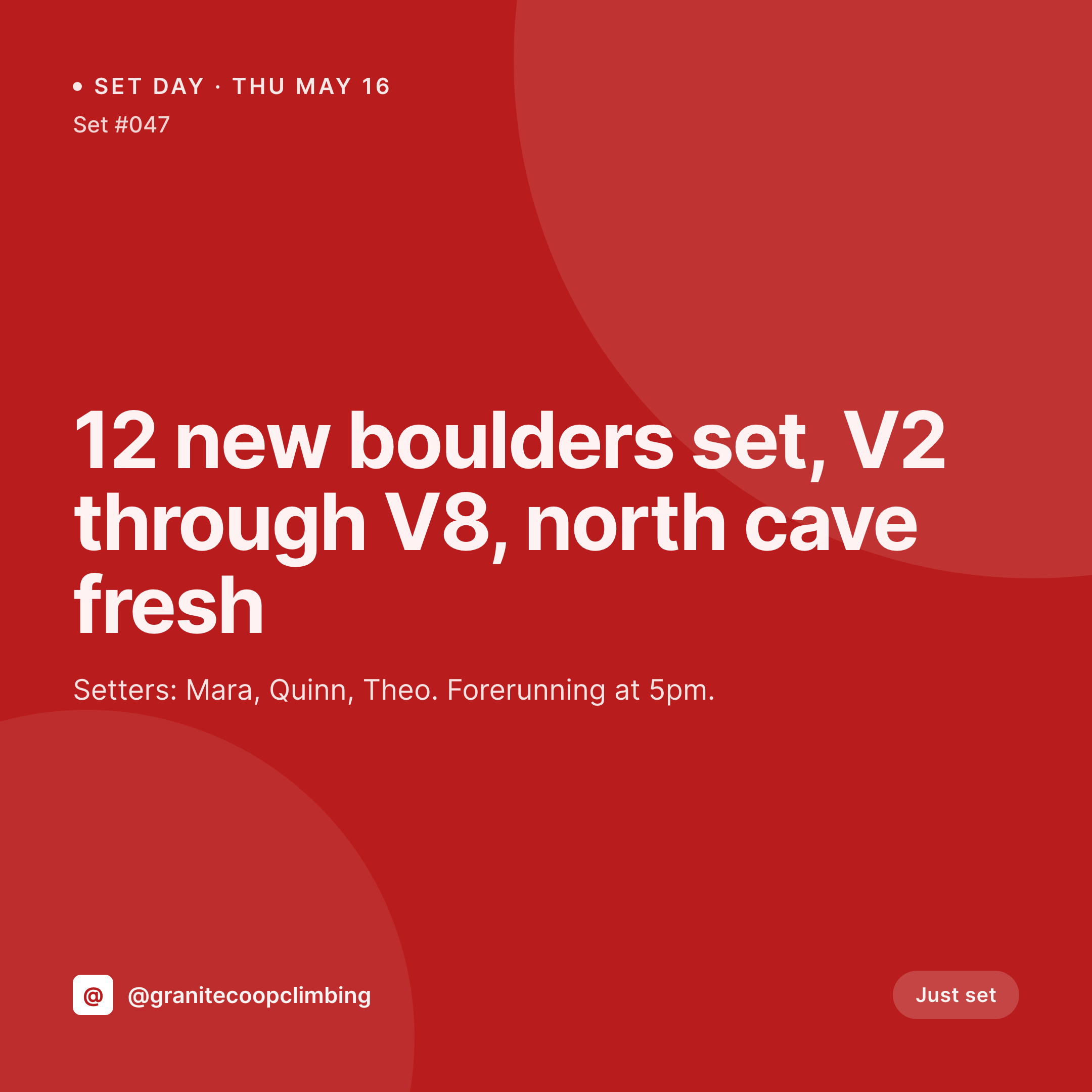
Set days, comp announcements, and the rhythm of the gym feed
A climbing gym's grid is a calendar in disguise. Set days drop on a schedule, comps land every other month, the youth team posts results from a regional, the front desk announces a new shoe demo. Each post wants a clean square image with the date, the wall, the grade range, the setters, and the gym's mark in the same corner it always sits.
The data is already on the WordPress site. The set day post on a custom CPT carries the wall, the grade range, the setter list, and the date. The comp post carries the categories, the prize purse, and the registration link. The community board carries the clinic instructor and the cap. The work of typing those fields was done when the set was scheduled. The gap is the 1080x1080 PNG the front desk would otherwise rebuild in Canva while a member is on hold for a punch card refill.
SleekPixel renders that PNG on save. The set day post updates after the head setter signs off, the card lands in uploads with the wall, grade spread, and setters already locked in. The front desk posts before forerunning starts. The grid reads as one gym across a year of resets, comps, and seasonal classes, even as setters cycle and staff turns over.
Workflow
From hold wash to grid card
Map set day and event fields
Design one square template
Sign off the reset
Post from the front desk
Output
What gets generated per set day or event
A 1080x1080 card with the wall, grade range, setter list, and date pulled from the set day or event CPT.

Comparison
Default rock climbing gym image vs SleekPixel
Default rock climbing gym image
- Front desk rebuilds the set day card in Canva while members wait at the counter
- Grade ranges and setter names get retyped wrong between the schedule and the post
- Comp cards each year use a slightly different layout because the prior file is lost
- Youth team, adult league, and clinic posts drift visually from one another
- A second location posts off-brand versions of the same regional comp announcement
SleekPixel
- Save the set day or event post, the 1080x1080 card lands in uploads
- Wall, grade range, setter list, and date pulled live from the post fields
- Square format sized for the Instagram and Facebook grids
- Sidebar download from Gutenberg so the front desk can post in seconds
- One template across walls, locations, and staff keeps every reset on-brand
Features
What SleekPixel gives you for rock climbing gym
Card per set day
Every reset, route reveal, and forerunning night saves with a square card. The wall, grade range, and setter list come from the post.
Comp and clinic cards
Regional comps, in-house leagues, and clinic series each render from their own CPT. Categories, caps, and registration link sit on the card.
Front desk fast lane
Head setter signs off the reset, the card is already in uploads. The front desk downloads from the sidebar and posts.
Use cases
Who uses SleekPixel for rock climbing gyms
Multi-location gym groups
Each location resets on its own schedule. Cards render per location with the right wall, setter list, and brand stamp.
Youth team and academy programs
Team practice schedules, regional comp results, and tryout windows each render from the youth CPT with consistent type.
Community and league nights
Adult league standings, ladies' nights, and members-only resets render with the same template the public set days use.
The bigger picture
Why a climbing gym feed loses the room without a system
A climbing gym's feed is the bulletin board for a community that walks in twice a week. Members open Instagram for the set day drop and decide which night to come in based on what they see. If the cards look different week to week, the feed reads as a side project and members stop checking it.
If they look the same, the feed becomes infrastructure. Setters change, front desk staff cycle through, the gym opens a second location, and the cards still read as one gym because the template doesn't move. The grade ranges, the setter credits, and the wall labels stay accurate because they come straight from the post the head setter already filled in.
That consistency does the quiet sales work of holding a busy gym together while the team focuses on washing holds and forerunning the next set.
Questions
Common questions about SleekPixel for rock climbing gym
Yes. Templates can be conditional on the wall category or discipline. Bouldering resets use one layout, sport resets another, top rope a third, all pulling from the same set day CPT.
Yes. SleekPixel reads any post type and any field, so the youth team CPT, the adult league CPT, and the clinic CPT can each map onto their own template.
Yes. A repeater field of setter names renders as a credit line on the card. Order is preserved, and a short label like 'lead setter' can be tagged on the first name.
The comp result CPT can map onto a results template, with category, placing, and athlete fields rendered directly. Photos remain attached as separate media.
Yes. Editing the set day post after a date change or a setter swap re-renders the card. The image attached to that post is always current.
Yes. The OG image on the set day page is wired to the same render, so a member pasting the link into a group chat sees the set details in the preview card.
No. SleekPixel renders the image and saves it to uploads. Posting is a manual step from the platform app or a scheduling tool the gym already uses.
No. SleekPixel renders static PNG and JPG only. Send clips and beta videos remain in Reels or stories and are out of scope for the rendered card.
Pricing
More than 1000+
happy customers
Explore our flexible licensing options tailored to your needs. Upgrade your license anytime to access more features, or opt for a lifetime license for ongoing value, including lifetime updates and lifetime support. Our hassle-free upgrade process ensures that our platform can grow with you, starting from whichever plan you choose.
Lifetime ♾️
Most popular
EUR
once
- Unlimited websites
- Lifetime updates
- Lifetime support
...or get the Bundle Deal
and save €250 🎁
💎 Want everything forever? The All Access Pass is going away on 01.08.2026.
The Bundle (unlimited sites)
Pay once, own it forever
Elevate your WordPress site with our exclusive plugin bundle that includes all of our premium plugins in one package. Enjoy lifetime updates and lifetime support. Save significantly compared to buying plugins individually.
What’s included
-
SleekAI
-
SleekByte
-
SleekMotion
-
SleekPixel
-
SleekRank
-
SleekView
€749
Continue to checkoutBrowse more
- Twitch starting soon screen
- Reddit subreddit banners
- Etsy listing images
- Rednote (Xiaohongshu) post
- YouTube end cards
- Fanvue page banner
- YouTube playlist covers
- Facebook event covers
- Mastodon profile banners
- SoundCloud track art
- Audible audiobook cover
- eBay listing images
- Ghost feature images
- Rumble thumbnails
- Linktree banner image