






SleekPixel for candle makers
Scent name, notes, burn time, batch number, and restock date already live in WooCommerce. SleekPixel renders a 1080x1080 card on save so the next drop ships with a graphic, not a Canva re-do.
♾️ Lifetime License available
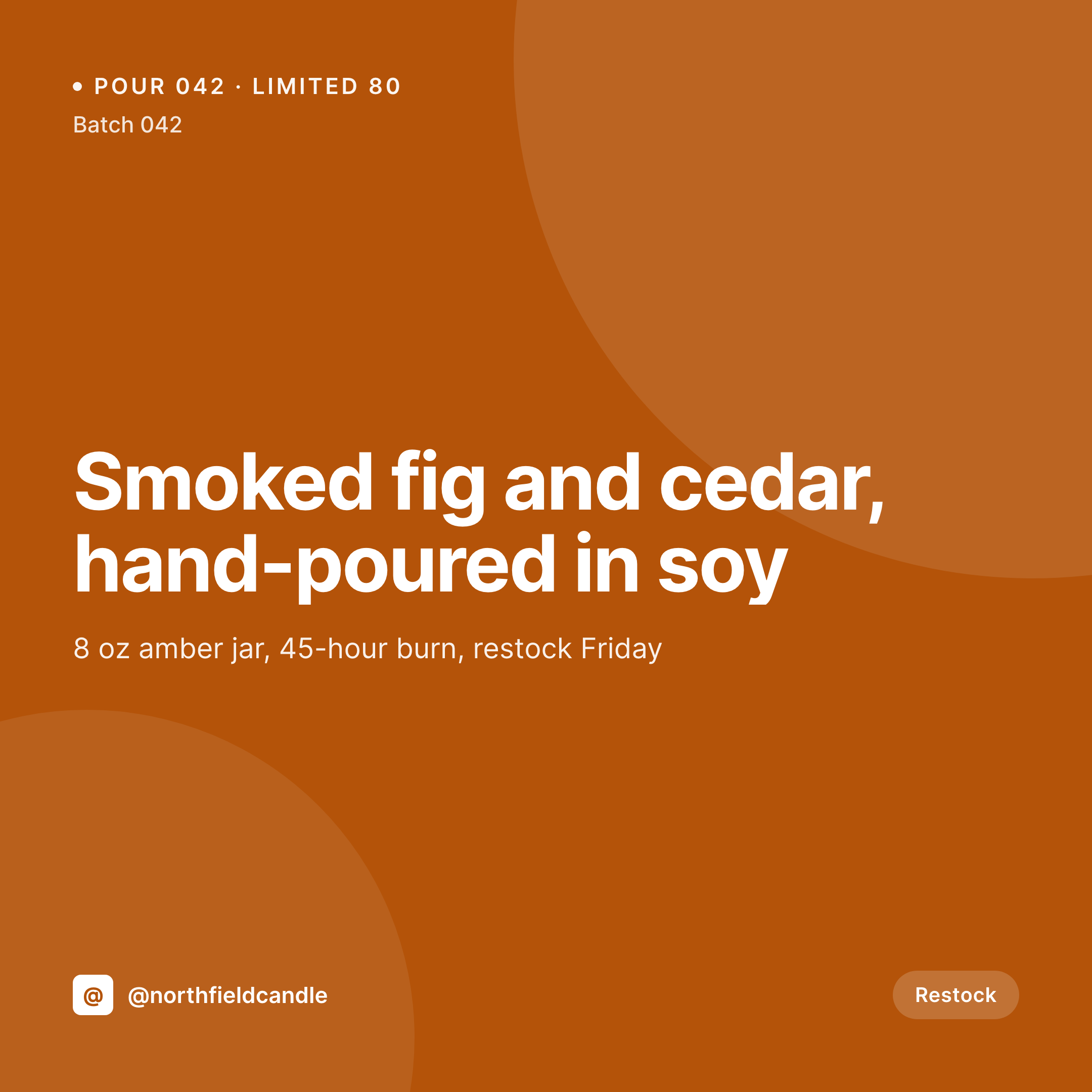
From wax pour to grid post in one save
Candle makers run on small, frequent drops. A new pour, a seasonal scent, a restock of the bestseller, a limited collaboration with a local roastery. Each one wants a square Instagram post with the scent name, top and base notes, the burn time, the batch number, and the price. Each one needs to land on the grid in the same visual language as the last one.
The data is already in the shop. The product post in WooCommerce has the scent name, the description, the price, often custom fields for burn time, batch number, and wax type. What's missing is the bridge between that product post and the social card. Right now the bridge is a maker rebuilding the same layout in Canva between pours, which means slightly different fonts every time and a grid that drifts.
SleekPixel reads the product fields and renders a 1080x1080 card the moment the product is saved. The PNG lands in uploads, the og:image is wired, and the maker can post the card from a phone during cooldown. The shop's wordmark, scent palette, and notation style sit in the template once and ride every pour after that.
Workflow
From cooldown rack to grid
Map scent and batch fields
Design one square template
Publish or restock the product
Post from a phone
Output
Sample square card from a candle product
A 1080x1080 card with scent name, notes, batch number, burn time, and price, rendered from the WooCommerce product post.


Comparison
Default candle maker image vs SleekPixel
Default candle maker image
- Maker rebuilds the scent card in Canva between pours
- Batch numbers and burn times get retyped, sometimes wrong
- Restocks reuse last season's overlay so the grid feels stale
- Limited drops and collabs use mismatched layouts
- Holiday scents launch without a coordinated visual rollout
SleekPixel
- Auto-rendered Instagram card per scent, drop, and restock
- Scent name, notes, burn time, batch number, and price pulled from product fields
- Square 1080x1080 sized for the Instagram grid
- Bulk regenerate after a wordmark refresh, every product updates at once
- Falls back cleanly when fields like burn time or batch number are empty
Features
What SleekPixel gives you for candle makers
Scent fields, mapped
Pull scent name, top and base notes, wax type, and burn time straight from the WooCommerce product or a custom field group.
Batch and price live
Batch number and price sit on the card from the same source the shop uses. Edit the product, the card follows on next save.
Scent-led palette
Map a scent family to an accent color in the template. Smoky scents render warm, citrus scents render bright, every card stays in family.
Use cases
Who uses SleekPixel for candle makers
Independent candle studios
Small studios shipping a few pours a month get a coordinated grid without a designer in the loop.
Subscription candle clubs
Monthly reveals render with the month's scent, notes, and shipping window pulled from the subscription post.
Maker collaborations
Collab pours with a roastery, florist, or perfumer use a variant template that credits both brands on the card.
The bigger picture
Why a consistent scent grid sells the next pour
Candles are bought on associations: a scent that reminds someone of a place, a season, a memory. That association has to come through in the post before the buyer ever smells the wax. A grid where every scent uses the same notation, the same hierarchy, the same brand frame reads as a studio with a point of view, not a hobbyist between projects.
Buyers scroll, recognize the language, and trust that the next pour will feel like the last one they loved. Templated cards rendered from the product post make that consistency the default instead of the exception, so the studio's visual identity survives a busy pour week.
Questions
Common questions about SleekPixel for candle makers
Yes. SleekPixel reads standard WooCommerce product fields plus any ACF or Meta Box custom fields you add for burn time, batch number, and wax type.
Yes. Tag a product 'limited' or 'collab' and SleekPixel routes to a variant template with a different frame, ribbon, or color rule.
Map a scent family taxonomy term to an accent color in the template. Smoky, citrus, herbal, gourmand families each get their own palette automatically.
Yes. Any field you keep on the product can render on the card. Hide it on a per-template basis if you'd rather not show wax type publicly.
SleekPixel saves the PNG to uploads. Download from the product screen, or pull the URL into Later, Buffer, or Meta's scheduler.
Yes. One-click bulk regeneration re-renders every product's card with the updated template.
The template renders without missing fields. Set a default, hide the batch block, or design the layout so empty fields collapse cleanly.
Yes. Each monthly reveal post renders a card with the month's scent, notes, and shipping window from the subscription post's fields.
Pricing
More than 1000+
happy customers
Explore our flexible licensing options tailored to your needs. Upgrade your license anytime to access more features, or opt for a lifetime license for ongoing value, including lifetime updates and lifetime support. Our hassle-free upgrade process ensures that our platform can grow with you, starting from whichever plan you choose.
Lifetime ♾️
Most popular
EUR
once
- Unlimited websites
- Lifetime updates
- Lifetime support
...or get the Bundle Deal
and save €250 🎁
💎 Want everything forever? The All Access Pass is going away on 01.08.2026.
The Bundle (unlimited sites)
Pay once, own it forever
Elevate your WordPress site with our exclusive plugin bundle that includes all of our premium plugins in one package. Enjoy lifetime updates and lifetime support. Save significantly compared to buying plugins individually.
What’s included
-
SleekAI
-
SleekByte
-
SleekMotion
-
SleekPixel
-
SleekRank
-
SleekView
€749
Continue to checkoutBrowse more
- Ko-fi banners
- LinkedIn carousel slides
- Lemmy post images
- LinkedIn showcase page banners
- Instagram highlight covers
- Klaviyo email banner
- Twitter header banners
- X community banners
- Bandcamp release cover
- KakaoTalk channel banners
- Stan Store cover
- Telegram channel cover images
- Audible audiobook cover
- LinkedIn company banners
- Twitch alert