






SleekPixel for woodworkers
Species, joinery, finish, lead time, and price already live on the build post. SleekPixel renders a 1080x1080 card on save so the shop's grid stays current with what's actually on the bench.
♾️ Lifetime License available

From bench to grid in one save
Woodworkers' Instagram grids do a lot of work. They're a portfolio of finished pieces, a build log of works in progress, a price list of commission slots, and the place new clients land before sending an inquiry. Every chest, every chair, every cutting board wants a card with the species, the joinery, the finish, the lead time, and a price if it's a stock piece.
The shop already has the data. The build CPT or WooCommerce product post on the WordPress site carries the species, joinery, finish, dimensions, and either a fixed price or a commission rate. What's missing is the bridge to the grid, which today is a woodworker stepping away from the bench to rebuild a Canva card with sawdust on their hands.
SleekPixel reads the build post and renders a 1080x1080 PNG on save. The species, joinery, finish, and price sit in the card. The shop's wordmark, type, and palette ride every build. The card lands in uploads, the og:image is wired, and the shop posts the card directly from the build post during a coffee break.
Workflow
From build log to grid
Map build fields
Design two template variants
Save the build or class
Post from the shop
Output
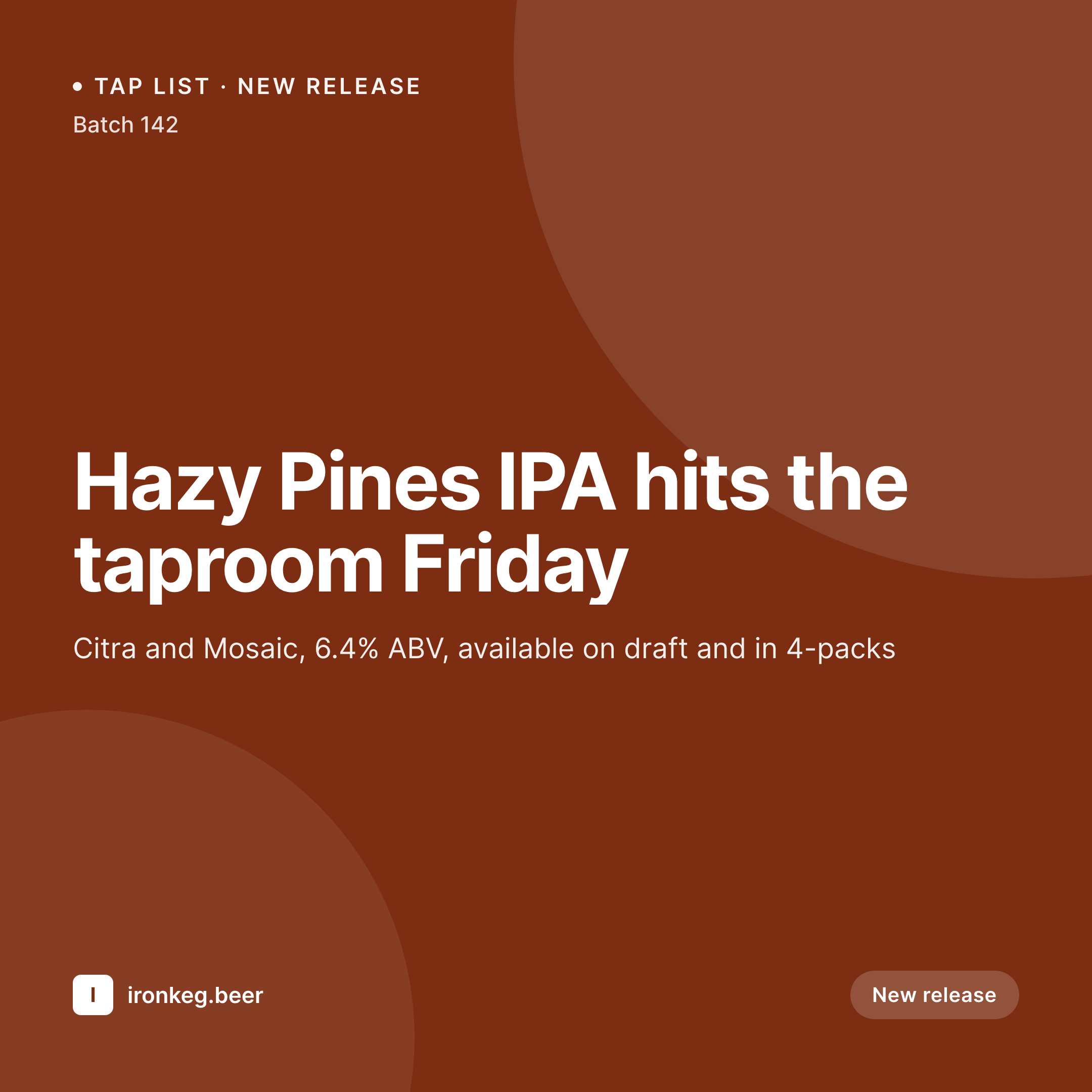
Sample card from a build post
A 1080x1080 square rendered from a build's species, joinery, finish, dimensions, and price.

Comparison
Default woodworker image vs SleekPixel
Default woodworker image
- Shop owner rebuilds build cards in Canva between glue-ups
- Species and joinery names drift across posts
- Stock pieces and commissions use mismatched layouts
- Workshop class announcements skip a coordinated card
- Multi-maker shops have each builder posting an off-brand version
SleekPixel
- Auto-rendered Instagram card per build, commission, and finished piece
- Species, joinery, finish, lead time, and price pulled from the build post
- Variant templates for commissions, stock, and shop-class announcements
- Bulk regenerate after a wordmark refresh, every past build's card updates
- Falls back cleanly when fields like lead time or price are missing
Features
What SleekPixel gives you for woodworkers
Species and grain
Species name and a grain swatch render on the card. White oak, walnut, cherry, and ash each get a recognizable visual cue.
Joinery on card
Dovetail, mortise and tenon, bridle, finger, and box joinery render as a small joinery icon plus a label.
Lead time live
Commission lead time sits on the card from the same source the inquiry form uses. The number on the grid never lies.
Use cases
Who uses SleekPixel for woodworkers
Solo woodworkers
One-person shops shipping commissions and small batches get a coordinated grid without a designer or a Canva subscription.
Multi-builder shops
Shops with two or three builders credit the right maker per card while keeping the shop's overall brand consistent.
Workshop and class hosts
Hand-tool workshops, dovetail intensives, and weekend classes use a class-variant template with cohort dates and fees.
The bigger picture
Why a coordinated build grid wins commissions
Commission woodworking is sold on Instagram more than on a portfolio site. Prospective clients scroll a maker's grid, recognize a build language, and DM to inquire. A grid where every build uses the same species notation, the same joinery callouts, and the same brand frame reads as a shop with a coherent practice and a real waiting list.
A grid where each build is a fresh Canva card reads as a hobbyist between projects. Templated cards rendered from the build data the shop already keeps in WordPress make the coherent grid the default. The shop spends time at the bench, not at the laptop, and the next inquiry comes in with the lead time already in mind.
Questions
Common questions about SleekPixel for woodworkers
Yes. SleekPixel reads any post type plus any ACF or Meta Box custom fields you add for species, joinery, finish, and dimensions.
Yes. Tag a build 'commission' or 'stock' and SleekPixel routes to the matching template variant on save.
Map each species taxonomy term to a swatch image or color in the template. Walnut, oak, and cherry render with their own visual cue.
Yes. A status field on the build post can switch a 'now booking' or 'waitlisted' badge on the card automatically.
Yes. A class post type and a class-variant template render cohort dates, fees, and seat counts the same way.
Hide the price block on the template, or set a default like 'Commission, inquire' so the card renders without an empty field.
Yes. One-click bulk regeneration re-renders every past build's card with the updated template.
SleekPixel saves the PNG to uploads. Download from the build post screen, or pull the URL into Later, Buffer, or Meta's scheduler.
Pricing
More than 1000+
happy customers
Explore our flexible licensing options tailored to your needs. Upgrade your license anytime to access more features, or opt for a lifetime license for ongoing value, including lifetime updates and lifetime support. Our hassle-free upgrade process ensures that our platform can grow with you, starting from whichever plan you choose.
Lifetime ♾️
Most popular
EUR
once
- Unlimited websites
- Lifetime updates
- Lifetime support
...or get the Bundle Deal
and save €250 🎁
💎 Want everything forever? The All Access Pass is going away on 01.08.2026.
The Bundle (unlimited sites)
Pay once, own it forever
Elevate your WordPress site with our exclusive plugin bundle that includes all of our premium plugins in one package. Enjoy lifetime updates and lifetime support. Save significantly compared to buying plugins individually.
What’s included
-
SleekAI
-
SleekByte
-
SleekMotion
-
SleekPixel
-
SleekRank
-
SleekView
€749
Continue to checkout