






SleekPixel for B2B SaaS
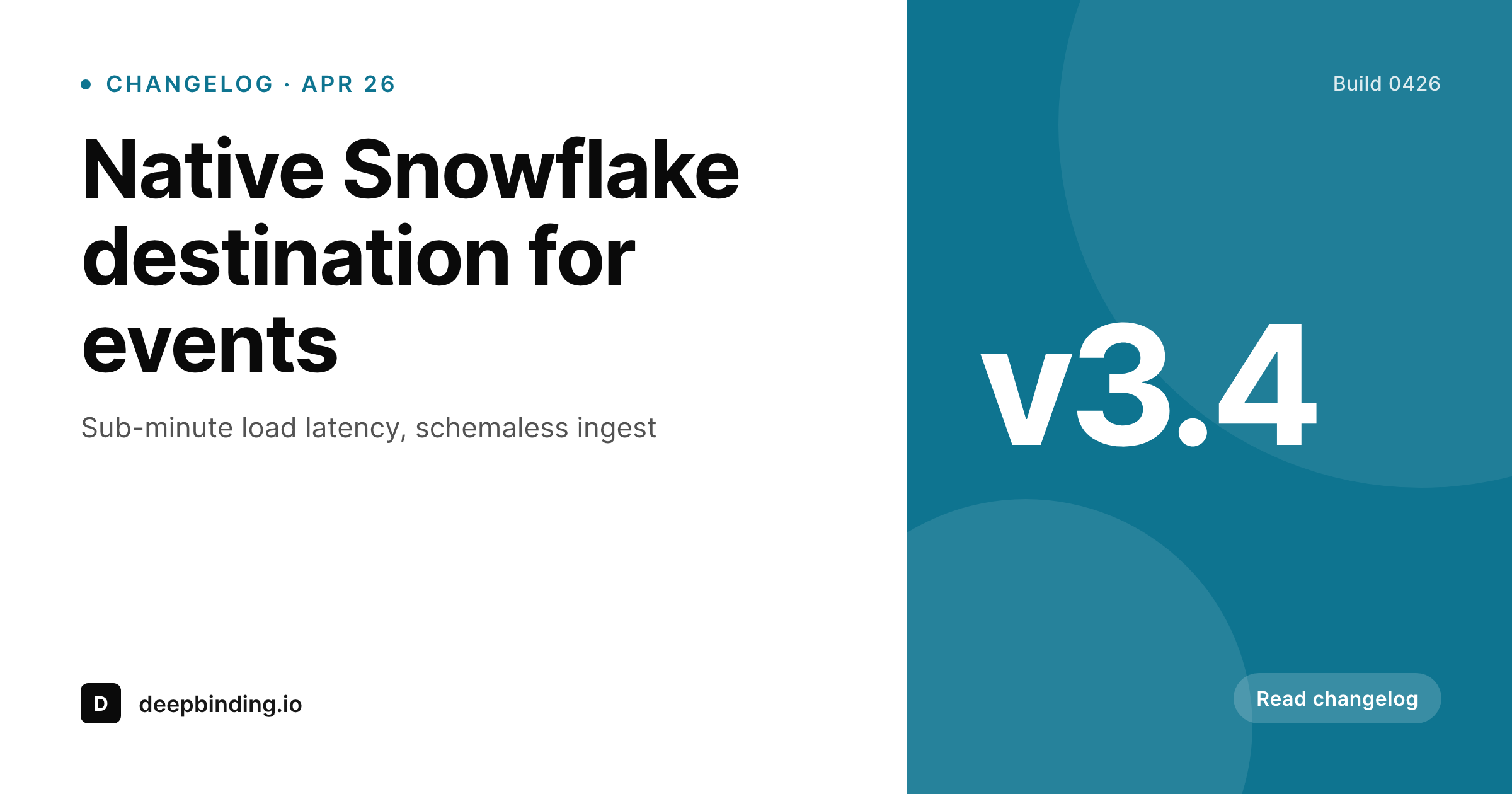
Title, author, version number, and category live as fields on each post. SleekPixel renders a 1200x630 OG image on save, so Twitter, Slack, and LinkedIn previews look on-brand without a designer in the loop.
♾️ Lifetime License available
Devrel ships content faster than design can keep up
A B2B SaaS company shipping a feature a week has changelog entries, blog posts, customer stories, and engineering deep-dives going out across the same domain. The marketing site is one part of the surface; the docs site, the changelog, and the engineering blog all live alongside it. Every post deserves an OG image because every post gets shared - in Slack, in Twitter quote-tweets, in customer support threads, in onboarding emails. Most B2B teams have one designer and a Figma library with brand-correct templates that nobody outside design knows how to operate.
The data is already structured. Every post has a title, author, category, and (for changelog entries) a version number. Marketing and devrel teams type this content into WordPress every day. The OG image is the only piece that requires a separate Figma round-trip, and that round-trip is where the bottleneck lives. Posts ship without OG images, or ship with the same generic site-wide image that's been sitting in the head tag since last quarter. Either way, the link previews don't differentiate one post from the next, and the feed scroller bounces past.
The fix is to treat the OG image like a meta tag - derived from the post, generated on save, identical in process across every section of the site. Devrel writes a deep-dive, the OG image renders, the link preview is on-brand. Marketing publishes a customer story, same flow. The designer is freed up for actual design work.
Workflow
From draft to shareable preview
Map post fields
Build template variants
Publish posts as usual
Refresh on rebrand
Output
What gets generated per post
A 1200x630 OG image with the post title, author, category, and version (for changelog) pulled live from the post fields.
Comparison
Figma round-trip vs auto-rendered OG cards
Manual / Figma / static OG
- Every blog post needs a Figma export and a designer in the loop
- Devrel posts ship with the generic site-wide OG image because no time
- Changelog entries fly under the radar without per-version artwork
- Brand refresh means every old post's OG image is suddenly out of date
- Engineering deep-dives miss social entirely because the design queue is full
SleekPixel
- Every post saves with a 1200x630 OG image rendered from the post
- Changelog version, author, category all pulled from post fields
- og:image and twitter:image meta tags wired in automatically
- Bulk regenerate the entire blog after a rebrand in one job
- Devrel ships posts without waiting on Figma exports
Features
What SleekPixel gives you for B2B SaaS
Per-post OG
Every blog post, changelog, and doc page saves with its own 1200x630 OG image. Title, author, and category come from the post.
Devrel-friendly
Engineers writing deep-dives don't need design help. Save the post, the image renders. Slack and Twitter previews look on-brand.
Bulk regenerate
Brand refresh? Run a bulk job and every post in the archive gets fresh OG art. No per-post Figma re-export, no quarterly catch-up batch.
Use cases
Where B2B SaaS OG images get used
Blog and changelog
Marketing blog, engineering blog, and changelog all share the template system. Each post type can render its own variant of the OG card.
Customer stories
Customer logos and quotes pulled from custom fields render into the OG image, so case studies share with the customer's branding visible.
Internal Slack shares
Sales and CS share blog and doc links into Slack constantly. The rich preview is the difference between a clicked link and an ignored one.
The bigger picture
Why B2B link previews compound over time
B2B SaaS content lives forever. A blog post written two years ago still ranks, still gets shared in Slack, still drives demo requests. The OG image attached to that post is a permanent piece of marketing real estate, and treating it as a one-shot Figma export is a strategic mistake.
When the brand evolves - new logo, new color palette, new typeface - every old post still has the old design embedded in its preview. Customers who share archived posts spread last year's brand identity across LinkedIn and Twitter without anyone noticing until a CMO looks at the social grid and asks why everything is mismatched. The compounding effect is invisible until it isn't.
Treating OG images as derived data, generated from the post and regeneratable in bulk, makes the entire archive a single brand surface that can refresh in one job. It also unblocks devrel and engineering: writers who don't want to file a design ticket for every post just publish, and the rich preview shows up correctly. The design team focuses on actual design problems instead of producing the 400th version of the same OG card.
Questions
Common questions about SleekPixel for B2B SaaS
Yes. SleekPixel writes og:image and twitter:image meta tags directly. It coexists with Yoast, Rank Math, SEO Press, and All in One SEO - SleekPixel takes precedence for the image tag while the SEO plugin handles title, description, and structured data.
Yes. Blog posts, changelog entries, customer stories, and doc pages can each have their own template. The template can be conditional on post type, taxonomy, or any custom field - so a 'major release' changelog entry can look different from a 'patch' entry.
If the customer logo is stored as a featured image, custom field, or an ACF image field, yes. The template can render it inline with the case study title, so each customer story carries the customer's brand into the OG preview alongside yours.
Edit the template once, run a bulk regenerate from the SleekPixel admin, and every post in the archive gets a new OG image. The PNG file in uploads is replaced, so social platforms re-fetch when their cache expires. No per-post manual work.
Yes. WPML and Polylang both store translations as separate posts, each with their own meta. SleekPixel generates an OG image per translated post, so the German blog post shares with German copy on the OG image and the English version with English copy.
Yes. Twitter cards use the same 1200x630 ratio as the OG image, so a single render covers both. If a different aspect ratio is needed, configure a second format and the template renders both on save.
If the front end reads from WordPress (REST API, GraphQL via WPGraphQL, or direct meta queries), yes. SleekPixel writes the og:image meta to the post and stores the PNG in uploads. The headless front end fetches the URL and serves it as the OG tag in its own head.
Marketing pages built in WordPress are just another post type. SleekPixel reads the page's title, hero image, and any custom fields and renders an OG image the same way. Pages built outside WordPress (separate Next.js routes, for example) need their own image solution.
Pricing
More than 1000+
happy customers
Explore our flexible licensing options tailored to your needs. Upgrade your license anytime to access more features, or opt for a lifetime license for ongoing value, including lifetime updates and lifetime support. Our hassle-free upgrade process ensures that our platform can grow with you, starting from whichever plan you choose.
Lifetime ♾️
Most popular
EUR
once
- Unlimited websites
- Lifetime updates
- Lifetime support
...or get the Bundle Deal
and save €250 🎁
💎 Want everything forever? The All Access Pass is going away on 01.08.2026.
The Bundle (unlimited sites)
Pay once, own it forever
Elevate your WordPress site with our exclusive plugin bundle that includes all of our premium plugins in one package. Enjoy lifetime updates and lifetime support. Save significantly compared to buying plugins individually.
What’s included
-
SleekAI
-
SleekByte
-
SleekMotion
-
SleekPixel
-
SleekRank
-
SleekView
€749
Continue to checkoutBrowse more
- TikTok profile banners
- YouTube banner art
- YouTube channel banners
- Discord server banners
- Instagram collab post images
- Etsy cover photos
- Farcaster cast images
- Depop listing images
- Behance banner
- Twitter header banners
- podcast cover art
- Twitch schedule banners
- Odnoklassniki banners
- Threads profile banners
- KDP paperback cover